
Alan Bloxham
Project Manager
Chose Square Payroll
ADP is much too expensive. Gusto was great for us but we found Square Payroll to be more cost effective, though the difference is not very much.

| Product | Rating | Most Used By | Product Summary | Starting Price |
|---|---|---|---|---|
 Square Payroll | N/A | Square Payroll is a payroll solution for hourly employees, from Square headquartered in San Francisco, California. | $0 per month | |
 Workday Workforce Management | N/A | Workday Workforce Management is a workforce operations software that integrates HR, time, and scheduling data, to eliminate disjointed processes that halt day-to-day operations. Consistent with a worker-first approach, Workday provides mobile-first access to personalized pay, time, and schedules, giving workers frictionless on-the-go access. This helps overcome difficulties in retaining workers and keeps them engaged in a competitive labor… | N/A |
| Square Payroll | Workday Workforce Management | |||||||||||||||
|---|---|---|---|---|---|---|---|---|---|---|---|---|---|---|---|---|
| Editions & Modules |
| No answers on this topic | ||||||||||||||
| Offerings |
| |||||||||||||||
| Entry-level Setup Fee | No setup fee | No setup fee | ||||||||||||||
| Additional Details | — | — | ||||||||||||||
| More Pricing Information | ||||||||||||||||
| Square Payroll | Workday Workforce Management | |
|---|---|---|
| Considered Both Products | Square Payroll Alan Bloxham Project Manager Chose Square Payroll ADP is much too expensive. Gusto was great for us but we found Square Payroll to be more cost effective, though the difference is not very much.  Sasha Brito Marketing Director Chose Square Payroll We have tested the QuickBooks Online platform. Before using Square, we tried QuickBooks, but the experience we had was not to our liking. QuickBooks Online is a much more complicated platform to use, the interface is much larger and has complexity in the configuration of the … Chose Square Payroll I liked patriot, but I found it to be more confusing than Square and took me too much time to setup. I setup Square Payroll in about an hour. I would also say the Square interface made more sense to me. I also like how Square offers more things like benefits, etc. that can be …  JoAnna Cohen President Chose Square Payroll Cheaper and easier to implement Square payroll versus the competition. Accessible to the small business. Doesn't have a learning curve. Quick deployment to usage/adoption. The other options don't compare when looked at feature for feature vs. price. |  Workday Workforce Management |
| Square Payroll | Workday Workforce Management | ||||||||||||||||||||||||
|---|---|---|---|---|---|---|---|---|---|---|---|---|---|---|---|---|---|---|---|---|---|---|---|---|---|
| Payroll Management |
|
| Square Payroll | Workday Workforce Management | |
|---|---|---|
| Small Businesses |  Dayforce Powerpay Score 9.5 out of 10 | Dayforce Powerpay Score 9.5 out of 10 |
| Medium-sized Companies |  Paypro Workforce Management Score 9.7 out of 10 | Paypro Workforce Management Score 9.7 out of 10 |
| Enterprises |  Infor Human Resources Score 7.1 out of 10 | Infor Human Resources Score 7.1 out of 10 |
| All Alternatives | View all alternatives | View all alternatives |
| Square Payroll | Workday Workforce Management | |
|---|---|---|
| Likelihood to Recommend | 4.7 (0 ratings) | 10.0 (0 ratings) |
| Usability | 9.0 (0 ratings) | 10.0 (0 ratings) |
| Support Rating | 9.0 (0 ratings) | - (0 ratings) |
| Square Payroll | Workday Workforce Management | |
|---|---|---|
| Likelihood to Recommend |
|
|
| Pros |
JoAnna Cohen President |
|
| Cons |
|
|
| Usability |
JoAnna Cohen President |
|
| Support Rating |
| No answers on this topic |
| Alternatives Considered |
Sasha Brito Marketing Director |
|
| Return on Investment |
Alan Bloxham Project Manager |
|
| ScreenShots | Workday Workforce Management Screenshots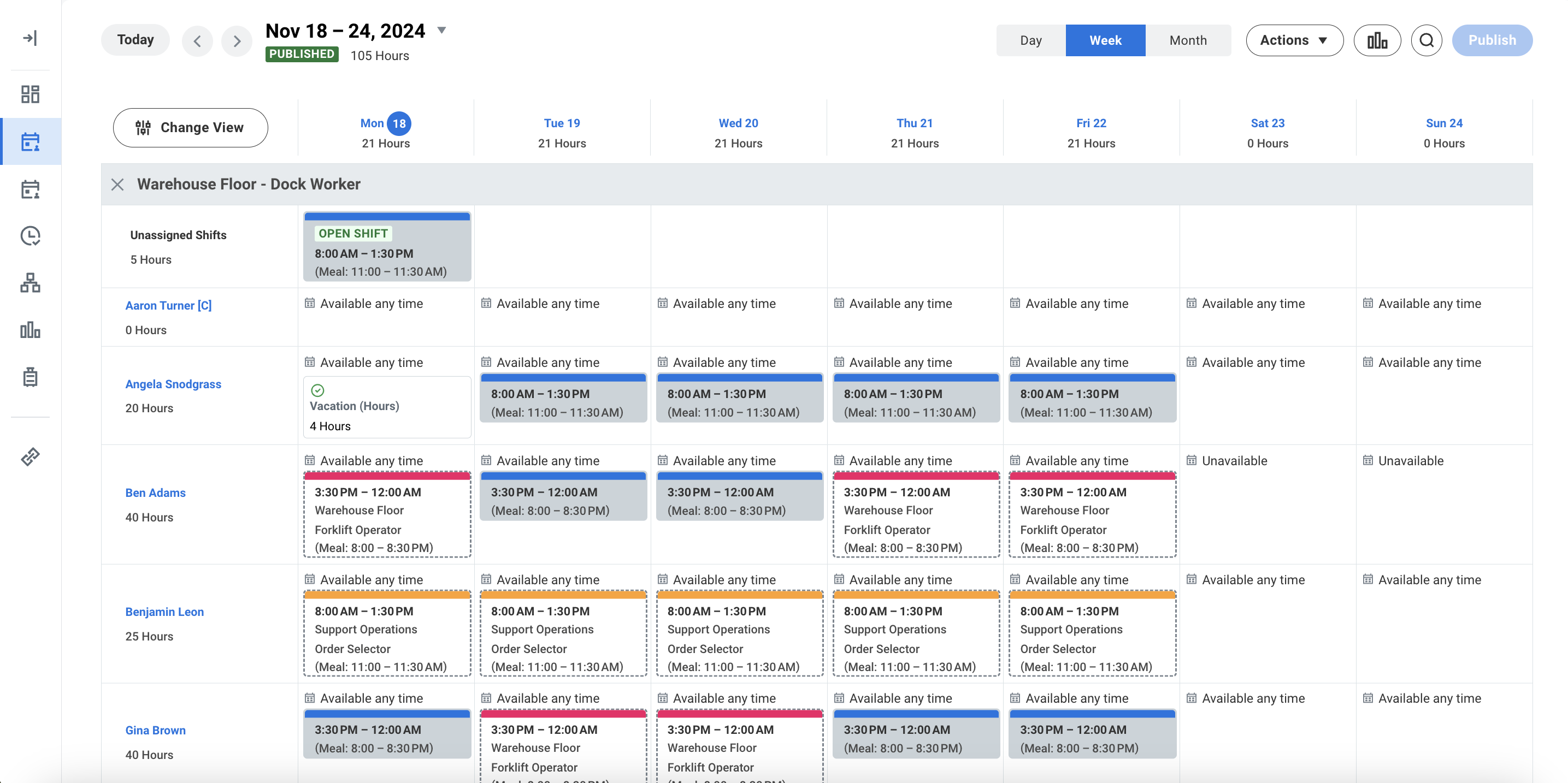 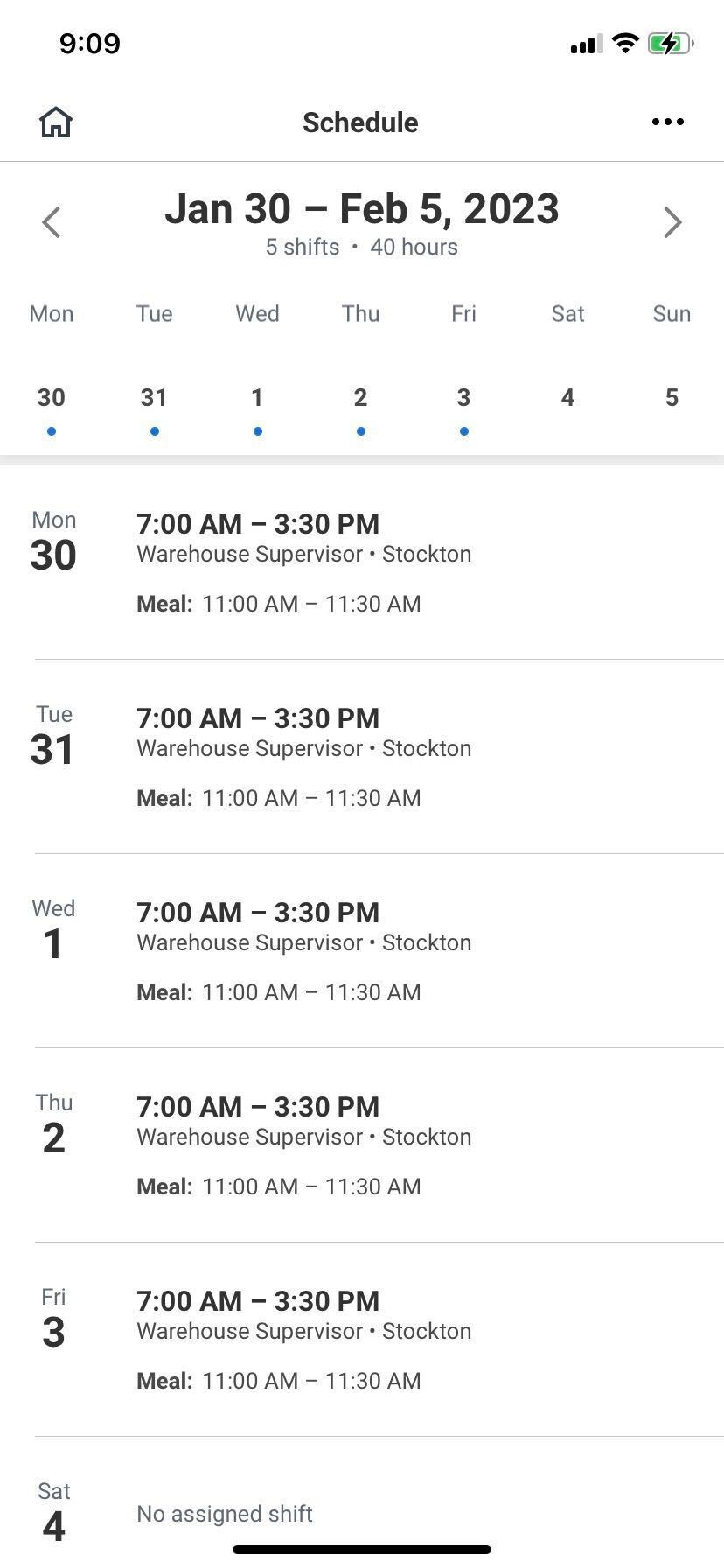 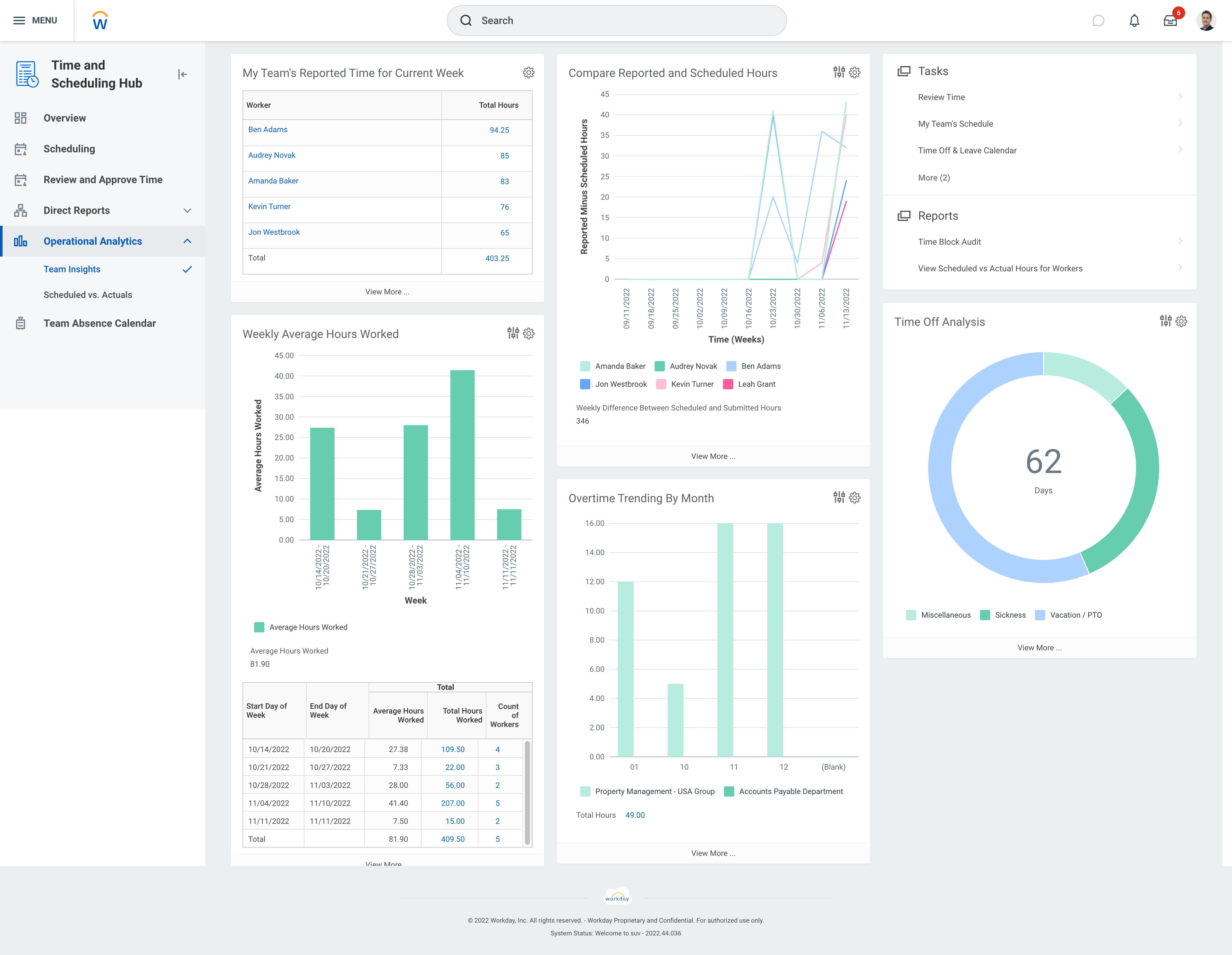 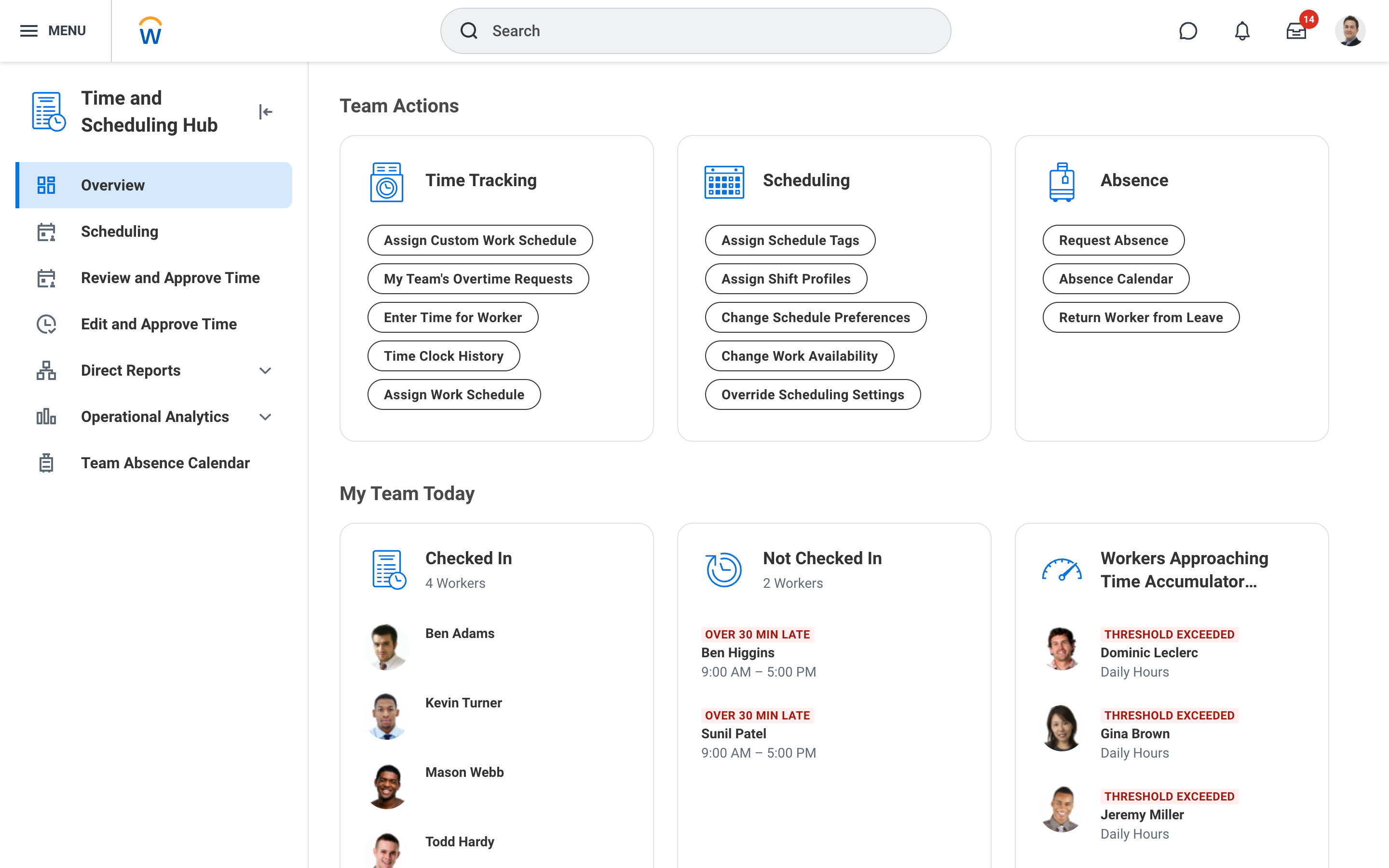 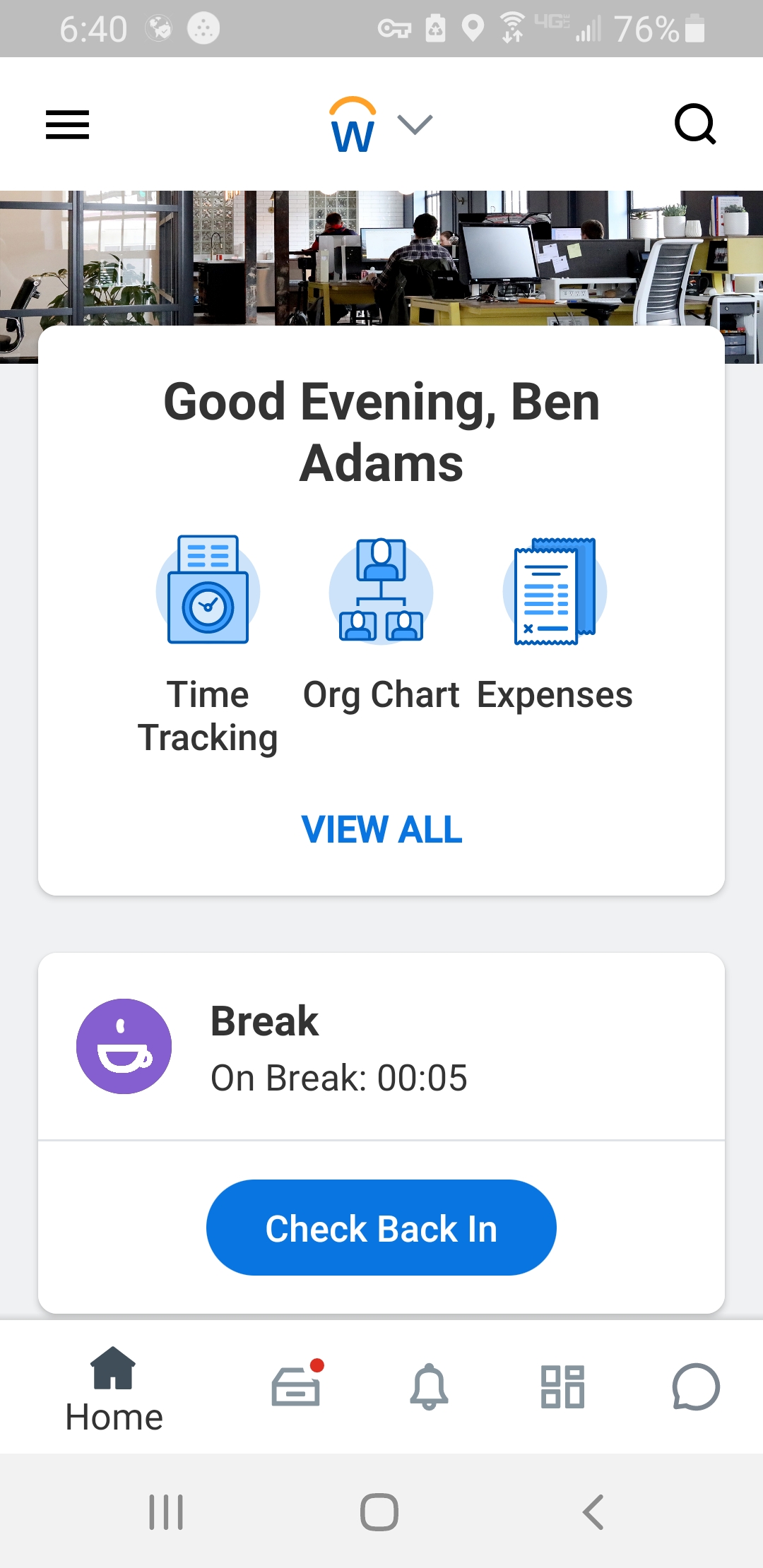 |
