
TrustRadius: an HG Insights company

Workday Workforce Management

Score8.8 out of 10

37 Reviews and Ratings

What is Workday Workforce Management?

Workday Workforce Management is a workforce operations software that integrates HR, time, and scheduling data, to eliminate disjointed processes that halt day-to-day operations.

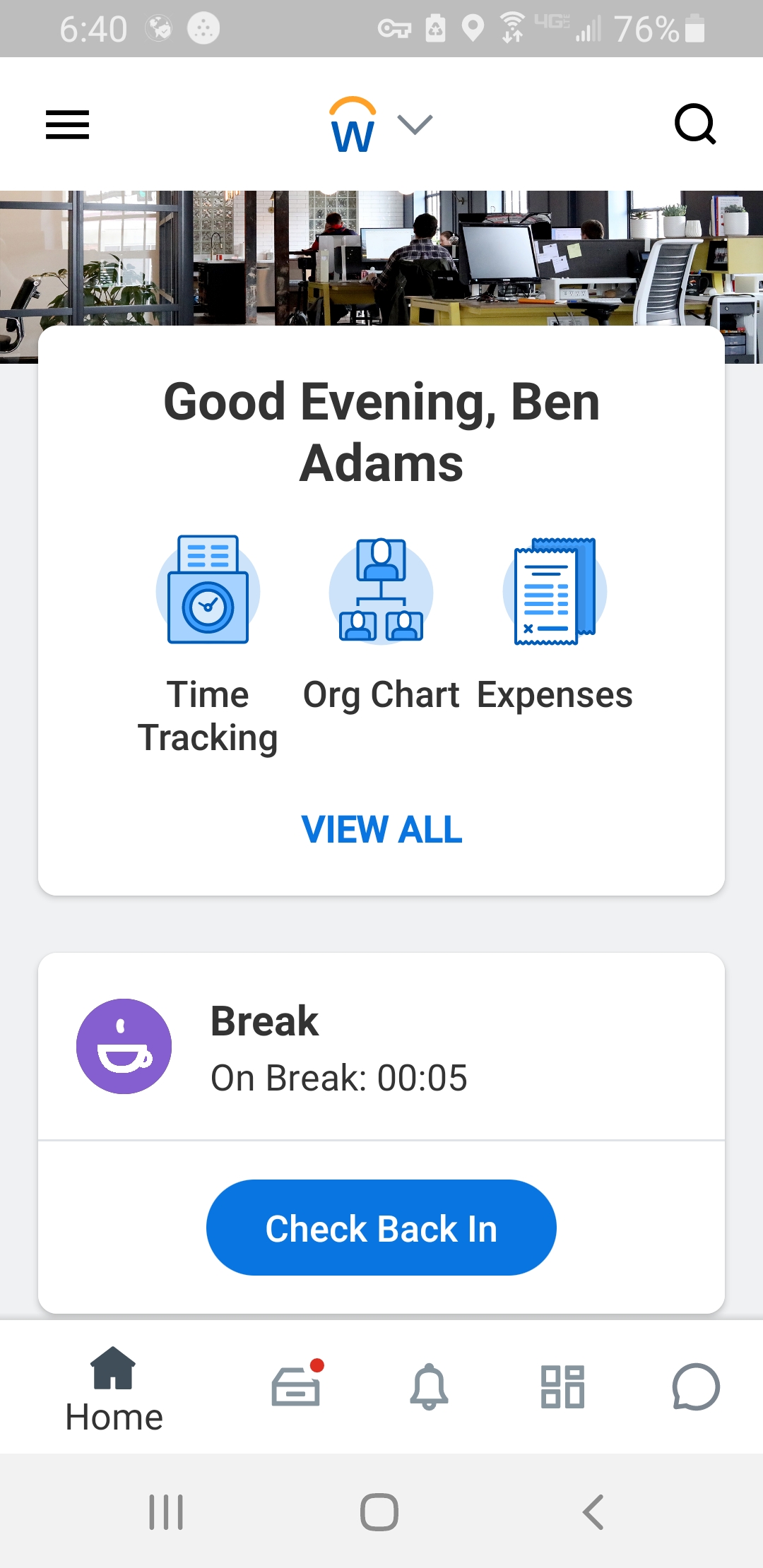
Consistent with a worker-first approach, Workday provides mobile-first access to personalized pay, time, and schedules, giving workers frictionless on-the-go access. This helps overcome difficulties in retaining workers and keeps them engaged in a competitive labor market.

The solution creates visibility & insight with AI driven, real-time manager insights for improved decision-making. Managers get insights from a single dashboard, helping to optimize team performance and control labor costs, while meeting customer demand and the needs of the business.

Media

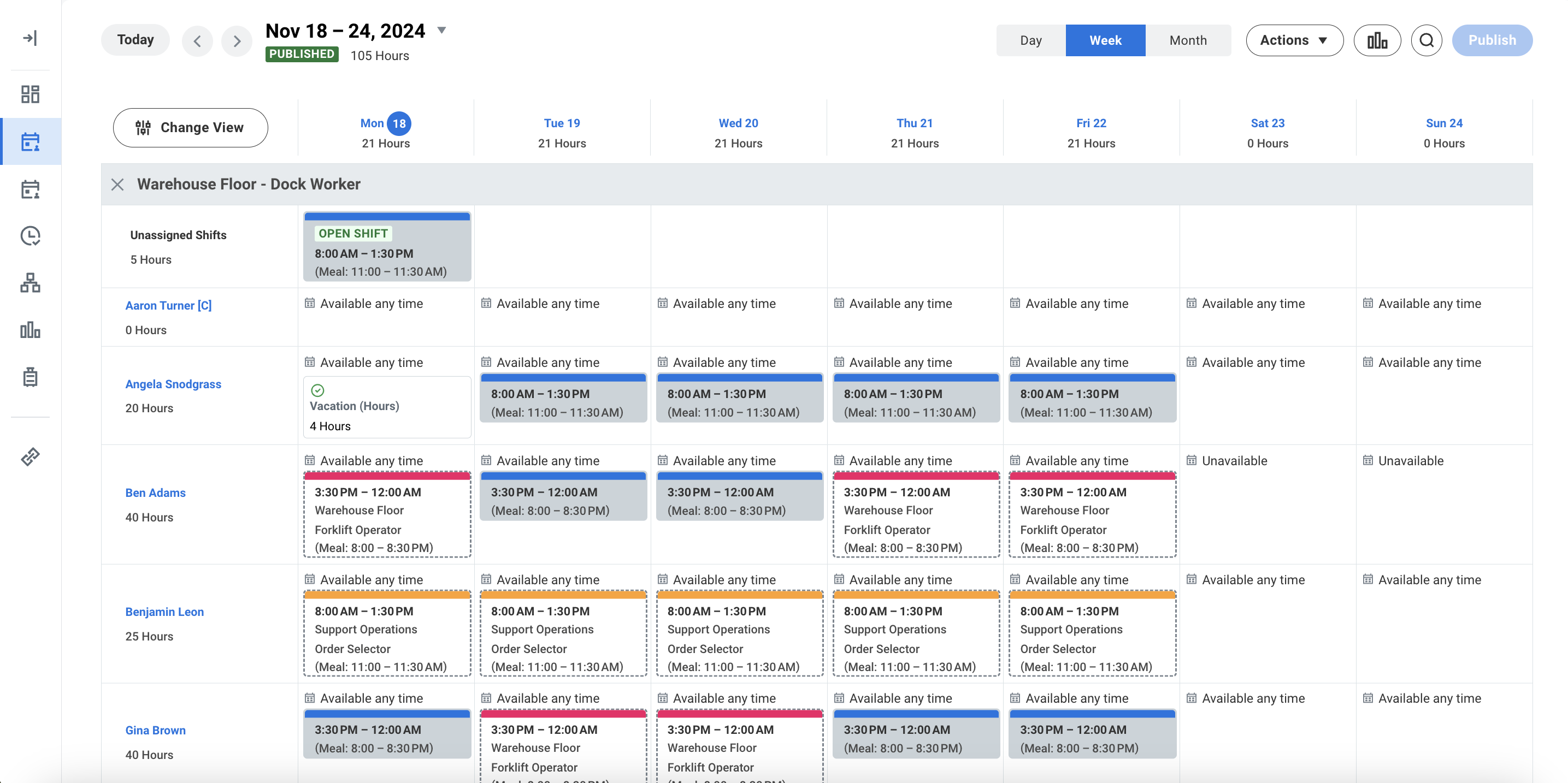
Workday Workforce Management Schedule
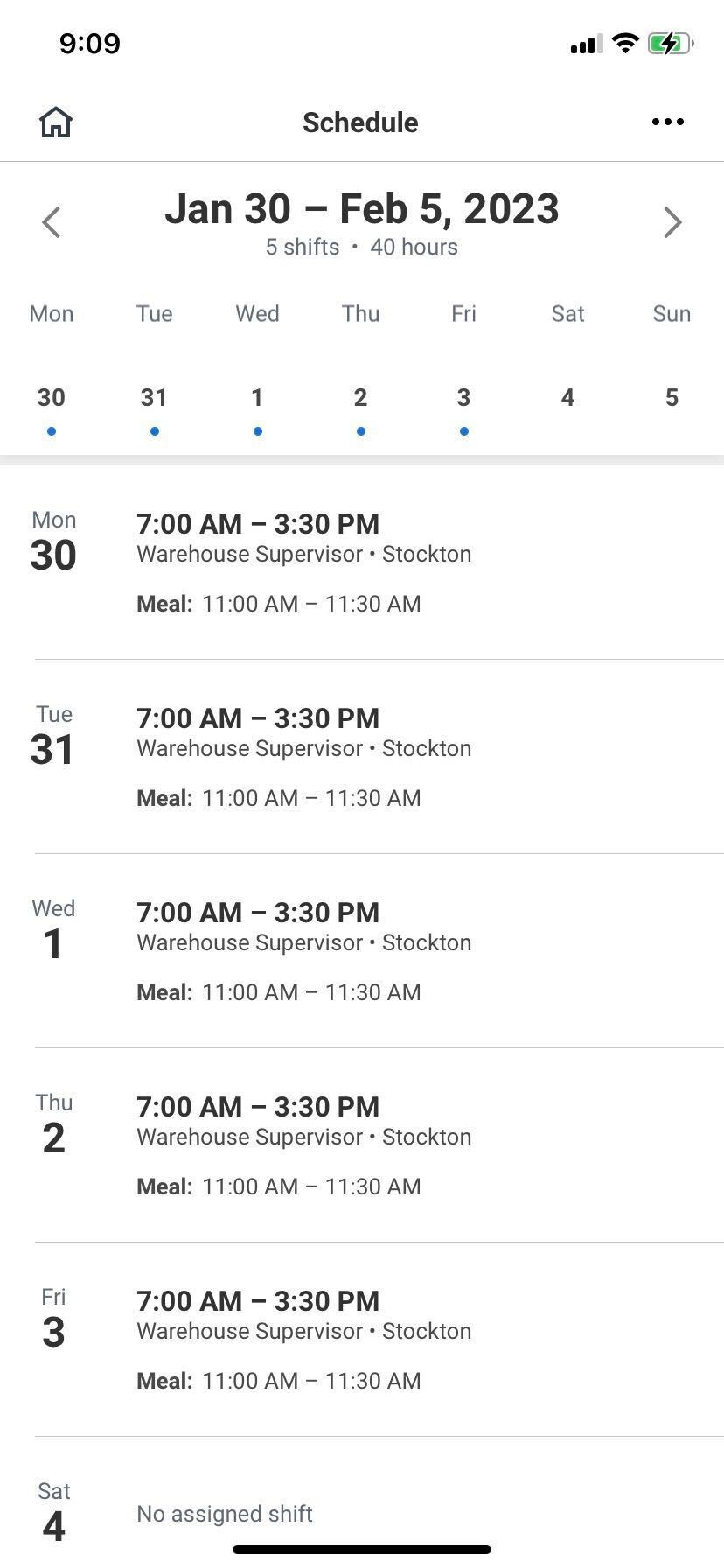
Workday Workforce Management Schedule (Mobile)
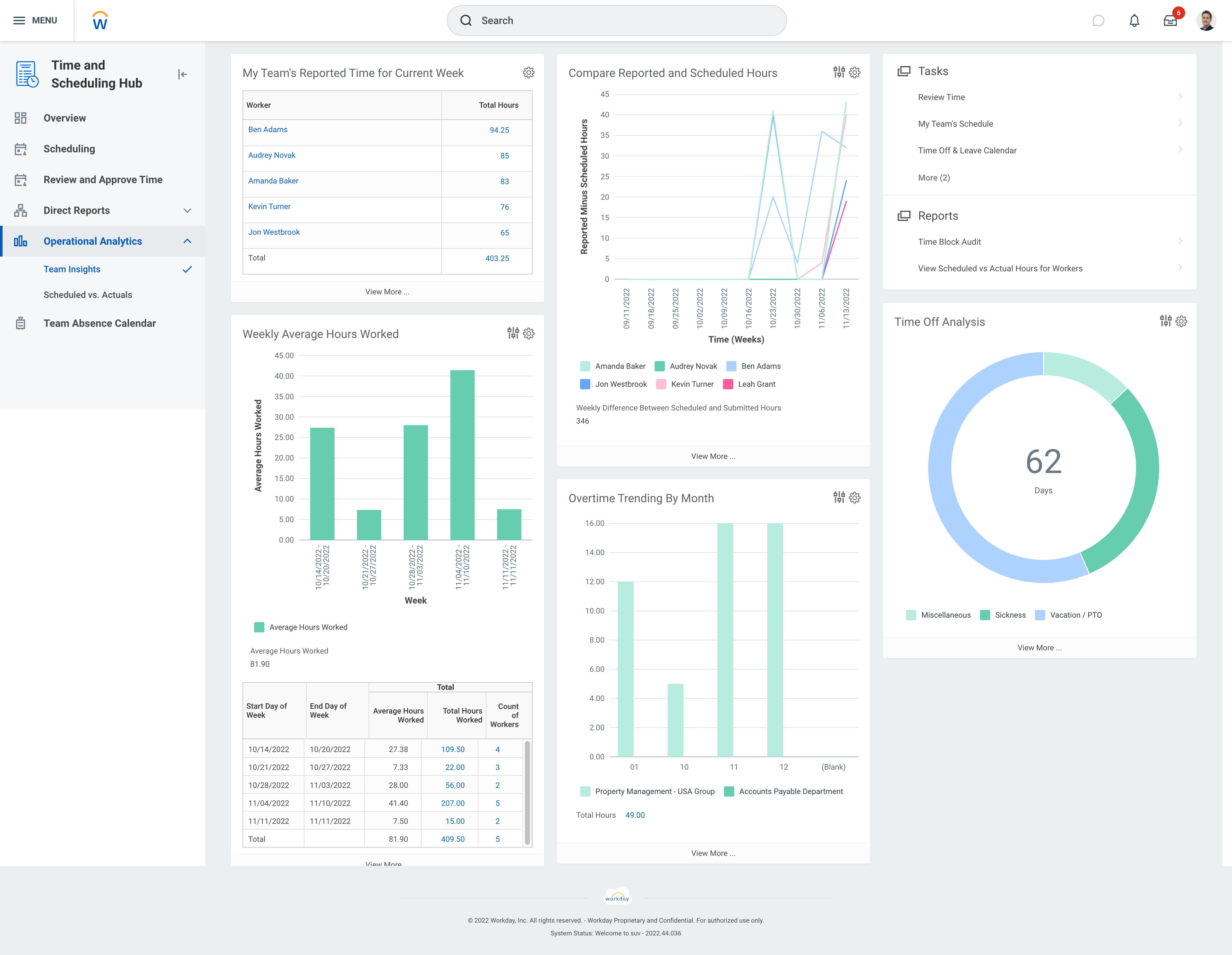
Workday Workforce Management Team Insights
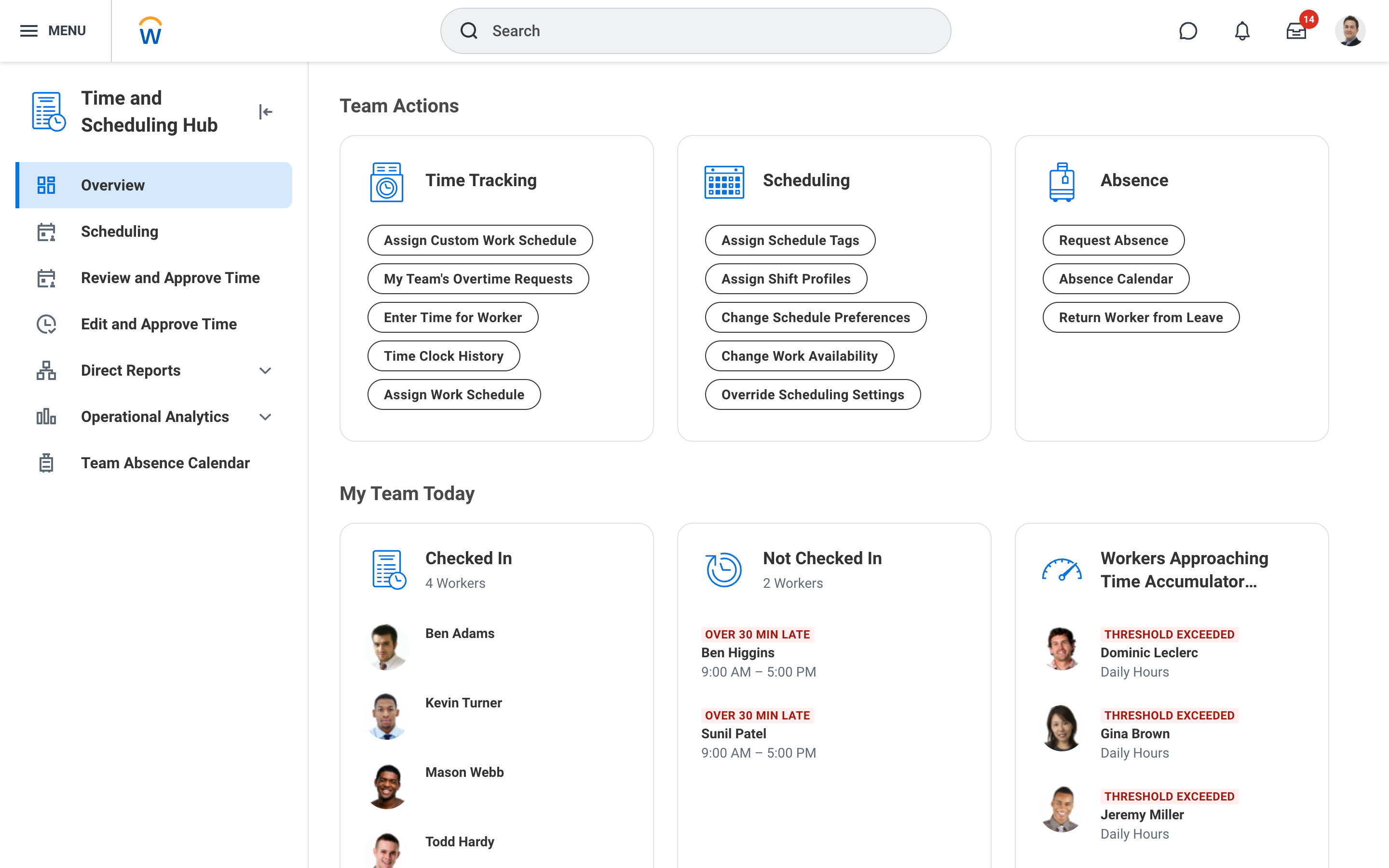
Workday Workforce Management Time and Scheduling Hub
Workday Workforce Management Time (Mobile)

1 / 5

Top Performing Features

  • Pay calculation

    Pay calculation provides for computation of employee pay with state and federal deductions.

    Category average: 9

  • Benefit plan administration

    Benefit plan administration is administration of health insurance plans and 401k plans, and other benefits.

    Category average: 7.9

  • Direct deposit files

    Direct deposit is the ability to electronically transfer pay to an employee’s personal bank account.

    Category average: 9

Areas for Improvement

  • Off-cycle/On-Demand payment

    Provide employees access to wages accrued during the pay period before the end of the pay cycle.

    Category average: 8.4

  • Support for external payroll vendors

    Support for external payroll vendors is the ability to integrate with 3rd-party payroll services.

    Category average: 7.2

  • Reimbursement management

    Reimbursement management provides cash reimbursement for employee expenses related to business travel or other.

    Category average: 8.1

Making Payment Tax and Goal Info Easy for Contributors

Use Cases and Deployment Scope

My org uses it for managing hiring, onboarding, payroll, and organizational changes.

Pros

  • Easy to access payslips.
  • Does a good job facilitating the yearly goal setting process.
  • Quickly sort through internal job postings.

Cons

  • The tasks function is somewhat clunky, and its hard to see who the task is sent to next in order to follow up with them.
  • In-process referrals don't always show up in the "My Referrals" tab
  • Filters on tasks don't always work.

Return on Investment

  • Positive ROI because it streamlines the goal setting process in a way that is visible.
  • Positive ROI because it cuts down on requests to HR to see payroll info.
  • Positive ROI because it cuts down on requests to HR to access tax documents.

Usability

Other Software Used

Microsoft Teams, UKG Ready, Microsoft Excel

Great software

Use Cases and Deployment Scope

We recently switched to Workday Payroll and Workforce Management and so far I love it. It's much easier than other payroll management programs and has the ability to be used on a mobile device as well.

Pros

  • payroll
  • timecard edits
  • mobile ability

Cons

  • it logs the user out too quickly with dormant status

Return on Investment

  • ROI

Alternatives Considered

UKG Workforce Central (discontinued) and Kronos Workforce Dimensions / UKG Dimensions (discontinued)

Other Software Used

Microsoft 365, Microsoft Teams

Versatile Platform

Use Cases and Deployment Scope

When we used Workday Payroll, staff would input their hours worked, and I was responsible for approving their time. As a hiring manager, I also completed Workday Management training to manage the onboarding process for new employees. This included tracking completed tasks, communicating with candidates, contacting references, and monitoring the progress of background checks. I collaborated closely with HR to ensure the entire process was completed smoothly and efficiently.

Pros

  • Collaborate with HR on completed tasks
  • Review and Submit Timesheets for staff
  • Submit personal time off for supervisors to review and approve or decline.

Cons

  • Some flexibility in bypassing required fields that cannot be filled out is needed, as sometimes the answer is truly unknown. You can get stuck in the form until you can answer the required question.
  • Have the option for a light or dark screen mode, especially for mobile app users.
  • Option to customize workflow chart design of the hierarchy of supervisors and staff.

Return on Investment

  • More staff felt comfortable using Workday Payroll and Workforce Management to complete tasks
  • Having a mobile app made it possible to submit or approve hours when you're on the go and not at your desk in front of a computer.
  • Because of the mobile app, it made it easier for student worker to submit their time when they are at home.

Usability

Alternatives Considered

Gusto, ClickUp, ADP Enterprise HR and Oracle API Platform Cloud

Other Software Used

Gusto, BambooHR, ADP Enterprise HR

Best HR Software

Use Cases and Deployment Scope

We use Workday Payroll and Workforce Management to run payroll and manage team-mates through the organization. It helps to maintain all HR functions in one app/place. All hires and termination, pay changes are all housed in Workday. This helps maintain day to day functionality. Thus, running payroll is very simple. It helps with internal controls and helps strengthening systems.

Pros

  • Internal Controls
  • One system
  • Simplified Payroll

Cons

  • Cost
  • Requires HRIS Personnel
  • Implementation Time

Return on Investment

  • Faster processes
  • Accuracy
  • Salary for increased personnel

Usability

Alternatives Considered

Gusto and UKG Pro

Great HRIS Tool

Use Cases and Deployment Scope

We use Workday as our main SOT and HRIS system. Additionally used to track PTO time and requests.

Pros

  • PTO Workflow from request submission, approval, and tracking
  • Report functionality for administrative and management roles
  • Annual goal setting and tracking progress toward goals

Cons

  • More intuitiveness for some functions (i.e. requesting partial PTO days is tricky)
  • Goal setting can be somewhat onerous and repetitive manual entry of same steps multiple times
  • No other issues come to mind

Return on Investment

  • Single SOT for all HRIS data
  • Continuity throughout organization (all divisions and business units)
  • Consistent reliability