
Hudson Blair
Owner
Chose Workflowy
Workflowy seems to have less constraints than those other products. It is easier to use and more versatile.

| Product | Rating | Most Used By | Product Summary | Starting Price |
|---|---|---|---|---|
 Workflowy | N/A | Workflowy is a note-taking and organizational tool designed to help users manage their tasks, notes, and projects. Its simplicity and features make it a choice for individuals and teams looking to streamline their workflow. Infinite Nesting Structure: Workflowy allows users to create lists within lists to an infinite degree, enabling a detailed and structured way to organize information Global Search: Its search function is used to search through all their… | $0 per user | |
 Zoho Cliq | N/A | Zoho Chat is a live chat tool, from Zoho Corporation. | $18 per month up to 25 users |
| Workflowy | Zoho Cliq | |||||||||||||||
|---|---|---|---|---|---|---|---|---|---|---|---|---|---|---|---|---|
| Editions & Modules |
|
| ||||||||||||||
| Offerings |
| |||||||||||||||
| Entry-level Setup Fee | No setup fee | No setup fee | ||||||||||||||
| Additional Details | — | 10% discount for annual pricing. | ||||||||||||||
| More Pricing Information | ||||||||||||||||
| Workflowy | Zoho Cliq | |
|---|---|---|
| Considered Both Products |  Workflowy Hudson Blair Owner Chose Workflowy Workflowy seems to have less constraints than those other products. It is easier to use and more versatile. |  Zoho Cliq  Ganesh Subramanian Director Operations Chose Zoho Cliq Slack is equally good but as we went for ZohoOHO CRM it made sense to go in for Zoho Cliq to benefit from the integrations. Zoho Cliq is intuitive and user-friendly with no extra learning required. Google Chat had very limited capabilities and was not very user-friendly. …  Marc Fishman Director of Sales & Marketing Chose Zoho Cliq Essentially the same style of platform. Aside from any "bots" (which I don't use anyways), they appear to do the same thing. But Zoho Cliq comes packed into the Zoho One platform. It's a useful component in a suite of communication tools that allows our office to work and speak …  Caroline Blades Chief Operating Officer Chose Zoho Cliq My all-time favorite tool in this space is Slack but Cliq is a close second. Cliq is essentially built to mimic Slack but is not quite as cutting-edge with some of their features. We opted to use Cliq over Slack because of the interconnectedness it offered with all the other …  Stacey Commings Purchasing Chose Zoho Cliq The owner chose this system after many months of evaluation.  Vince McConville Advisor / Director Chose Zoho Cliq Functionality wise Zoho Chat fairs pretty well against the other options. I still use all the other options as I need to be flexible in how I communicate with clients. It is the integration into the ZohoCRM & Cliq that puts Zoho Chat above the others and is why I try to … |
| Workflowy | Zoho Cliq | |||||||||||||||||||||
|---|---|---|---|---|---|---|---|---|---|---|---|---|---|---|---|---|---|---|---|---|---|---|
| Project Management |
| |||||||||||||||||||||
| File Sharing & Management |
| |||||||||||||||||||||
| Communication |
|
| Workflowy | Zoho Cliq | |
|---|---|---|
| Small Businesses |  Stackby Score 9.0 out of 10 | Stackby Score 9.0 out of 10 |
| Medium-sized Companies |  Troop Messenger Score 9.8 out of 10 | Troop Messenger Score 9.8 out of 10 |
| Enterprises |  HCL Connections Score 9.0 out of 10 | HCL Connections Score 9.0 out of 10 |
| All Alternatives | View all alternatives | View all alternatives |
| Workflowy | Zoho Cliq | |
|---|---|---|
| Likelihood to Recommend | 9.1 (0 ratings) | 9.0 (0 ratings) |
| Likelihood to Renew | - (0 ratings) | 10.0 (0 ratings) |
| Usability | 8.2 (0 ratings) | 10.0 (0 ratings) |
| Support Rating | - (0 ratings) | 10.0 (0 ratings) |
| Workflowy | Zoho Cliq | |
|---|---|---|
| Likelihood to Recommend |
 Jack Edward Heald Managing Partner |
|
| Pros |
 Jarius Elliott Independent Contractor |
|
| Cons |
Hudson Blair Owner |
|
| Likelihood to Renew | No answers on this topic |
Marc Fishman Director of Sales & Marketing |
| Usability |
Jack Edward Heald Managing Partner |
|
| Reliability and Availability | No answers on this topic |
Ganesh Subramanian Director Operations |
| Performance | No answers on this topic |
Ganesh Subramanian Director Operations |
| Support Rating | No answers on this topic |
Stacey Commings Purchasing |
| Online Training | No answers on this topic |
Ganesh Subramanian Director Operations |
| Implementation Rating | No answers on this topic |
Ganesh Subramanian Director Operations |
| Alternatives Considered |
Jarius Elliott Independent Contractor |
Marc Fishman Director of Sales & Marketing |
| Scalability | No answers on this topic |
Ganesh Subramanian Director Operations |
| Return on Investment |
Hudson Blair Owner |
Vince McConville Advisor / Director |
| ScreenShots | Workflowy Screenshots    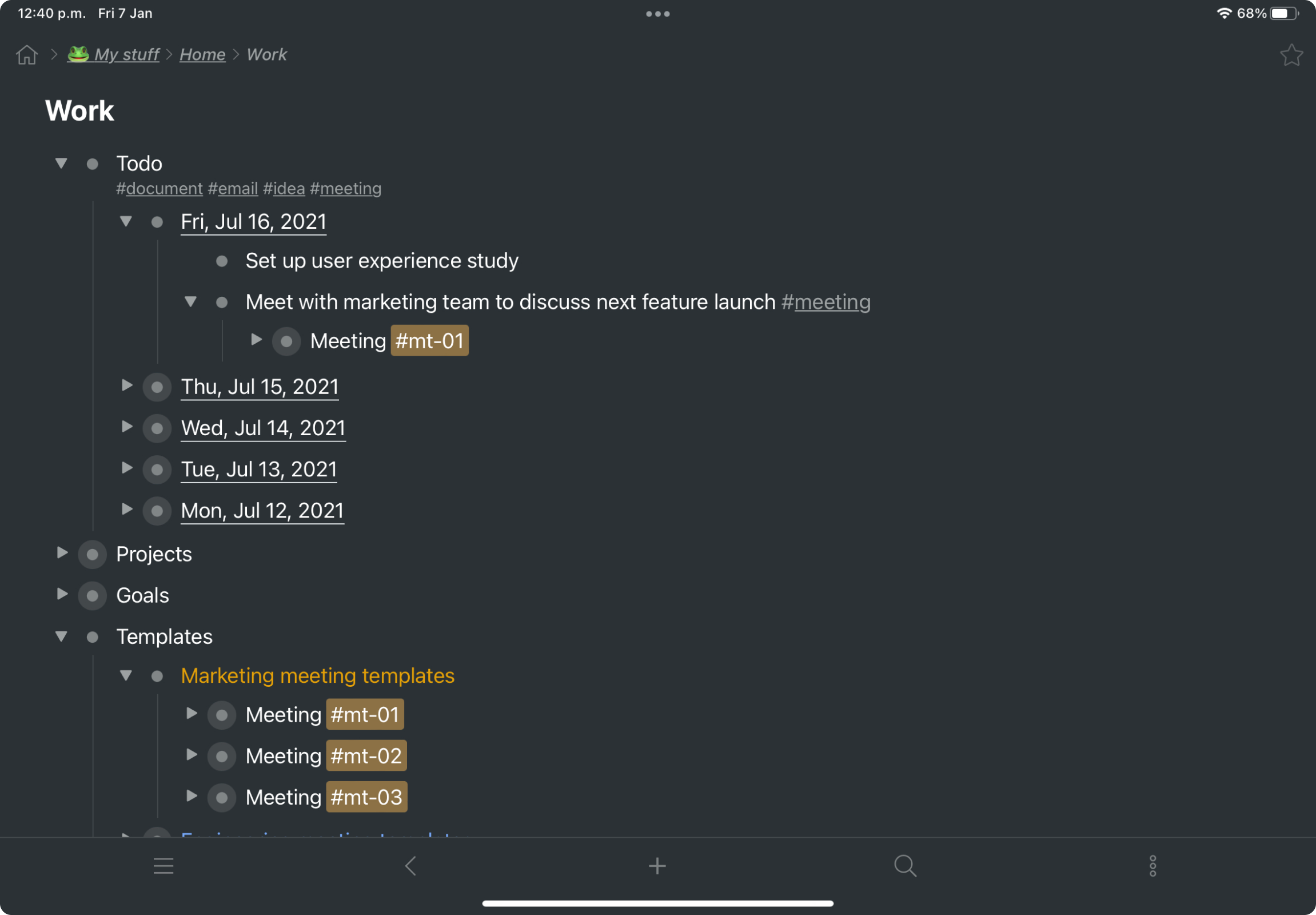 | Zoho Cliq Screenshots     |