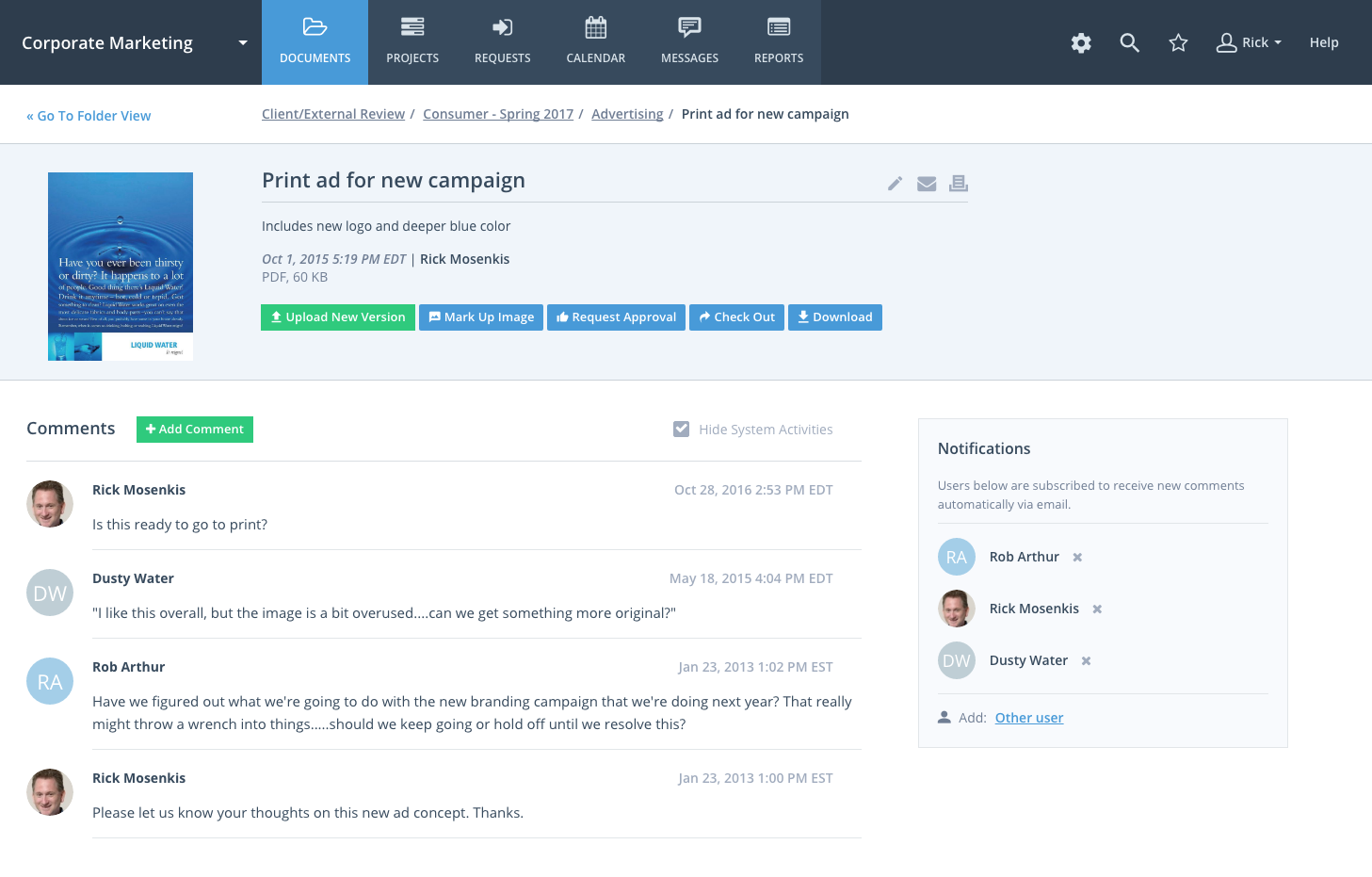
Workzone is a web-based tool for project management and collaboration from Workzone in Norristown, PA, that contains a full array of the features needed for project management. It's hub is the project dashboard, which provides a platform for team communication and tracking tasks over time as they progress towards completion. An automated to-do list can be sent to each user. Alerts flag issues nearing a critical moment or events of which team members need be aware. Templates classify projects and…
$24
Per Month Per User
Wrike
Score 8.3 out of 10
Mid-Size Companies (51-1,000 employees)
Wrike is a project management and collaboration software. This solution connects tasks, discussions, and emails to the user’s project plan. Wrike is optimized for agile workflows and aims to help resolve data silos, poor visibility into work status, and missed deadlines and project failures.
$0
per month per user
Pricing
Workzone
Wrike
Editions & Modules
Team
$24.00
Per Month Per User
Professional
$34.00
Per Month Per User
Enterprise
$43.00
Per Month Per User
Wrike Free
$0
per month per user
Wrike Team
$10
per month (billed annually) per user (2-15 users)
Wrike Business
$25
per month (billed annually) per user (5-200 users)
Wrike Enterprise
Request a quote
per month per user
Pinnacle
Request a quote
per month per user
Offerings
Pricing Offerings
Workzone
Wrike
Free Trial
Yes
Yes
Free/Freemium Version
No
Yes
Premium Consulting/Integration Services
No
No
Entry-level Setup Fee
No setup fee
No setup fee
Additional Details
—
Every premium plan begins with a 14-day trial period.
Wrike was less intuitive than WorkZone, but easier to use than Asana. Excel was more efficeint than all of them, as there was no need to familiarize anyone with the system. Excel didn't solve any email/communications issues, or version controls, but Wrike proved not to be our …
WorkZone would be a great tool for a company that develops content/ideas and has to share them with multiple people/clients. It allows for easy sharing and commenting. For a company that creates content for web, radio or television and would like to store them for presentation purposes- then you might want to look elsewhere. WorkZone was everything we needed and wanted until we started to expand. We've recommended WorkZone to a few companies and two of them are using it today. One of those clients does construction. They use WorkZone to share building schematics and ideas throughout their company and on the job site. We are working with them on a job that they are constructing and they've added us as a 'client user' to access items that are beneficial towards the ads we're creating.
Negotiations often involve long timelines and multiple rounds of discussion. Wrike allows us to assign clear ownership, track due dates, and monitor progress so that nothing stalls or gets lost. Redlines, proposals, and finalized agreements can be stored and shared within Wrike, reducing reliance on scattered email chains and ensuring everyone is working from the most current version.
Unless you have the resources to create a proprietary project management software WorkZone was the best "off the shelf" software that I could find. It is also web based so it was easy to implement.
It is easy to use and easy to train users on how to utilize the software.
I was specifically looking for Project Management software for marketing purposes. Many of the software that is out there has been built for larger construction and software projects that may have a lot of dependencies. These types of software are too cumbersome for marketing projects and aren't user friendly. Although you could use WorkZone for these types of projects if you wanted too.
Like BaseCamp you have the ability to share documents and post messages but in addition, you have easy to use timeline capabilities. It was also important to be able to build different types of reports for campaigns, projects and resources.
different views to accommodate different users workflow
predecessors and successors to tie tasks together and adjust dates as a group
Being able to see other people's workloads so when I am planning my projects for the upcoming quarter, I can set a project delivery date that is better suited to workload and is more realistic
If a project is put on hold by the client, Workzone sends me notifications that I am approaching a deadline that is no longer applicable. There needs to be a "on hold" button.
Sometimes it is hard to forecast a few months out with projects, so I can only use the program for weekly projections.
In my industry, there are daily fires we have to put out per say, that were not accounted for in the program. At that point I dont have time to update the schedule, because it is a moving target.
For example, let's say we are onboarding a new client. There are certain tasks that need to be done. It would be great to be able to create a new project and have certain tasks preloaded.
Importing.
Importing may seem easy, but there is so much nuance to it. The fact that you need to make sure the parent task comes before child tasks is very difficult to do without the help of AI. Also, I am not sure it is possible if you have a thousand tasks to import, to make sure that you have a folder structure and parent/child tasks.
I also find that the documentation is lacking and the 2 import methods lacking as well.
Customize my inbox. When I log into Wrike, my Inbox is the first thing I see, but this doesn't show the full picture of what I want it.
Because of time constraints, our team hasn't been able to fully implement and change our existing processes. If we can get our templates set up and maybe some better export options figured out, I think it'll be a no-brainer to renew, but until then it maybe be difficult to financially justify something we're only partially using.
I wish that Wrike had more drag and drop functionality that would be connected to assignee and also I wish that the finish date of a task would update to the date where you checked completed. It does not do that. Also finishing a task doesn't move the start date of the next task it "protects your time in that way", but our management team wants us to quickly see what we have down the pipeline rather than having to scroll down the list of upcoming tasks.
All the features of this software have been enhanced to meet all requirements of the modern software. For instance, the security of data handled by software has been a major concern in many organizations. Also, the effectiveness of the task accomplished using certain software has been a major concern. Both have been enhanced with Workzone.
I love the way task management is designed within Wrike. The full overview, followed by sequential updates, really works for us - this way, we don't need to go into individual people's work subtasks to find what's happening with a project. That's very useful from a project management perspective. The to-do feature also lets everyone access info in one place.
Throughout the use of the WorkZone software, we never had a issue with it being unavailable. This is important, considering we wanted to access our projects and see our progress at any moment. WorkZone was always available and made constant supervision of tasks and goals easy; no excuses for not checking in on the status of a project.
Over two years of (almost) daily usage without outages. Don't remember any errors. I give it 9 only because some Wrike plugins (for online document edit) are based on NPAPI architecture. These types of plugins are being phased out in new browsers, and NPAPI plugins are disabled by default in recent versions of Chrome so you have to do some browser adjustments when you switch browsers or move to another computer.
I have zero complaints about the performance of WorkZone; for our organization's needs, it was a perfect tool for keeping track of various responsibilities and tasks. We never experienced a lag or down-time when using the software, and the simple interface made things exactly that from our end...simple. WorkZone is a fantastic tool for work management that never fails to perform, in my experience.
Wrike tasks loads fine, but I hate clicking files and wait for a bit of time since it is powerpoint or word, Wrike assumes I want to open those on Wrike. My suggestion is to link it to office 365 so we do not need Wrike based decoder for PPTX and DOCX
The team at WorkZone is incredibly helpful and very willing to lend support when they can. Our team was constantly growing, and our new team members needed training every time someone cam on board. The WorkZone support staff was more than willing to ensure our new team members were completely comfortable using the software and set up for success.
We've had so many questions during the establishment of Wrike for our team, and the Wrike support team has exceeded our expectations. Our team is naturally curious, and the Wrike support team has always been willing to hold conversations about how we can make an idea work, to show us hidden features that delight us, and to help us plan ways to build out projects efficiently. They meet our questions with multiple solutions and best practices
The WorkZone trainers are wonderful! They offered us unlimited over-the-phone and online support, and the trainings were always informative. The WorkZone support team was willing to answer multiple questions and review sections of the training if need be. They were always accommodating, and trainings were scheduled very quickly for when our team needed them!
I love the Wrike training options. Wrike Discover has tons of courses, learning plans, certifications, etc. This is an area where Wrike definitely shines! I wish these resources were more in your face for new people, because it seems like a lot of coworkers didn't know all of this training was available to them.
Implementation of WorkZone was very easy. We simply log into a portal online and begin to set up our projects. Access codes were sent very quickly to our team, so there was practically no delay once we signed the contract for our subscription. Training was scheduled quickly and was very helpful, especially as new team members joined our organization.
There are a lot of bells and whistles in Wrike, and not all of it is easy or intuitive to understand once it's plopped in your lap. It's easier when there are a few choice people who understand Wrike as a platform and articulate it in such a way where it makes it easy to pass it along to others in the group
Workzone uses project templates and project request forms to standardize workflows and it is easy for teams to adopt. Every team member is more productive on this centralized workspace since it keeps everyone on the same page. The customer support is very responsive when it comes to solving issues or providing training to their users.
Jira did not at all help us get our work done as content creators. I think that was because Jira wasn't quite right for our uses. Wrike fits our needs so much better. I can't tell you enough the relief I felt when we adopted Wrike and I never had to use Jira again.
We are a small organization, so the need to expand our use of WorkZone was limited. I only rate it below a 10 simply because I do not have much experience with the scaleability of the product. From the previews and training sessions, it does seem that the software can easily be adjusted to accommodate a growing workload; something we may use in future, just not at this point in our organization's development.
Wrike has significantly enhanced our workflow and productivity, ensuring accuracy and efficiency meet high standards. Our work now reflects professionalism and top quality. Other departments have taken notice of how organized we are thanks to Wrike, and we take great pride in our work—all made possible by this platform
Wrike has improved our resource management significantly.
Wrike has improved the request intake process for us.
One negative impact of using Wrike is that we had to include Workato for some customised automations, which were not supported by Unito, but this can be on a need-to basis.