
Xactly Commission Expense Accounting vs. Zoho Books
Xactly Commission Expense Accounting vs. Zoho Books
| Product | Rating | Most Used By | Product Summary | Starting Price |
|---|---|---|---|---|
 Xactly Commission Expense Accounting | N/A | Xactly Commission Expense Accounting™ (CEA) delivers a commission expense management solution—with full capitalization and amortization capabilities—that lets companies monitor performance obligations and ensure compliance with ASC 606 and IFRS 15 standards. Their Intelligent Revenue Platform enables Xactly to align planning, performance, and prediction functions into one platform. | N/A | |
 Zoho Books | N/A | Zoho Books is an accounting solution that is designed to help small businesses manage their finances. This solution includes dashboards and a wide variety of reports. Business users can automate tasks and set up custom workflows. Zoho offers a 14 day free trial. | $0 For businesses with turnover <50K USD per annum |
| Xactly Commission Expense Accounting | Zoho Books | |||||||||||||||
|---|---|---|---|---|---|---|---|---|---|---|---|---|---|---|---|---|
| Editions & Modules | No answers on this topic |
| ||||||||||||||
| Offerings |
| |||||||||||||||
| Entry-level Setup Fee | No setup fee | No setup fee | ||||||||||||||
| Additional Details | Contact Xactly for a demo and pricing. | Zoho Books is available for both monthly and yearly plans. Users who sign up for the annual plan get a discount. | ||||||||||||||
| More Pricing Information | ||||||||||||||||
| Xactly Commission Expense Accounting | Zoho Books |
|---|
| Xactly Commission Expense Accounting | Zoho Books | |||||||||||||||||||||||||||||||||||||||||||||
|---|---|---|---|---|---|---|---|---|---|---|---|---|---|---|---|---|---|---|---|---|---|---|---|---|---|---|---|---|---|---|---|---|---|---|---|---|---|---|---|---|---|---|---|---|---|---|
| Security |
| |||||||||||||||||||||||||||||||||||||||||||||
| Reporting & Analytics |
| |||||||||||||||||||||||||||||||||||||||||||||
| General Ledger and Configurable Accounting |
| |||||||||||||||||||||||||||||||||||||||||||||
| Customization |
| |||||||||||||||||||||||||||||||||||||||||||||
| Inventory Management |
| |||||||||||||||||||||||||||||||||||||||||||||
| Order Management |
|
| Xactly Commission Expense Accounting | Zoho Books | |
|---|---|---|
| Small Businesses |  QuickBooks Self-Employed (discontinued) Score 8.9 out of 10 | QuickBooks Self-Employed (discontinued) Score 8.9 out of 10 |
| Medium-sized Companies | Zoho Books Score 8.9 out of 10 |  Accounting Seed Score 6.2 out of 10 |
| Enterprises |  Oracle Fusion Cloud Enterprise Performance Management Score 10.0 out of 10 | Oracle Fusion Cloud Enterprise Performance Management Score 10.0 out of 10 |
| All Alternatives | View all alternatives | View all alternatives |
| Xactly Commission Expense Accounting | Zoho Books | |
|---|---|---|
| Likelihood to Recommend | 8.0 (0 ratings) | 8.2 (0 ratings) |
| Usability | - (0 ratings) | 8.3 (0 ratings) |
| Support Rating | - (0 ratings) | 5.3 (0 ratings) |
| Implementation Rating | 9.8 (0 ratings) | - (0 ratings) |
| Xactly Commission Expense Accounting | Zoho Books | |
|---|---|---|
| Likelihood to Recommend | 
| 
 Nathan Sichilongo Digital Marketing Manager |
| Pros |
|
 Mehdi Aherraki General Manager |
| Cons |
|
 Daniel Coburn Sr. Product Manager |
| Usability | No answers on this topic |
|
| Support Rating | No answers on this topic |
|
| Implementation Rating |
| No answers on this topic |
| Alternatives Considered |
|
|
| Return on Investment |
|
 Mike Koolwijk SEO Specialist | MA consultant |
| ScreenShots | Xactly Commission Expense Accounting Screenshots    | Zoho Books Screenshots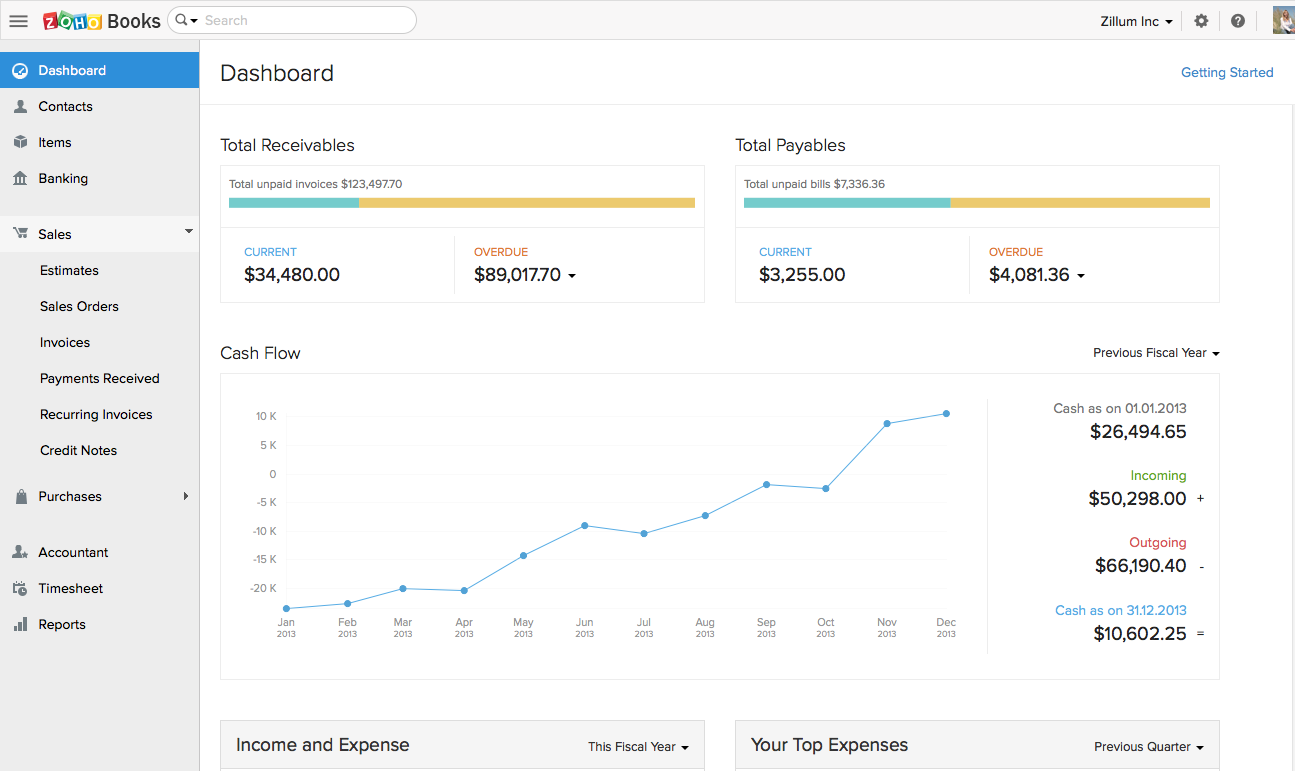    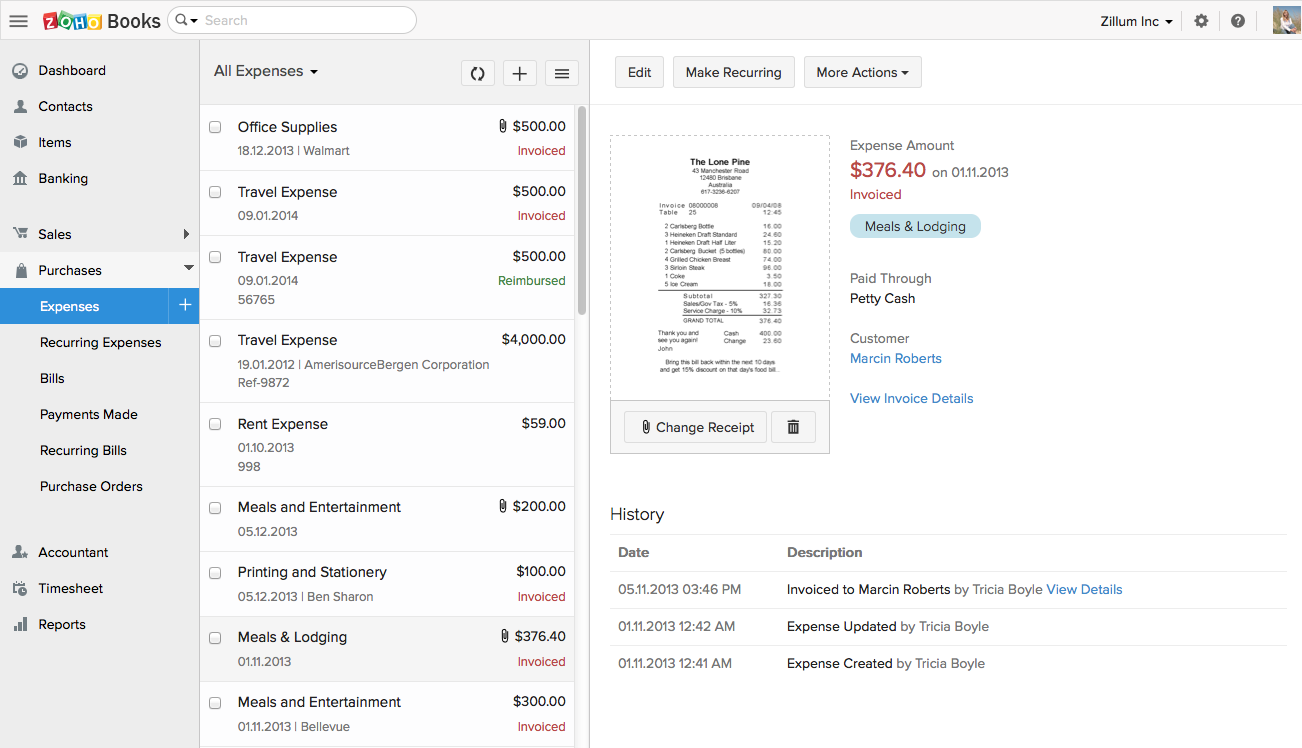  |