TrustRadius: an HG Insights company

Adobe Express

Score8.8 out of 10

165 Reviews and Ratings

What is Adobe Express?

Adobe Creative Cloud Express (formerly Adobe Spark) is a task-based, web and mobile product used to create and share rich multimedia content – from social media posts and stories to invitations to marketing materials like logos, flyers and banners.

Read more details.

Media

Adobe Express
Adobe Express
Adobe Express
Adobe Express
Adobe Express
Adobe Express
Adobe Express
Adobe Express
Adobe Express

1 / 9

Pros

  • User-friendly design suitable for novices
  • Quick content creation for posts, flyers, and videos
  • Efficient image and video editing tools

Cons

  • Slow rendering times for large, high-resolution images
  • Limited AI feature capabilities
  • Clunky mobile application

Design made easy with polished templates a huge library and time-saving tools

Use Cases and Deployment Scope

I work as part of small marketing team. We have a full-time designer, but there are times when she gets bogged down with projects and I sometimes do some small-scale design projects myself. Adobe Express is handy for these types of projects and has helped me get more done while our designer is otherwise unavailable.

Pros

  • Event invitations - there are lots of different templates to choose from that fit a wide variety of styles to get you going quickly.
  • Social media graphics - lots of stock images and styles for inspiration
  • Social media ads - I love that they come pre-sized based on the type of ad you want to create.

Cons

  • I think this is true of all generative AI, but some of it can be hit-or-miss
  • You can make stuff for social quickly, but if you are wanting to do more detailed designs or edits, you're better off working in Photoshop, Illustrator or InDesign.
  • The UX is a little different than other Adobe products and can take some getting used to.

Return on Investment

  • You can crank social media content out more quickly with the Express tools.
  • The variety of functions - from IG carousels to clipmaking - makes Express a surprisingly flexible tool that fits well in today's content creator world.
  • The ease of design/output is helpful to my department because we don't get slowed down by bottlenecks. We can create more content, faster and keep things moving.

Alternatives Considered

Canva

Other Software Used

Instagram for Business, Meta Business Suite, Chatmeter, HubSpot Academy, HubSpot CRM, HubSpot Content Hub, HubSpot Marketing Hub, HubSpot Operations Hub

Adobe Express Use it to create whatever you can imagine

Use Cases and Deployment Scope

I use Adobe Express for EVERYTHING!!! I use it to create flyers and posters for upcoming safety training. I use it to create thumbnails for my videos on YouTube. I use it to create monthly or quarterly newsletters. I use it to create graphics to add to flyers, posters, thumbnails, newsletters, and emails.

It is so easy to use and they even have a huge variety of (free) templates for any of the above items I mentioned. Editing is a breeze and the learning curve is not as steep as say learning to use Photoshop, Illustrator, or other Adobe's more robust programs.

Obviously, there are many better templates in the paid version. But don't let the sway your thinking about Adobe Express. If you can think of it, Adobe Express can help you create it.

They even have an AI assist. You can start typing your prompt, and AE will give you 4 examples. Don't like what AE created? Add more specific details to your prompt to get better results.

Pros

  • Posters
  • Templates
  • Newsletters
  • Graphics
  • Cool text options at the click of a button
  • Easy to edit your creation or the templates provided
  • Easy to download or share your creations

Cons

  • Text manipulation (creating text on a curve or around a shape)
  • The video creation tool is a little clunky and needs improvement
  • The AI version is not as good as other AI graphic generating programs

Return on Investment

  • There are so many templates for whatever you want to create
  • Their text suggestion tool makes it easy to quickly change the font in any of your text boxes
  • The ability to add your own photos (or videos) to your creation is limitless
  • You don't have to have a degree in graphic design to create beautiful graphics

Alternatives Considered

Canva

Other Software Used

Adobe Premiere Pro, Microsoft Excel

We still need a graphic designer but not for easy tasks that Adobe Express tools solve in seconds.

Use Cases and Deployment Scope

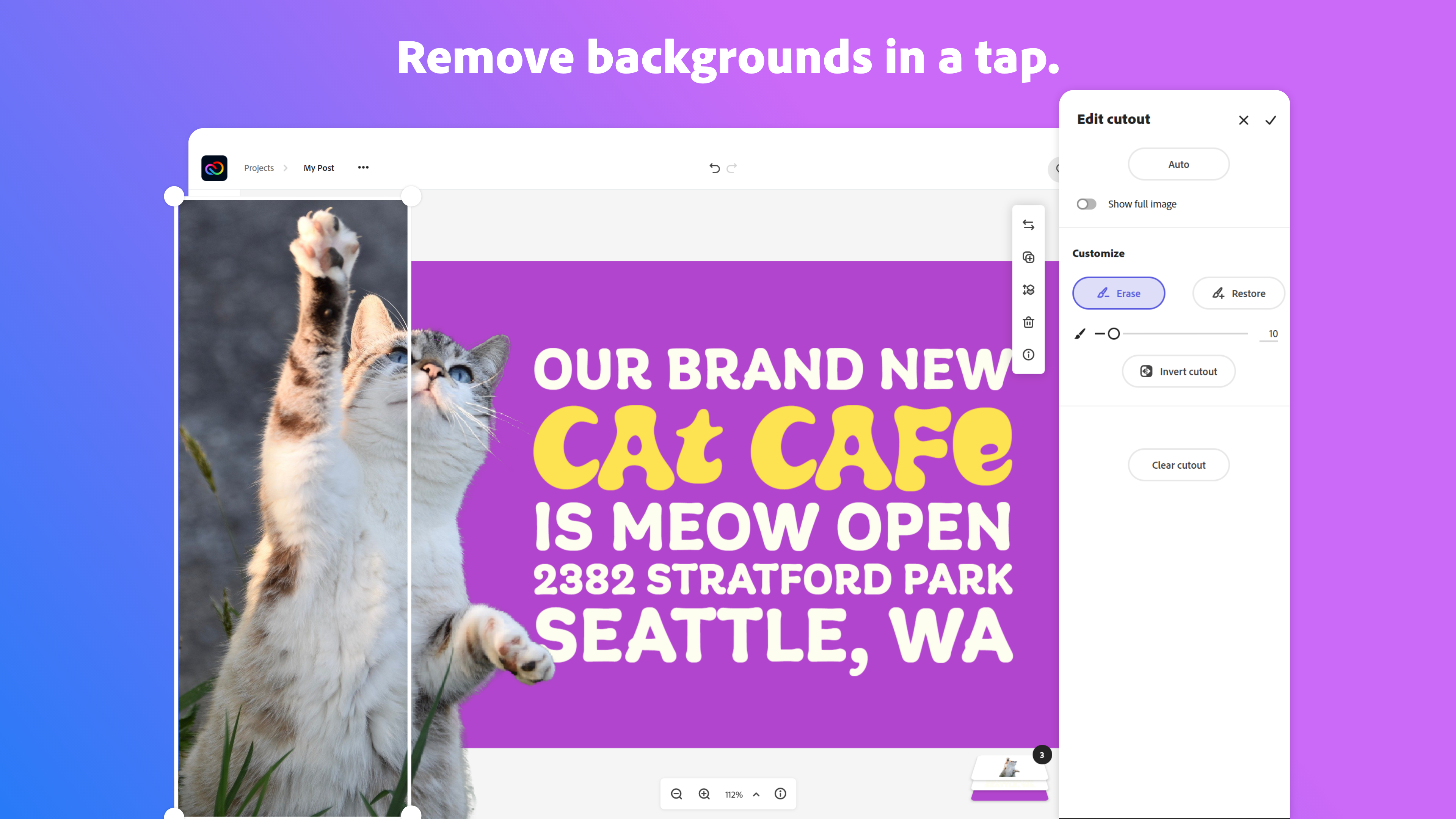
We need to produce a wide range of visuals, and Adobe Express is a tool we appreciate because it is fast and offers a wealth of resources and templates. There are tasks that can be completed without a graphic designer, such as removing backgrounds. So, at least for the easy tasks, it's a handy tool without barriers (easy to start working right away).

Pros

  • Removing backgrounds for website graphics.
  • Templates for good design.
  • Premium offers videos that we use in our IG reels.

Cons

  • Organisation of files (sometimes I have trouble finding stuff: not sure what is a personal account within our business account).
  • Finding invoices? Horribly difficult.
  • Mobile app should be as smooth as - CapCut.

Return on Investment

  • Some workflows are faster.
  • With Adobe Express, we have some very good resources for simple graphic design.
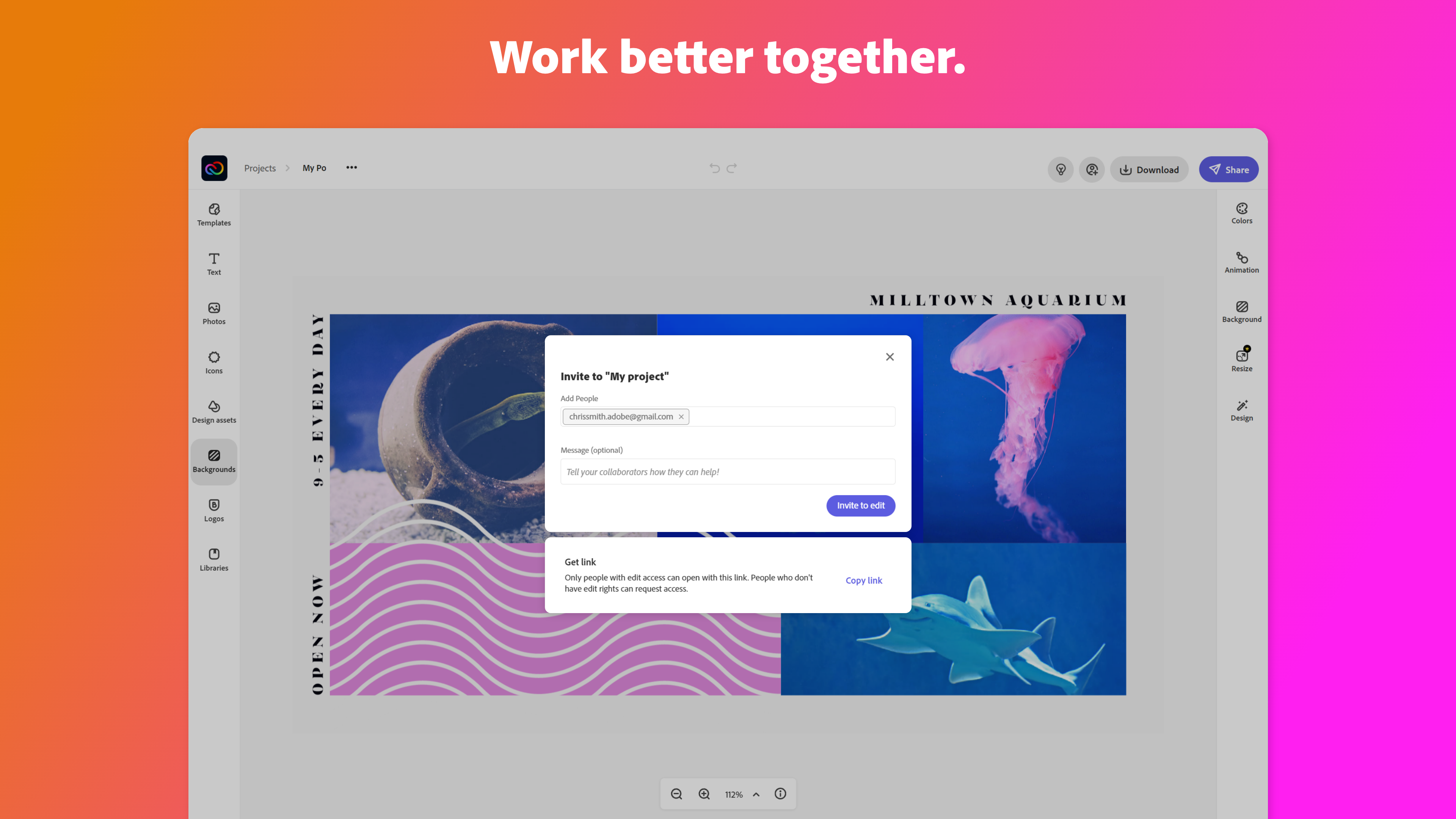
  • It supports teamwork.

Alternatives Considered

Canva

Other Software Used

Adobe Acrobat Reader, Adobe Audition, Adobe Premiere Pro

Adobe Express for Genius Content Creation that Engages

Use Cases and Deployment Scope

We use it to create graphics and edit photos. This is mostly for presentations that are used in Town Halls, training, and engagement opportunities. These graphics and photos are edited to meet our Brand standards and align them with our colors, fonts, and themes. The photos are from stock and often need to be edited to align with Brand guidelines.

Pros

  • Easy interface
  • Edit graphics
  • edit photos

Cons

  • Better subscription rates

Return on Investment

  • All of the content we create is for internal so ROI doesn't really apply.
  • Powerful content creation gives us the edge we need to make engaging presentations.

Alternatives Considered

Canva

Other Software Used

Mural, Agility, Highspot

Adobe Express a creative power house anywhere you need it

Use Cases and Deployment Scope

Adobe Express is great for creating business and postcards for marketing on the fly. It is also an excellent platform for putting together poster designs and flyers with effortless collaboration with team members. We have used it for everything from album covers to event posters and just about everything else. It is one of the most useful yet underrated Adobe products there is.

Pros

  • Quick design examples on the fly from anywhere.
  • Flexibility, It can be used on a Computer, tablet, phone, etc.
  • Easily collaborate with other team members remotely.
  • Seamlessly integrates with other Adobe creative products for workflow ease.

Cons

  • More QR code customization options would be great.
  • Having an option to convert something to svg or vector easily would be fantastic.
  • Removing the background should let you adjust the selection of what is being removed.

Return on Investment

  • It has allowed us to complete more demos and projects in less time by being so flexible.
  • It has positively impacted our efficiency in delivering creatives such as YouTube thumbnails, event poster designs, Instagram story posts, etc to clients in a timely manner no matter where work takes us.
  • I would say the ROI has been seeing more projects completed and invoiced per month. I would estimate overall a 20% increase in volume on deliverables.

Alternatives Considered

Figma and Canva

Other Software Used

Adobe Illustrator CC, Adobe PhotoShop, Adobe Premiere Pro