
TrustRadius: an HG Insights company

Altium Develop

Score9.3 out of 10

73 Reviews and Ratings

Learn More

Contact about Altium Develop

Please fill out the form below to get in touch.

Altium

Connect with Altium

What are you interested in?

Already have an account?

You hereby consent to have TrustRadius share the information supplied on this form with Altium so that Altium and TrustRadius may contact you in regard to the information requested.

What is Altium Develop?

Altium Develop is a platform that unifies multidisciplinary teams across engineering, sourcing, and manufacturing to support seamless co-creation. It provides real-time visibility into designs, requirements, and supply chain data, enabling contributors to work together concurrently rather than in silos.

Media

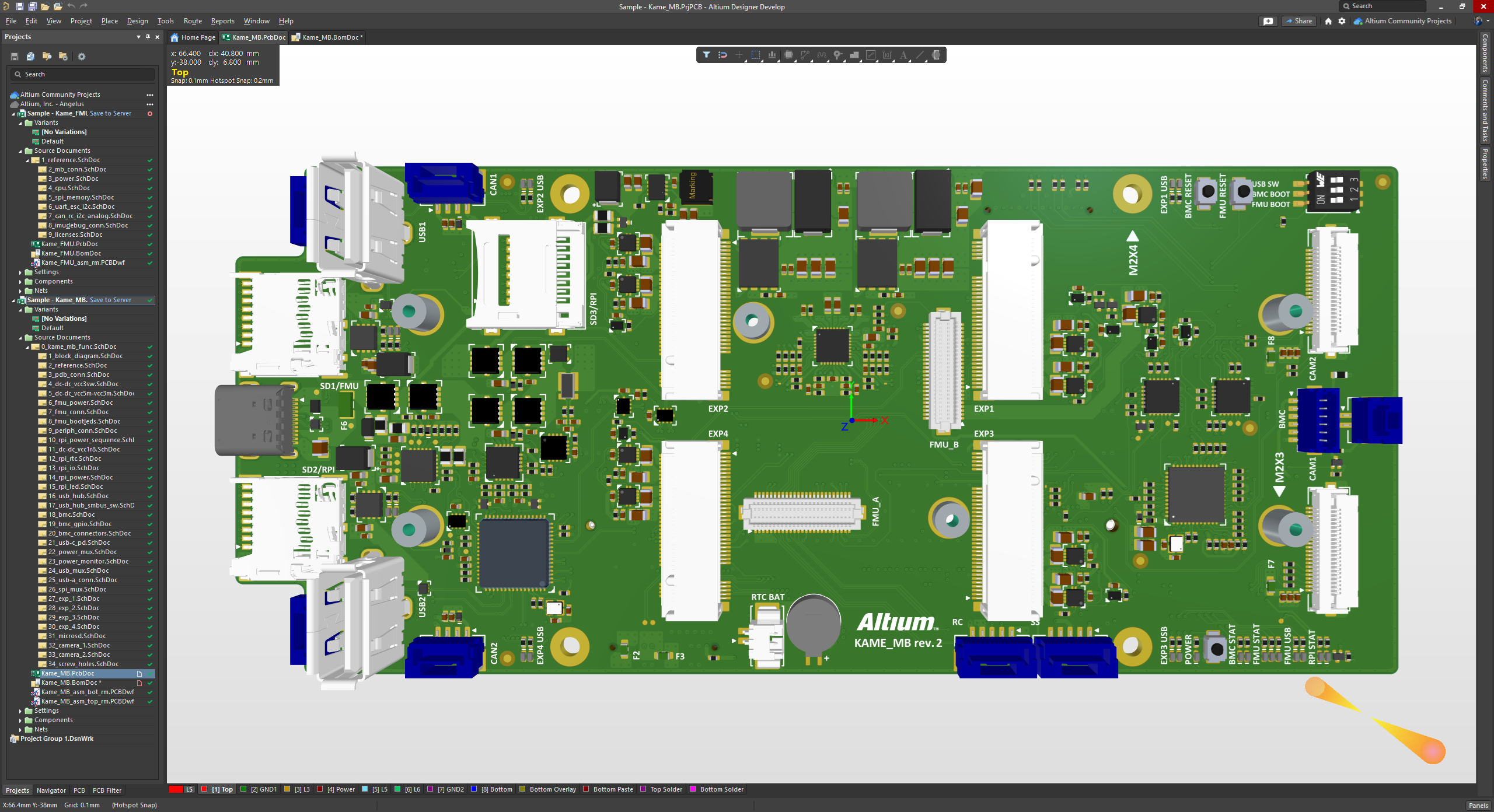
Screenshot of the 3D View Editor in Altium Develop that transforms the standard 2D PCB workspace into a fully interactive, three‑dimensional design environment. Users can toggle between 2D and 3D modes, then zoom, pan, and rotate the board freely using tools like a directional sphere for precise pivot control and adjust display settings (such as transparency or coloring) via the View Configuration panel to visually explore and inspect PCB layouts in realistic detail.
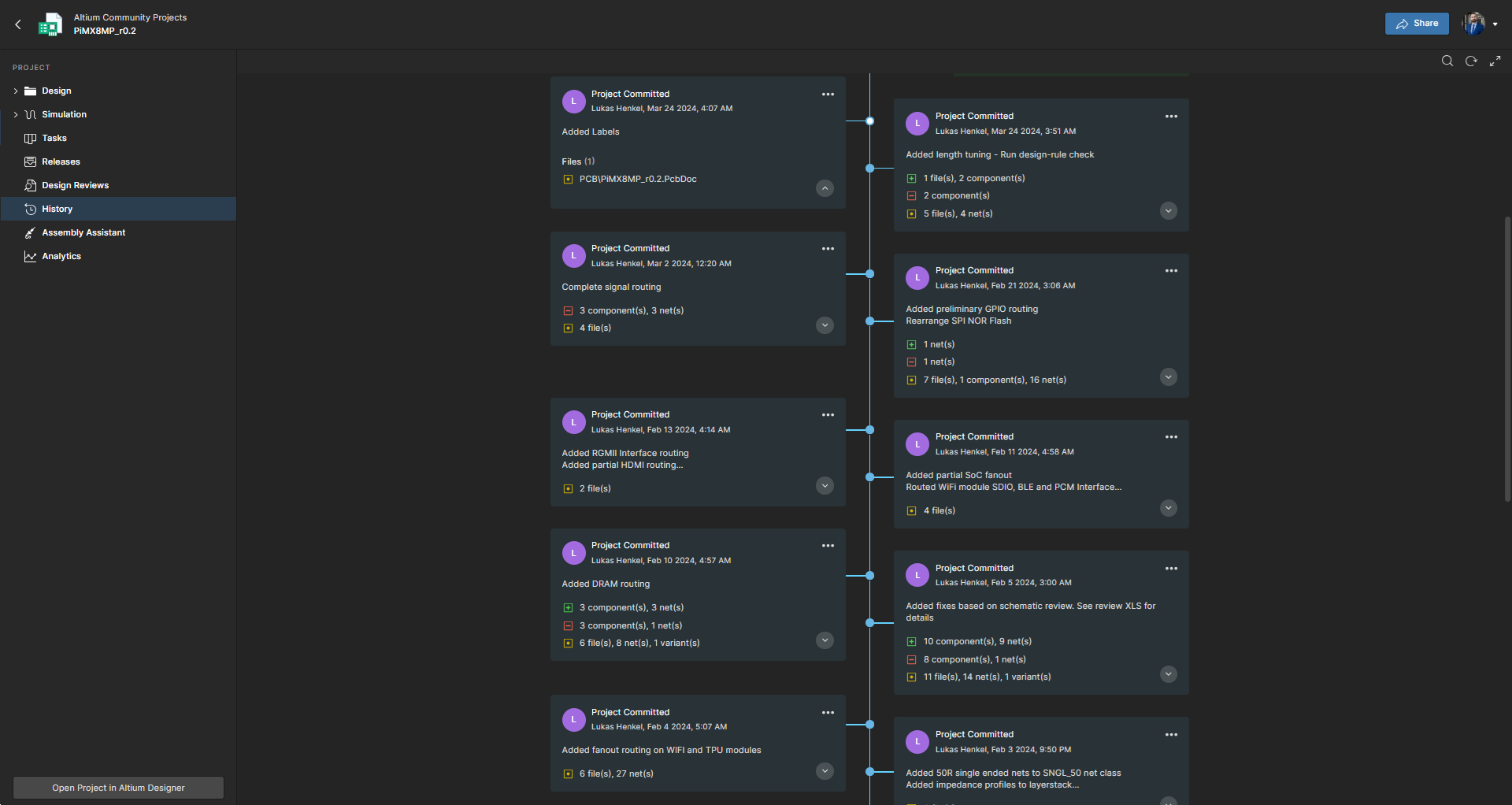
Screenshot of Project History in Altium Develop, which provides a browser-based, visually chronological timeline of a project's key events such as: creation, commits, releases, clones, and MCAD exchanges offering version control transparency directly within workspace.
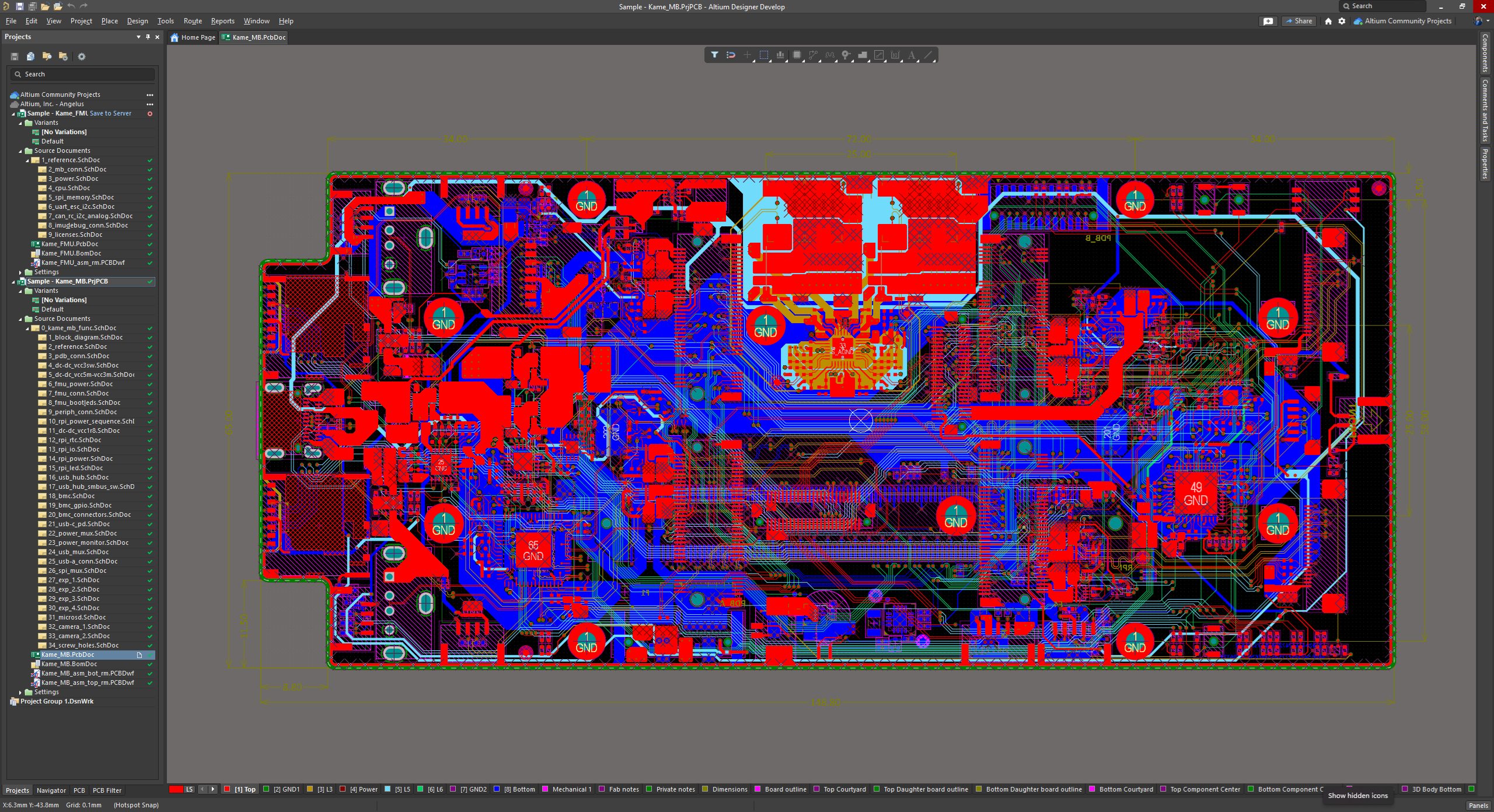
Screenshot of Altium Develop's unified design environment built on a single data model. From schematic capture to PCB layout, routing, and assembly preparation, every step flows seamlessly. Smart placement and routing features make complex designs faster, easier, and more reliable.
Screenshot of ActiveBOM, which is a dynamic, table-based Bill of Materials (BOM) editor integrated into Altium Develop that elevates component management to a real-time, design-aware process. It automatically aggregates supply chain data such as pricing, stock, lifecycle status, and lead times - from sources like Octopart and IHS Markit, enabling parts selection, alternates, cost calculation, rule-based verification, and traceability - within the same environment as the schematic and PCB design.
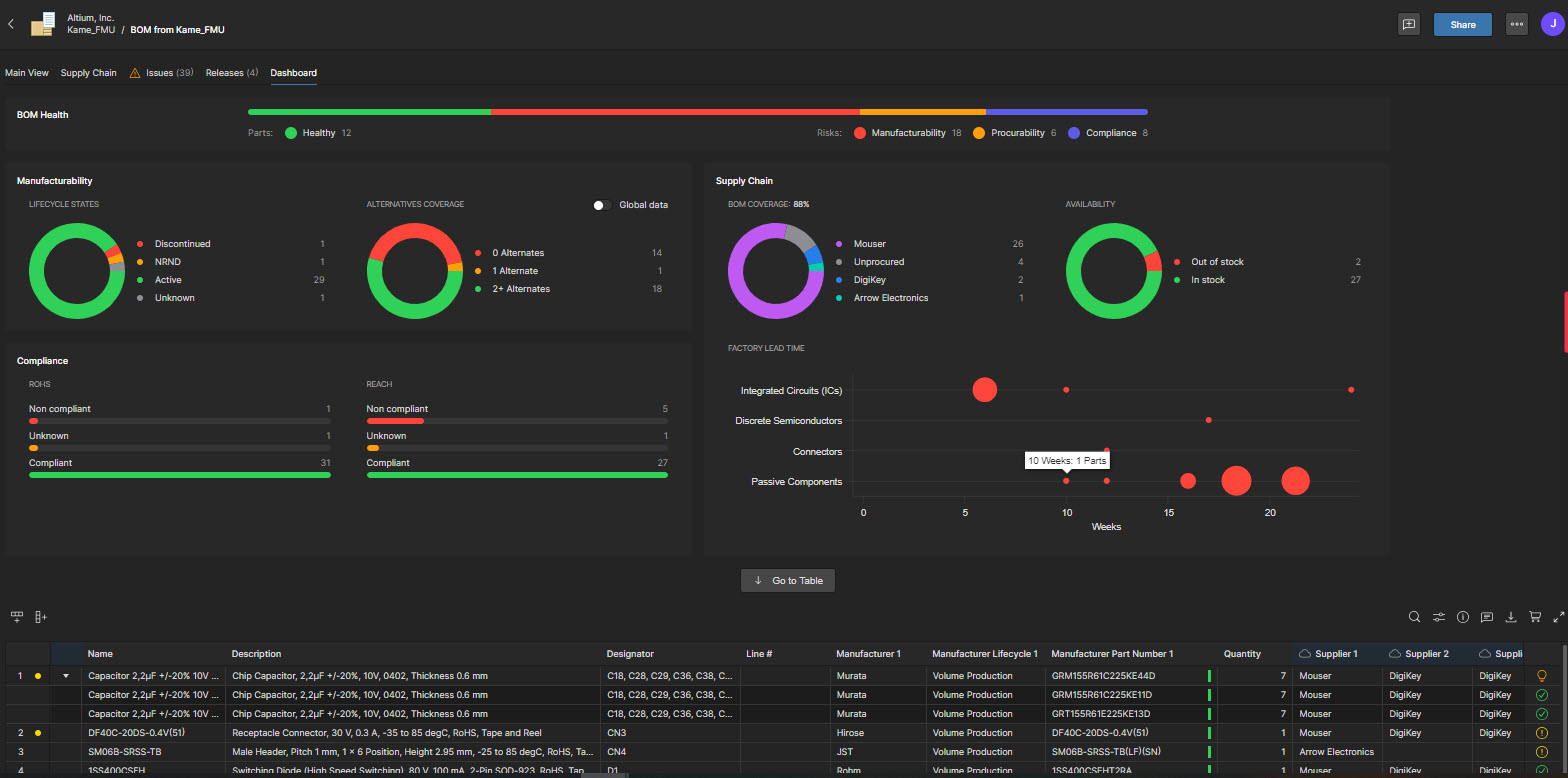
Screenshot of BOM Portal, which is a cloud-native, procurement-focused tool within Altium Develop that transforms traditional Excel-like Bill of Materials (BOM) workflows by integrating live supply chain, compliance, and pricing data. It enables collaboration between engineering and procurement, helps identify supply risks like obsolescence or shortages, supports BOM consolidation and alternates, and ensures thorough version control and traceability bridging design to manufacturing with real-time visibility and control.
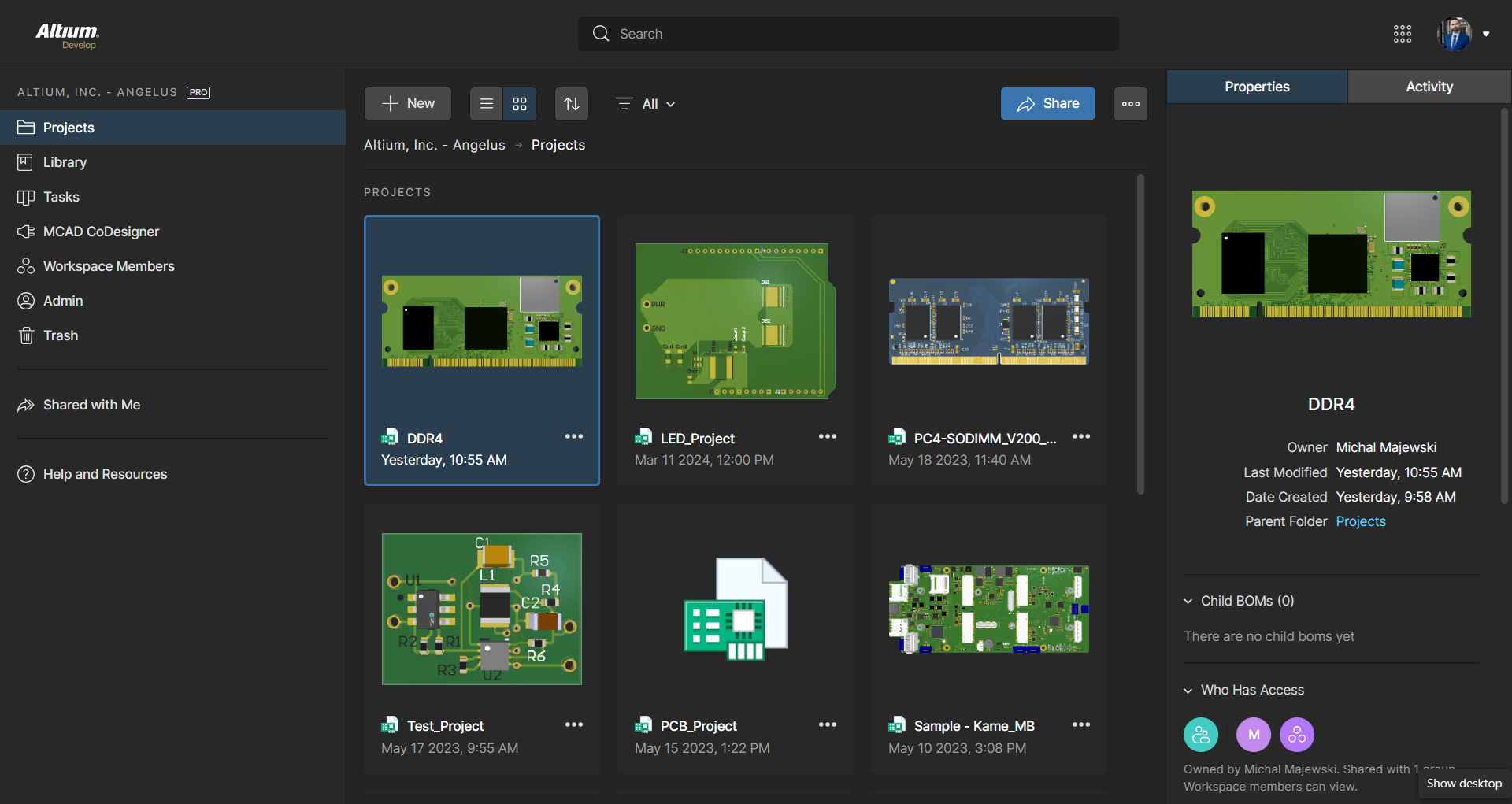
Screenshot of Workspace Projects, which provide a cloud-native, version-controlled hub within Altium Develop that simplifies electronic project management with centralized storage, collaboration, and built-in Git-based version control. This interface enables real-time design navigation (including schematic, 2D/3D PCB, BOM, and Draftsman views), task tracking, release and manufacturing management, historical timeline review, and sharing.
Screenshot of the Requirements Portal, which is a cloud-native, AI‑enhanced requirements engineering platform within Altium Develop that streamlines the definition, breakdown, and management of technical requirements. It supports cross-disciplinary collaboration via live dashboards, version control, parametric requirements, automated verification, system modeling, scripting, and traceable design linkage bridging high-level needs to implementation across designs with full audit readiness.

1 / 7

Screenshot of the 3D View Editor in Altium Develop that transforms the standard 2D PCB workspace into a fully interactive, three‑dimensional design environment. Users can toggle between 2D and 3D modes, then zoom, pan, and rotate the board freely using tools like a directional sphere for precise pivot control and adjust display settings (such as transparency or coloring) via the View Configuration panel to visually explore and inspect PCB layouts in realistic detail.

How Altium Designer beats the other designer tools

Use Cases and Deployment Scope

Altium Designer is used in our organisation for client projects but also for personal development. This includes the full scale of development from schematic entry and PCB design. Within the same tool reviews are done to validate the design before the manufacture process. It allows the other engineers to also collaborate on the designs.

Pros

  • Component Vault storage
  • In program Reviews
  • Document preparation for manufacture

Cons

  • Bugs
  • Constraint manager
  • When loading big projects it lags

Return on Investment

  • Getting more projects
  • Hiring more Electronic designers
  • PCB training's

Usability

Alternatives Considered

KiCad EDA

Other Software Used

KiCad EDA, AutoCAD, Altium 365

Sensor Hardware Developer

Use Cases and Deployment Scope

We use Altium 365 for revision control and library database on all projects. It is work very well for us.

Pros

  • Revision control
  • Sharing design globally

Cons

  • BOM generation
  • project management
  • process flow

Return on Investment

  • Collaboration between designers is easy and clear
  • Great Version Control

Usability

Alternatives Considered

OrCAD and Allegro X Design Platform

Other Software Used

SOLIDWORKS

PCB Layout with Altium Design

Use Cases and Deployment Scope

I use Altium Designer to generate Schematic diagrams and PCB layouts. It's also handy to generate 3d models of a populated PCB so you can check the fit in product.

Pros

  • Generates Schematics
  • Lays out PCBs
  • Generated 3D model

Cons

  • Some features are difficult to locate

Return on Investment

  • Altium has saved us a lot of time in product development.

Usability

Other Software Used

Microsoft Excel, Adobe Illustrator CC

Altium Designer Review

Use Cases and Deployment Scope

Its used to connect schematic design directly to layout and bill of materials creation

Pros

  • Schematic metadata automation
  • Carryover of data from schematic to layout
  • BOM exports

Cons

  • More layout automation
  • More 3D export improvements
  • Library creation

Return on Investment

  • Lowers time to market (positive)
  • Library creation has been a struggle (negative)
  • 3D modeling works well for mechanical integration (positive)

Usability

Alternatives Considered

OrCAD and Siemens PADS

Other Software Used

OrCAD, Siemens PADS, SOLIDWORKS

Basic Altium Designer review from longtime user

Use Cases and Deployment Scope

I am both a solo EE and work with a small consultancy, [...]. Our main business is pcb design work, and we use Altium Designer and Altium 365 extensively.

Pros

  • Altium 365 interface is fantastic
  • Documentation has gotten very good
  • mech engineering interoperability

Cons

  • more models in mfgr component search
  • draftsman is quirky and inconsistent with UI in main app
  • still crashes occasionally
  • have a read-only mode for opening Altium 365 projects

Return on Investment

  • Altium 365 is great for presenting and collab with clients - they're always impressed
  • We've used Altium Designer for 10+ years so there is nothing to compare it with business-wise

Usability

Alternatives Considered

Autodesk Fusion

Other Software Used

SOLIDWORKS