TrustRadius: an HG Insights company

Altium Develop

Score9.3 out of 10

73 Reviews and Ratings

Learn More

Contact about Altium Develop

Please fill out the form below to get in touch.

Altium

Connect with Altium

What are you interested in?

Already have an account?

You hereby consent to have TrustRadius share the information supplied on this form with Altium so that Altium and TrustRadius may contact you in regard to the information requested.

What is Altium Develop?

Altium Develop is a platform that unifies multidisciplinary teams across engineering, sourcing, and manufacturing to support seamless co-creation. It provides real-time visibility into designs, requirements, and supply chain data, enabling contributors to work together concurrently rather than in silos. Features like embedded design reviews, contextual requirements, and integrated sourcing insights help teams stay aligned, reduce friction, and make informed decisions without relying on manual updates. With unlimited contributors and shared data in one environment, teams gain clear visibility to make more informed decisions.
Awards

Products that are considered exceptional by their customers based on a variety of criteria win TrustRadius awards. Learn more about the types of TrustRadius awards to make the best purchase decision. More about TrustRadius Awards

Videos

Screenshots

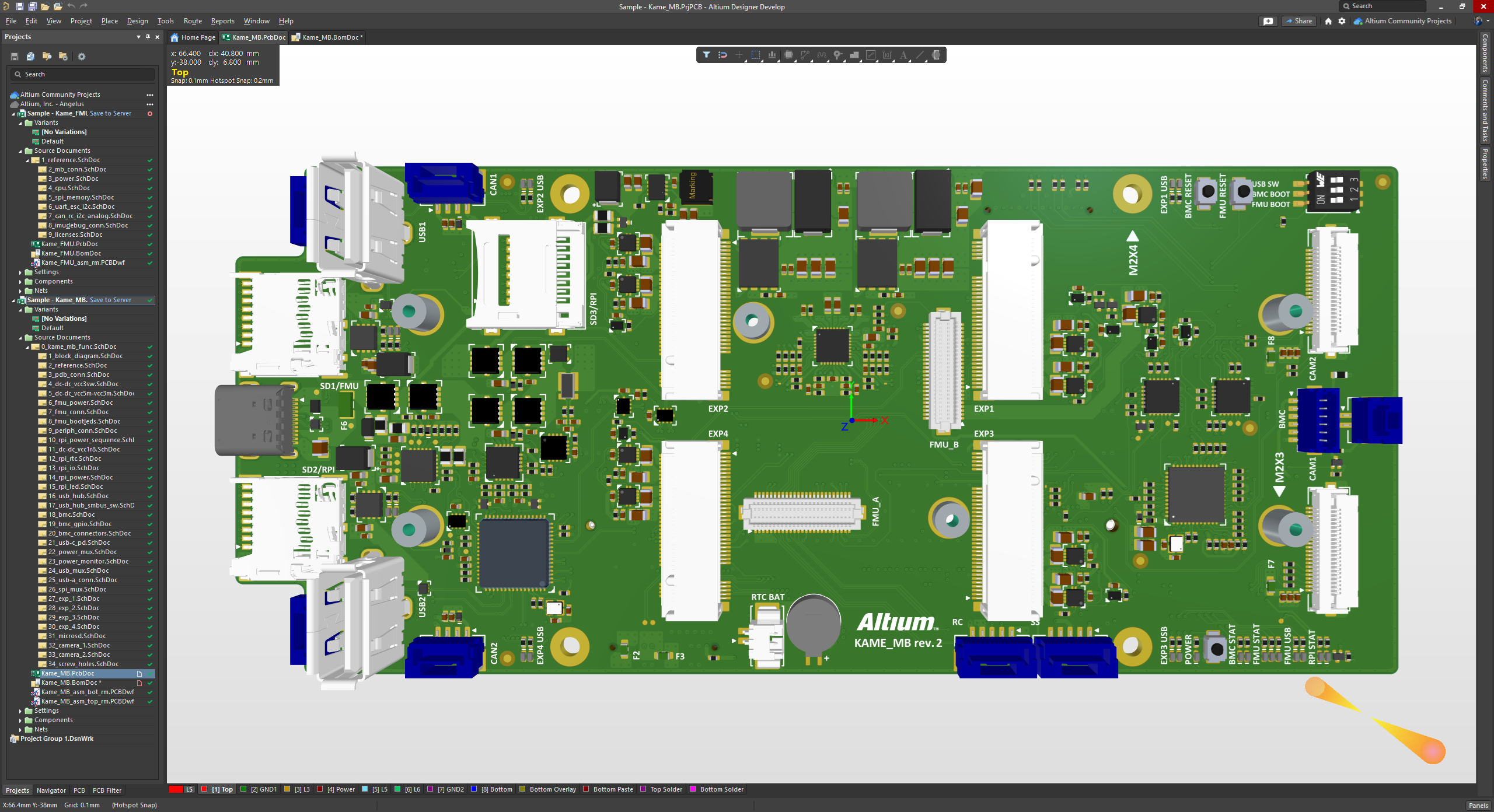
Screenshot of the 3D View Editor in Altium Develop that transforms the standard 2D PCB workspace into a fully interactive, three‑dimensional design environment. Users can toggle between 2D and 3D modes, then zoom, pan, and rotate the board freely using tools like a directional sphere for precise pivot control and adjust display settings (such as transparency or coloring) via the View Configuration panel to visually explore and inspect PCB layouts in realistic detail.
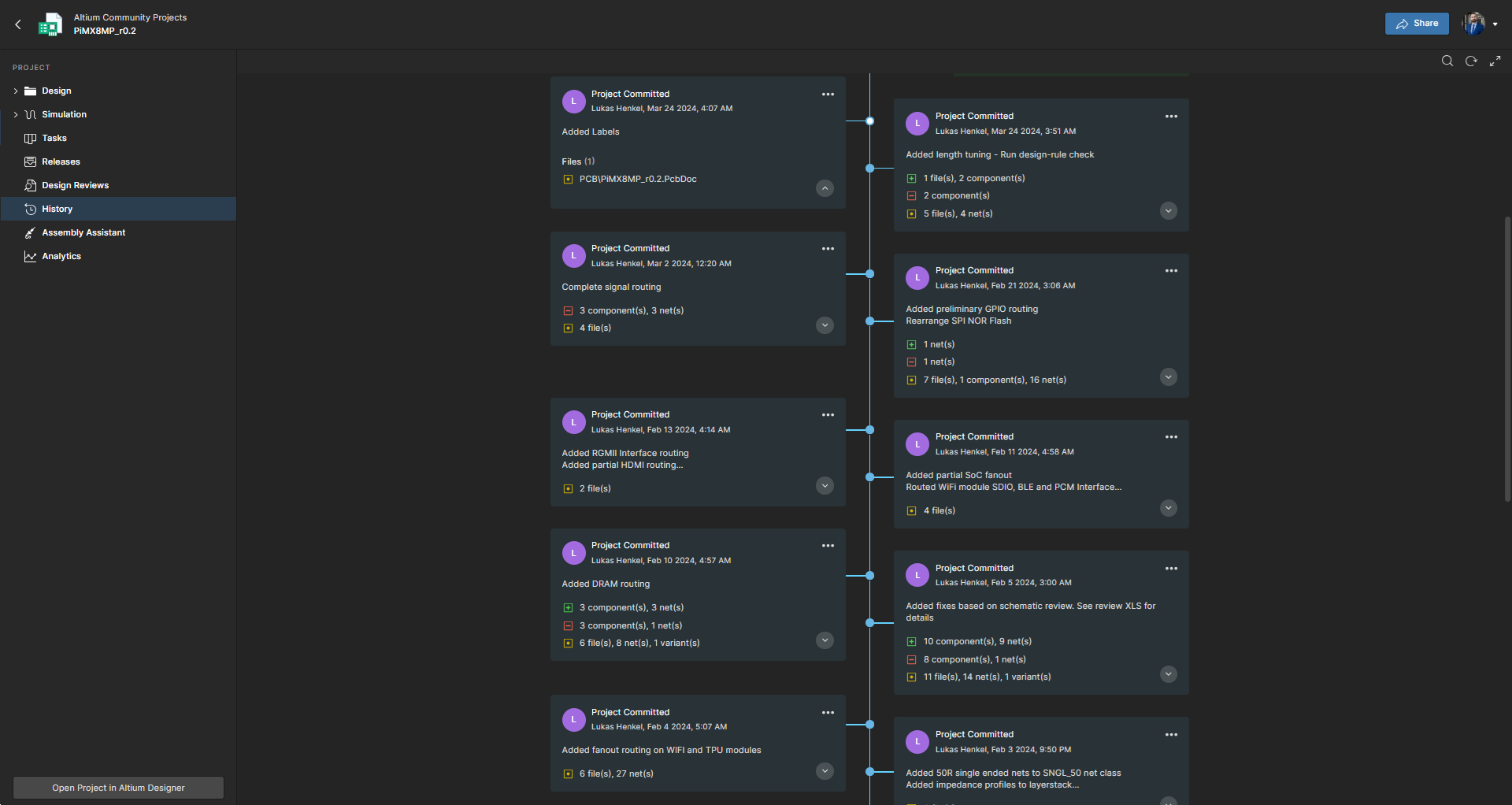
Screenshot of Project History in Altium Develop, which provides a browser-based, visually chronological timeline of a project's key events such as: creation, commits, releases, clones, and MCAD exchanges offering version control transparency directly within workspace.
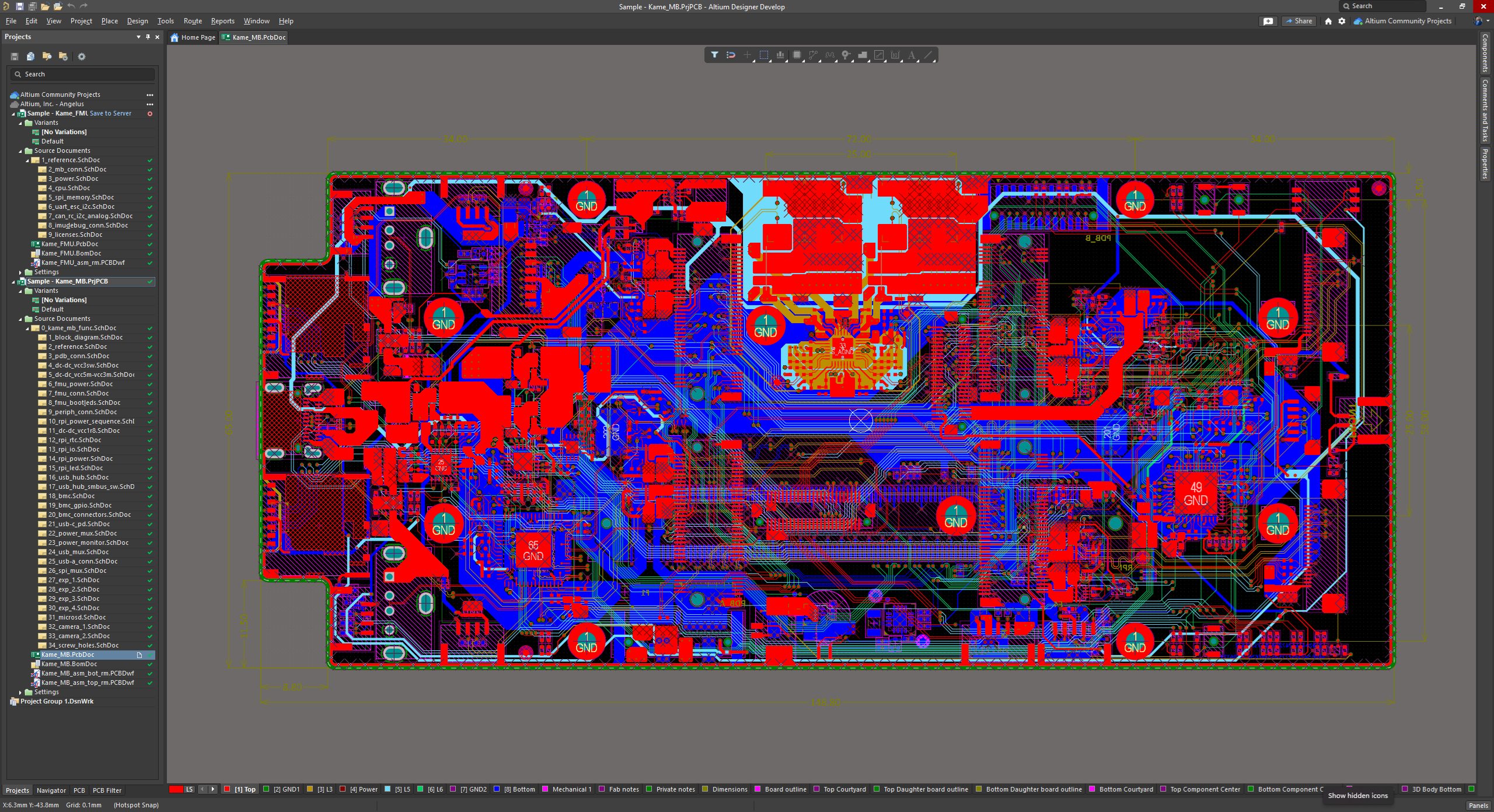
Screenshot of Altium Develop's unified design environment built on a single data model. From schematic capture to PCB layout, routing, and assembly preparation, every step flows seamlessly. Smart placement and routing features make complex designs faster, easier, and more reliable.
Screenshot of ActiveBOM, which is a dynamic, table-based Bill of Materials (BOM) editor integrated into Altium Develop that elevates component management to a real-time, design-aware process. It automatically aggregates supply chain data such as pricing, stock, lifecycle status, and lead times - from sources like Octopart and IHS Markit, enabling parts selection, alternates, cost calculation, rule-based verification, and traceability - within the same environment as the schematic and PCB design.
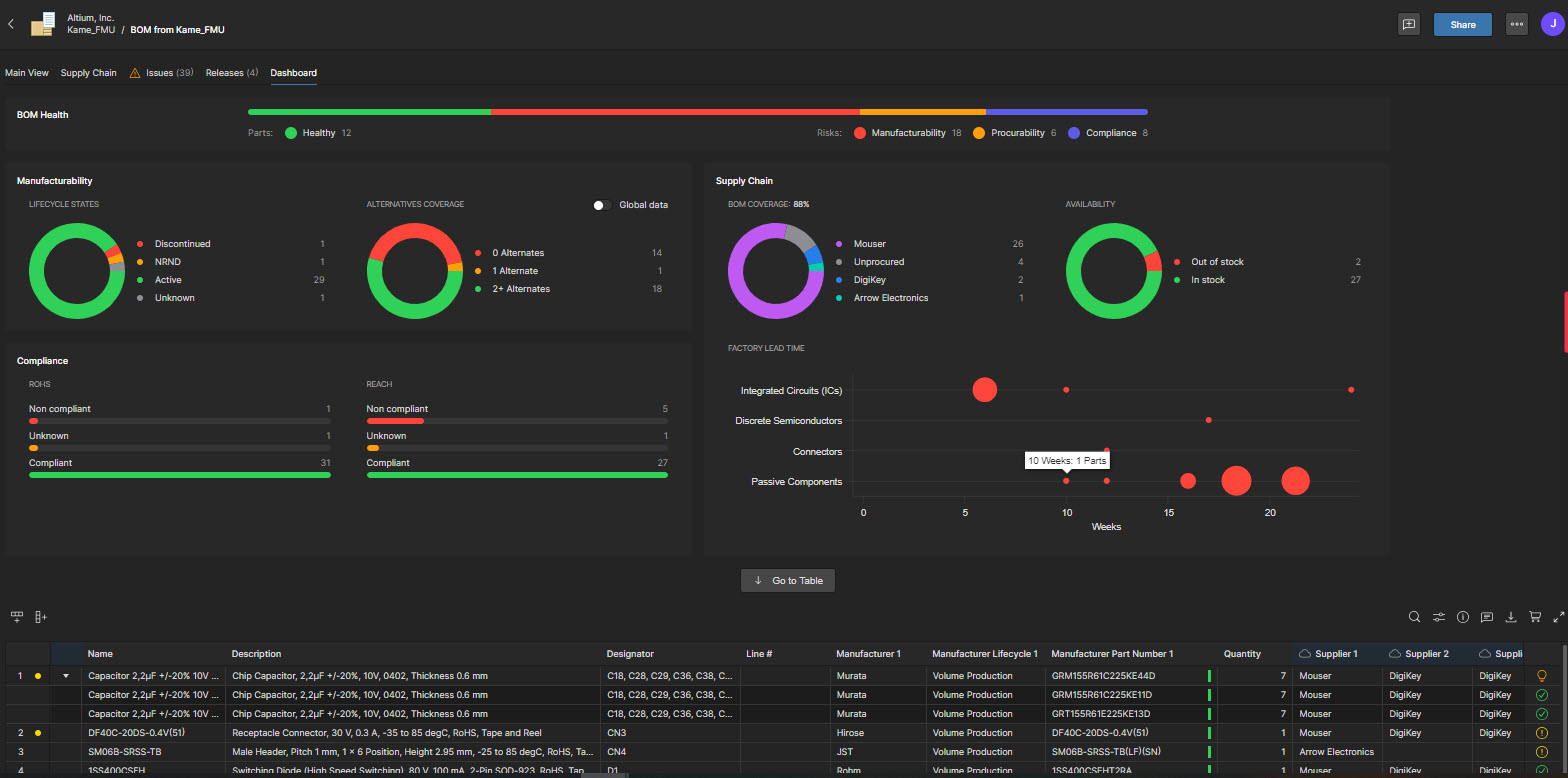
Screenshot of BOM Portal, which is a cloud-native, procurement-focused tool within Altium Develop that transforms traditional Excel-like Bill of Materials (BOM) workflows by integrating live supply chain, compliance, and pricing data. It enables collaboration between engineering and procurement, helps identify supply risks like obsolescence or shortages, supports BOM consolidation and alternates, and ensures thorough version control and traceability bridging design to manufacturing with real-time visibility and control.
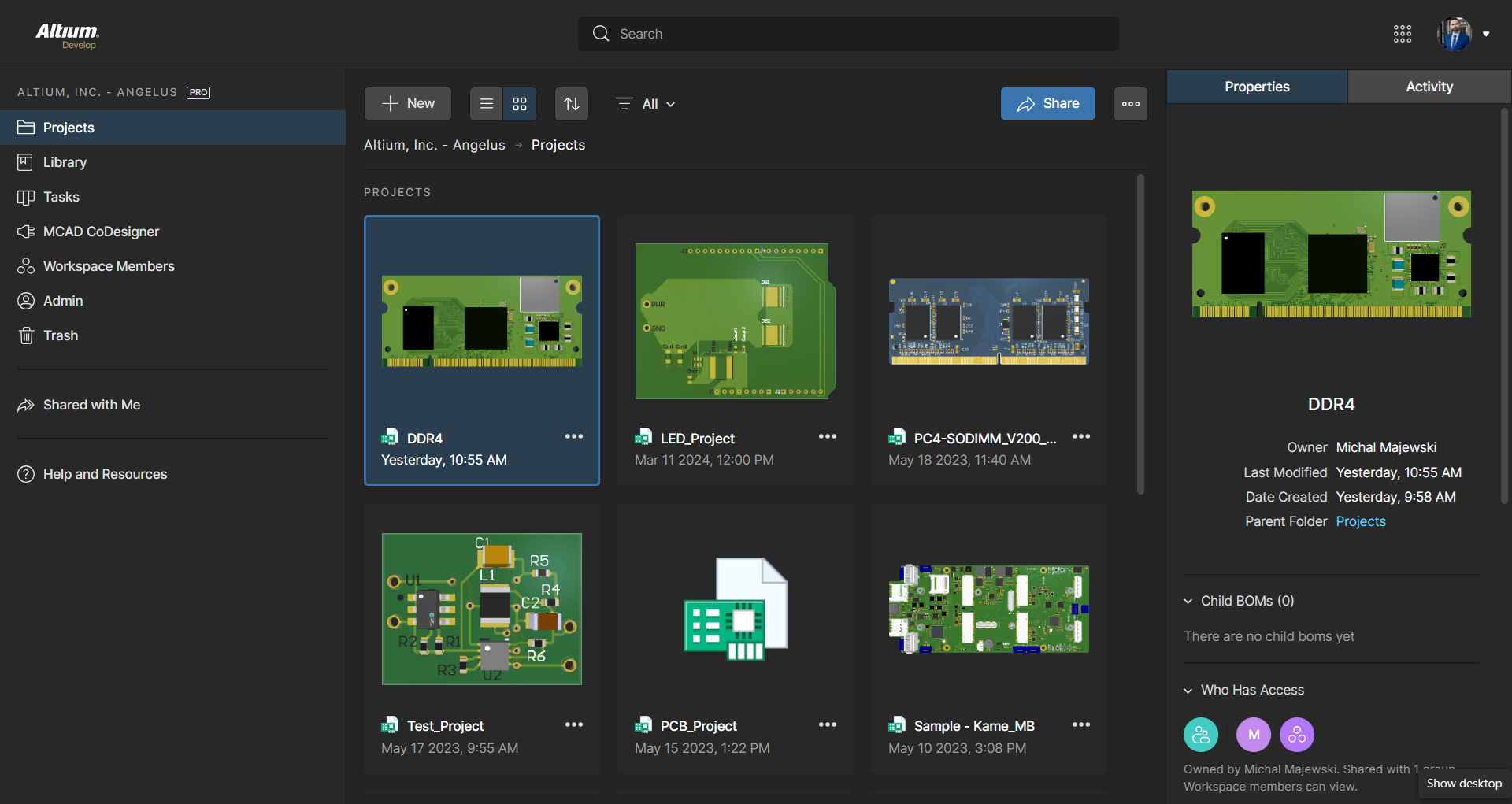
Screenshot of Workspace Projects, which provide a cloud-native, version-controlled hub within Altium Develop that simplifies electronic project management with centralized storage, collaboration, and built-in Git-based version control. This interface enables real-time design navigation (including schematic, 2D/3D PCB, BOM, and Draftsman views), task tracking, release and manufacturing management, historical timeline review, and sharing.
Screenshot of the Requirements Portal, which is a cloud-native, AI‑enhanced requirements engineering platform within Altium Develop that streamlines the definition, breakdown, and management of technical requirements. It supports cross-disciplinary collaboration via live dashboards, version control, parametric requirements, automated verification, system modeling, scripting, and traceable design linkage bridging high-level needs to implementation across designs with full audit readiness.

1 / 7

Screenshot of the 3D View Editor in Altium Develop that transforms the standard 2D PCB workspace into a fully interactive, three‑dimensional design environment. Users can toggle between 2D and 3D modes, then zoom, pan, and rotate the board freely using tools like a directional sphere for precise pivot control and adjust display settings (such as transparency or coloring) via the View Configuration panel to visually explore and inspect PCB layouts in realistic detail.

Technical Details

Technical Details
Deployment TypesOn-Premise
Operating SystemsWindows
Mobile ApplicationNo

FAQs

What is Altium Develop?
Altium Develop is a platform that unifies multidisciplinary teams across engineering, sourcing, and manufacturing to support seamless co-creation. It provides real-time visibility into designs, requirements, and supply chain data, enabling contributors to work together concurrently rather than in silos.
How much does Altium Develop cost?
Altium Develop starts at $995.
What are Altium Develop's top competitors?
Autodesk Fusion, Siemens PADS, and KiCad EDA are common alternatives for Altium Develop.