

What is Aryson Data Recovery?
Windows Data Recovery Software helps to recover deleted file, folder, media, and other file from External & Internal Hard Disk. The vendor states that Aryson Windows Data Recovery tool recovers maximum data from corrupted and deleted the hard drive, or any storage devices like USB storage, SD card, DVDs, CDs, etc. The tool supports both FAT and NTFS file system. It can be used for the recovery of multiple files at once. Also, if an operating system gets crashed and formatted, users can use this data recovery software to recover crashed system files as well. As it is a Windows software it is compatible with all versions of Windows. Demo version of Aryson Windows Data Recovery software allows to freely recover up to 2GB data without any cost.
Simple Steps to Recover Data from Internal & External Hard Disk
Simple Steps to Recover Data from Internal & External Hard Disk
- Download & Install Aryson Data Recovery software.
- Now run the software on your system.
- Select the type of data you want to recover under 'Select What to Recover' option.
- Select the Drive or Volume and Click on Recover button to restore the deleted data.
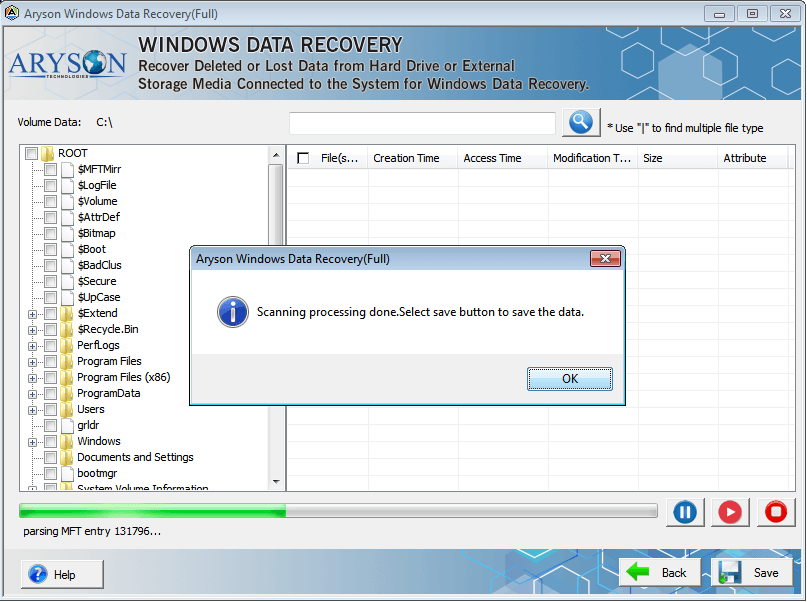
- Click the scan option and it results in the list of files which are shown under 'File Type,' 'Tree View' and 'Deleted List'.
- Now, click on the 'Recover Button' to recover files/folders which you want.
- Save the recovered files by choosing a desired location.
Categories & Use Cases
Media


1 / 3


