TrustRadius: an HG Insights company

Astera Data Pipeline Builder (Centerprise)

Score8.8 out of 10

55 Reviews and Ratings

What is Astera Data Pipeline Builder (Centerprise)?

Astera Data Pipeline Builder is a no-code solution for designing and automating data pipelines. It allows users to read and write data across various file formats, databases, and applications. Users can execute ETL and ELT pipelines manually, schedule automated reruns, or integrate them into broader data management processes.

Media

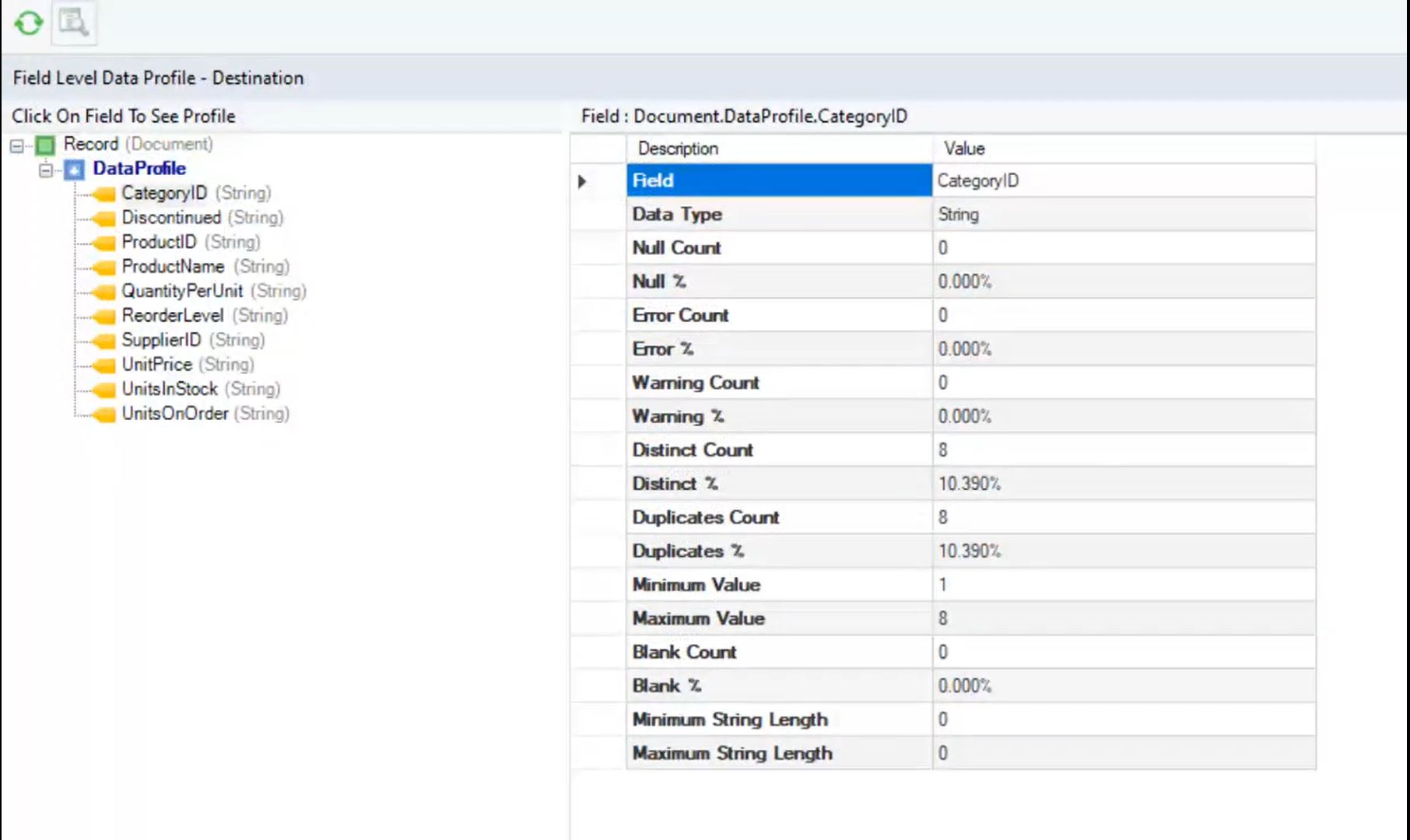
Centerprise's data profiling feature, that ensures that only quality data is delivered to end users.
a variety of write strategies available for workflows.
the built-in scheduler used to automate most tasks. Triggers can be based on time, event or even a file or mail drop.
the AI-powered mapping that allows users to automate the mapping process from source to destination. The tool also supports The Dynamic Layout/Template Mapping feature in Astera Centerprise that allows users to create a template dataflow that can be used to process multiple files and generate copies of the same dataflow, without changing the mapping links individually for each source dataset. Upon execution, Centerprise replaces the values dynamically and generates a new dataflow automatically for all source files.
the two types of transformations supported by Astera Centerprise: record level and set level transformation. Record level transformations are used to create derived values by applying a Lookup, Function, or Expression to fields from a single record. Set level transformations, on the other hand, operate on a group of records and may result in the Joining, Reordering, Eliminating, or aggregating of records.

1 / 5

Top Performing Features

  • Business rules and workflow

    Ability to define and manage business rules and workflows

    Category average: 8.2

  • Simple transformations

    Simple data transformations are calculations, data type conversions, aggregations and search and replace operations

    Category average: 8.1

  • Data model creation

    Ability to create and maintain data models using a graphical tool to define relationships between data

    Category average: 8.4

Areas for Improvement

  • Collaboration

    Collaboration is enabled by a shared repository of project information and metadata

    Category average: 7.2

  • Complex transformations

    Complex data transformations are data normalization, advanced data parsing, etc.

    Category average: 7.2

  • Testing and debugging

    Tool to debug and tune for optimal performance

    Category average: 6.9