TrustRadius: an HG Insights company

BrowseControl by CurrentWare

Score10 out of 10

1 Reviews and Ratings

What is BrowseControl by CurrentWare?

BrowseControl is a content filtering software for configuring content access to websites and Windows applications based on user, device, department, or other Organizational Unit (OU).

BrowseControl's content filtering features allow administrators to configure the internet and application usage permissions of the students, employees, and patrons that use computers within their network.

Content filtering policies for websites, applications, and files can be granularly controlled with filters based on URL, categories, internet ports, and file types. Each configuration option can be customized based on users, devices, departments, or Organizational Units (OUs) to provide a solution that fits the organization's exact needs.

BrowseControl's filtering features are most often used for preventing access to malware-infested websites, productivity management, CIPA compliance, and enforcing acceptable use policies by proactively preventing employees from accessing inappropriate or unproductive websites.

Media

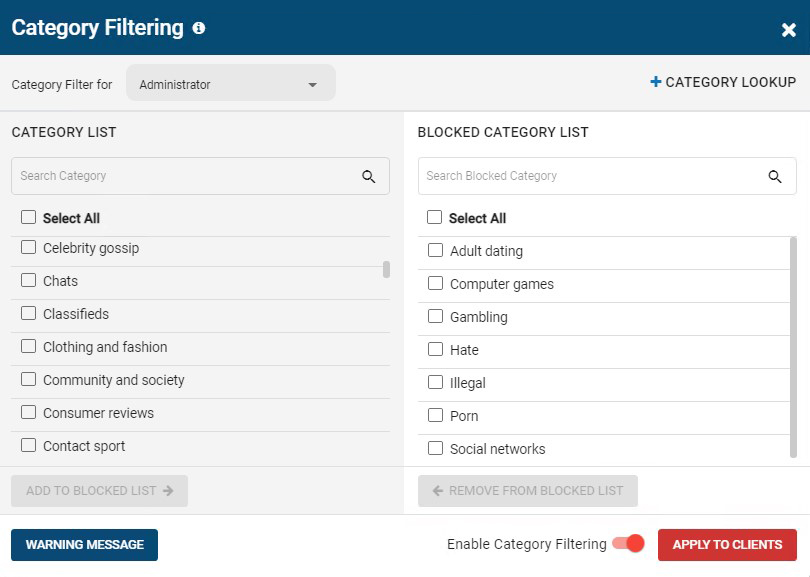
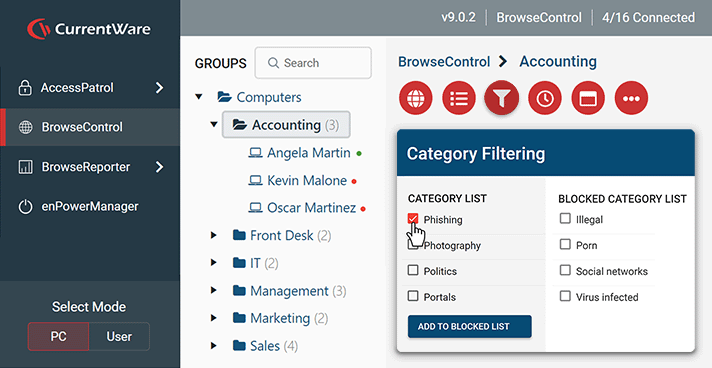
BrowseControl's category filtering feature window. The URL category database is constantly updated with new URLs, making the blocking of porn, malware-infected sites, social media, and other undesirable websites as easy as a few clicks.
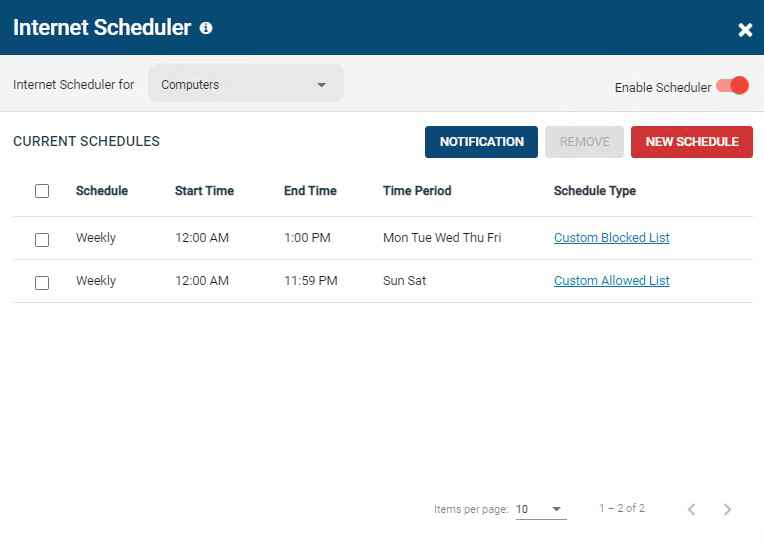
BrowseControl's internet scheduler feature window. Allowed and block lists can be scheduled to provide unique internet restriction policies for special occasions and breaks.
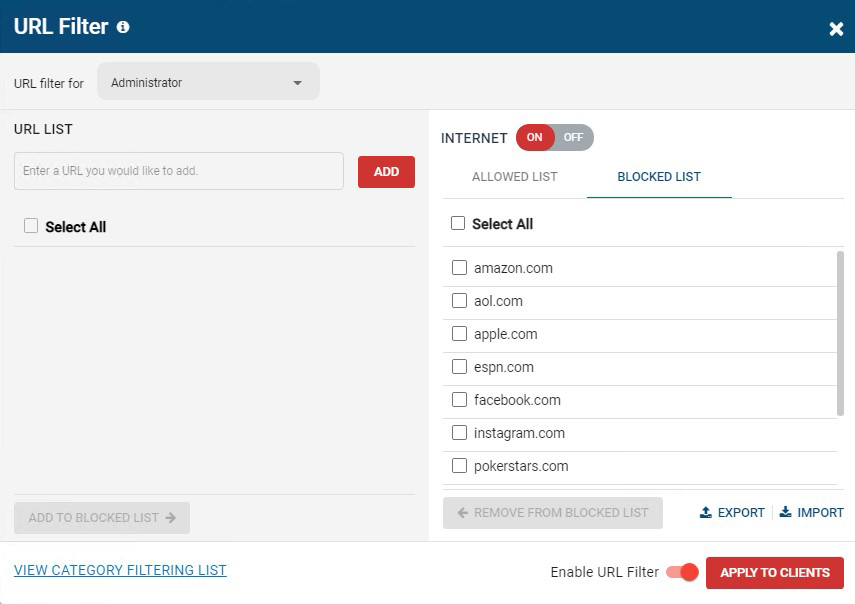
BrowseControl's URL filter. Specific URLs/Domains can be added to the allowed or blocked list for granular control over employee internet use.
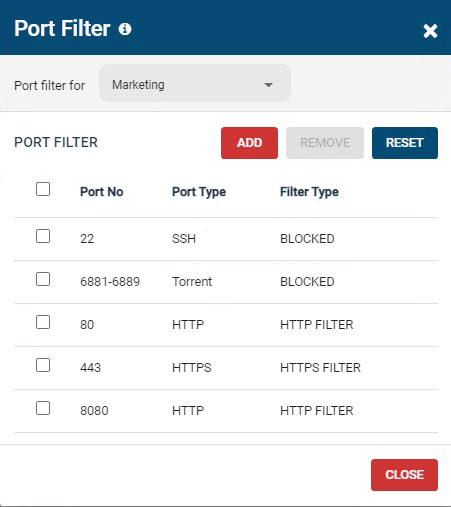
BrowseControl's port filter. The port filter blocks egress and ingress network traffic based on network port numbers and port ranges. This allows network administrators to block unused ports and reduce the attack surface of their network.
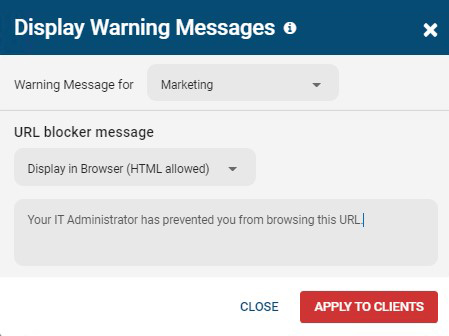
BrowseControl's warning message. When a user attempts to access a blocked website they will be presented a warning message. The message can be customized to include links to a company's acceptable use policy, or any other messaging.
BrowseControl web console
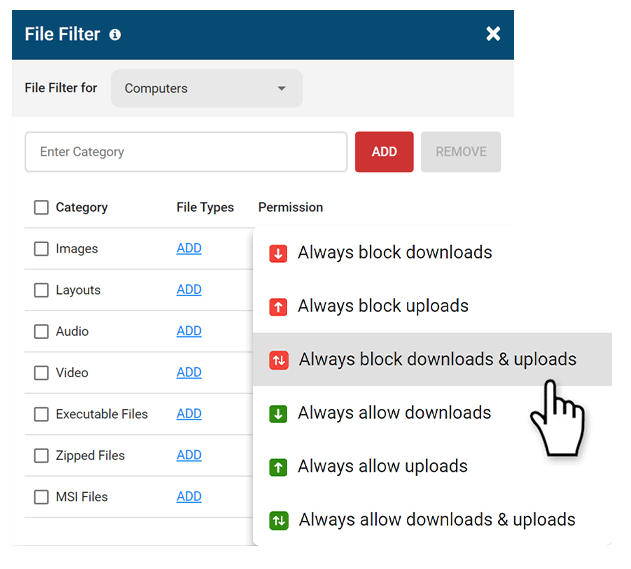
BrowseControl upload/download blocker (file filter)

1 / 7