What is Curtain MonGuard?
Curtain MonGuard is a tool for enhancing data security by preventing unauthorized screen captures. With the rise of remote work, protecting sensitive information is crucial. Curtain MonGuard protects against unauthorized sharing by adding visible watermarks with user information to the screen. These watermarks appear in full-screen mode or specific applications. Supporting over 500 applications and allowing customizable watermark content, it helps trace potential data leaks, adding an extra layer of security for organizations.
Features
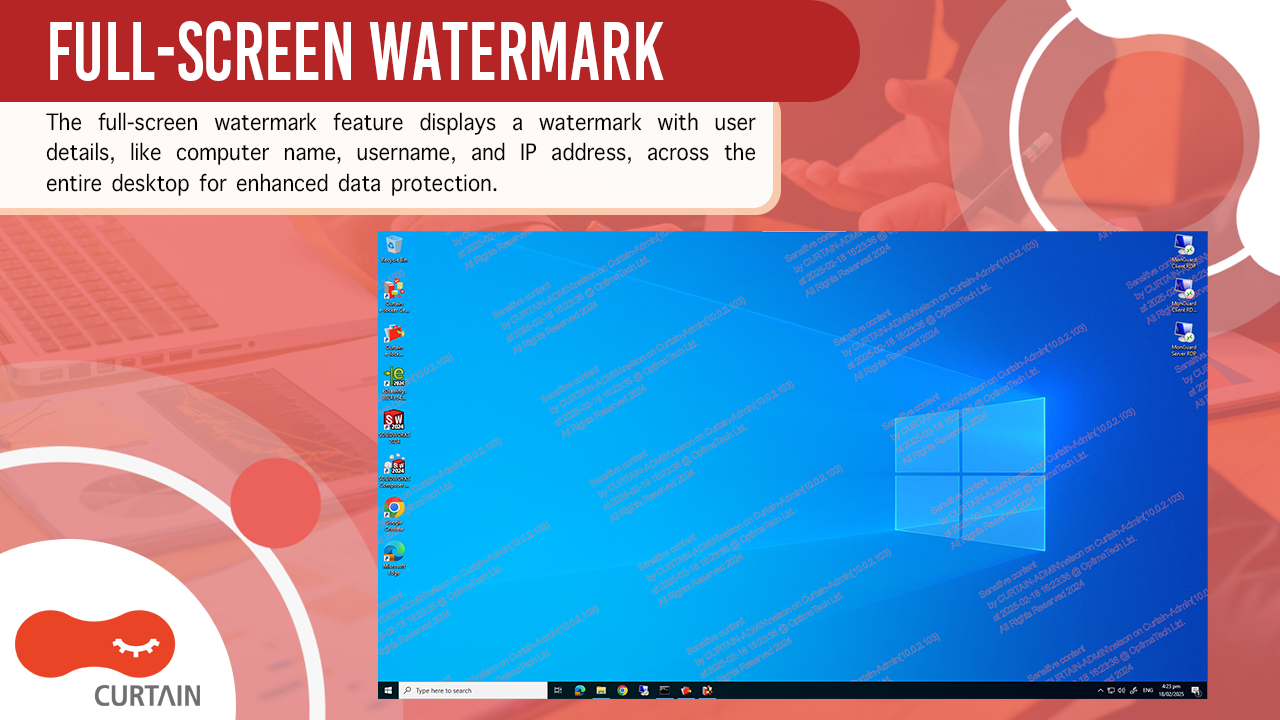
Full-Screen Watermark
The full-screen watermark feature is used to display a watermark on users’ screens throughout the entire desktop. This watermark can include user details such as the computer name, username, IP address, etc. for comprehensive data protection.
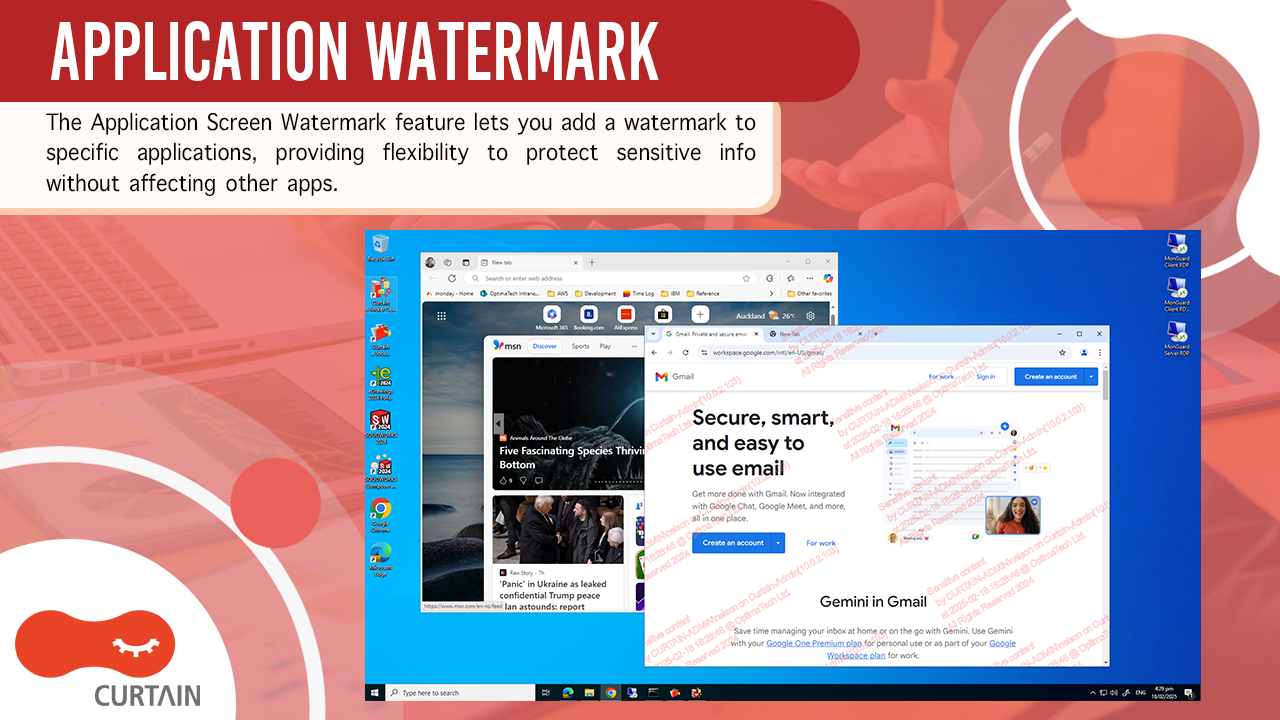
Application Watermark
The Application Screen Watermark feature is used to display a watermark on specific applications, but not on the entire desktop. This offers more flexibility to protect sensitive information within particular applications, without affecting other applications that may not require the same level of security.
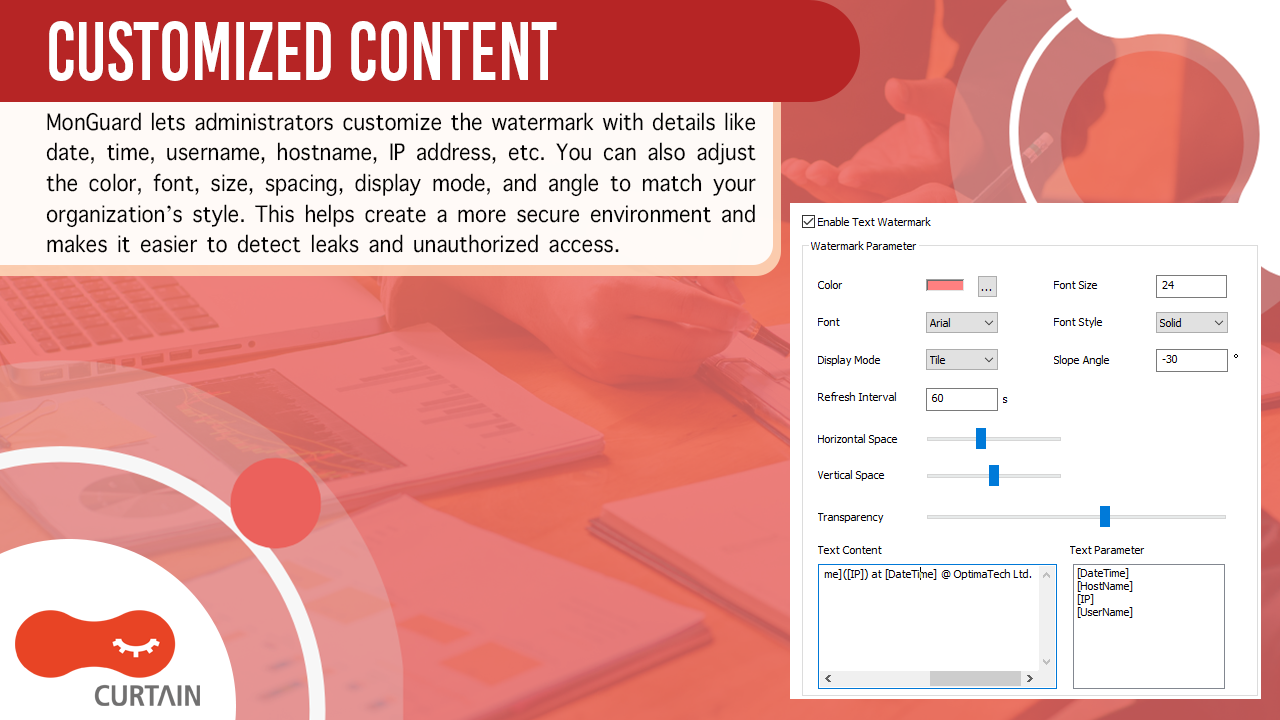
Customized Content
MonGuard allows administrators to customize the watermark content to include specific information, such as date, time, username, hostname, IP address, etc*. The design of color, font, size, spacing, display mode, or angle can be changed to fit an organization’s style. By customizing the watermark content, administrators can create a more secure and traceable environment, making identifying potential leaks and unauthorized access easier.
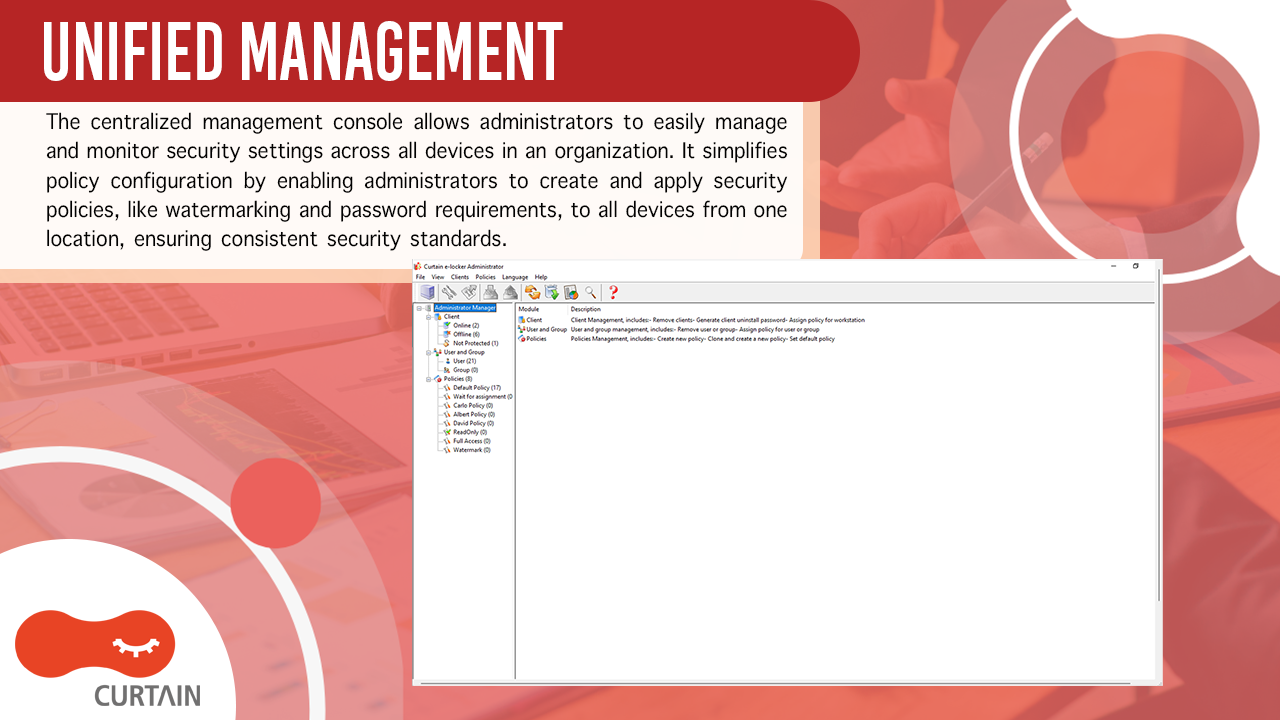
Unified Management
The centralized management console allows administrators to efficiently manage and monitor the security settings across all devices within an organization. This centralized console streamlines policy configuration. Administrators can create and deploy security policies, such as watermarking rules and password requirements, to all devices from a single location, ensuring consistent security standards across the organization.
Password-protected Uninstallation
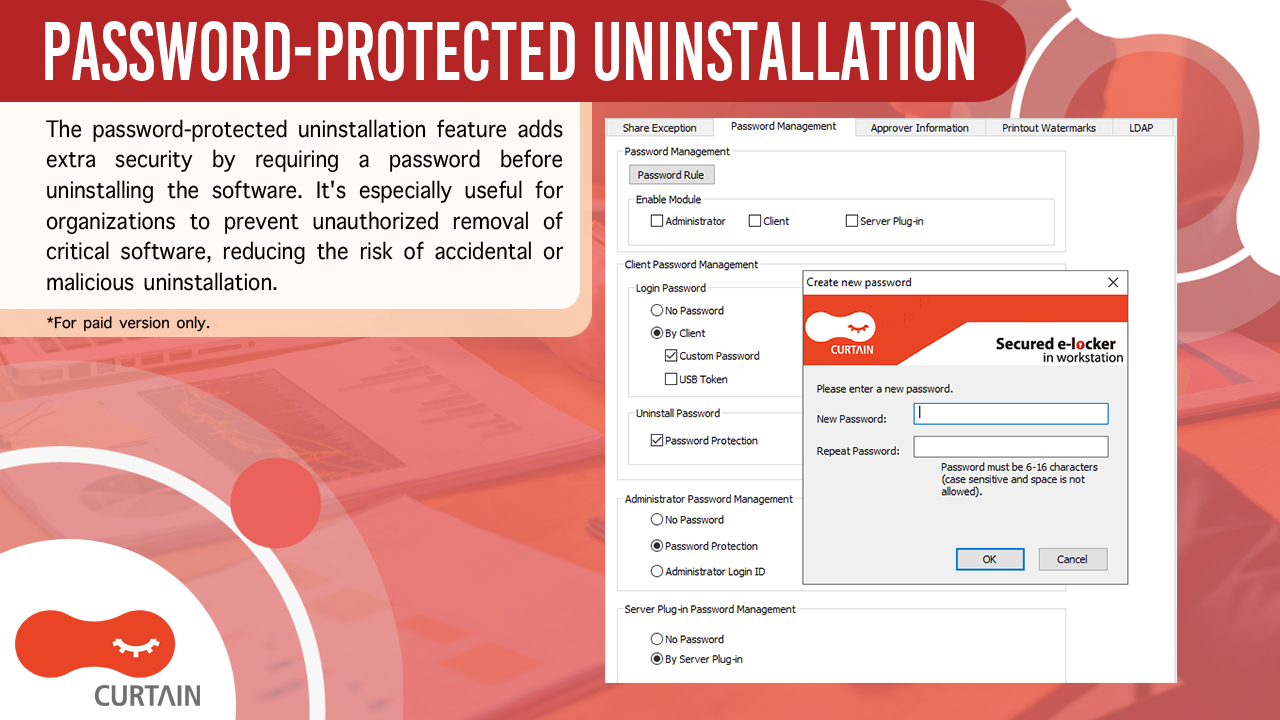
This security feature of password-protected uninstallation adds an extra layer of protection to your software. A specific password is required before the uninstallation process can begin. This feature is particularly useful for organizations that want to prevent unauthorized removal of critical software. Adding this password requirement significantly reduces the risk of accidental or malicious uninstallation.
Simple Deployment with Active Directory and LDAP Integration
Curtain MonGuard supports simple deployment with both Active Directory and LDAP directory services, providing a unified and efficient approach to managing user provisioning.
Dot Matrix Watermark
Embed an invisible yet traceable watermark on screens to prevent data leaks without disrupting workflow. Curtain MonGuard’s Dot Matrix Watermark technology subtly overlays a pattern of tiny dots that encode customized information. While nearly invisible to the naked eye, these watermarks allow you to trace the source of any data leaks, ensuring seamless work for your team while maintaining security and control.
Auto Color Selection
Flexible watermark color options ensure security and visibility. Choose a specific color manually for precise control, or let Curtain MonGuard automatically select a contrasting color for maximum clarity. This ensures the watermark remains effective in any environment while keeping data protected.
Categories & Use Cases
Media
1 / 5
Screenshot of Full-Screen Watermark