
What is Genebra Quality Management?
Genebra is a document management software, entirely developed based on ISO 9001 Standard.
According to the vendor, key features and business benefits include:
OPTIMIZING INFORMATION MANAGEMENT
• Simplifies the creation, approval and document review.
• Maintains quality document history.
• Alerts you about document changes and deadline expiration dates.
• Unifies the Documented Information: eliminates scattered documents and ensures greater control over document access.
• Quick Access to Information: Alerts by email ensure agility and informs stakeholders about updates.
• Involve the Whole Team: With automated email alerts, your team gets more involved in the process, generating less delays.
DOCUMENT MANAGEMENT IN 3 STEPS
1. Preparation:
The document can be prepared in any software and uploaded to GENEBRA. It is also possible to request the draft of a document and the system will automatically notify the right person to do it.
2. Consensus:
When receiving a document for consensus, the employee performs the critical analysis of content, approving it or not. In case of failure, the document automatically returns to those who drafted.
3. Approval:
After being approved by the consensus, the document is sent to the final approver, if it has one. In case of approval, the document is automatically published in the system. If not, it returns to be drafted for review with a justification.
Categories & Use Cases
Media



1 / 5
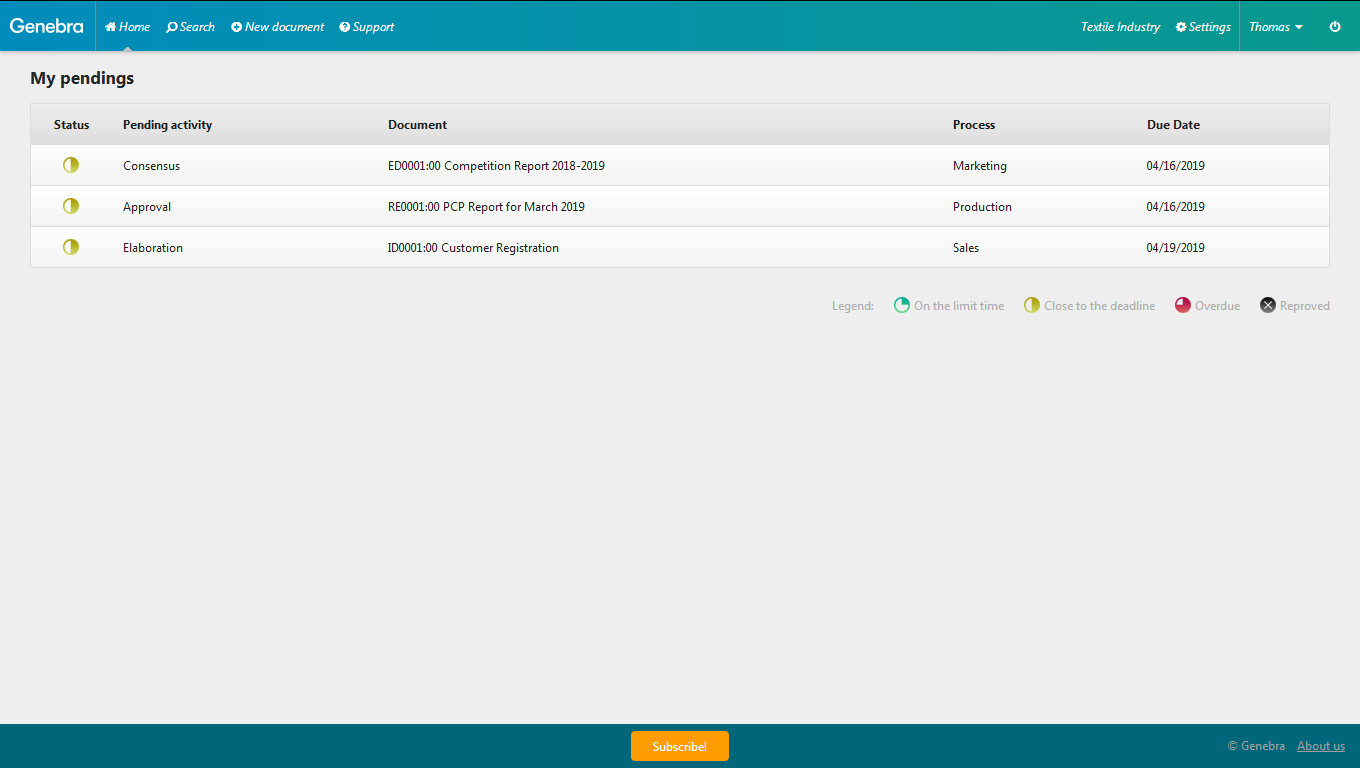
Screenshot of While registering a document, you can set the title, a category, a process, the people in charge of the workflow steps related to Genebra’s input information, as well as the document elaboration due date.