TrustRadius: an HG Insights company

iDashboards Enterprise Suite - DO NOT PUBLISH OR LIST THIS PRODUCT ON TR!

Score6 out of 10

11 Reviews and Ratings

What is iDashboards Enterprise Suite - DO NOT PUBLISH OR LIST THIS PRODUCT ON TR!?

Web-based dashboard software that displays data in real-time from databases, data warehouses, spreadsheets, XML and other data sources in a single location. Also used to build custom dashboards, perform what-if analytics, and generate reports.

Media

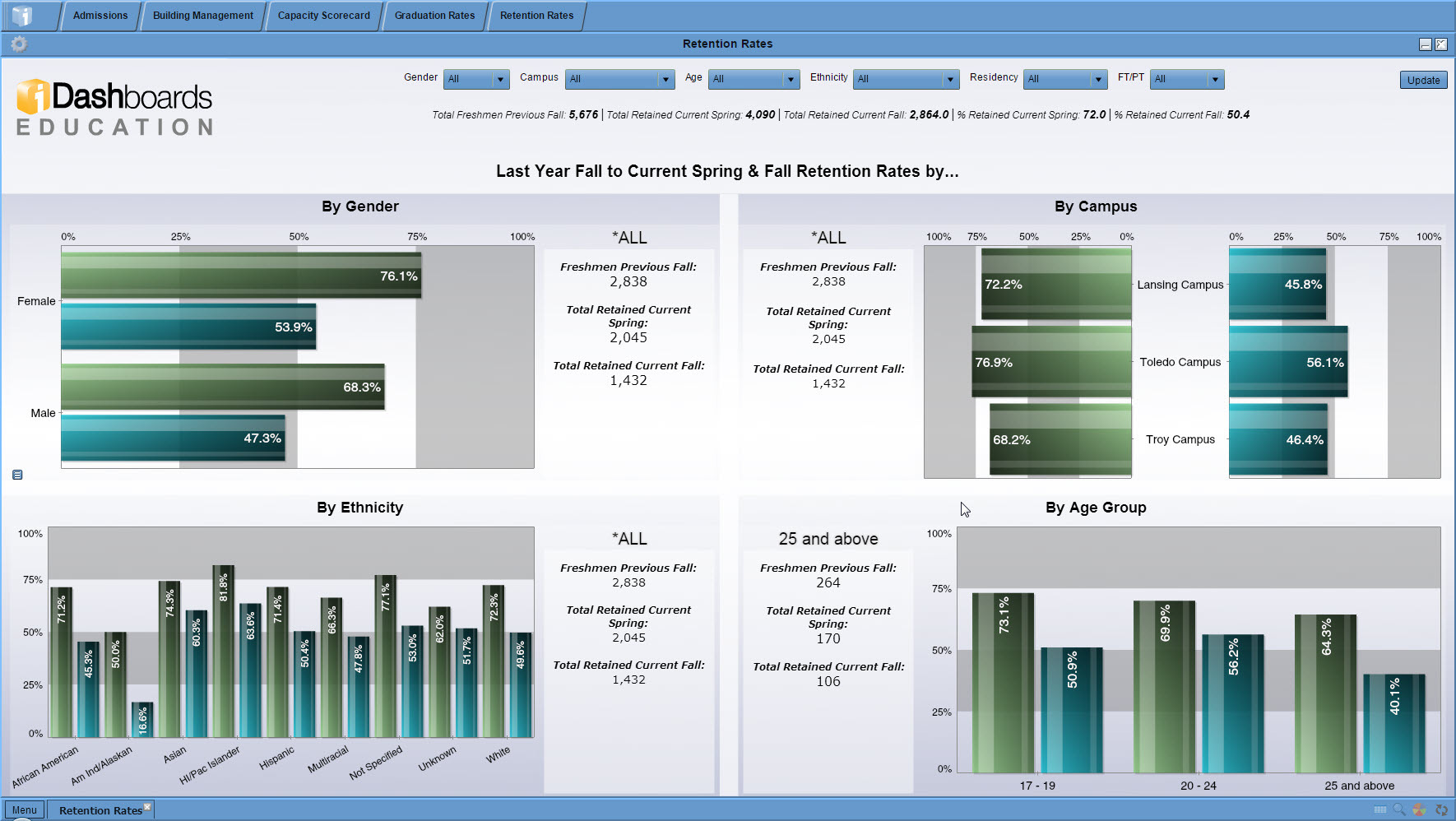
Screenshot of Government Dashboard
iDashboards Enterprise Suite - DO NOT PUBLISH OR LIST THIS PRODUCT ON TR!

1 / 2

Screenshot of Government Dashboard

Top Performing Features

  • Publish to Web

    Category average: 8.5

  • Publish to PDF

    Category average: 8.5

  • Report Delivery Scheduling

    Report Delivery Schedule is the ability to have reports delivered to a destination at a specific data and time.

    Category average: 8.4

Areas for Improvement

  • Report Formatting Templates

    Category average: 8.1

  • Pixel Perfect reports

    Pixel Perfect reports are highly-formatted reports with graphics and ability to preview the report before printing.

    Category average: 8.2

  • Report sharing and collaboration

    Report sharing and collaboration is the ability to easily share reports with others.

    Category average: 8.6

iDashboards - GET IT!

Pros

  • Gives great visuals
  • Has a wide range of choices in types of charts
  • Works with multiple types of data from ODS connections to Excel spreadsheets
  • Their customer service is exceptional

Cons

  • Ability to change font styles and colors
  • Ability to shift text angles on pie charts

Eye catching reporting tool

Pros

  • The different type of report templates and drill down functionalities which provides a clear vision and presentation of the key information.
  • With my strong database back ground and knowledge, it does not require much of training for mastering the basic of the product.
  • The end users love the results of iDashboards functionalities. (Good story teller)
  • Quick report creation time.

Cons

  • The drill down function can only drill down to one specific chart. Would like to see if it can drill down to different charts based on the input parameters.

Return on Investment

  • Better customer service
  • Increased employee efficiency
  • Critical decision making

Want an inexpensive, reliable, efficient, and easy-on-the-eye data presentation - don't look any further: choose iDashboards!

Pros

  • Efficiency and time-saving
  • Data on demand and current
  • Online tool for monitoring higher education key performance indicators
  • Affordability

Cons

  • More ready-made graphic templates
  • A one-page sheet for important functions and uses
  • More attention to higher education key indicators

iDashboards is a great tool for basic dashboards/charts for mid to small businesses

Pros

  • As long as the creator of the dashboard keeps the user experience in mind, it is very intuitive for end users.
  • Dashboard creation and chart creation is relatively easy and can be as robust as needed.
  • Drilldown features are strong and can be linked within dashboards.
  • User management is very easy from an administrative standpoint.

Cons

  • Relatively low limit on the data sources (10 MB). For companies that want to intertwine a lot of data, this could prove problematic.
  • Anything that is beyond some basic yes/no questions can be cumbersome in terms of set up--programming is something that is needed.
  • Because it is not set up as a direct link to any CRM, this tends to make iDashboards isolated and non-relational.
