TrustRadius: an HG Insights company

Makesbridge

Score8.5 out of 10

11 Reviews and Ratings

What is Makesbridge?

Makesbridge is a marketing automation product designed for SMBs, featuring core marketing capabilities. It is an on-demand product that is delivered without long-term contracts via a monthly subscription.

Media

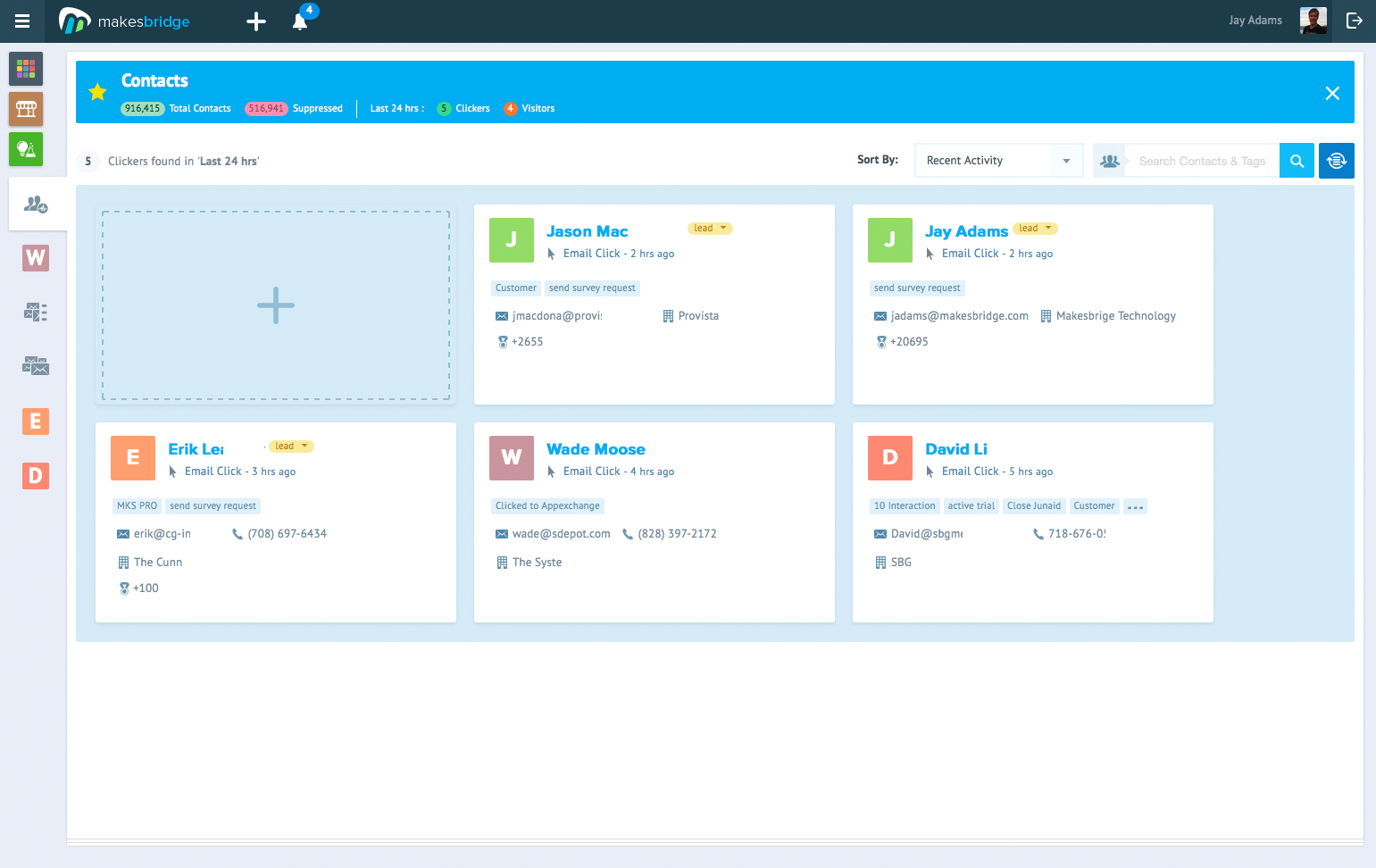
Screenshot of B2B marketing automation is mostly about delivering leads on a silver platter.  Your sales Reps reap the benefits of an automation platform that drives digital engagement, intelligently tags contacts based on rules and tells sales who to call.
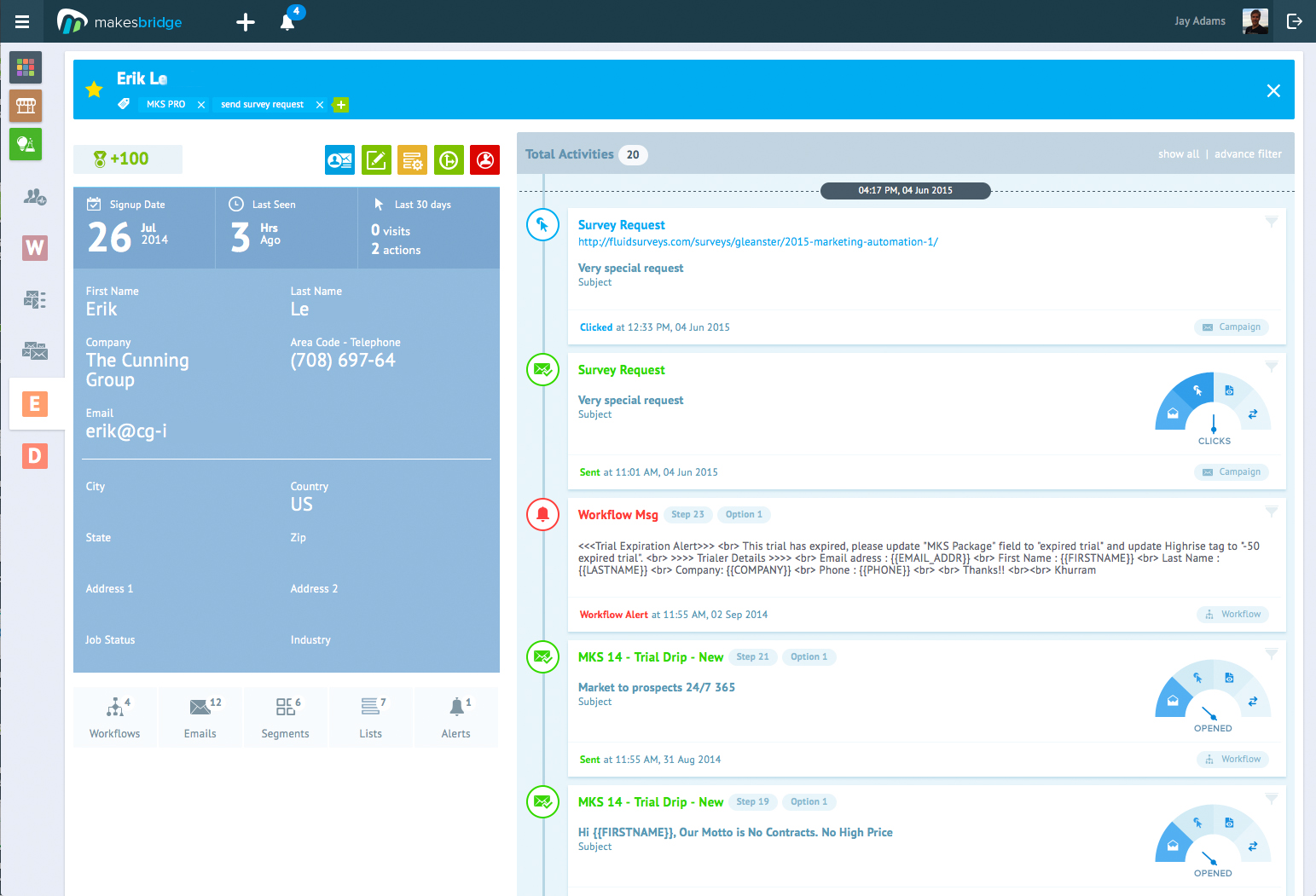
Screenshot of Sales reps view tags, scores and alert messages. They know what prospects are hot for because they can filter activity by web visits, email clicks and alerts messages.
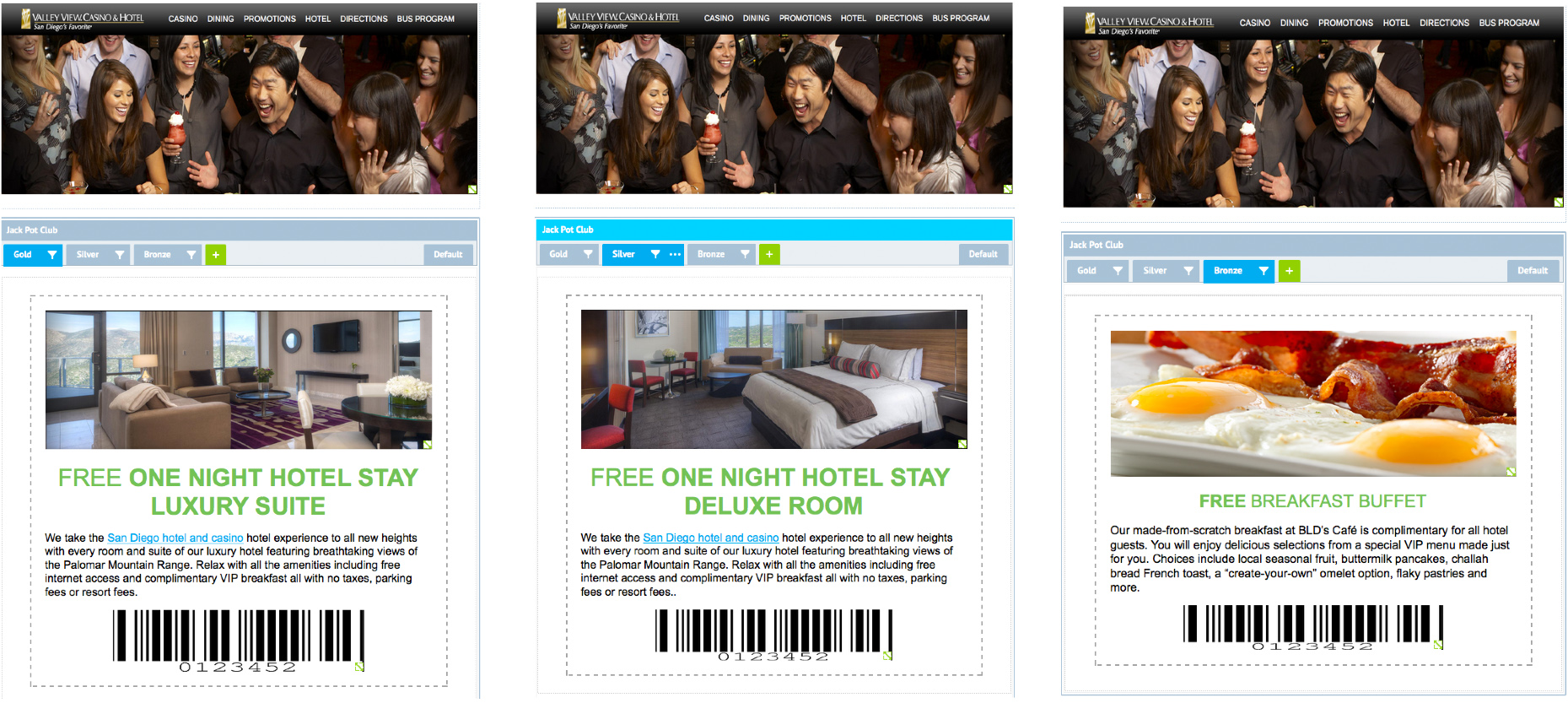
Screenshot of Maximize campaign response with dynamic content blocks.
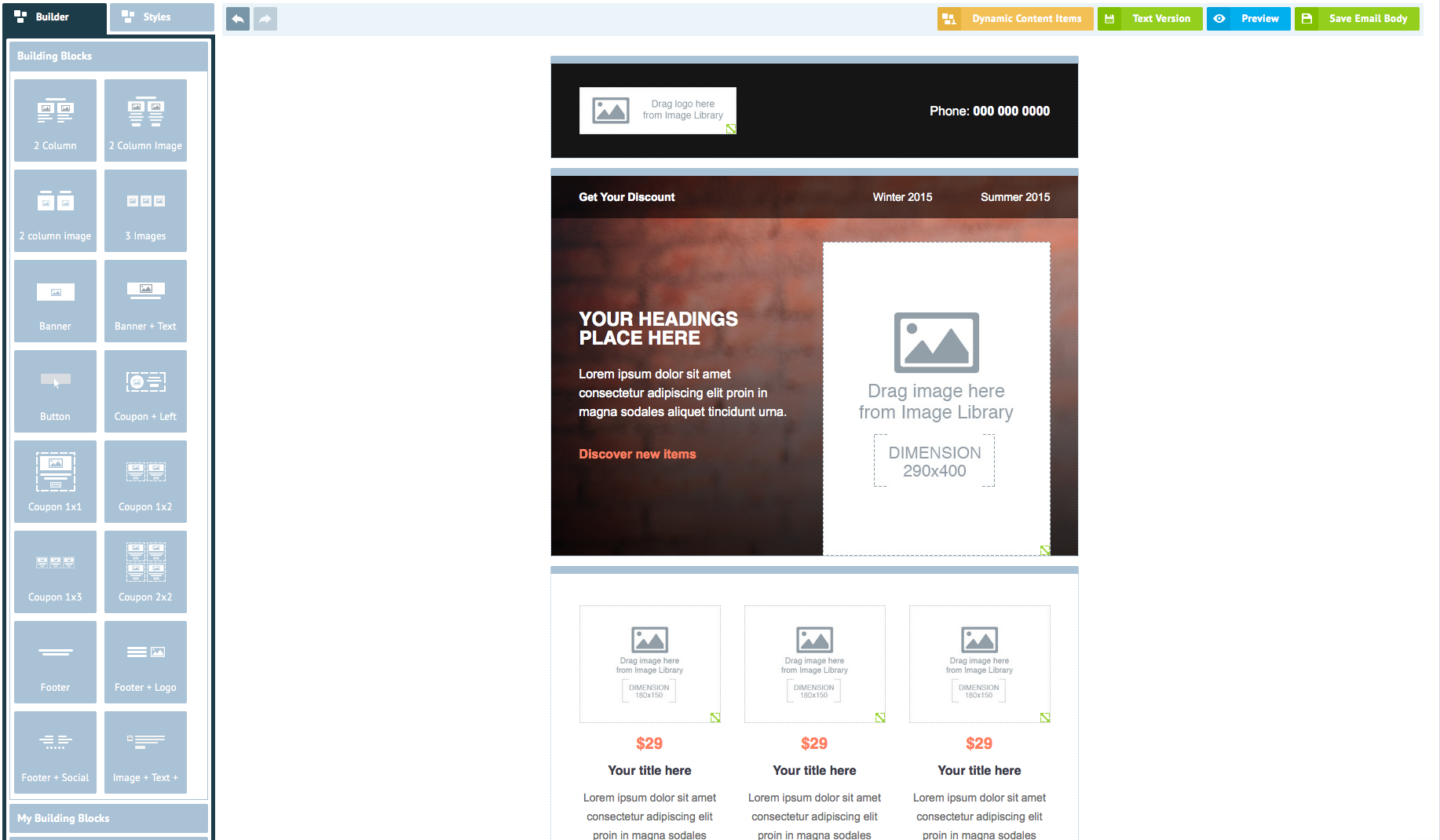
Screenshot of The world's easiest drag-and-drop HTML Editor speeds campaign and landing page production. There are dozens of mobile compatible templates to make publishing even easier!
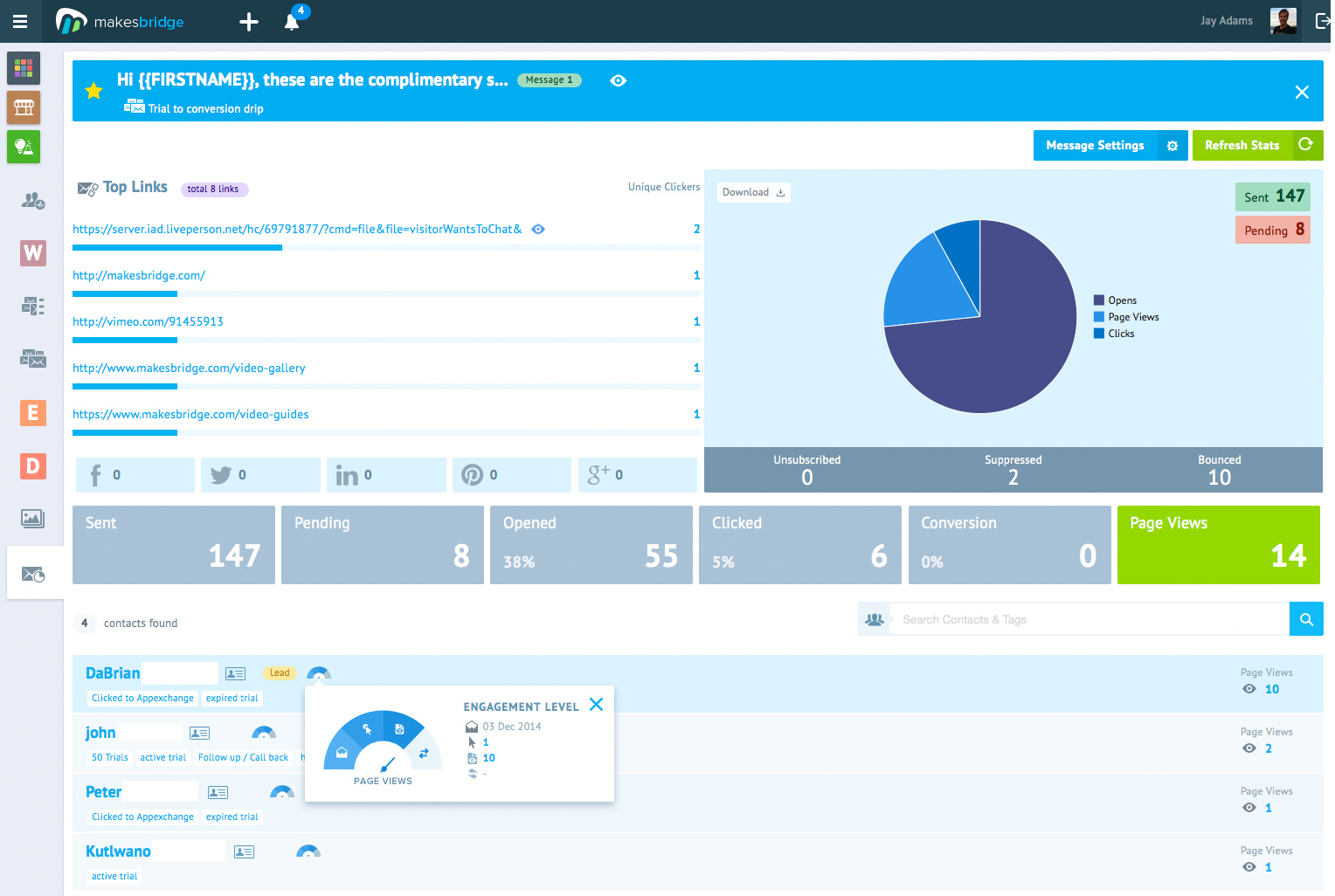
Screenshot of Marketers see how drip messages perform with opens, clicks, social shares, web visits generated and conversions. You can even view populations of who's taken action.
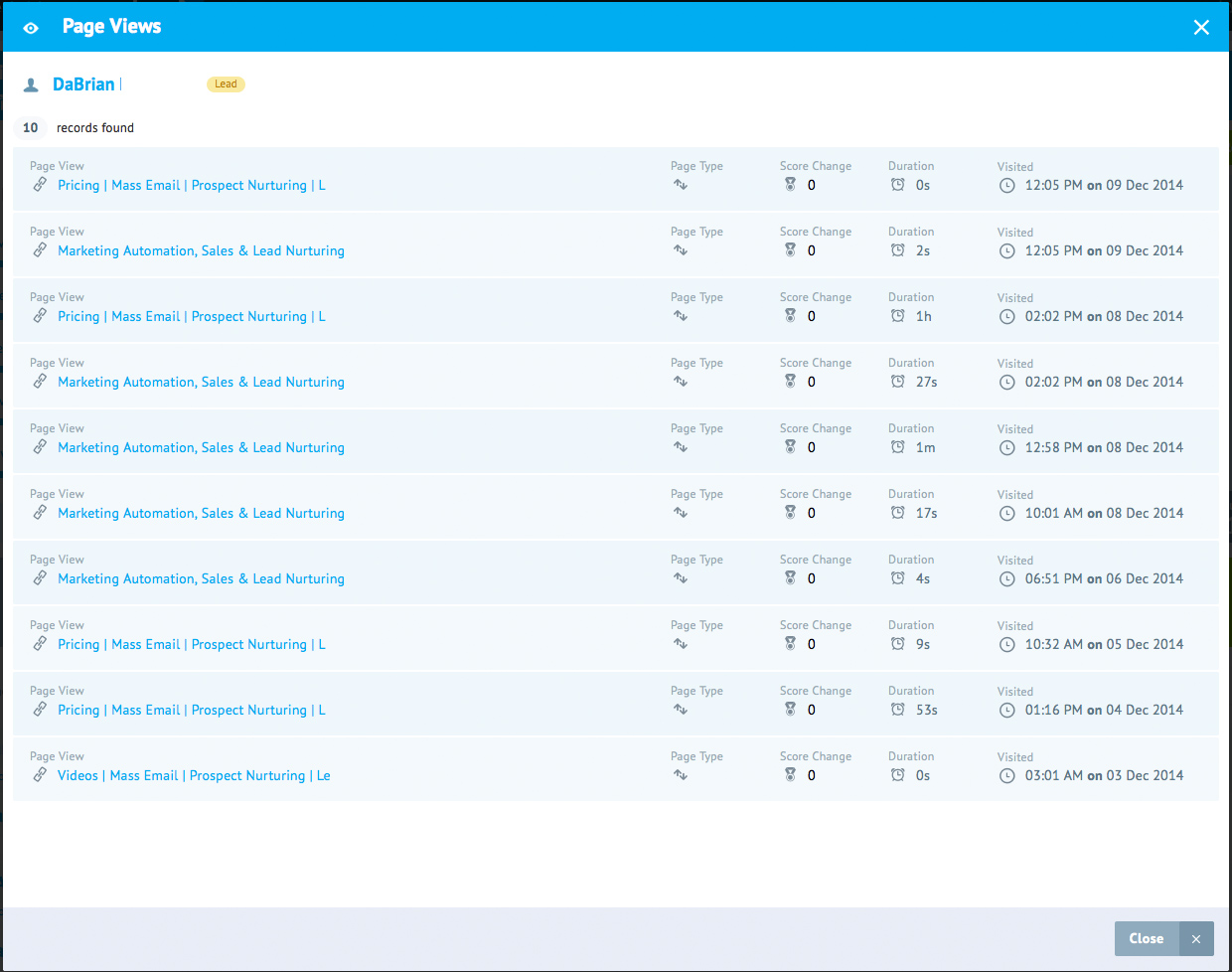
Screenshot of X-Ray Vision of interest! Drill down into the report even further to see a complete history of a prospect's web visits history and duration spent on each page.
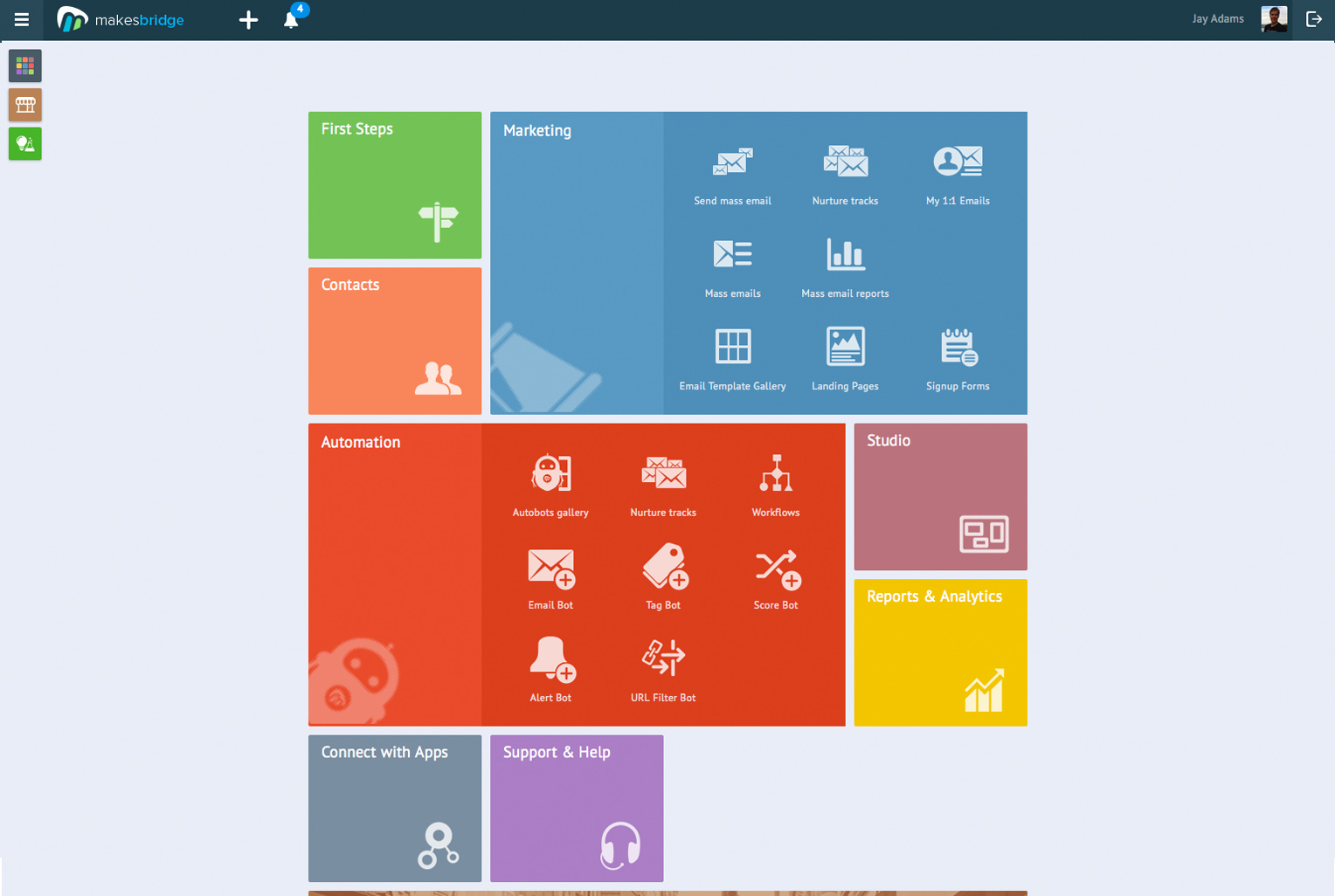
Screenshot of Power without density. The UX is amazingly intuitive - allowing the most novice of user to capably take full advantage of automation.
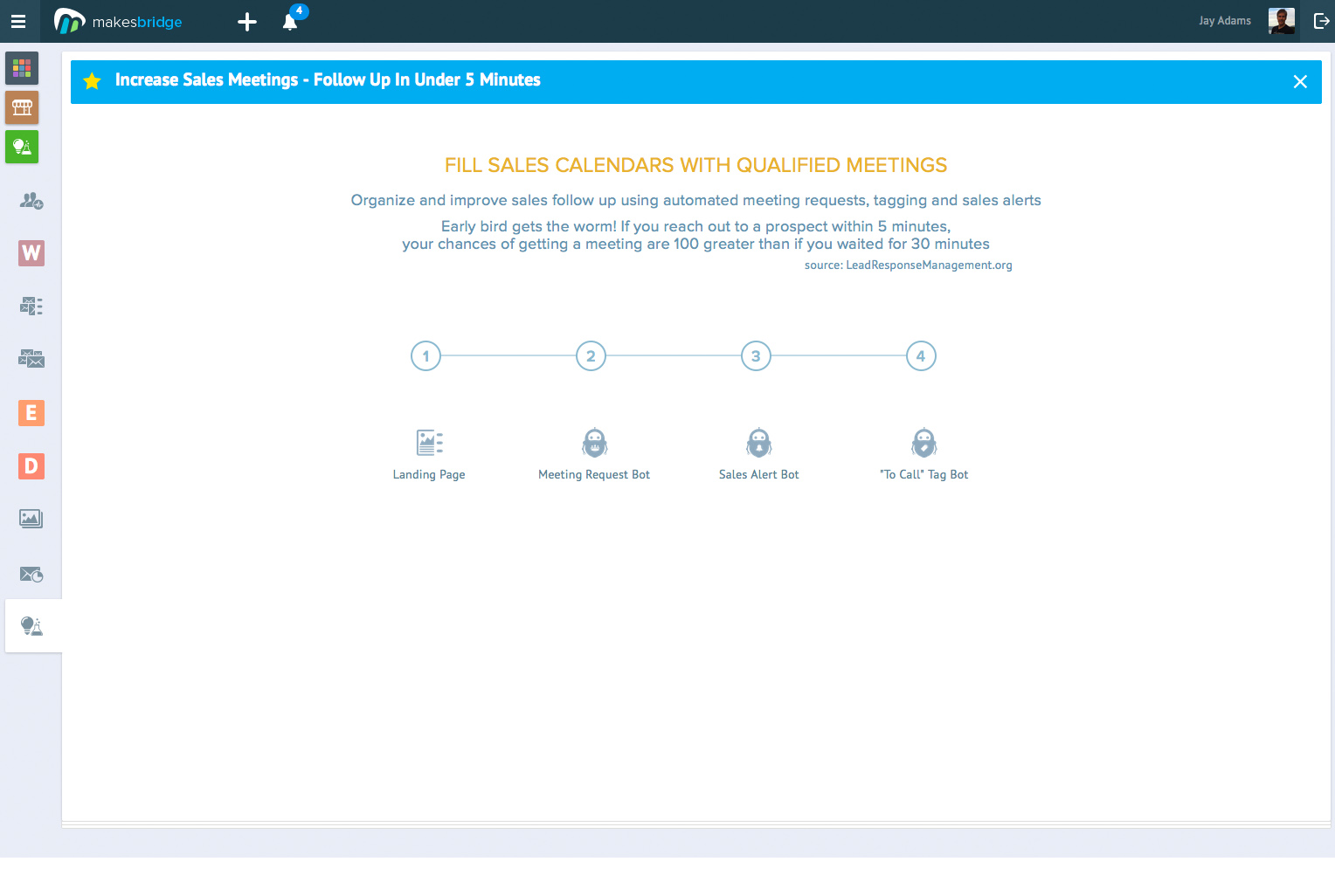
Screenshot of A library of Proven Processes help users dial in the most important best practices in multi-step marketing, marketing operations and sales operations.

1 / 8

Screenshot of B2B marketing automation is mostly about delivering leads on a silver platter. Your sales Reps reap the benefits of an automation platform that drives digital engagement, intelligently tags contacts based on rules and tells sales who to call.

Top Performing Features

  • Social profile integration

    The software incorporates social profile data and social share histories to enhance segmentation and scoring of contacts.

    Category average: 8.2

  • Social sharing and campaigns

    Users can incorporate social share buttons into campaigns to allow recipients to easily share content. Users can track shares as well.

    Category average: 8.1

  • A/B testing

    Users can experiment with different variations of a campaign and measure results. Testable aspects might include subject lines, header images, or landing page copy.

    Category average: 7.9

Areas for Improvement

  • API

    An API (application programming interface) provides a standard programming interface for connecting third-party systems to the software for data creation, access, updating and/or deletion.

    Category average: 8.1

  • Landing pages

    Users can create web pages that are customized to a particular email or campaign. Landing pages often include web forms which can capture visitor information and integrate it back into the MA software.

    Category average: 7.5

  • WYSIWYG email editor

    Users can create html emails through a drag-and-drop interface, without html coding knowledge.

    Category average: 8

Makesbridge Rocks!

Pros

  • The BEST thing about Makesbridge is their help desk employees. From signup through the technical aspects of working with the platform, I have never had to wait to get a problem resolved. They are always willing to walk the user through processes.
  • The platform is easy to use, once familiar with it. This makes my job easier.
  • The graphs for statistics are fantastic. Make it easier to understand.

Cons

  • Makesbridge is currently updating their platform. Some things are done in the old UI and some things are done on new UI. It is confusing to know where to do some things, but I expect this to change in the near future.
  • The old UI calculated things one way and the new UI calculates things another way. Specifically Click through percentage on the old UI was calculated clicks/opens (rounded nearest), in the new UI it is clicks/sends (rounded up.)
  • I would like the capability to have some fields updated all the time and other fields updated only if they are empty. For example, I want to know where the original source of a subscriber is. My understanding is that this is currently updated with every upload.

Return on Investment

  • The list management is important to us. We need to make sure that the opt-out lists are maintained and this is done automatically for us. In addition, we can create multiple lists and each e-mail is only sent once. This has saved many headaches.

Makesbridge: An Intellegent Marketing Automation Miracle

Pros

  • Number One- The support. Implementation was seamless, but anytime I have a question, the support team goes above and beyond to make sure everything is taken care of. I want to stress that these are not support bugs, or software glitches, but training and real-life application. They have the patience and professionalism unrivaled by other experiences I've had with software vendors.
  • The UI is incredibly intuitive. Clear tiles and icons allow for easy navigation. I love that each icon has the associated training tutorial linked below, so I have a refresher available as needed. This is awesome with a rapidly-growing sales team- I know that they have the tools and support available to them, and I don't have to do as much hand-holding.
  • The integration with Salesforce is awesome. I create a campaign, and the members are then added to any email campaign. The results of the effort sync back to Salesforce automatically.
  • Intellegent workflows- I can set up drip/nurture campaigns easily. Lead scoring is so simple, and my sales team receives alerts when prospects have completed various activities we've flagged as funnel progression. All activity is recorded in the contact/lead record within Salesforce, so we know what content on the website the prospect has consumed, and their participation in email campaigns.
  • Bridgestatz is wonderful as a compliment to Google Analytics! We can see traffic, look up click paths, set alerts and experiment all without risk of compromising our core data.

Cons

  • I would like for users to be able to see campaigns and templates created by other non-admin users. I'd like the option as the sysadmin to select which parts of the application should be open to all users, and which I'd like to gate. (Permissions, if you will).
  • Configuration of training materials. The content is great, I just have had difficulty locating the specific article that would be most relevant to the situation. I'd love step-by-step guides for campaign creation, etc.

Return on Investment

  • We are able to make smart decisions based on real-time data. We can analyze the click path of a prospect, check the success of an email campaign, and "set it and forget it" drip campaigns. What used to take weeks to set up, execute and analyze can be done in hours.
  • Leads convert faster with sales scoring. Our sales team is able to act on "hot leads" in real time, shortening our sales cycle.
  • Cross-departmental standardization: We have set templates we use to send out different types of content. We don't have to worry that someone might send out something against brand standard. Plus, teams on both sides of the house are able to see what the others are doing, and develop a sense of empathy for the amount of work that is being done in such short time. It sounds like a soft benefit, but when you have standardization and transparency, scalabilty is a natural outcome.

Usability

Makesbridge- One Of Your Good Choice

Pros

  • Great support and fast response from their support team. Anytime I have a question, they always go above and beyond and make sure everything is taken care of.
  • Platform is easy to use once familiar with it. A lot of functions that we can play with.
  • Autobots are awesome to tell us who our emails and website are engaging.

Cons

  • Some difficulty in navigating through the templates, more tools and user friendly ways for creating an e-campaign.
  • HTML Part: I not sure why but the wording and color always change or is different after using the HTML editor. The words are not arranged in accordance and do not all tie together. I have to use another way to generate the HTML and paste it in makesbridge. Maybe they can check into this.
  • The numbers showing each data [point] you have uploaded is not a tally. It will not automatically change and we don't know how much data is left. We;re not sure how much data we have selected.
  • Cannot amend the leads directly in the platform.

Return on Investment

  • Good customer service and allows us to use our leads without much restriction.
  • Price still considered quite high for a very small business like us.

Other Software Used

Zoho Campaigns, Sendblaster, Benchmark Email

Makesbridge is the ONLY choice for your Automated Marketing!

Pros

  • Support is top of the line. You can chat with someone immediately, or send an email and I've always gotten a response to chat ASAP and email within 1 hour.
  • Integration with Salesforce was quick and easy!
  • Autobots are awesome to tell us who our emails and website are engaging.
  • Nuture Tracks are awesome to send follow up emails to targets in a specific email campaign.

Cons

  • I want them to do ALL My marketing :-).
  • I want them to update and send messages on social media and track responses.
  • I want to be able to sort Targets by email opens and clicks.

Return on Investment

  • Faster Lead Conversion
  • Increase Employee efficiency
  • All Postive results and insights on our business thanks to Makesbridge.

Usability