TrustRadius: an HG Insights company

ManageEngine Patch Manager Plus

Score9 out of 10

13 Reviews and Ratings

What is ManageEngine Patch Manager Plus?

Patch Manager Plus is an automated patch management software that provides enterprises with a single interface for all patch management tasks.

The vendor claims it works across platforms, helping users patch Windows, Mac, Linux & 300+ third-party applications. With Automated Patch Deployments, users can automate the entire process of patch management:
  • Scan for missing patches
  • Test & approve for hassle-free patching
  • Customize deployment policies to meet business needs
  • Decline patches
  • Downgrade patches
  • Generate vulnerability and patch summary reports.
Patch Manager Plus is now available both on cloud and on-premise.

Categories & Use Cases

Media

Home view and security news feed
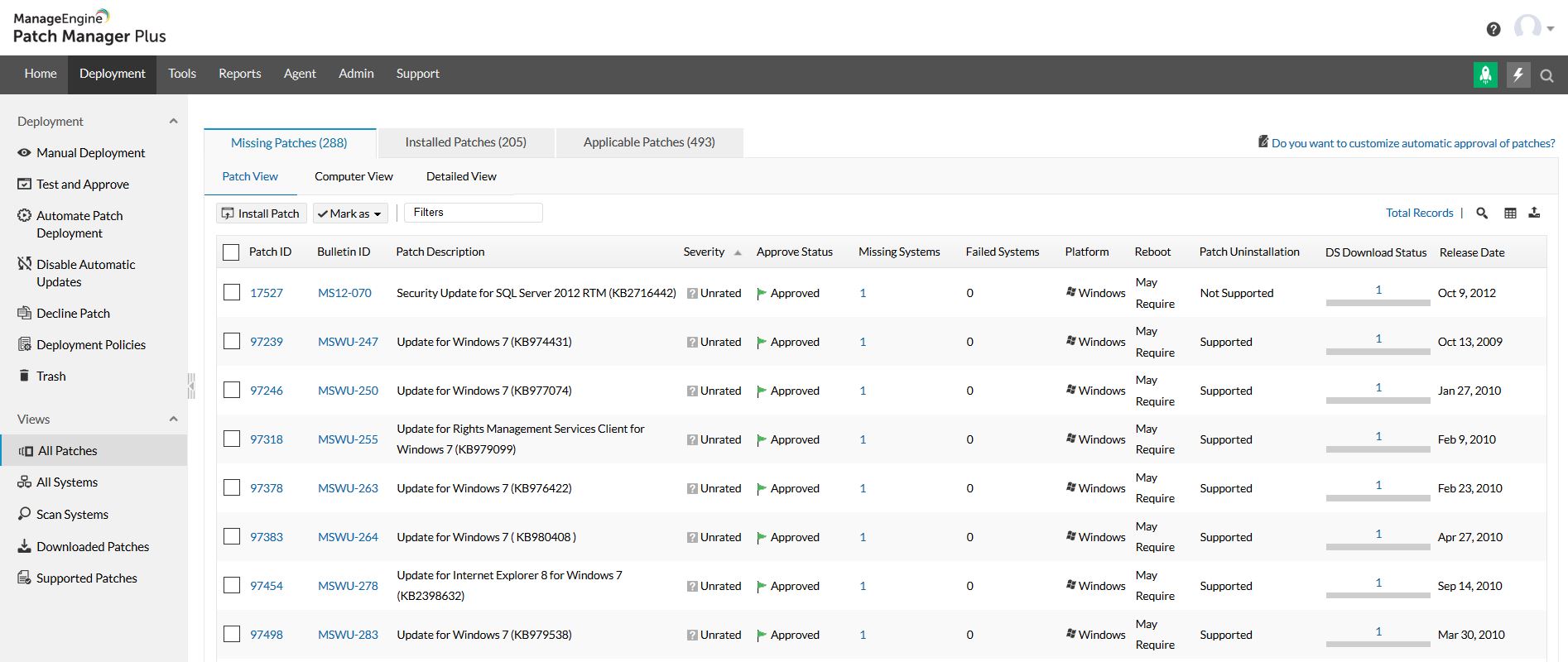
All patches view
All systems view
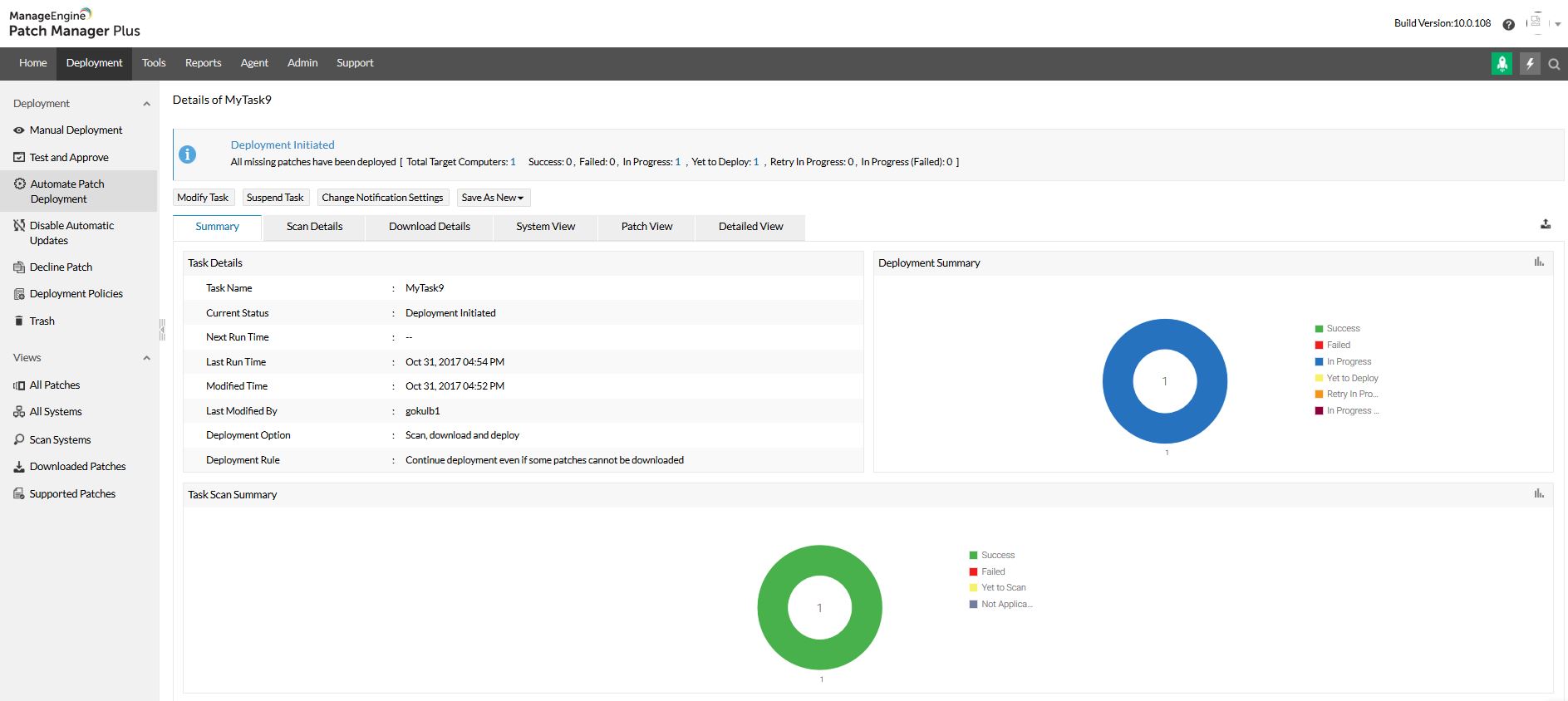
Automated patch deployment
Scope of management
Configurations

1 / 6

Endpoint Patching - Affordable with Ease of use

Use Cases and Deployment Scope

We currently use for only managing endpoint patching, which provides us multiple features, Auto Deployment, Test & Approve, Missing Patches, Searching patches by their CVE's, etc.

Pros

  • Patching Endpoints
  • Remote control
  • Test & Approve
  • CVE's Search for Patch

Cons

  • UEM connectivity
  • Software Inventory

Return on Investment

  • Security on endpoints
  • Third party apps support

Usability

Alternatives Considered

Microsoft Defender for Endpoint

Other Software Used

ManageEngine ServiceDesk Plus, ManageEngine ADManager Plus

DU-COMM Review

Use Cases and Deployment Scope

we use ManageEngine Patch Manager Plus to perform windows updates.

Pros

  • Maintain Windows Updates
  • Informs about specific updates
  • Keeps machines up to date

Cons

  • Removing unwanted updates
  • Deleting updates
  • a button to remove device from management

Return on Investment

  • Support (Negative)
  • Timeline of Support
  • Troubleshooting

Usability

Other Software Used

PDQ Deploy & Inventory, Lansweeper

ManageEngine Patch Manager Plus Review

Use Cases and Deployment Scope

We use Manage Engine patch Manager to deploy operating system and other application patches released by OEM to safegaurd application from getting infected by malicious activity or possible hacking attempt. Automating using this application reduced manual intervention and team is more productive.

Pros

  • Patching Office application for latest updates whenever they are released.
  • Automating this process, helps team to concentrate on other tasks.
  • Overall this reduces response time, quick deployment at schedule time.

Cons

  • If this tool can fetch serial numbers of the devices on which this is deployed
  • This tool should collect all application installed at client machine which is not available as of now.
  • Intergate more application which can be patch using this tool.

Return on Investment

  • Although this is quite expensive which every organization couldn't afford to have.
  • For big enterprises cost versus ROI is justified.
  • For us using ManageEngine Patch Manager Plus serve the purpose and meet our objectives.

Usability

Alternatives Considered

Motadata ServiceOps and Freshworks Neo

Other Software Used

Adobe Acrobat, Adobe Premiere Pro, Adobe PhotoShop

Wont be disappointed with ManageEngine Patch Manger Plus

Use Cases and Deployment Scope

We use ManageEngine Patch Manager Plus to automatically update our OS and applications during on- or off-hours. We had issues having our staff members update their computers; either they forgot or didn't bother. This software does that work, allowing our IT department to focus on more pressing IT needs and freeing up more time for their breaks.

Pros

  • Auto patching does its work
  • Easy-to-use browser portal interface
  • Portal reporting is simple to work with

Cons

  • Forcefully install the updates (e.g. MS Office apps), but warn the user doing so.
  • Remind (via a notification) the users to reboot every 15 mins even though they have already shut the counter down.
  • I wish we could update more than 50 computers manually at a time via the portal

Return on Investment

  • Our IT staff member's workload has decreased.
  • The IT staff member can focus more on their IT priorities
  • Data is the most important asset that the company has, and protection via automatic updates is a priority.

Usability

Other Software Used

Microsoft 365 Business Premium, Adobe Acrobat, Microsoft Teams, FortiClient, Microsoft Entra ID Protection

Patch Manager Plus a product that works and deliver what it promises

Use Cases and Deployment Scope

Currently we are using Patch Manager Plus to manager address some of the organization concerns about vulnerabilities in our environment. Some of them are reported by our vulnerability management tool, but ManageEngine Patch Manager Plus helps us to keep both the operating system and the applications installed on the computer updated. This helps us to prevent security vulnerabilities caused by outdated software while it requires none or minimal human intervention on the machines.

Pros

  • Patch management
  • Scheduling of patches
  • Pre and post management actions (like rebooting machine)
  • Configuration of patches by groups

Cons

  • Automation tools
  • Possibility of remediating failed patches better
  • Improve overall usability of the tool

Return on Investment

  • The tool is cheap compared to any quotes we asked for other suppliers
  • It helps us to accomplish remediation from the vulnerabilities reported by our vulnerability management software
  • It helps us to achieve our infosec goals of risk in our environment

Usability

Alternatives Considered

Action1 and Adaptiva Edge Cloud Platform

Other Software Used

SentinelOne Singularity, BeyondTrust Password Safe, BeyondTrust Privileged Remote Access