TrustRadius: an HG Insights company

MIP Fund Accounting

Score8.7 out of 10

830 Reviews and Ratings

What is MIP Fund Accounting?

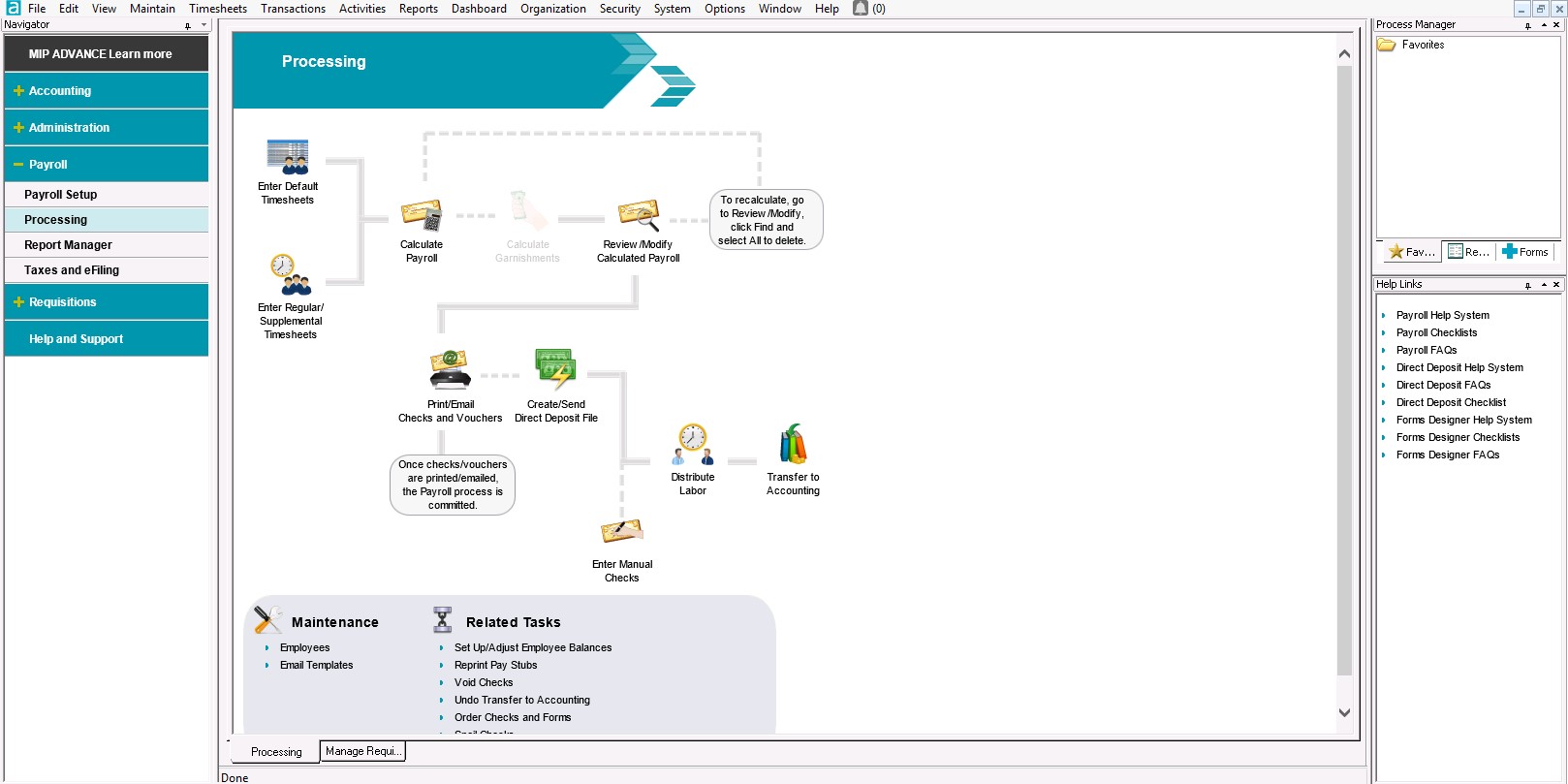
MIP Fund Accounting™ is a configurable fund accounting solution. The solution includes functionality for fund accounting, procurement, budgeting, payroll, human resources, timekeeping, fixed asset management, grant management, and dashboards for nonprofits and government agencies.

Media

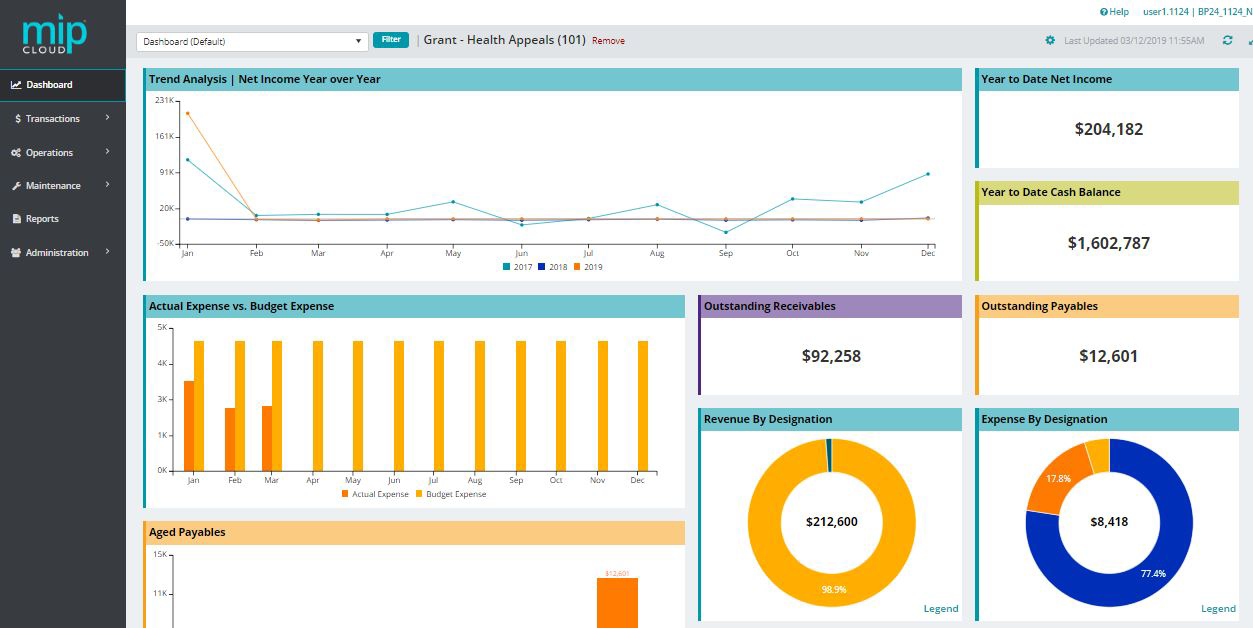
MIP Advance™ Dashboards with drilldown
MIP™ Transactions Workflow
MIP Dashboards
MIP Dashboards
MIP Dashboard drilldown
MIP Transactions
MIP Budget Worksheet
MIP Reporting
MIP Audit Trail  and Security
MIP Portal
MIP Fund Accounting

1 / 11

Great Product

Use Cases and Deployment Scope

We use MIP Fund Accounting to organize over 100 missionary accounts with multiple sub-accounts under each one. We also use for the Home Office general ledger and accounts payable and budgeting. The reporting features are invaluable to us and our missionary family.

Pros

  • Multiple levels of the Chart of Accounts
  • Wide range of editable reports available
  • Ability to use automation to daily pull and combine multiple reports

Cons

  • The font is very small on the classic version

Return on Investment

  • We run daily automated reports
  • One person is able to manage 100+ project accounts
  • We can import entire batches of donations to the AP side

Alternatives Considered

QuickBooks Desktop Pro

Other Software Used

Microsoft Excel, SaasAnt Transactions, Adobe Acrobat

Looking for a user friendly software? Go with MIP

Use Cases and Deployment Scope

We use MIP Fund Accounting to track more than 1,500 organizations by using the fund, source, group, and program code. MIP Fund Accounting is very good at tracking all these organizations; however, due to access, the 1,500 organizations can't access this software to track the financial number. Our side has to do an additional uploading [of] the BDs, CRs, APs, and any JVs numbers to our other software platform [so] that these organizations can see the ins and outs on their financial number.

Pros

  • Check signature(s), very easy to input the check signature(s) and have a rule on the signer.
  • GL report, it can be very detail[ed] by using the content to add the details you want. The report can be [of] the whole of the organization or filter[ed] down to the level you want.
  • Import and Export, MIP did very well in that you can import any accounting related transactions.

Cons

  • Wish MIP had a better guideline on creating the statement of revenue template or financial statement format.

Return on Investment

  • Since MIP has the import function, it saves us so much time on data entry. Time is money.

Usability

My opinion and words about MIP!

Use Cases and Deployment Scope

MIP Fund Accounting is used for daily cash management activities including Payroll, Bank Reconciliations, General Ledger, Accounts Payable. I do not know that I can actually name a business "problem" that the software addresses per se, as use it for day-to-day accounting activities. I really like many aspects of MIP, but also feel, as someone coming from other accounting software which I taught myself to use, MIP is somewhat user "un"friendly. I feel that it is difficult to learn and seems that it could be more user friendly without so many steps to go thru to attain a goal of cash management for a non-profit!

Pros

  • Easy to obtain check register for select periods
  • Easy to do bank reconciliations
  • Easy to log in for remote work, for anywhere I need to access it from!
  • Easy to pull vendor, chart of accounts and other pertinent information, also easy to add information to those sections.

Cons

  • I feel that there are too many ways to pull necessary reports
  • I feel that it would be easier to pull reports that are somewhat more streamlined or easier to edit
  • I would love to be able to pull an "audit trail" as I have with past software that was easy to pull and easy to obtain info froml
  • I do not like that the software has to have so much printing information set up to save paper when pulling reports
  • At this time, again, it seems as though it is difficult to pull reports that should be easily obtained through the software.

Return on Investment

  • I really cannot name a time where it has actually had a positive or a negative impact on our overall business objectives. It seems to do what we need it to and thankfully we have a somewhat "seasoned" user along with myself!

Alternatives Considered

Sage 100

Usability

Great for Grant Accounting- may fall behind in other accounting types

Use Cases and Deployment Scope

I have been using Abila for the last 3 years to keep the books for a Not for Profit organization consisting of 13 entities. The entities vary in scope from consulting to real estate. The software is very accommodating for not-for-profit accounting that consists of grants, budgeting, etc. The MIP Fund accounting software does not accommodate the real estate quite as well, simply because it is not made for it.

Pros

  • A lot of reporting options are available
  • The multi-entity database flows well
  • Simple formatting
  • Ease of use

Cons

  • Real Estate functionality
  • Billing module is cumbersome
  • Creating reports can be confusing

Return on Investment

  • Reduced entering time once we switched to multi-entity database

Usability

Solve your accounting dilemna with MIP Fund Accounting

Use Cases and Deployment Scope

We use MIP Fund Accounting for our home office finances and for the finances of the missionaries we service around the world. We use the General Ledger, Accounts Payable, Budget and Payroll modules.

Pros

  • Integrates well with our donation software.
  • Allows us to set each missionary as a project or "company" of its own within the system.
  • Handles our home office accounts payable and payroll through the General Ledger.

Cons

  • The "voucher register" in payroll should have the edit feature in favorite reports in process manager.
  • Everything else meets our needs.

Return on Investment

  • MIP Fund Accounting definitely saves us time with automated accounting processes. We are able to daily run 100+ reports to upload to individualized folders of a shared drive for easy viewing by our missionaries all over the world.

Alternatives Considered

Sage Accounting

Other Software Used

Adobe Acrobat, Microsoft Excel

Usability