TrustRadius: an HG Insights company

Nexthink

Score7 out of 10

28 Reviews and Ratings

What is Nexthink?

Nexthink Workplace Experience is a cloud-native platform allowing IT teams to manage the Digital Employee Experience (DEX) by providing insights across devices, applications, users, operating systems, locations and organizational units.

Media

Nexthink
Nexthink

1 / 2

Nexthink - it's one of those tools that immediately shows it's value to your IT Customer Service branch

Use Cases and Deployment Scope

Nexthink is the leading user experience tool in our toolbox for our company. It has been instrumental in moving our workloads from a reactive to a proactive support model. It has enabled our L1 and L2 teams to quickly assess, troubleshoot, and repair issues with endpoints without interrupting the customer during the day.

We leverage Nexthink on both Windows and macOS devices to gather information that is not immediately ready on other toolsets that manage the desktop. Nexthink also allows our teams to see patterns and collect long term trending to make informed decisions regarding purchases, end of life hardware and products, and roadmap timelines for implementing new technology.

Nexthink has made itself critical to our business functions and we are very much looking forward to the next generation of functionality that is on the horizon.

Pros

  • Visualize endpoint experience with setting thresholds on CPU, RAM, free space, etc.
  • Flexible "remote actions" allow for gathering data that's not in the default data set AND send remote repairs without interrupting the customer.
  • Nexthink has a feature called 'Engage' which allows for interaction with the customer in the form of a survey, or a pop-up interaction that can be attached to a remote action.
  • Nexthink's Experience Portal allows for long term strategizing based on data points you can customize or create. Focus on the issues that are relative to your business and make decisions based on collected evidence.
  • Nexthink has real-time service monitoring from an endpoint perspective. You can discover if a section or entirety of your business is experiencing an outage with an online service in near real time.

Cons

  • The legacy account administration functions could use a little more attention. Simple things like exporting your account list should be an option for admins to do.
  • Update the tagging system for deciding which clients receive the Collector (agent) auto-update
  • Online visualization map of how investigations, scorecards, metrics, and remote actions are linked together.

Most Important Features

  • Visibility to the customer experience
  • Ability to remediate remotely and the ability to 'shift left' workflows or automate them entirely.
  • Long term metrics so we can see where we have issues and the ability to see if the changes we make are effective over time.
  • Consistent addition of new functionality to deal with the constantly changing environment.

Return on Investment

  • We consistently are able to prove out the ROI on Nexthink. Easy wins like automated disk cleanups, hardware refresh strategies, and agent health remediation were easy to reconcile.
  • As we move forward and Nexthink enhances it's technology, we're looking to integrate Nexthink into so many more business technologies (e.g. ServiceNow, Splunk, etc.) to maximize abilities to correlate data.
  • Nexthink's Engage campaigns are helpful in gathering user experience sentiment so we know if the choices we make are having the impact on customers that we desire.

Other Software Used

Microsoft Endpoint Manager (Microsoft Intune + SCCM), Jamf Pro

Nexthink allows you to love your employees and focus on DEX

Use Cases and Deployment Scope

We use Nexthink to increase the digital experience of our employees. We track common problems and resolve them utilizing with an employee feedback loop module (Engage). Most recently we used the platform to rollout a new Password reset tool with much success. This platform allowed us to communicate clearly and track those who registered. Even more importantly, it gave us credibility with the employees since it was a relatively smooth experience.

Pros

  • Boxed solutions/Library packs
  • Application Experience
  • Campaign pop-up

Cons

  • Dashboards can be confusing with some calculations exceeding 100% for machines with multiple CPU
  • Remote action code constraints can be a challenge when heavy scripting is being requested
  • Customizations with pop-ups can be limited

Most Important Features

  • DEX Dashboard
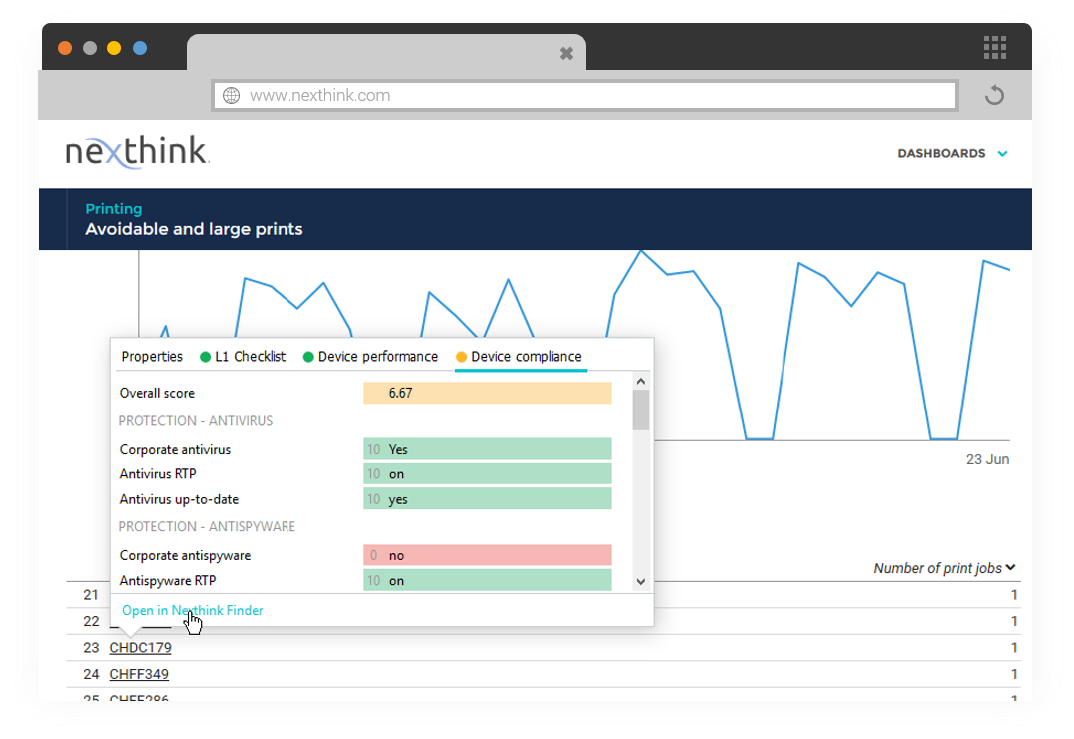
  • L1 Checklist for Service Desk
  • Act Remote actions
  • Engage Campaigns

Return on Investment

  • Reductions in FTE at L1 and L2
  • Increase in PC health (Healthy agents, Group policies, etc)
  • Emotional Equity

Alternatives Considered

SysTrack and 1E Tachyon

Other Software Used

Lucy AI, Adobe Analytics, Adobe Creative Cloud Express (formerly Adobe Spark), IBM Watson AIOps

Every Size Organization Should Be Using Nexthink

Use Cases and Deployment Scope

We are currently using Nexthink to enhance our support services and the digital experience of our employees. Even though we have only been using Nexthink for a short period of time, we have already identified multiple ways that we can utilise the product to improve different areas of the business. The use cases are endless and the support and community behind the product are amazing.

Pros

  • The insights we can gather using Nexthink are great, really eye-opening, and help to drive improvement.
  • Support for the product is phenomenal.
  • The user groups and community in general are fantastic.

Cons

  • The on-premise solution can be slow at times and resource-demanding even on newer laptops. (This isn't the case with the cloud offering.)
  • Some useful features are only available to cloud customers.
  • Library pack configuration could be made easier, often these packs require some customization and it's not always clear how to get them up and running after importing.

Most Important Features

  • Digital experience overview/insights
  • Engage
  • Application experience dashboards
  • Remote actions
  • Device investigations

Return on Investment

  • Substantial cost savings by adopting intelligent hardware refresh
  • Remote actions saving hundreds of man hours
  • Cost savings through software licensing activities

Alternatives Considered

Splunk IT Essentials, Dynatrace and Aternity Digital Experience Management

Nexthink - A Paradigm shift in It Support Services

Use Cases and Deployment Scope

Nexthink has been a game-changer in many ways especially as we worked our way through the Pandemic. We have used the Engage functionality in conjunction with HR and Corporate Comms to reach out to staff. Response rates using the engage functionality range from 50% to 95%. The emailed survey's never reached about 20%. We use the IP address information along with a script to capture when people are in one of our 125 offices. this has enabled the facilities team to better identify how we can restructure leases saving the company millions. We use it to push out upgrades to key engineering applications. Projects that previously took up to 6 months can be completed in less than 1 month. Upgrade projects use the investigation function to identify who needs an upgrade. The remote action with the engaging campaign enables us to drive the upgrades to completion. We have tied the information we collect in Nexthink to our CMDB in ServiceNow. This along with data collected in SCCM enables us to cross-check that people have the laptop they are assigned and catch systems that have been improperly transferred from one person to another and or systems that are no longer in use. Our Service Desk has information right in ServiceNow fed by Nexthink so that when they are on a call they have info that in the past they would have had to ask the user or remote to their desktop to find out this speeds up the time to resolution. There is so much more but these are some of the key ways Nexthink has been a paradigm shift from being completely reactionary to being proactively reactionary. The idea is to identify and address issues that end-users either just live with or don't realize they have. Either way identifying and resolving these issues improves the end-user technology experience and makes them more efficient.

Pros

  • Engage with end users via pop-up comms
  • Identify root cause of a problem
  • Investigate systems that have similar traits that need to be addressed
  • Run remote actions making support easier to provide
  • Drive upgrade or EOL projects (example identifying users of IE to move them to Edge/Chrome
  • Identify application users down to the version level

Cons

  • Better integration with AD/Azure AD - pull info from AD including info such as membership in security groups
  • Calculating a primary user similar to the functionality in SCCM

Most Important Features

  • Enagage
  • Remote Actions
  • Investigations
  • Data collection
  • end user viewpoint
  • Ability to integrate functions to address situations
  • connectivity with ServiceNow for both L!-L2 support and CMDB

Return on Investment

  • Software license metering has saved more than the cost of Nexthink on its own
  • Identifying computers that would have been replaced but instead are fixed leveraging info from Nexthink. Savings in the hundreds of thousands
  • The ability to easily and quickly engage with users has saved time and money into to mention given better data to implement desired actions

Alternatives Considered

1E Tachyon

Other Software Used

Microsoft Endpoint Manager (Microsoft Intune + SCCM), React, ServiceNow IT Service Management, ServiceNow HR Service Delivery, ServiceNow IT Business Management

Nexthink Review

Use Cases and Deployment Scope

The data we receive from Nexthink allows us to monitor all types, from hardware to user sentiment data. Then we have what the actual end-users think. With this data, we can pick user groups and work with them from the data we have received to try and progress issues and be proactive. We can also try and help those silent sufferers who don't report issues, but we can see their struggles with the hard data.

Pros

  • User sentiment - provides rolling
  • User feedback on our IT infrastructure.
  • Allows us to self remediate our security stack of applications
  • Provides us almost real time data to help us investigate users' issues
  • Allows us to send urgent comms, to all or select user groups. To communicate such things as network issues, etc.

Cons

  • Sometimes it's a bit of a task when we spot an issue and need to provide machine logs for Nexthink to investigate. I believe this isn't the case when you go and use Nexthink cloud.
  • I think the documentation can be improved. It can be very hard to follow and lacks detail.

Most Important Features

  • Self remediation
  • User sentiment
  • Remote actions
  • Alerting
  • Monitoring device data over time

Return on Investment

  • Our user survey figures (as in fully answered surveys) are up by 40%
  • We now have our security stack of applications self remediating on devices.
  • Our service desk now has remote actions to help fix users' devices without having to remote onto them
