TrustRadius: an HG Insights company

Salesforce Nonprofit Cloud

Score9 out of 10

53 Reviews and Ratings

What is Salesforce Nonprofit Cloud?

Salesforce for Nonprofits, the Salesforce.org Nonprofit Cloud, is a nonprofit constituent relationship management platform from Salesforce, which supports constituent engagement, fundraising, and grants. Nonprofit editions contain Salesforce Lightning Edition along with the former Nonprofit Success Pack (NPSP) combined.

Media

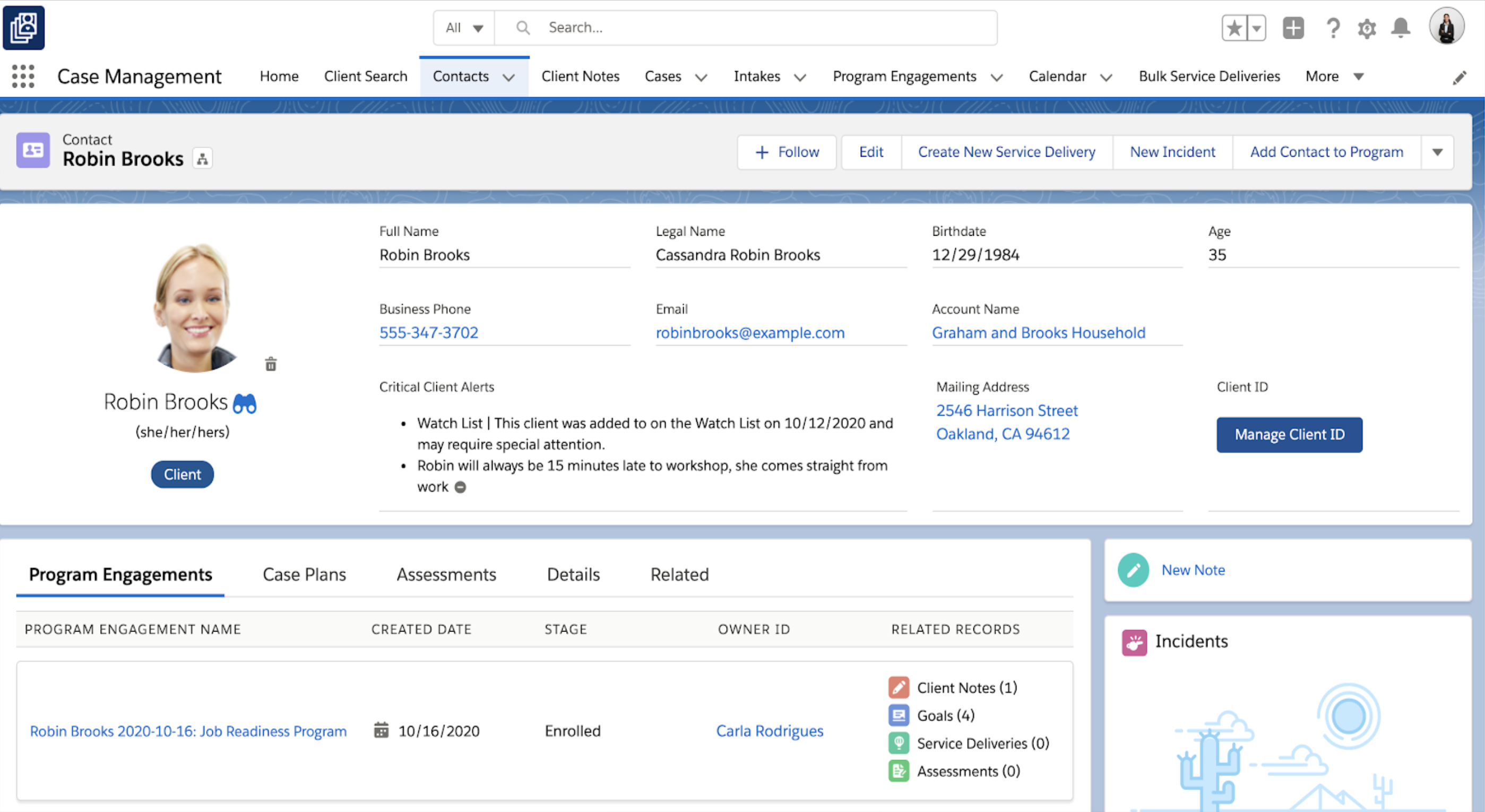
Case Management
Contact Record
Home Dashboard
Management Module
Marketing Cloud for Nonprofits

1 / 5

No concerns about reliability and scale ever again

Pros

  • Adaptable
  • Scales up
  • Reliable
  • Broad
  • Customizable

Cons

  • Not an easy lift right out of the box unless you completely rule out customization
  • Not "free to own" even if the grant is free because you'll need about 0.25 FTE to maintain it
  • Constantly being updated which is cool but many items are "forced" and you must respond
  • Lots and lots of customization are required to equal many canned solutions available for any one particular feature set (but none of them can cover the breadth and flexibility of SF)

Most Important Features

  • Reliability
  • Scalebility
  • Customization
  • Breadth
  • Best practices from big orgs to small

Return on Investment

  • Great amplification of limited staff and capabilities of our small staff
  • Volunteer management over the years has been great
  • Program management came with almost no added cost or customization

Positive partnership with Salesforce.org which supports our mission.

Pros

  • Managing the capture of the information we need to provide safe experiences for young people.
  • Managing the communications with young people and their parents to ensure we have the best possible customer journey.
  • Enables the organization to be data led.

Cons

  • An interface that is more intuitive for senior executives would help with adoption.
  • A simpler approach to licensing and billing of the product.

Most Important Features

  • Easy access through the web.
  • Security.
  • Management of communication with our stakeholders.
  • Management information and insights.

Return on Investment

  • Positive in terms of reputation and trust due to being able to demonstrate control and the safe handling of information with our funders.
  • Negative in terms of financial ROI but this is mostly down to the impact of COVID-19 and the inability to hit the growth targets we expected when using the product over the contract term.
  • Positive in terms of demonstrating the value of a true partnership between a non-profit and a commercial entity (salesforce.org) and seen as an exemplar of this.

Alternatives Considered

Microsoft Dynamics 365 (formerly Microsoft Dynamics CRM)

Other Software Used

Google Workspace (formerly G Suite), Smartsheet, Drupal

A CRM that does what WE need it to do

Pros

  • NPSP is designed to help with donor management.
  • There are free add-ons for volunteer management.
  • There is a new Program Management Module to better manage program participation and attendance.
  • Campaigns help organize and report on marketing efforts though we use a third-party solution to send out marketing materials.

Cons

  • Understanding what can be done with the software can be overwhelming.
  • The beauty of Salesforce is its customizability, but it's also the biggest thing to get in the way of using it successfully.
  • Cost-effective ways of getting started, you really need to find someone willing to take ownership of learning how it works and to oversee the user adoption.

Return on Investment

  • Salesforce for nonprofits is our source of truth for donor and member data.
  • It's made a world of difference to know we only have to look in one place for an address or donation history.
  • We have yet to connect Salesforce with our financial software (QBO) given the cost of the third-party connectors though I am investing a fewer lower cost options I have just found.

Alternatives Considered

NeonCRM, eTapestry and Zoho Creator

Other Software Used

QuickBooks Online Advanced, FormAssembly, Zoom

Salesforce and how to avoid failSource

Pros

  • Fundraising
  • CRM
  • Custom notifications and automation

Cons

  • Learning curve - very powerful, but takes time to learn
  • Batch processing - takes time and advanced skills to reach efficiency for data entry and certain operations which you want to do in batch
  • Mass email is extremely limited - must choose a third party tool which adds complexity and cost to the system

Return on Investment

  • New email platform (integrated with Salesforce and based on Salesforce segmentation) increased open rate by 7%
  • Using Salesforce Flows to design a custom batch process for approving small grants reduced days of work to one or two clicks.
  • We replaced a paper system (walking around with a clipboard) to a virtual system (you can do it from anywhere!) for approving payments.

Alternatives Considered

Blackbaud FIMS (formerly MicroEdge), Microsoft Dynamics 365 (formerly Microsoft Dynamics CRM), NationBuilder and EveryAction

Other Software Used

Conga Composer, Campaign Monitor, OwnBackup

Salesforce for Nonprofits is a smart choice

Pros

  • document actions/work being completed
  • manage customer information
  • customized dashboards help staff stay on top of their annual goals

Cons

  • we struggle using it to communicate with groups via e-blasts

Most Important Features

  • documenting activities related to each customer
  • tasks for each user

Return on Investment

  • positive - capturing company history in one complete tool

Alternatives Considered

Microsoft Access

Other Software Used

Zoom, AITalent LMS