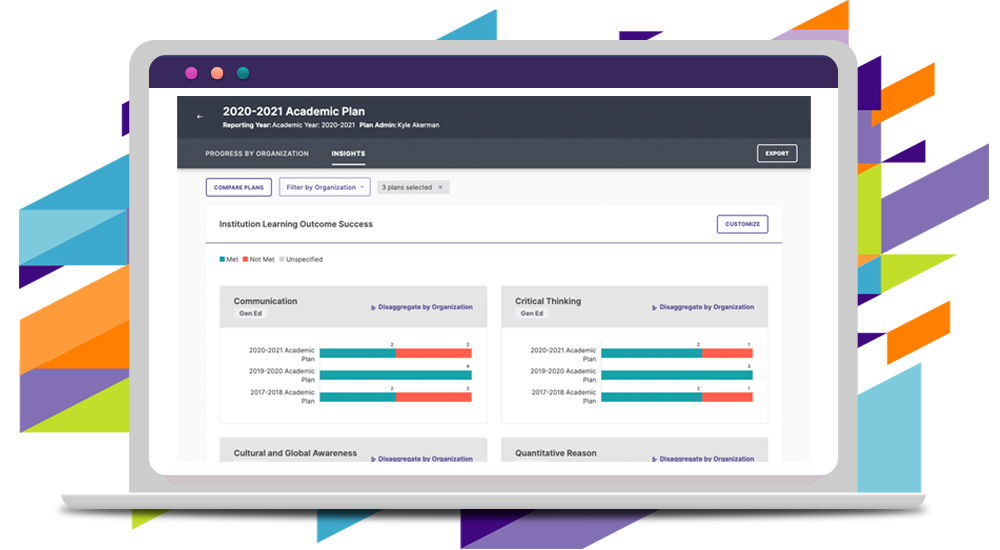
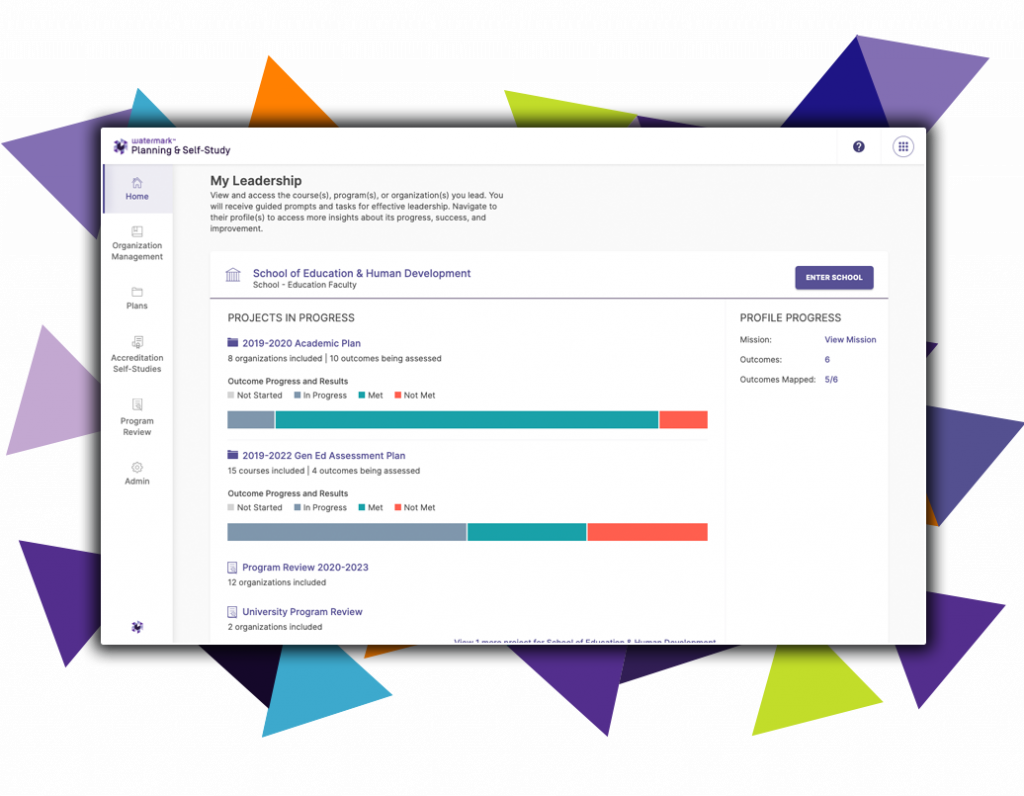
Watermark Planning & Self-Study is a solution to drive continuous improvement with unified planning, assessment, and outcomes data. It creates an integrated hub for managing strategic planning and assessment reporting across campus. The solution supports program review, self-study, and outcomes assessment, while creating a data repository that allows for comparison and measurement year-over-year.
What is Watermark Planning and Self-Study?
Watermark Planning and Self-Study (P&SS) is a software package for accreditation management and evaluating institutional effectiveness for higher education institutions. The package focuses on the production of four main reports: Accreditation Self-Studies, Program Reviews, Strategic Plans, and Assessment Plans. This analysis will show the main functionality and key features of Watermark P&SS and show how some of those features compare to key competitors.
Organization Management
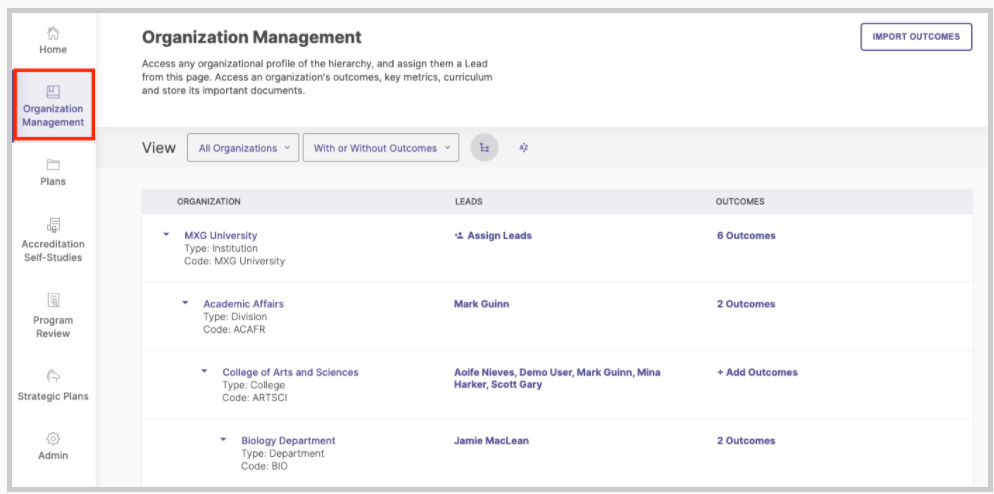
While definitely not the most glamorous feature of P&SS, organization management may be its most important feature. Organization management provides the ability to assign hierarchical structures within an institution, from divisions and colleges down to individual courses. An example is shown below:
Granular Permissions
Organization management provides a set of highly granular permissions for data submission and editing. Technically, there are only two roles in the system: Administrator and Lead. The difference between the two is that an Administrator has full editing access to both their organization and all other organizations descending from that organization. For example, if the Dean of a college were assigned as an Administrator, they would be able to edit data for all departments within the college.
While two permission sets may not seem very granular, the fact that each permission is associated with an organization gives strong control over who can see and edit information.
In contrast, if the same dean were assigned a Lead role, they would only be able to modify data directly within their organization. However, they would still be able to view data and run reports for all organizations descending from their assigned organizations.
Outcomes, Measures, and Actions
Before jumping into the features of the reports, it is important to examine a tool that will be used throughout all four reports: outcomes. Outcomes in P&SS can be either Learning outcomes, which measure knowledge and skills attained by students, or Success outcomes, which allow non-academic units to capture and measure their contributions to the institutional mission. Both types of outcomes provide measurable and actionable standards either for future planning or proof of past achievement.
New outcomes, consisting of a title, description, and set of labeling tags, are created within their appropriate organization. These allow a quick understanding of the outcome.

These outcomes are then assigned to a particular organization and can be viewed on that organization’s page.
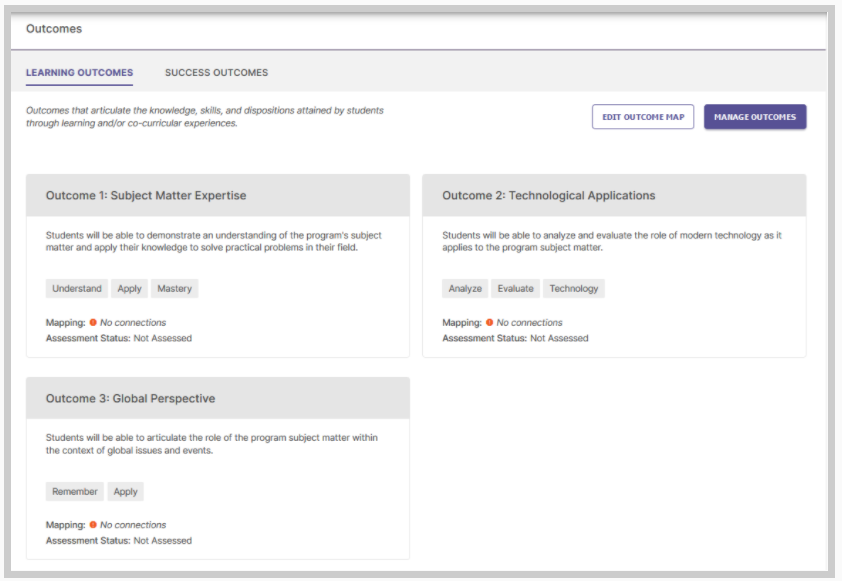
Associated with Outcomes are Measures and Actions. Measures serve as ways of determining the success or failure of an outcome. Available Measures for learning Outcomes are shown below:

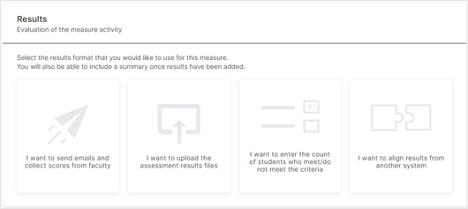
The data for a given measure can be collected through one of four methods: Faculty email, attaching files, manually entering counts, or aligning the measure to a Learning Management System or Watermark Product.
Actions are used to plan how to achieve Outcomes or improve Measures. Available Actions for learning Outcomes are shown below:

Cyclical Assessment Planning
Assessment Plans are key components of evaluating institutional effectiveness. By creating an assessment plan, you can link Outcomes to Programs, and assign Measures and Results to the outcomes.
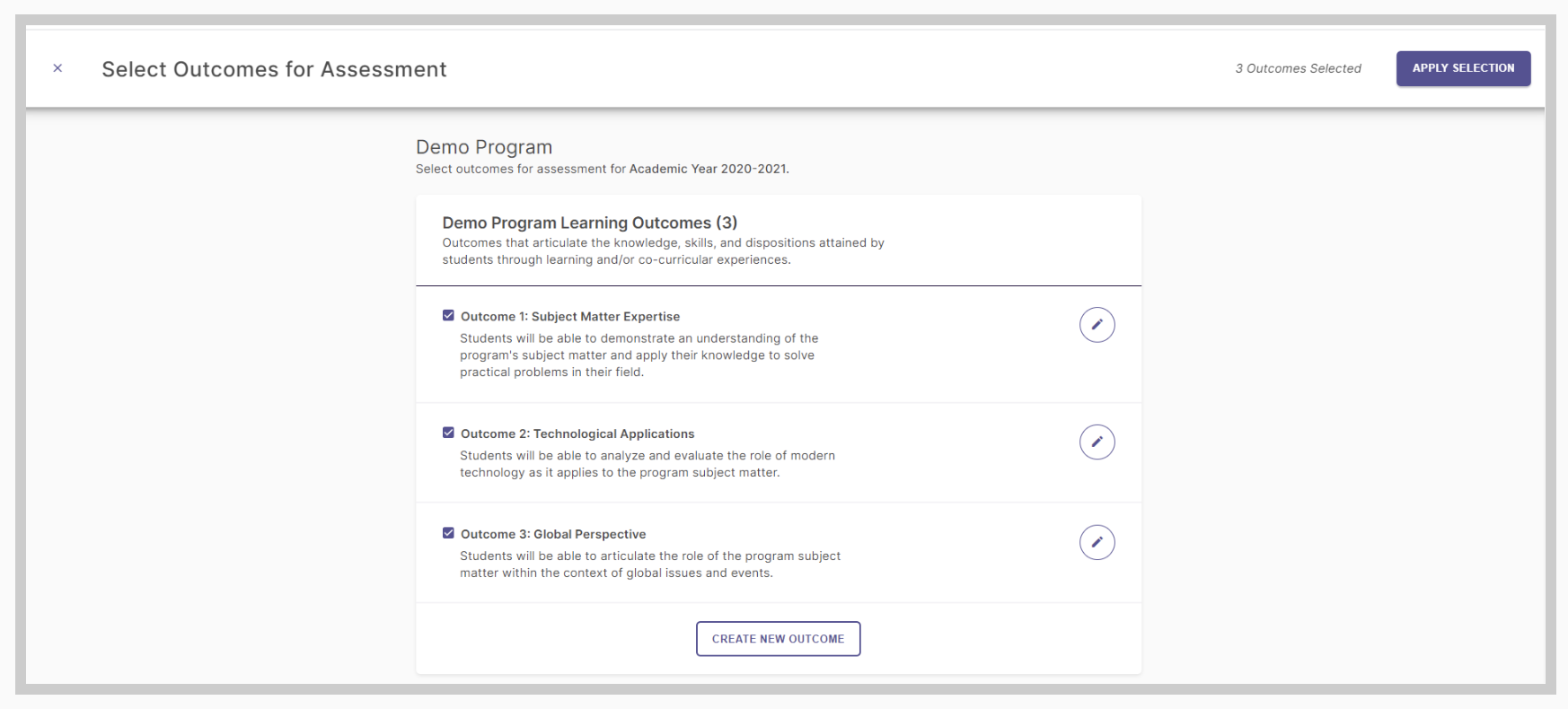
The creation screen for a new measure is shown below

Finally, Results can be attached using one of four different methods, as shown below.
These Outcomes, Measures, and Results can be imported into Self-Studies and Program Reviews as evidence. Additionally, these items are accessible from a central dashboard, providing institution-wide visibility for your administrators.
Self-Studies
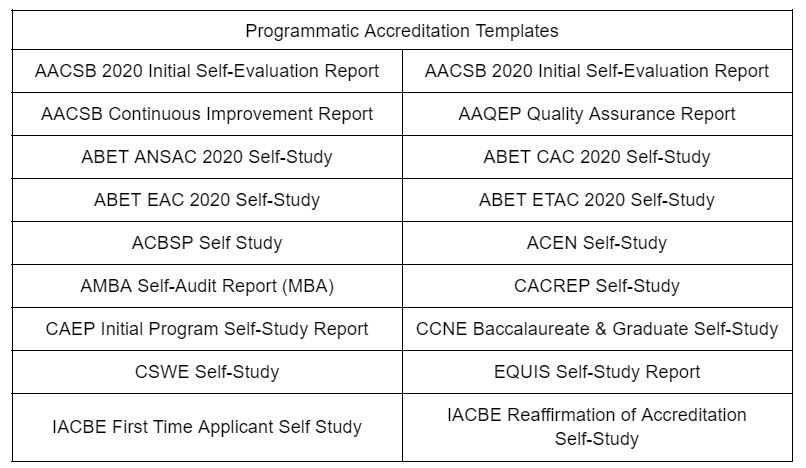
The Self-Study is a key component of any accreditation process. It is used to demonstrate compliance with the applicable criteria of your accrediting organization. While it is possible to create a self-study from scratch, P&SS also provides the following templates to speed the process along.
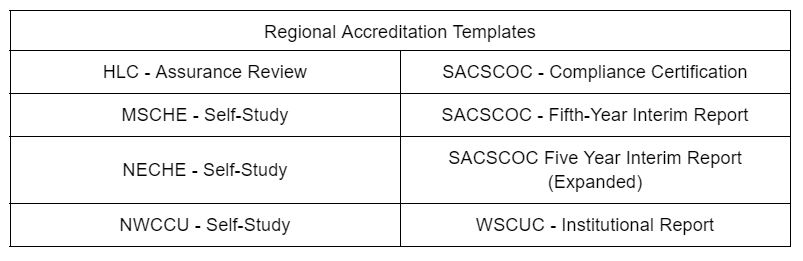
Each template has the same basic format, organized by sections and subsections.
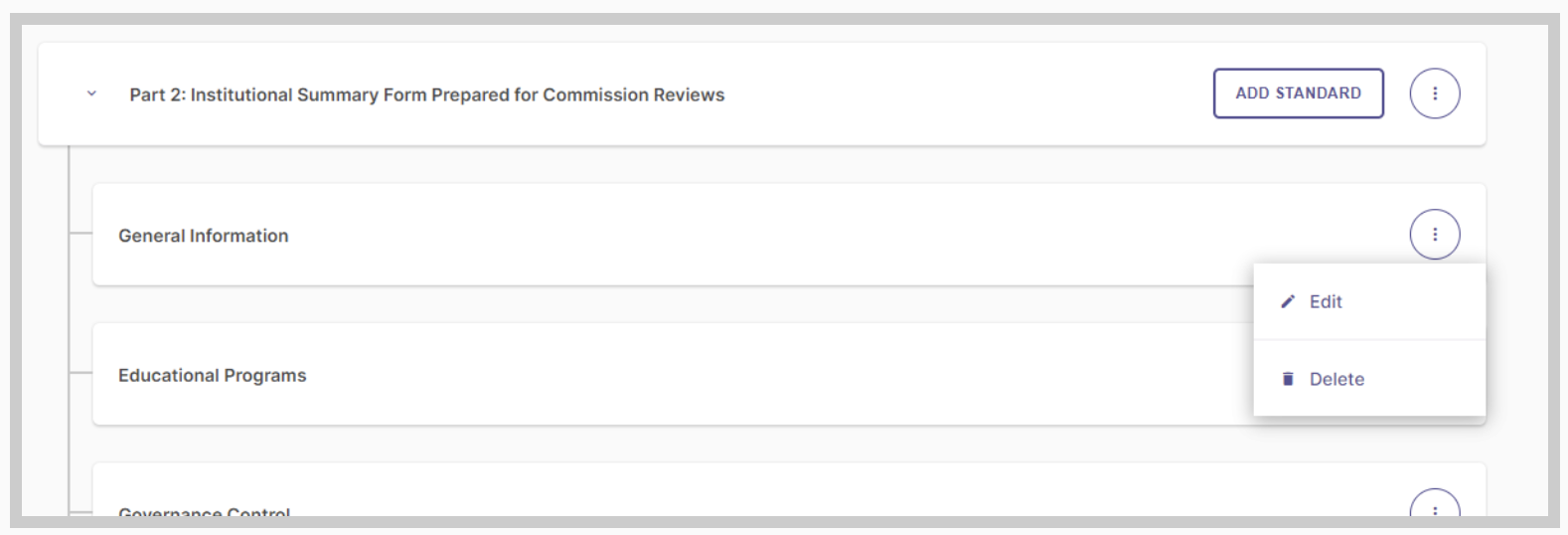
While the templates are created to align with accreditation bodies’ guidelines, you can customize the sections of the study as you see fit. For each section in the self-study, the appropriate team members simply write the narrative and attach and link the appropriated evidentiary documents, as described in the “Document Management” section.
Program Reviews
Program reviews are structured and function very similarly to the Self-Study report. However, while the self-studies are templated based on the guidelines of various accrediting bodies, the template for the program review is based on Watermark’s own research into institutional practices. The template is customizable.
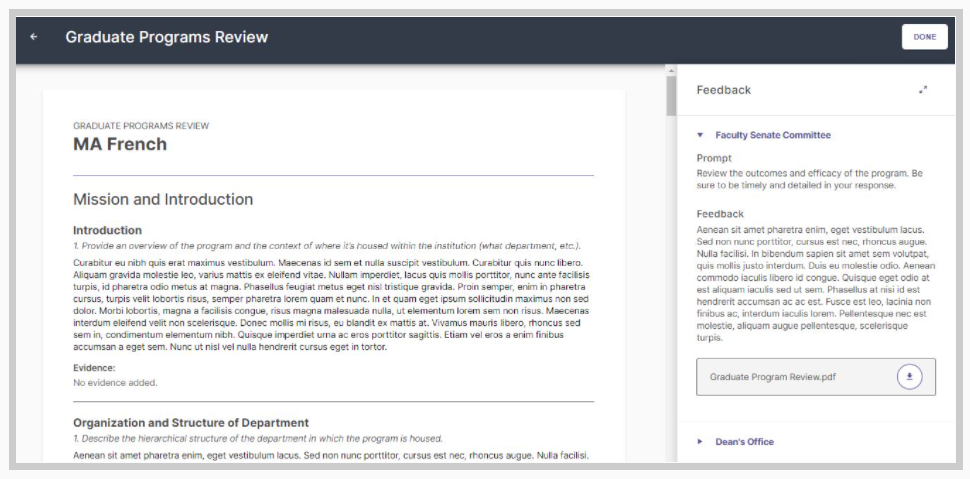
However, unlike self-studies, there are two major categories of individuals involved: contributors and reviewers. Contributors function in much the same role as Leads for self-studies, writing narratives, and providing evidentiary documentation. In contrast, reviewers do not see the Program Review until contributors have finished their part. Reviewers are then able to comment on the narratives set forth and provide additional supporting or contrary documentation. This feedback is then incorporated into the review and is visible to contributors.
Strategic Planning
The Strategic Planning module provides the ability to set objectives. The highest level of objective is Strategic Priorities, shown below.
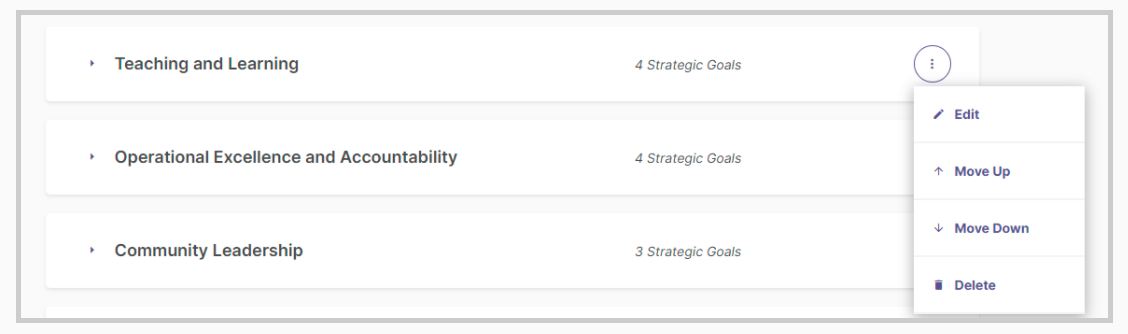
For every Strategic Priority, you can have one or more Strategic Goals
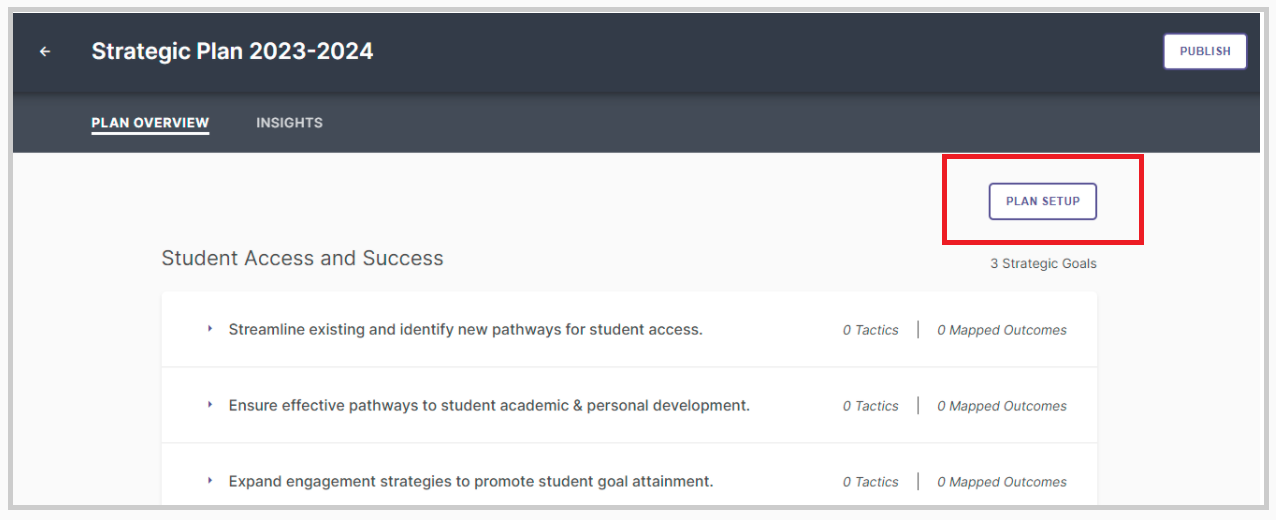
Strategic Goals can be assigned Tactics and mapped to Outcomes. Tactics are action items used to achieve the Strategic Goal. Mapping the Strategic Goals to Outcomes helps to align the Strategic Plan with institutional goals.
Data Importing
Importing data is essential to building any of these reports. Watermark P&SS provides robust tools for data imports. This is necessary since P&SS requires a minimum of five different data imports to work (Organizations, Programs, People, Courses, and Program Curriculum) and recommends a system update every few weeks. Fortunately, P&SS’s import tool is not difficult to use.
Data importing in P&SS requires files to be CSVs with UTF-8 encoding. This is the standard for data import files across a number of accreditation packages, including Weave and SPOL. It is also a standard file type option in Excel and other spreadsheet software, as shown below, and a typical export option for a wide variety of programs, including LMS and SIS systems.
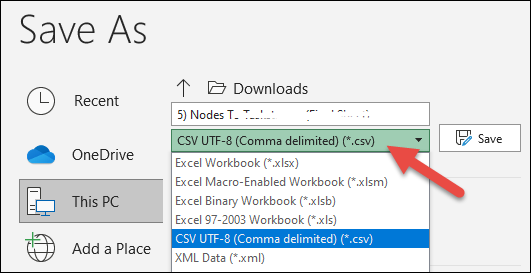
After uploading the CSV(s) to the import tool, each file will be checked for errors. If errors are found, one or more error codes will be reported, and it will be necessary to edit the appropriate files. P&SS’s error codes are fairly straightforward and specific enough to check for quickly.
While CSV imports might be a little last decade for some types of software, they are standard among accreditation tools. P&SS’s tool is relatively strong. Many other programs, such as Weave, have relatively small limits on their file upload size (Weave’s import tool can only upload 1000 lines per file). In contrast, P&SS’s import tool can handle up to 20,000 lines. This can significantly reduce the tedium and time commitment of uploading large datasets.
Additionally, P&SS’s error checking is a huge boon. First, simply having error checking included in the import process is great. The alternative is finding that something didn’t work several weeks into your process and not being sure what the source of the error is. P&SS instead gives you a fairly specific error message to help you locate the error (although providing a row number for the CSV would speed this process significantly).
Report Exporting, Publishing, and Distribution
Watermark P&SS provides several methods of publishing reports, with specific methods depending on the exact item. For self-studies, it is possible to either publish it on the web or create a PDF. To publish it to the web, you can use P&SS’s internal tool to create a website (which will typically be a sub-domain to your organization's site, e.g. servername.yourschool.edu/self-study). The tool lets you select which sections to show and lets you set a password to access the website.
This method of publishing is great for distributing the Self-Study to internal and external stakeholders without the annoyance of distributing the PDF and supporting documentation. Additionally, the web version comes with nice formatting, sidebars, and links, which makes for a better reader experience.
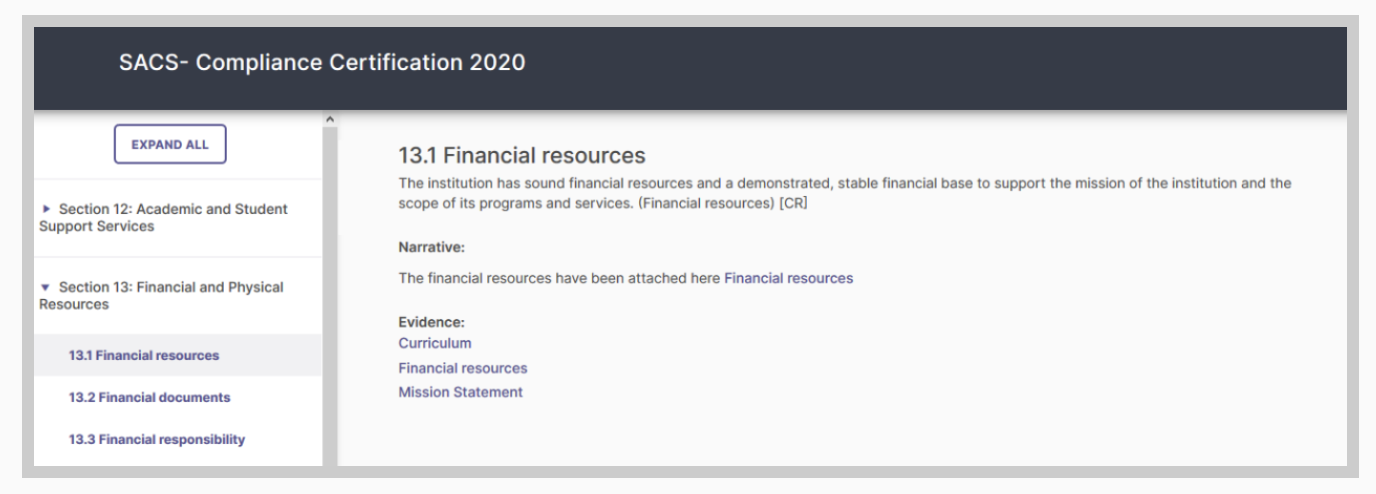
Of course, most accreditation organizations have very specific methods for submissions of self-studies, which typically include a PDF. P&SS has this covered as well, with export options for both PDFs and Word documents. There are options to not include supporting evidence, download it with the file (this will result in a zip file with the pdf and all supporting evidence), or open evidence links online. Online links can be set to require a password. Which to select is mostly determined by the requirements of your accrediting organization.
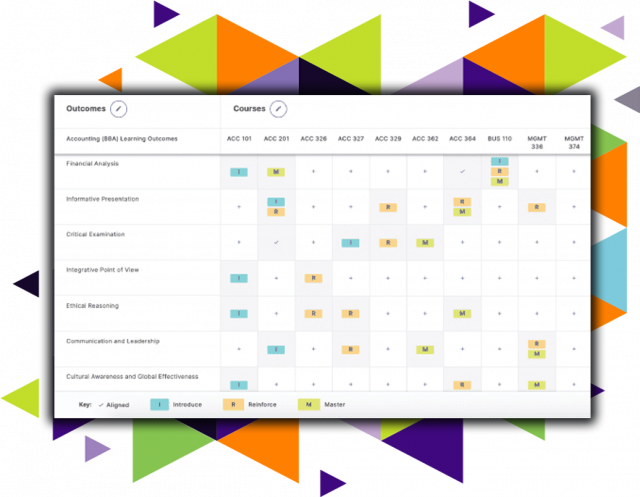
P&SS can also export a number of other documents. For example, the curriculum map can be shared online in much the same manner as self-study. Strategic Plans can be exported to a CSV in one of two formats to enable quick viewing and analysis by administrators.
Overall, Watermark P&SS has a strong set of publishing tools. The ability to publish to Word or PDF is fairly standard, as these are the formats required by the majority of accreditation organizations. The ability to export other reports as a CSV is also not particularly unique, although P&SS’s exports are well designed for convenient analysis instead of the data dump seen in some other programs.
The publishing option that really sets P&SS apart is web publishing, which is much more advanced than its competitors. Although not terribly useful for most accreditation processes, it is an excellent way to share information on institutional effectiveness with both internal and external stakeholders. The ability to use even basic web features such as scrolling and link navigation makes it much easier to read the report online as opposed to in a PDF.
Document Management
Document management, specifically for the purpose of sharing supporting evidence for written narratives, is essential. P&SS document management system parallels the report’s structure. For every section of the self-study, you can manage and add documents as evidence.

Those documents can then be linked as a portion of the report, as shown below.

Collaboration
Collaboration is a key component of an accreditation management or institutional effectiveness system. Much of the collaboration needs are built into the structure of the reports. For example, the organizational structure already makes sure that leads are in the same area. The document management functionality means that everyone can see the supporting evidence in one place. Workflow management tools, such as the ability to set the status of a narrative draft, helps prevent miscommunication and redundant work.
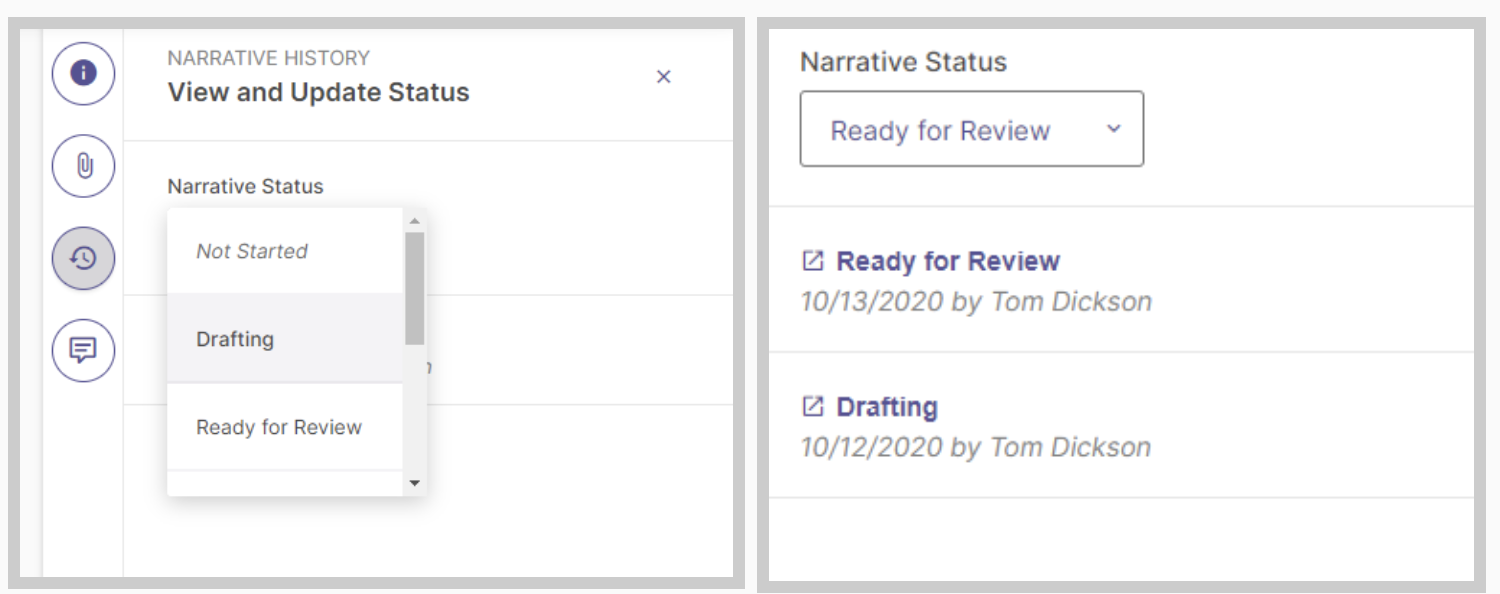
Beyond the structural elements that facilitate collaboration among the appropriate people, the tool that P&SS uses for collaboration is a chat/comment function. For every section within a report, there will be a comments section.
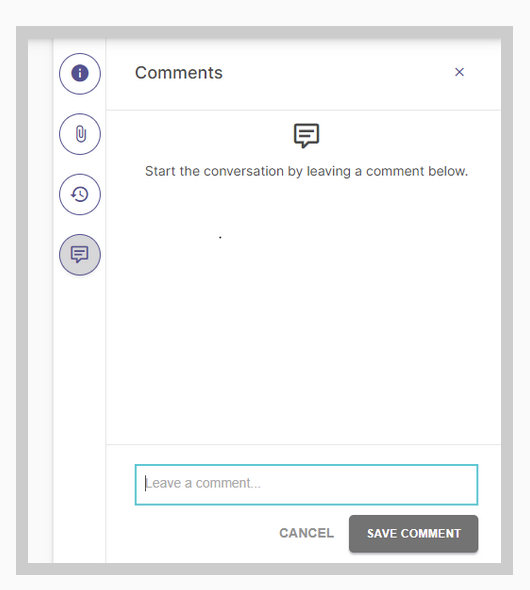
This section allows leads and contributors to communicate about specific sections of the report in a central location.
Among its competitors, P&SS’s collaboration tools are good but not so amazing as to stand out. Many programs have comment or chat sections within the program and similar workflow tools. Part of the problem is that there are only so many ways to implement collaboration tools in this type of space, and many packages, including Watermark, have checked all the boxes.
Support
Watermark provides four methods of customer support: the Help Center, phone, email, and account managers. The Help Center is very thorough in its coverage of Watermark products.
This compares pretty favorably with both Weave and SPOL. Weave provides phone support and the submission of user tickets through their Weave account. SPOL provides phone and email support. It is unclear whether or not SPOL and Weave have account managers, although one would expect that to be an advertised selling point if it were available.
Integrations
Watermark Self-Study and Planning offers two different sets of integrations: other Watermark products and learning management systems. Turnkey integrations with Student Learning & Licensure, Outcomes Assessment Projects, and Course Evaluations help streamline the process of gathering data together.
Outside of other Watermark products, P&SS also provides integrations with Blackboard, Canvas, and D2L Brightspace.
Use Case
Unlike many other software fields, there is not a lot of variance in the core functionality of accreditation management and institutional effectiveness software. These packages are designed to produce reports with fairly stringent formatting requirements, and there are only so many ways to do that. Many packages in the space, Watermark P&SS included, check all those boxes.
However, that does not mean that Watermark P&SS is the same as its competitors. What sets it apart is several convenience and quality-of-life features, such as:
- The data import tool has a robust error checker to prevent bigger problems later in the process
- The data import tool has a significantly higher line limit than some competitors
- Web publishing of the Self-Study and Curriculum mapping allows for more efficient distribution of more user-friendly versions of these documents to internal and external stakeholders besides the accreditation organization.
These features, and the general user experience, are what help Watermark Planning and Self-Study stand out from other competitors in the accreditation management and institutional effectiveness space.