TrustRadius: an HG Insights company

TitanHQ DNS Filtering

Score8.5 out of 10

14 Reviews and Ratings

What is TitanHQ DNS Filtering?

WebTitan is the web security gateway and content filtering solution offered by TitanHQ.

Media

TitanHQ DNS Filtering

1 / 7

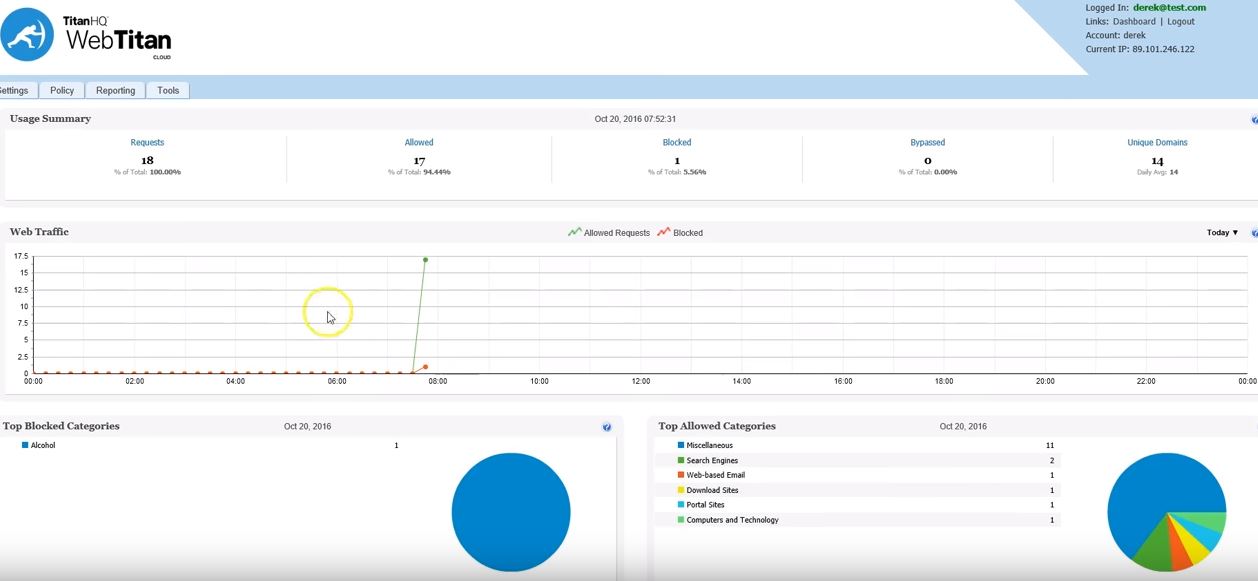
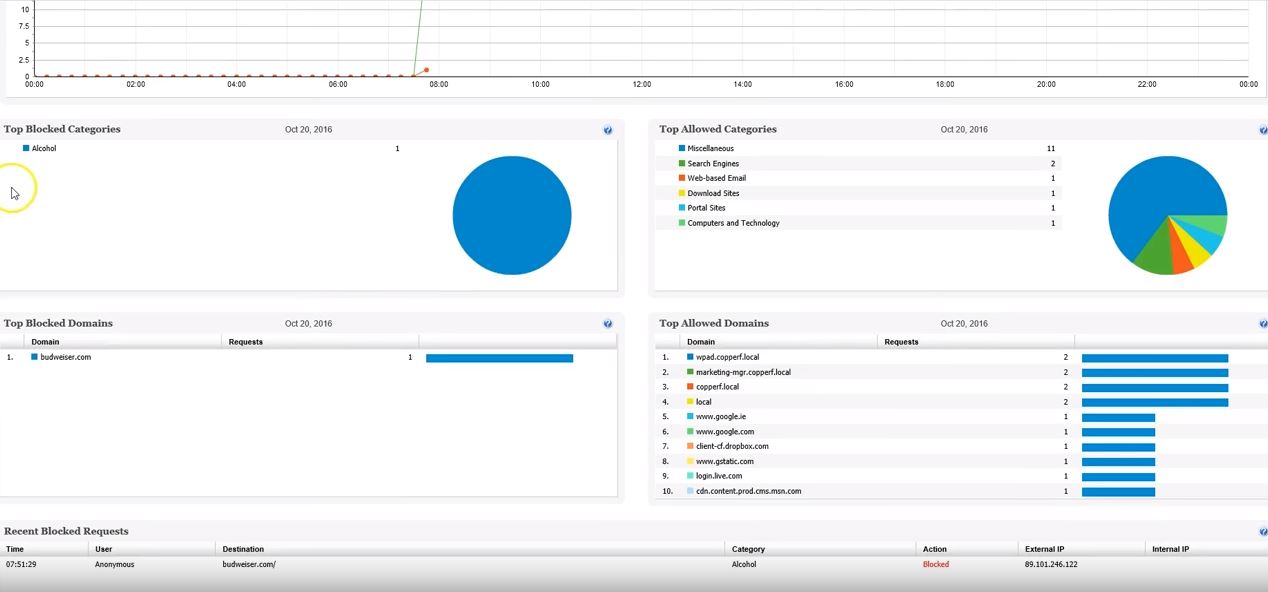
WebTitan - great web content filter

Use Cases and Deployment Scope

WebTitan DNS filter allows me to provide a content filtering solution to clients who need to keep strict control on what sites or types of sites their team accesses. We have many organizations who have use cases for this product. Web titan has been a pleasure to configure and deploy across our customers.

Pros

  • roaming agent
  • integration with AD
  • blocking web content by category

Cons

  • all areas function quite well

Most Important Features

  • Roaming agent
  • web site blocking by url
  • web site blocking by category
  • search control

Return on Investment

  • has allowed me to provide a solution that our customers need

Alternatives Considered

Webroot DNS Protection

To improve network security use WebTitan DNS Filter.

Use Cases and Deployment Scope

WebTitan DNS Filter is a secure solution for browsing the Internet. We decided to implement it as an additional security layer to protect our network.This software allows us to configure security policies to control access to unwanted web content, to prevent data loss, to control bandwidth, block websites, etc.In addition, it offers a user-friendly interface and a variety of features that allow us to precisely control the web content we have access to. It can also be deployed in any network environment, thanks to its compatibility with many devices, including desktop computers, servers, mobile devices, and a wide variety of operating systems.

Pros

  • Activity monitoring.
  • In terms of cost it is affordable.
  • Direct synchronization with Boundless Automation, this integration helps improve the management of networks at scale to increase efficiency, speed up operations and more.
  • It can be accessed from anywhere with an Internet connection.
  • It is intuitive and easy to use.

Cons

  • YouTube management with AI
  • More native integrations.
  • Geolocation of lost/stolen devices
  • Social media.

Most Important Features

  • Ad integration.
  • Board.
  • Complete and detailed reports.
  • It offers various locations per user.
  • Completely affordable.

Return on Investment

  • WebTitan DNS Filter is a secure platform, providing a protective barrier between internal network resources and the outside world.
  • This platform helps us prevent misuse of the Internet and keep us safe when we browse the web.
  • We enjoy a higher level of security and protection. In addition, the ease of configuration, easy implementation and economic.
  • Finally, it is a highly flexible security solution to meet the needs of our companies with which we can easily monitor and control access to our website.

Alternatives Considered

DNSFilter

Other Software Used

DNSFilter, Webroot DNS Protection

WebTitan - A Good Filter Solution

Use Cases and Deployment Scope

We use WebTitan to protect out clients PCs and Networks from online threats and as a web filtering platform by using the white listing features. As an MSP we have many clients and WebTitan DNS filtering is rolled out across a majority of them due to its ease of install, management and features

Pros

  • Protection from online malware / ransomware
  • Protection of remote PCs with the agent
  • Support of various platforms, Windows, Mac etc.
  • Whitelisting

Cons

  • A mobile roaming client would be good
  • Reports for clients are sometimes fairly basic, some users prefer more in depth reports

Most Important Features

  • Web filtering
  • Malware protection
  • Reporting
  • Ease of setup

Return on Investment

  • The client networks it is installed on are now free of viruses
  • We are now able to offer our clients and enhanced level of security on the web
  • End users can sometimes complain that sites they use are now blocked, IE. Streaming sites etc. but this is the plan

Alternatives Considered

N‑able DNS Filtering, Cisco Umbrella and Webroot DNS Protection

Other Software Used

Cisco Umbrella, WatchGuard XTM - Discontinued Product, Datto RMM, Datto Autotask PSA, Cisco Meraki SD-WAN, Cisco Meraki MS, Cisco Meraki MR, Ubiquiti Networks UniFi, Fortinet FortiGate, Azure Active Directory B2C, Acronis Cyber Protect Cloud

Effective Content Filtering That Doesn't Break the Bank

Use Cases and Deployment Scope

We replaced a Barracuda Webfilter 410 device when it went EOL. WebTitan DNS Filter provides us with a very similar filtering experience at a reduced price.

Pros

  • Does a good job of enabling different levels of filtering based on AD integration.
  • Has a decent set of reporting available.

Cons

  • The upgrade/update process is essentially a rip and replace with the newer components.
  • Reporting could be more robust.
  • Support is responsive but many timezones away.

Most Important Features

  • The ability to block inappropriate internet content.
  • The ability to use different profiles for different groups of users.
  • Effective reporting.

Return on Investment

  • WebTitan DNS Filter helps keep our employees focused on the job at hand.
  • The cloud service eliminates having to trade in/up obsolete hardware every 3-5 years.
  • Initial setup and configuration is straight forward and not terribly complicated.

Alternatives Considered

Barracuda Web Security Gateway

Other Software Used

Bitdefender GravityZone, Collect!, VMware vCenter Server

Good filter.

Use Cases and Deployment Scope

It allows the protection of the computers and servers from malicious and phishing sites. We use across the network and it does a good job. It is responsive and allows us reporting on what type of content it is filtering. So it appears to work although we are not very big so some places see more sites it blocks. But we like it

Pros

  • Protection
  • Filter non business content
  • Seemless usage

Cons

  • Initial configuration
  • Web interface could be more user friendly
  • Reporting could be easier

Most Important Features

  • Cost
  • Never seem to have an issue with it
  • Once setup it works.

Return on Investment

  • It has saved us from people going to malicious sites
  • It filters certain non work sites so productivity is kept
  • Piece of mind.

Other Software Used

ServiceNow DevOps, ServiceNow IT Operations Management, ServiceNow Customer Service Management