BILL vs. FreshBooks

Overview
ProductRatingMost Used ByProduct SummaryStarting Price
BILL
Score 8.2 out of 10
N/A
BILL is an online service for SMBs which provides a central dashboard for managing Accounts Receivable, Accounts Payable, and cash flow management. It syncs with all major accounting systems like QuickBooks, Sage, Intaact, and NetSuite.
$45
per user/per month
FreshBooks
Score 8.6 out of 10
Small Businesses (1-50 employees)
FreshBooks is an accounting service for small businesses. The solution enables users to send and manage invoices, track billable time and collect online payments. The vendor’s value proposition this that their solution provides a straightforward service that simplifies the billing process.
$21
per month
Pricing
BILLFreshBooks
Editions & Modules
Essentials
$45
per user/per month
Team
$55
per user/per month
Corporate
$79
per user/per month
Enterprise
Custom Pricing
Lite
$21
per month
Plus
$38
per month
Premium
$65
per month
Select
Custom Pricing
Offerings
Pricing Offerings
BILLFreshBooks
Free Trial
YesYes
Free/Freemium Version
NoYes
Premium Consulting/Integration Services
NoNo
Entry-level Setup FeeNo setup feeNo setup fee
Additional Details10% discount for annual pricing.
More Pricing Information
Community Pulse
BILLFreshBooks
Considered Both Products
BILL
Chose BILL
BILL has been our one and only go-to, and we have no intention of switching.

Chose BILL
1. Automation & Workflow Efficiency.2. Integration Capabilities with other softwaresWe needed a centralized, automated, and scalable solution for managing both payables and receivables. The strong integration with our existing accounting software was a key factor.The platform …
Chose BILL
top solution out there to simplify accounting and finance tracking. Only negative note: they started charging for every single client ACH payment done through Quickbooks. Originally this feature was free, but then it grew to up to $10 per transaction. Reason for which we had to …
Chose BILL
In my last job, we used Clients and Profits (which isn't listed as a product). We switched from it to NetSuite and I believe used Epay to print checks from CSV import files generated from NetSuite. Bill.com seems way easier and streamlined.
Chose BILL
Bill.com was something my employer uses in the US. But it certainly doesn't work here in Canada [in my experience]. Paypal is easy to retrieve payments from and Quickbooks is almost seamless. The sign-in process through the Bill.com App is ridiculous [in my opinion] and …
Chose BILL
My client selected Bill.com. I would advise future clients to simply send a bank transfer or use an alternative service. I loathe PayPal but at least it works [in my experience].
Chose BILL
I have received paper checks and direct deposit from my previous employers. Those are much much easier to use.
The only problem I have had with those is being unable to deposit coin with my check for $x99.96 at some banks.
Chose BILL
It's more flexible and affordable than Expensify and QB online. It allows a more novice user to understand and manage the backend of the platform. It costs less for growing companies since you don't have to sign a long contract. Its similar in flexibility of payments to PayPal …
Chose BILL
We left Bill.com and went back to Sage Intacct AP module, corporate email inbox, and Amex Vender Payment Services.
Chose BILL
We used to use microsoft GP and microsoft access to process our invoices. But bill.com is much more effective and user friendly than the others.
Chose BILL
Bill does not stack well against it competitors. I believe Sage Intacct Accounts Payable or Purchasing Module would be a lot better used for all Accounts Payable needs. I also believe AvidXchange and Concur would come into a close second due to the fact that the publishers …
Chose BILL
We currently use Ariba, Coupa, Tungsten Network and many more invoice upload websites. Bill.com is a much easier user friendly site than majority of these other sites. Bill.com allows the upload process of invoices to be much simpler than many other sites. It also allows us to …
Chose BILL
We are switching from Bill.com to Tipalti because it is able to handle everything Bill.com cannot and allows our company to quickly scale. Bill.com has had the opposite effect on our company. We could not continue to scale until we decided to stop using their service. It was …
Chose BILL
Bill.com's strongest characteristic is that it integrates seamlessly with our GL system. Of the systems that I have used, Bill.com has required the least amount of mental energy ensuring that everything is being processed correctly and that all payments/transactions integrate …
Chose BILL
Bill.com is the only one that does both receivables and payables in one platform. Bill.com is more for that than it is for document management.
Chose BILL
Compared to Mineral.tree, Bill.com offers much of the same functionality at a much nice price point. I think Mineral Tree has Bill.com beat with some higher-end features, such as international capabilities, etc. Yet most domestic organizations do not require this advanced …
Chose BILL
We looked at software called Connect Booster that would have integrated with another piece of software we use (ConnectWise). We selected Bill.com over Connect Booster because it was much more cost-effective. I wish there was a way to integrate credit card payments as well.
Chose BILL
I have not come across another solution as complete as Bill.com. I have looked at Concur, Quickbooks bill payments, bank payment systems and even more advanced systems like Intacct or Oracle, but none of then provides the features and benefits of Bill.com.
Chose BILL
I was not involved in the selection process but we implemented Bill.com when the business started in 2013, so we have used it from the beginning. We use QuickBooks Online for our management company bookkeeping but we choose to process payments through Bill.com because it's more …
FreshBooks
Chose FreshBooks
QuickBooks' interface is clunky, confusing, and slow. QuickBooks support is worse than if there were no support at all. FreshBooks' UI is clean, intuitive, and even when changes are rolled out, easy to quickly learn. Their support is second to none and never disappointed us.
Chose FreshBooks
FreshBooks does very well in comparison, especially since it is free software for Barclays bank users. Sage software is much worse than FreshBooks. However, Xero and QuickBooks, the market leaders, are still ahead with usability, additional features, reporting, and connection …
Chose FreshBooks
For its simplicity, if your business is just a basic process of billing repeat clients and recording expenses, anyone can use this software.
Chose FreshBooks
There is no fluff and feature overload with FreshBooks. I can get to what I need quickly and easily. I don't have to deal with unnecessary features and fields the system considers essential. The payment features are streamlined and have lots of flexibility when receiving …
Chose FreshBooks
FreshBooks interface is better than QuickBooks. Xero's interface is more basic than both, but seems to work fine.
Chose FreshBooks
In my experience, quickbooks customer service was terrible, and program was very complicated to use. We switched to FreshBooks to simplify day to day use.
Chose FreshBooks
FreshBooks people were friendly and helpful up-front. Because of the inability to receive payments correctly, I will be moving to Stripe.
Chose FreshBooks
FreshBooks is a relative novice compared to the giant Quickbooks application that has been around for years and it is established as the go-to app for account management and invoicing. I would say that in a few years, FreshBooks can become a threat to QuickBooks but it will …
Chose FreshBooks
We do not consider other options since our client wants the implementation of this platform in order to use it in the two countries where it has operations. At the moment, full integration was not possible and we still share the information with a Mexican system to complete …
Chose FreshBooks
I selected FreshBooks because it combined Toggl, Harvest and Quickbooks features into a single system. This simple move allowed for me to save money on the tools and in turn bring all client data into a single portal.

FreshBooks is easy to use and automatically generates the …
Chose FreshBooks
FreshBooks is easy to implement and the onboarding process is straightforward. It has great user interface to navigate and any user can easily start using it. It also offers customization of the modules/reports. Most importantly invoice tracking is a great module. It is offered …
Chose FreshBooks
Freshbooks was willing to work with us on all needs and compliance issues specific to our processes.
Chose FreshBooks
I looked at QuickBooks but they only had desktop products and I was interested in a hosted solution. Freshbooks has always been ahead of their competition in this area of mobile, on the go use cases where a modern platform can be used to stay up to date and accessible from …
Chose FreshBooks
We considered using Xero for our invoicing due to the more advanced accounting features but chose FreshBooks because it offered recurring payments. Xero did not offer this critical feature at the time of purchase. And since invoicing was our main priority, FreshBooks did a …
Chose FreshBooks
It was not my choice to select FreshBooks, but my client finds it easier to do billing with FreshBooks over QuickBooks.
Chose FreshBooks
Freshbooks offers its finances in a secure and easy manner. they are also simple yet they can efficiently manage expenses, invoices, reports, and time tracking.
Chose FreshBooks
FreshBooks is an invoicing software that wants to do accounting.
Xero is an accounting software that wants to do billing.
Both are pretty solid at their core functionality, and weak on the other. However, it's a shorter step for Xero to add interest and recurring CC billing, so …
Chose FreshBooks
Years ago we started using FreshBooks and then decided to look for a less expensive option. After trying multiple solutions, we went back to FreshBooks and haven't looked back since. That was over 10 years ago.

No service can compete with their functionality, pricing, and …
Chose FreshBooks
The software we selected is because the learning curve is very kind. Once we draw the way we manage our business, we understand we have to make some changes in order to adjust to the new software. This software allows us to reflect every aspect of the business, costs and …
Chose FreshBooks
I really liked Wave Apps for a bit. It had some limitations, but I really like how easy it was to use and intuitive. Great pricing too. So I would recommend that over Freshbooks at this point for someone who is just getting started. Quickbooks is great for accounting. Super …
Chose FreshBooks
Don't get me wrong — I like Xero for accounting purposes. But Xero's invoicing isn't great. There's too many features I depend on that FreshBooks has that Xero just does not. I need to be able to take deposits, send automatic reminders, and create an extremely user-friendly …
Chose FreshBooks
FreshBooks is hands down the best software for collecting invoices, payments, tracking time and managing expenses we have ever used. I am an avid user and fan and have been and will continue to be. They are keen on the updates, on listening to customers feedback and making …
Chose FreshBooks
You have to know why you want to establish an online solution. Understanding what you want to accomplish will probably lead you to FreshBooks as it has the cleanest, simplest design going and it accomplished its tasks without being a burden.
Chose FreshBooks
I love that I can truly give an estimate on the spot and afterward transform it into a receipt. I can begin working with my customer instantly. It is similarly wonderful that I can do it anywhere and it incorporates with Stripe, which collects numerous monetary forms so we can …
Features
BILLFreshBooks
Payment Management
Comparison of Payment Management features of Product A and Product B
BILL
8.1
Ratings
7% above category average
FreshBooks
-
Ratings
Customizable Approval Policies8.50 Ratings00 Ratings
Financial Document Management8.20 Ratings00 Ratings
Payment Status Tracking8.90 Ratings00 Ratings
Payment Audit Trail9.10 Ratings00 Ratings
Duplicate Bill Detection9.00 Ratings00 Ratings
Advanced OCR6.40 Ratings00 Ratings
Electronic Funds Transfer6.30 Ratings00 Ratings
Accounts Payable
Comparison of Accounts Payable features of Product A and Product B
BILL
5.9
Ratings
12% below category average
FreshBooks
-
Ratings
Automated Accounts Payable Processes6.90 Ratings00 Ratings
Vendor Management9.70 Ratings00 Ratings
Tax Form Preparation1.00 Ratings00 Ratings
Customization
Comparison of Customization features of Product A and Product B
BILL
-
Ratings
FreshBooks
9.1
Ratings
17% above category average
API for custom integration00 Ratings9.30 Ratings
Plug-ins00 Ratings9.00 Ratings
Security
Comparison of Security features of Product A and Product B
BILL
-
Ratings
FreshBooks
10.0
Ratings
18% above category average
Single sign-on capability00 Ratings10.00 Ratings
Role-based user permissions00 Ratings10.00 Ratings
Reporting & Analytics
Comparison of Reporting & Analytics features of Product A and Product B
BILL
-
Ratings
FreshBooks
7.5
Ratings
5% below category average
Dashboards00 Ratings9.00 Ratings
Standard reports00 Ratings8.80 Ratings
Custom reports00 Ratings4.80 Ratings
General Ledger and Configurable Accounting
Comparison of General Ledger and Configurable Accounting features of Product A and Product B
BILL
-
Ratings
FreshBooks
7.5
Ratings
4% below category average
Accounts payable00 Ratings8.00 Ratings
Accounts receivable00 Ratings9.40 Ratings
Cash management00 Ratings7.00 Ratings
Bank reconciliation00 Ratings7.00 Ratings
Expense management00 Ratings6.60 Ratings
Time tracking00 Ratings7.60 Ratings
Multi-currency support00 Ratings7.00 Ratings
Regulations compliance00 Ratings6.00 Ratings
Self-service portal00 Ratings9.10 Ratings
Order Management
Comparison of Order Management features of Product A and Product B
BILL
-
Ratings
FreshBooks
9.5
Ratings
21% above category average
Pricing00 Ratings8.80 Ratings
Order entry00 Ratings9.30 Ratings
Credit card processing00 Ratings9.70 Ratings
Cost of goods sold00 Ratings10.00 Ratings
Best Alternatives
BILLFreshBooks
Small Businesses
Square 9 Softworks
Square 9 Softworks
Score 9.1 out of 10
QuickBooks Self-Employed (discontinued)
Score 8.9 out of 10
Medium-sized Companies
Square 9 Softworks
Square 9 Softworks
Score 9.1 out of 10
Zoho Books
Zoho Books
Score 9.0 out of 10
Enterprises
Webexpenses
Webexpenses
Score 9.2 out of 10
Oracle Fusion Cloud Enterprise Performance Management
Score 10.0 out of 10
All AlternativesView all alternativesView all alternatives
User Ratings
BILLFreshBooks
Likelihood to Recommend
7.3
(0 ratings)
9.4
(0 ratings)
Likelihood to Renew
8.9
(0 ratings)
7.6
(0 ratings)
Usability
1.0
(0 ratings)
9.6
(0 ratings)
Availability
8.3
(0 ratings)
10.0
(0 ratings)
Performance
10.0
(0 ratings)
8.0
(0 ratings)
Support Rating
1.0
(0 ratings)
6.0
(0 ratings)
Online Training
9.0
(0 ratings)
-
(0 ratings)
Implementation Rating
8.0
(0 ratings)
10.0
(0 ratings)
Ease of integration
10.0
(0 ratings)
-
(0 ratings)
User Testimonials
BILLFreshBooks
Likelihood to Recommend
It depends, Bill.com certainly has a strong reputation and I agree it can be a great solution in the right scenario but I think the implementation and initial setup are critical and need to be well thought out based on the setup of the organization you are a part of.
Read full review
FreshBooks is the perfect tool for businesses who have hundreds of clients and customers whom they invoice regularly. It removes the need to manually send invoices to clients and customers, by streamlining inputted information to create an automated invoicing system which keeps clients and customers up to date with their bills. It is also a great tool for managing expenses, especially for companies with different teams working on varying projects, ensuring these teams do not exceed the budget ceiling.
Read full review
Pros
  • The fact that bill.com automatically processes most information on the invoice is really helpful - leads to quicker processing
  • The "to do list" feature ensures you see the tasks that need to be completed ASAP
  • The reports section is very helpful in year end prepping for audits
Read full review
  • FreshBooks is pretty intuitive to use. I did have some questions when I first started using the system, but it wasn't a long learning curve.
  • FreshBooks provides more capability than other billing applications such as PaySimple or BlinkSale. FreshBooks does provide an easy invoicing function. It's easy to create invoices that can be sent via email or snail mail to one or more individuals (for example, the decision-maker and the accounting dept). Clients can pay online or send a check and then I note that the payment has been received. If paid by credit card, the system automatically marks the invoice paid. Your business accounts such as bank accounts can be linked to FreshBooks. Then, the system can automatically draw in expenses and will create simple P&L reports, overdue invoices, client history, etc. If you don't have inventory and complex payroll, etc. FreshBooks provides just the right level of capability to make financial tracking simple.
  • FreshBooks integrates with a number of credit card companies. I use Stripe, which has fees similar to Paypal, but much more reliable processing. I can accept all credit cards, including American Express, for a reasonable fee.
Read full review
Cons
  • Voiding a bill in Bill.com is easy, but unfortunately, the void doesn't sync automatically to Quickbooks Online (unlike bill and bill payments, which do automatically sync). Bill.com is great in always telling you exactly what to do to correct it in your Quickbooks Online software, but it would nice if there weren't extra steps you had to take when this happens.
  • Bill.com only sends the first page of a bill with a check. Typically this isn't a problem, but in some instances, it's necessary for more than 1 page to be sent. It would be nice if Bill.com had a checkbox selection option to print up to a set number of pages (maybe up to 5) for an additional fee. Having the option would be great so I don't have to jump through hoops with other methods to try to get a bill paid, all because I need more than 1 page to go with the check.
Read full review
  • Pricing structure is very poor for us. $10/user per month when we have staff that comes and goes. And it's impossible to change a free contractor to a paid staff and vice-versa. This is my biggest complaint.
  • They only allow one admin owner user. Emails must come from that account. This is annoying, as other staff cannot log in with the same power.
  • The user interface is quite dated. I've made recommendations to improve it and all have been ignored. It's skinny and not fluid. Also, there is no way to link between invoices and clients.
Read full review
Likelihood to Renew
While our firm does not use Bill.com internally, we know many customers that use Bill.com and are very happy with it. Based on the feedback from current users, I would say that the product should have a strong renewal forecast. Once customers move their AP to the cloud, they would be unlikely to move it back given a choice.
Read full review
At the current needs of our business, FreshBooks suits us perfectly - it allows online access by our accountant to the system for GST purposes, easy input of expenses and tracking of Profit and Loss statements. FreshBooks customer service is great as well - very understanding and accommodating.
Read full review
Usability
Bill.com continues to raise the bar with new features and improved interface. The Fast Pay option is another innovation that reduces administrative time when you have to get an overnight check out. The new Chat Support interface, powered by Zopim, which is world-class, adds to the responsiveness of Bill.com's support team and makes getting real-time answers that much easier.
Read full review
It is well-built software with no significant drawbacks. It offers all the necessary futures expected from online software. However, it is not yet up there with Xero and QuickBooks regarding connections with other software and advanced reporting features. The developers work closely with accountants, and therefore, I expect further development of the software.
Read full review
Reliability and Availability
The only time Bill.com was ever "unavailable" was then the Sync to Quickbooks function failed. That happened a time or two but was usually quickly remedied. I'm not sure if that's an issue with newer online versions of Quickbooks Enterprise -- at the time we were using a remotely hosted Quickbooks instance accessed via terminal server (vs a cloud offering like Bill.com is)
Read full review
FreshBooks is easy to use and always works!
Read full review
Performance
Load times can be slow after long use.
Read full review
No answers on this topic
Support Rating
I could not explain to them how I was trying to remove an old email account from my company page while granting the new email account access to the bank account that the first email account had added. The "set a bank account as inactive" button is labeled delete, but they don't seem to recognize that. I requested my Bill.com account be deleted on Wednesday so I could start all over with a fresh account; this seemed to be completed Wednesday night, but when I tried to create a new Bill.com account from the same email, it took me to my old bill.com account.
Read full review
I think the support level for FreshBooks is on par with a 6 because the folks behind this application do a fairly good job at providing support for their customer base. I still don't think they are at an elite level when it comes to supporting but are getting there although too slow in my opinion.
Read full review
Online Training
The online training provided by Bill.com is concise and since the firm consistently improves the platform functionality, users are able to select the training for the modules they specifically need.
Read full review
No answers on this topic
Implementation Rating
I heard from my leadership that it went very well.
Read full review
I haven't changed my mind since my first evaluation. Freshbooks is still meeting my needs, easy to use, etc.
Read full review
Alternatives Considered
Previously, we used Rydoo for submitting, approving, and receiving reimbursements. We switched to bill.com after changing our external tax consultants in the US. We still use Rydoo for the submitting and approving part and only use bill.com to receive payment. I admit I find Rydoo easier to use, with a cleaner interface and friendlier brand voice.
Read full review
There is no fluff and feature overload with FreshBooks. I can get to what I need quickly and easily. I don't have to deal with unnecessary features and fields the system considers essential. The payment features are streamlined and have lots of flexibility when receiving payments. I love FreshBooks support, and it is 100 more customer-friendly and easier to work with than its primary competitors from my experience.
Read full review
Scalability
We have multiple locations, and everything works fine.
Read full review
No answers on this topic
Return on Investment
  • After receiving an offer to 'finance' outstanding invoices, I was enticed by the promise of a 3% total cost for a 60-day period, with the possibility of extending the financing for an additional 10 months (for an additional fee). Eager to access funds, I decided to finance an invoice worth $17,160.00. Within 24 hours, BILL deposited $16,645.20 (97% of the invoice amount) into my account.
  • However, when the customer paid their $17,160 invoice four days later, instead of the funds being deposited into my checking account as I expected, BILL chose to retire the loan and retain my $514.80 fee for the 4 day advance period. This unexpected turn of events resulted in an effective interest rate of a staggering 273.75%. It was clear that this arrangement was far from what I had initially understood, and the financial impact was outrageously high.
  • Frustratingly, my attempts to resolve this issue through customer service were in vain, as I spoke with three agents who provided no satisfactory solutions. To anyone contemplating using BILL's services, I strongly urge you to carefully scrutinize the fine print and consider opting for a more reputable finance company."
Read full review
  • Since implementing FreshBrooks, 80% of invoices created are paid in less than 30 days from the time the invoice is sent via email to the client. Prior to FreshBooks, we were mailing or hand-delivering our invoices and payment on those invoices was in the 45-90 day range.
  • Time tracking is done directly in FreshBooks (or through a plugin that's connected directly to FreshBooks) and is very easy to use. With this feature we're much better able to track all business activities. This has helped us to quantify the time we're spending on non-billable business-related work in addition to our billable client hours. We've been able to adjust our pricing accordingly, as well as being more efficient with our non-billable activities.
  • When FreshBooks online payments is set-up in your account, payments made with this method are automatically sent to your bank account. We choose between FreshBooks payments and PayPal payments in order to manage how much money stays in the PayPal account for online expenses vs. how much is transferred directly to the bank account.
Read full review
ScreenShots

BILL Screenshots

Screenshot of BILL’s central dashboard, which displays upcoming bills, invoices, and ingoing and outgoing payments.Screenshot of BILL automatically pulls in bills via email and automatically starts the process. It also checks for duplicate invoices by looking at the invoice numbers and payment amounts to flag questionable invoices.Screenshot of BILL's desktop and mobile applications so users' teams can review invoices and send payments on-the-go.Screenshot of BILL’s mobile app, which can be used to review invoices, add comments, and approve from anywhere.Screenshot of The overview screen, where the status of invoices can be reviewed to get a bird’s eye view of tasks.

FreshBooks Screenshots

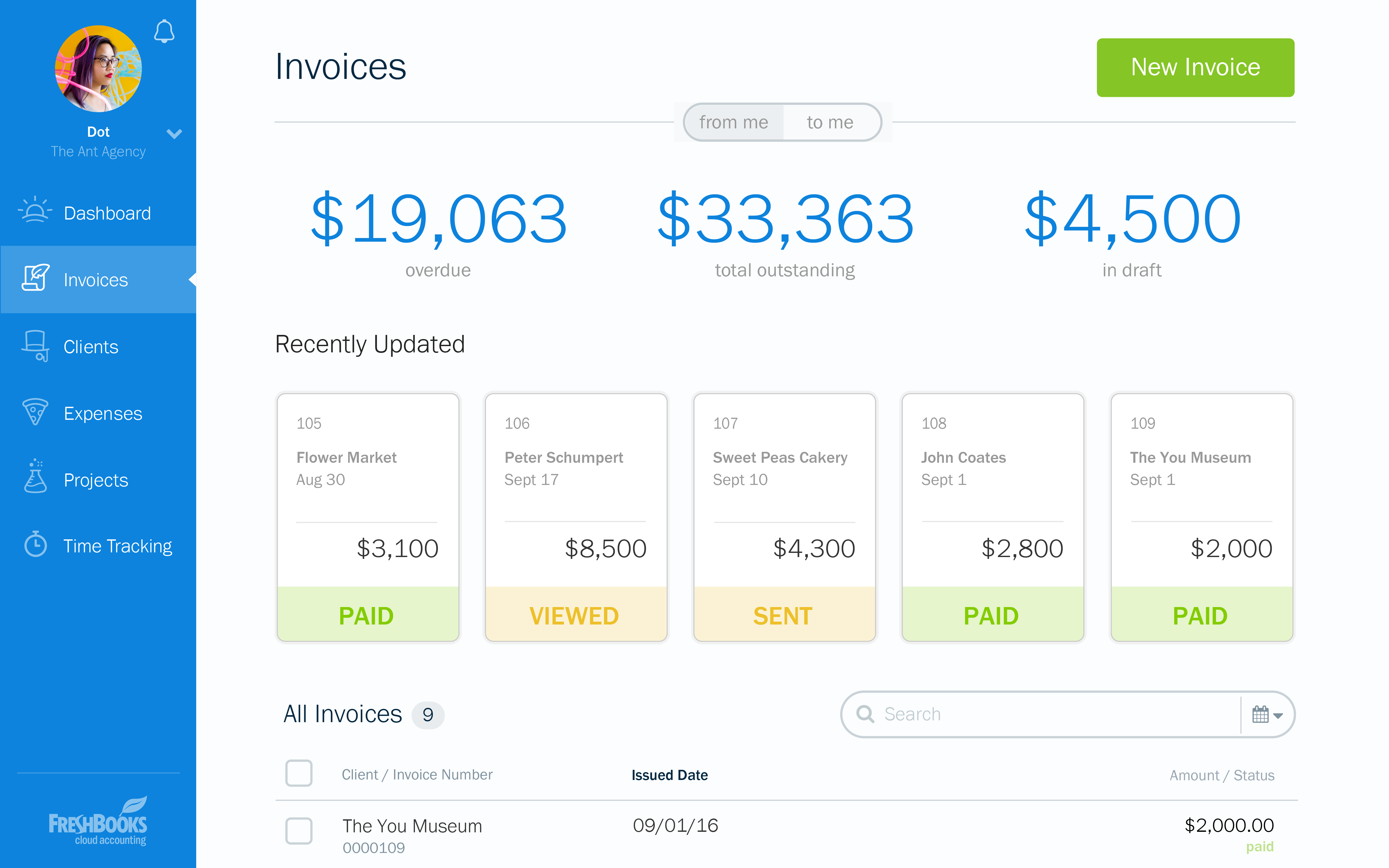
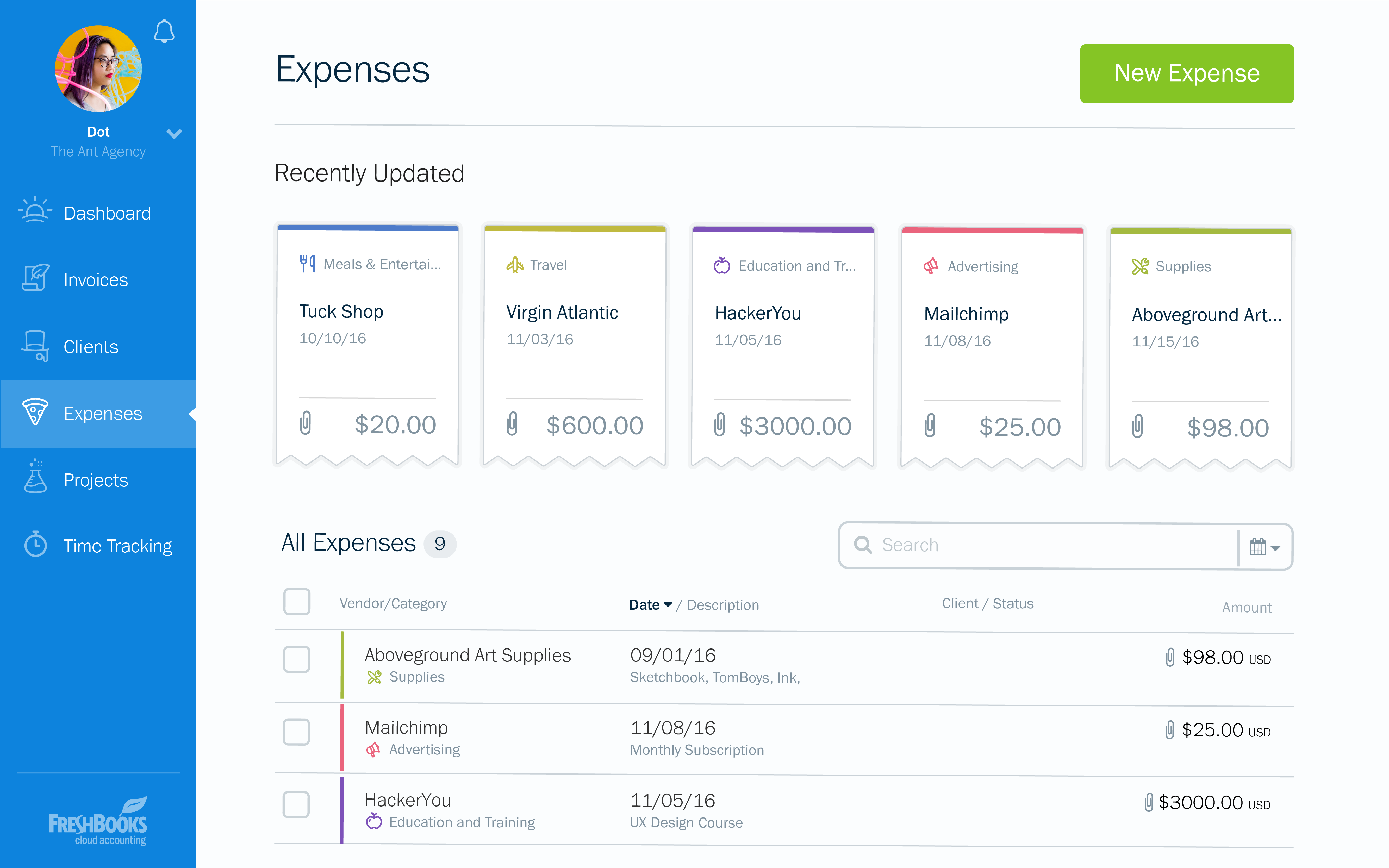
Screenshot of the dashboardScreenshot of an invoice overviewScreenshot of an example of a customizable invoiceScreenshot of an invoice appearing across devicesScreenshot of expensesScreenshot of time tracking