Bonterra Salsa is a donor and constituent management system that helps
nonprofits build donor profiles, track every interaction, cultivate major
gifts, and report on all development activities. The platform includes mobile-ready digital marketing tools for email, social, and online
donation forms.
Additional features
include donor cultivation, donation processing of all gift types, direct mail,
built in word processing, mail merge,
powerful query tool, event/auction…
N/A
GiveSmart
Score 6.9 out of 10
N/A
GiveSmart, a Community Brands company, offers a full-service event management platform supporting event website, event registration, attendee tracking, donor management and data insights, and full customer service for entities wishing to raise funds via an auction or charity event. The platform also integrates technology from Community Brands brand Gesture to provide a comprehensive suite of services.
GiveSmart replaces the former 501 Auctions, a platform to support charity auctions, mobile…
Classy is about the same cost per month. Classy was really good at peer-to-peer and crowdfunding. Salsa encompasses many more facets of a nonprofit. With Classy, we also had to have an email company and manage our supporters in a different program. Now, we do all three of those …
It boiled down to Bloomerang and Salsa CRM. The only winning factor that Bloomerang had over Salsa was that it was cheaper, as in free, but would only for a short period of time as we have increased our donor base. Salsa CRM is actually very cost effective for our nonprofit.
I have reviewed Salsa Engage and perhaps after our transition has taken place it might be a viable option versus using Constant Contact for internal and external correspondence.
We switched from DonorPerfect to Salsa CRM. Salsa CRM was much more dynamic and better suited for a non-profit. DonorPerfect seemed a little dated and needed a bit of an overhaul in order to meet our specific needs. In the end, when we couldn't get all the capabilities we were …
We chose Salsa CRM prior to Bloomerang coming into existence. We chose Salsa CRM over the two products (etapestry wasn't part of Blackbaud at the time) due to costs, ease of use, and fitting into the needs we had within our own agency. We are happy with our choice and aren't …
We used to use several platforms for all of our needs and we found that it was nearly impossible to maintain accurate records that way, the inconsistency was inevitable. Salsa has really helped us solve that issue by creating a system (with a reasonable price tag) that talks to …
Salsa CRM is more flexible than Abila Fundraising 50. It is cloud based so that unlike locally installed Abila Fundraising 50 you can use it at the events and all donations at events are automatically entered. With Abila Fundraising 50 there was a clunky interface with Sage …
Givesmart does not provide the communications, peer-to-peer fundraising, and event webpage features that Salsa Engage used to have. Salsa CRM allowed us to split donations into multiple campaigns/funds or ledgers. Salsa CRM allowed us to upload copies of gift documents. Salsa …
We used DonorPerfect and Handbid in the past and they lacked all the features we needed and their customer support was insufficient. The user experience on these platforms was always a challenge. GiveSmart is more streamlined and we have had better customer support when we run …
OneCause has much of the same functionality, but GiveSmart was less expensive, which is why we went with them. Classy looks much more polished and has a lot more customization options - both on the user-facing end and the reporting/data/back end - but does not let us have user …
We originally selected Mobile Cause as a solution for offering text-to-give options. After utilizing the platform for that, we realized we could also take advantage of its other features for creating forms on our website. At the time, it offered more options for integration …
I have been a guest at other non-profit events that utilized similar software, and I feel that the GiveSmart platform seems more user-friendly. I cannot speak to the efficiency on the administrative side because I have solely used GiveSmart, but I don't find GiveSmart lacking …
It was quite simple to initially set up the fundraising event page. It gave us options in design and reach. GiveSmart provides thorough spreadsheets which makes reconciling between our platform easy. Customer support was simple to access and available when they were needed. In …
GiveSmart is the platform that was already grandfathered when I entered my role. I used Kindful at my last job and GiveSmart at this one. GiveSmart's check-in and check-out process is significantly more accessible and user-friendly. Still, Kindful was used in sync with Square, …
My organization has been using GiveSmart's online donation form for many years. It integrates well into our website, and we like using it for multiple campaigns. Their Events software integrates with our accounting software, a big plus over what we used before. Other …
GiveSmart allows us to use one system for everything which makes doing business and understanding your donors and donations and operating your events much smoother and more efficient. And the information and insights that you can pull from Givesmart are much more extensive.
Ultimately, we chose GiveSmart because it was the upgraded version of the Abila software we had already been using for years. Our donor records get a unique update each year that most donor CRM organizations don't know how to handle. We also liked how they offered the three …
We liked that we could integrate our MailChimp newsletters and email with GiveSmart, the text messaging feature, and it seems the reporting will be easier for us.
All of these websites suit our organizations for their reasons. They are also used simultaneously to collect data. With GiveSmart, I need one website to do what all these do individually. It causes errors on my end and forces me to look in many places for the same information.
We use Givegab every year for an event called IdahoGives. It is effective, but I would definitely not switch from GiveSmart to it. We may start looking at switching over to Classy if GiveSmart doesn't reactivate the android app for their services
Mainly we chose GiveSmart because it allows the option for a donor to specify a total dollar amount they want to give and then divides that dollar amount into monthly payments for them with ease and without having to create an account. The cost of the software is also much …
We currently use both but for separate reasons. GiveSmart is great for our fundraising events and Stripe works very well for facilitating online donations through our website.
As I mentioned before, I was the decision maker for Salsa CRM. I worked in software prior to moving to nonprofit. I reviewed several software platforms. Salsa CRM was the most intuitive and met my needs as a whole.
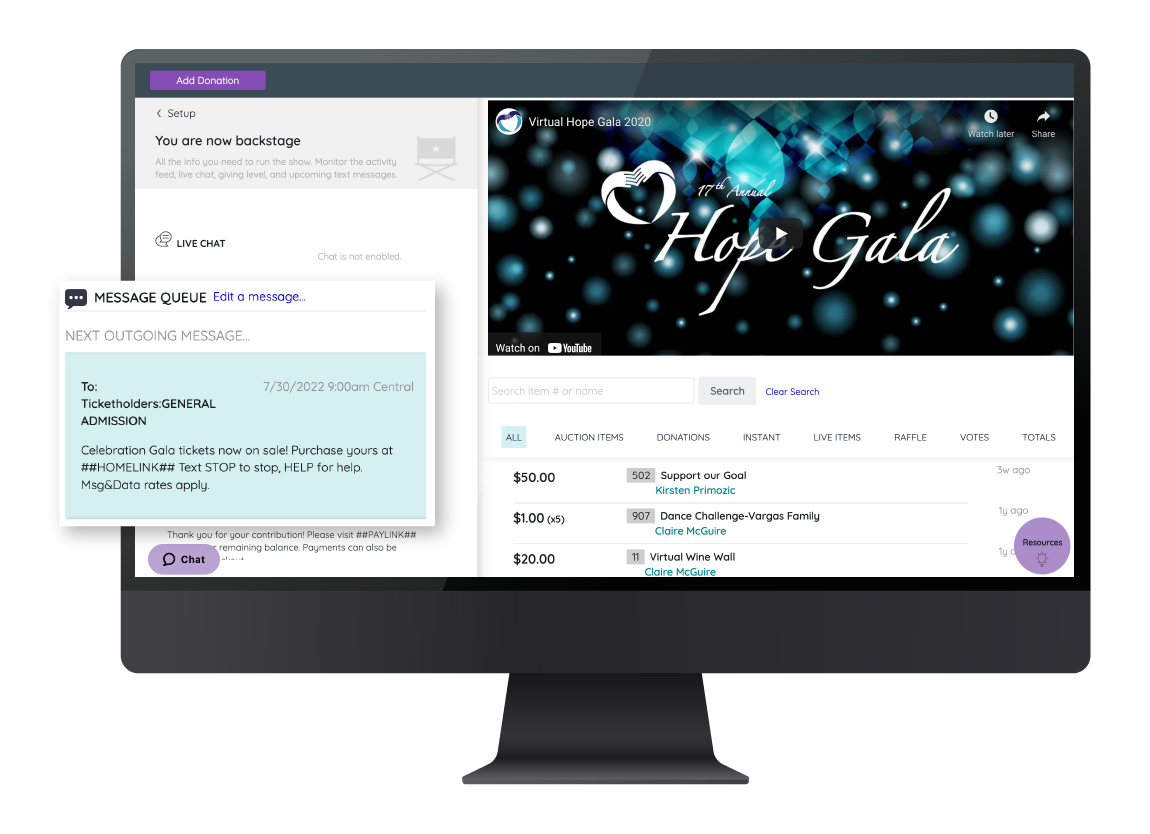
GiveSmart definitely works for large in-person ticketed events which also involve auctions, paddle raises, and more. The workflow is relatively easy for guests, and especially for volunteers. We especially like how quickly you can add paddle raise donations to specific people's paddle numbers because it allows us to track in real time. The seating functionality has some odd quirks, but overall it works. We opted not to use it for our main donation capture organization-wide because it doesn't look as professional, nor is it as customizable, as some other options on the market.
GiveSmart is a very easy-to-use platform that provides robust instruction on use but is so user-friendly that the instructions are mostly not necessary. I find it easy to update, change, and create all aspects of our page. For example, I first used GiveSmart without any instruction from a manager. She instructed me to look around and see what was going on. I was able to navigate the site effectively, and only found a few pieces for which I needed more instruction.
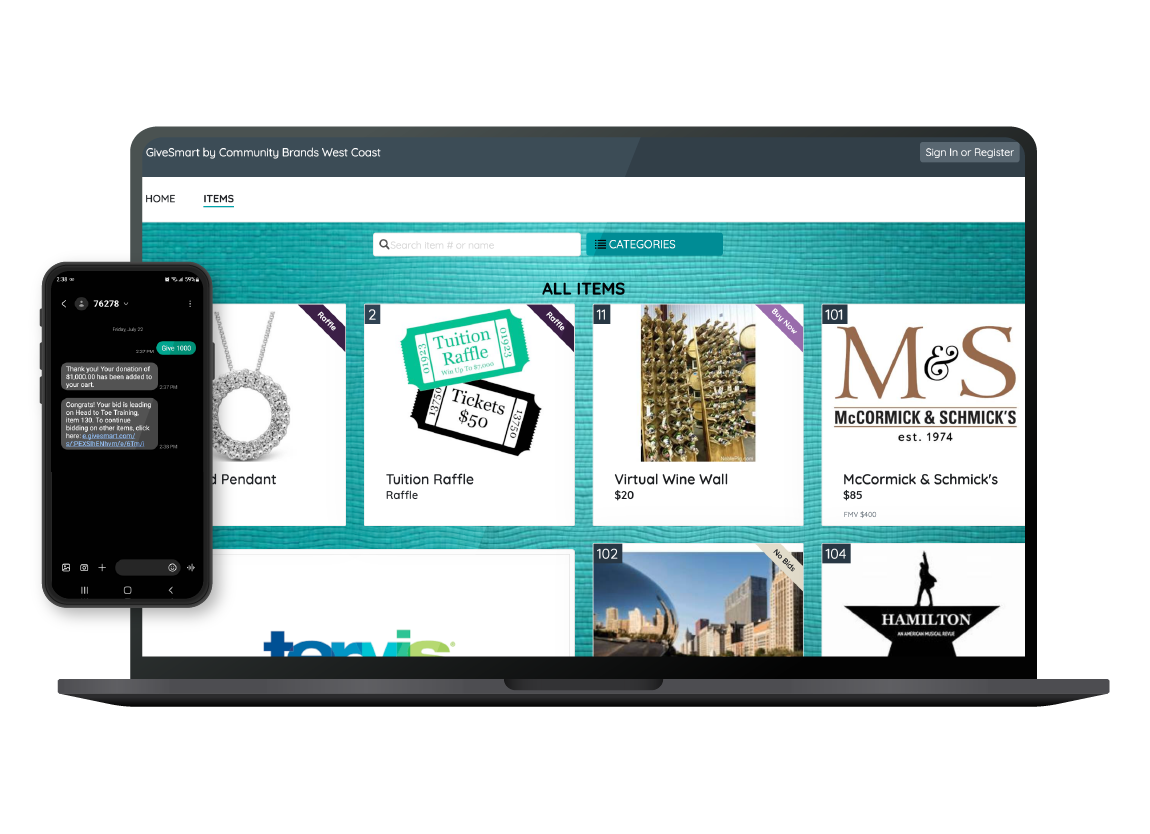
GiveSmart offers a well-made item section. Our gala has a silent auction made up of more than 170 items, and GiveSmart makes it easy to upload those items in bulk or add them individually. It offers every field I would want to have for an item and provides a comprehensive and adjustable front-facing-view for donors that is easy to manipulate.
GiveSmart's main page creator is easy to navigate and create the site you want. They provide helpful details like sizing for images and the ability to create buttons and links and different sections as our needs dictate. It's easy to adjust the colors and design to reflect our branding.
With the constant updates comes challenges. Often times, with an update comes several small bugs that Salsa has to work to fix.
I believe their customer support works from home so it is challenging to get a concrete answer on the first phone call. It often takes several follow ups.
The implementation was a bit rocky but customer service worked with us a lot and we got through it! We were moving from google drive and several other platforms for ticket sales, emails, etc. so we didn't have any experience with this. It eventually all worked out and the Salsa team really stepped up to accommodate our needs.
The distribution reports do not separate what campaign the transactions were for.
Revenue reports do not clearly state the CC fees for each transaction, which requires manual calculations.
We could not change the item a transaction was billed to if it was wrong. For example, if a donor made a restricted donation but was labeled unrestricted, we were told there was no way to correct it, so we had to keep track of those changes on the side.
For the most part, we are very satisfied with GiveSmart. There are some additional functions we'd like to see it have and GiveSmart has been responsive in the past to add new features that nonprofits are looking for. Their support teams and account representatives are very friendly and helpful. The ease of their system allows a competent person to enter the data and create campaigns without having to have much technical knowledge.
For the most part, GiveSmart serves our organization's needs for creating fundraising forms. It is especially useful for our peer-to-peer fundraising and event planning and registration efforts. The dashboard is relatively intuitive, and there have been improvements in creating forms and managing campaigns since shifting from Mobile Cause to GiveSmart Fundraise.
We never experienced any issues with outages, the system being down, etc. It's extremely reliable. That's very important when you're dealing with financial and personal information! We want to make it easy for people to give, and it's great that we've never had to worry about service issues making that more challenging/
We haven't had any issue regarding performance or reliability with GiveSmart. We don't integrate it with any other software so that issue isn't relevant. The pages load quickly and reports are completed almost as soon as you hit the "run" button. Overall, the system works as designed and is pretty quick when people use it.
Their tech support is very good and I am very pleased with it. They speak in non-techie lingo for my non-techie staff just as easily as they speak techie to me (a techie). I appreciate their quick turn around in time to answer our questions and the follow up to make sure their answer(s) helped.
When I did have to reach out for support it was not always easy to get ahold of anyone to help. There were also times when I did get help where I struggled to understand and be understood. Not a language barrier, but more of a not understanding what my problem was. I am not sure if it was a problem on my end or on theirs, maybe both, lol
GiveSmart provides great training videos on their system. Not everything is covered with their videos but their support staff are very friendly and knowledgeable. I would have given them a ten but not everything is covered in their videos and sometimes you have to find the right word to search for in able to find the right training video.
We just made the change using the band-aid approach. In other words, we just went for it and taught the users how to do it at our first event and went from there. 90-95% of people haven't used a mobile bidding software so most everyone was on the same stage of knowledge so implementing it was easy as people didn't have to re-learn anything.
Classy is about the same cost per month. Classy was really good at peer-to-peer and crowdfunding. Salsa encompasses many more facets of a nonprofit. With Classy, we also had to have an email company and manage our supporters in a different program. Now, we do all three of those things together. Although Mailchimp is pretty straight forward and nice to use, I prefer the email capabilities of Salsa. I think this is because Mailchimp didn't have direct access to all the donor information and we had to use Zapier to communicate between our donor information and Mailchimp. Now, Salsa has some clever tools that allow you to both automate and manually send out emails.
We used DonorPerfect and Handbid in the past and they lacked all the features we needed and their customer support was insufficient. The user experience on these platforms was always a challenge. GiveSmart is more streamlined and we have had better customer support when we run into issues.
For what GiveSmart is designed to do, the software works excellently. We haven't found something GiveSmart cannot do when it is used as designed. However, when GiveSmart is tried to be used as a total CRM, it doesn't do that but that is okay as it wasn't designed to be a total CRM but rather a mobile bidding software.
Our donors always want an easy method to donate before, during, and after our event—GiveSmart definitely gives them that flexibility.
Retaining the information that GiveSmart allows us is important, especially when we compile statistics and reports based on what was processed through our GiveSmart event site.