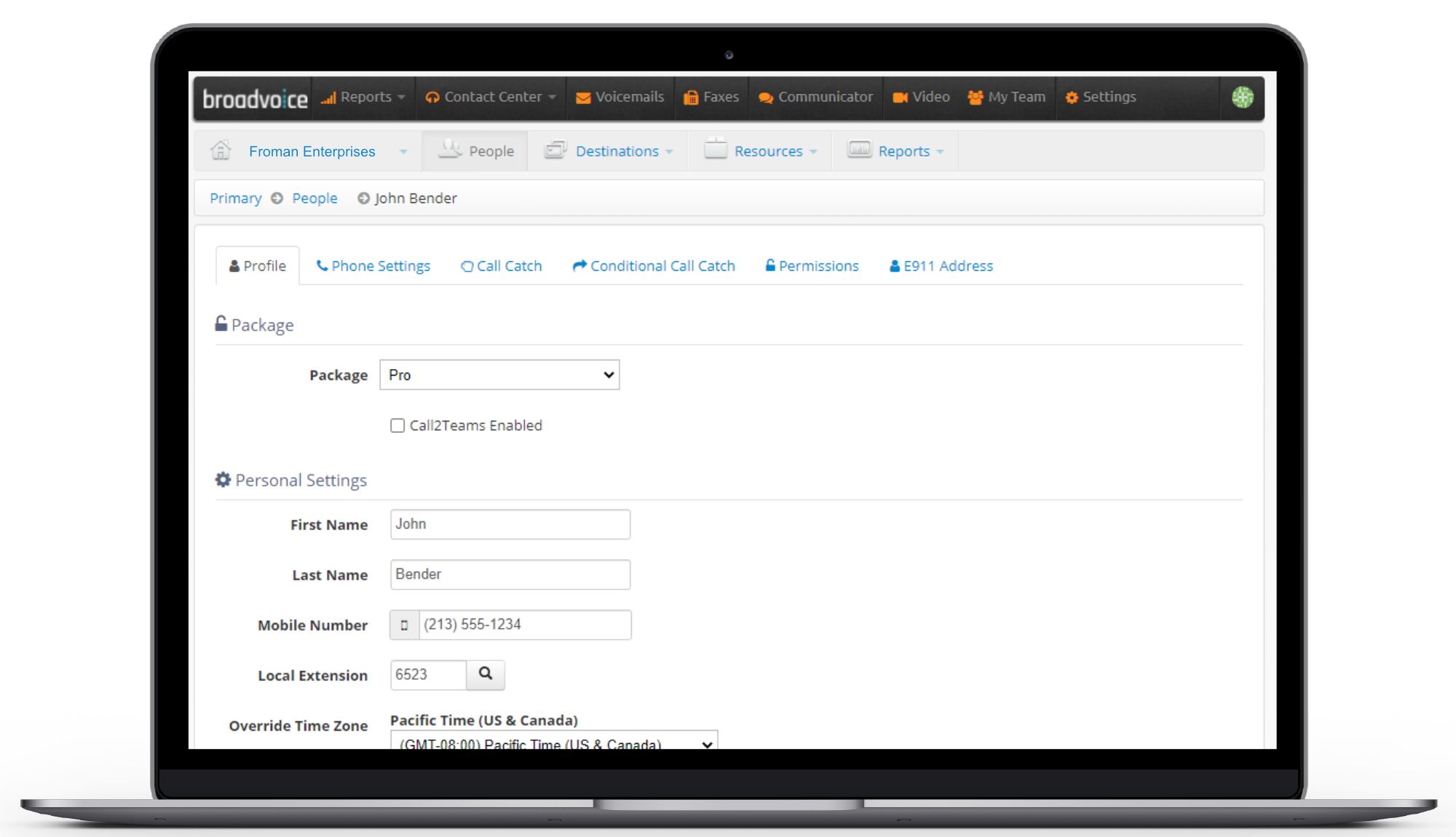
Broadvoice | GoContact vs. Microsoft Teams

Overview
ProductRatingMost Used ByProduct SummaryStarting Price
Broadvoice | GoContact
Score 9.2 out of 10
N/A
Broadvoice is a provider of hosted voice, UCaaS, CCaaS, and CX solutions for small and mid-market enterprises and BPOs. Broadvoice solutions offer enterprise-class features to simplify communications and streamline operations.
$7
per month
Microsoft Teams
Score 7.9 out of 10
N/A
Microsoft Teams combines video conferencing software with team collaboration tools. The communications platform allows MS Office users to conduct conference calls and share files via SharePoint, and join or initiate a group chat.
$4.80
per month per user
Pricing
Broadvoice | GoContactMicrosoft Teams
Editions & Modules
b-hive Standard Seat - Call Paths
$7
per month
b-hive Metered Seat Cloud PBX
$10
per month per user
b-hive Pro Seat - Call Paths
$10
per month
SIP Trunking - Metered
$11
per month per user
SIP Trunking - Unlimited
$17
per month per user
b-hive Standard Seat Cloud PBX
$18
per month per user
b-hive Pro Seat Cloud PBX
$23
per month per user
Contact Center
Contact Sales
Microsoft Teams Essentials
$4.80
per month per user
Microsoft Teams Enterprise
$5.25
per month (paid yearly) per user
Microsoft Teams Enterprise
$5.25
per month per user
Microsoft 365 Business Basic
$7.20
per month per user
Microsoft 365 Business Standard
$15
per month per user
Offerings
Pricing Offerings
Broadvoice | GoContactMicrosoft Teams
Free Trial
YesYes
Free/Freemium Version
NoYes
Premium Consulting/Integration Services
NoNo
Entry-level Setup FeeOptionalNo setup fee
Additional DetailsPricing Based on 3 Year TermsDiscounts are available for non profit organizations.
More Pricing Information
Community Pulse
Broadvoice | GoContactMicrosoft Teams
Considered Both Products
Broadvoice | GoContact
Chose Broadvoice | GoContact
I would rather not mention other companies by name, but many service providers in this field do not have the functionality that Broadvoice offers, and certainly not the tech support to back it up.

Chose Broadvoice | GoContact
Broadvoice seems to be more user friendly and intuitive than the other providers we have used in the past.
Chose Broadvoice | GoContact
Broadvoice was a much better value. We saved over 50% and the features and benefits are very similar. We did not lose anything in terms of capabilities and saved a lot of money. The team that took care of the installation was amazing and helpful and if I run into issues, …
Chose Broadvoice | GoContact
Customer service is better.
Chose Broadvoice | GoContact
We have had zero issues or complaints with Broadvoice. We have used them for 3 years.
Chose Broadvoice | GoContact
Broadvoice handled the setup and walked through each employee on how to use the phones.
Chose Broadvoice | GoContact
Broadvoice onboarding blows away 8x8. We were left on our own to figure out how to setup everything. The auto attendant at 8x8 was also left for us to figure out so we never used it. Broadvoice guides you and actually does it for you!
Chose Broadvoice | GoContact
I started with ATT openhand service and their support and onboarding were so bad. I couldn't get the call groups setup and talked to a different person all the time. The project was expensive and dug on forever. We ended up getting out of the contract. We were able to use …
Chose Broadvoice | GoContact
We have not used any other systems.
Chose Broadvoice | GoContact
There was no comparison for me. Google voice annoyed anyone calling in, was delayed in relaying missed calls and texts, and was not user friendly in my opinion. Broadvoice is leaps and bounds ahead for business purposes. It addresses each of those concerns and provides a …
Chose Broadvoice | GoContact
We saw the reviews from other people and decided to go with Broadvoice. We had a lot of questions that got answered. They have a great service and provide great customer service. At this moment we only use a fraction of the services you provide but I'm sure in no time we will …
Chose Broadvoice | GoContact
Bria did not have the near the capabilities that Broadvoice has to offer. Broadvoice is easy to use and you are able to make quick decisive decisions at ease. The transferring of calls is top notch!
Chose Broadvoice | GoContact
Compared to other systems, add-ons were necessary or charges for more accessible features. Our current plan with Broadvoice has never changed and we have always had the same amount of options & services, so much we cannot use half of them yet, but hope to as we grow. Service …
Chose Broadvoice | GoContact
Broadvoice is a supported hardware from our 3rd party IT provider. In addition, the cost of equipment and reoccurring monthly costs were very reasonable. I figured if all voice over IPs run off the same internet then why pay more.
Chose Broadvoice | GoContact
Broadvoice is ideal for businesses that need a reliable, easy -to-use VoIP solution without the complexity of an all-encompassing communication suite. Its streamlined interface and simple feature set allow for faster onboarding and less training time. Broadvoice offers strong …
Chose Broadvoice | GoContact
The other voip organization I looked into was very pushy. I appreciated Broadvoice's hands off approach.
Chose Broadvoice | GoContact
I didn't demo other systems in detail enough to give detailed answer
Chose Broadvoice | GoContact
We used Comcast Business Voice Edge, but we all had desk phones. We have forced all of our employees to use virtual phones. The cost is so much less and you don't have to miss calls if you are working virtually.
Chose Broadvoice | GoContact
We selected Broadvoice because it was the best to switch from google voice. Broadvoice is much better as it can be accessed on any computer or phone but you can choose to turn it on or off. The landline feature is also nice.
Chose Broadvoice | GoContact
Can't compare Avaya to Broadvoice as the environment in which they were used are completely different.
Microsoft Teams
Chose Microsoft Teams
Microsoft Teams is a complementary tool I used in my software panel. So it can cover many cases where partners are not using the same tools as the ones used in my firm. It is a complementary tool with other ones like Miro, Slack, and Jira, for example, in order to facilitate …
Chose Microsoft Teams
I suppose on some level I selected Microsoft Teams because my company has it installed on the computers automatically, but having used other programs I find the Microsoft Teams interface to be very user-friendly and you aren't forced into harder to use features unless you …
Chose Microsoft Teams
I think Microsoft Teams is much more user friendly and has more features.
Chose Microsoft Teams
I only use Teams because I am forced by my employer. I think Slack is far superior - it just works.
Chose Microsoft Teams
With Microsoft Teams you can better check each one's agenda. The background when in a meeting is better. Microsoft Teams also have more options for integrations in place.
It's also easier and more intuitive.
It also offers more options of communicating and not only video …
Chose Microsoft Teams
I had the priviledge to work with Microsoft Teams Rooms both in bring your own device mode and also connecting a device via Azure monitor. This helped a lot when we needed to do local meetings with a lot of people with external partners. This helped a lot since we were able to …
Chose Microsoft Teams
We are in the Microsoft Eco-system, so Teams integrates well with our other tools.
We also integrated our company website and IT website to contact me or our IT team.
Without a second doubt, Teams is the application we choose among others and we will continue to use Teams as our …
Chose Microsoft Teams
I prefer using Slack for text and quick video/audio calls. It is easy and has features like GIFs and other integrations built in. It's a nice one button way to communicate. We use Zoom for our more structured meetings and I use Zoom for my training sessions because I can plug …
Chose Microsoft Teams
We chose primarily because of the promised integration with the Microsoft Business Suite - which it mostly delivers on. That does give Teams an obvious advantage over competitors. IMHO Teams has a richer, more mature feature set, and the experience is more reliable and stable. …
Chose Microsoft Teams
We selected Microsoft Teams as we were using starleaf and we had numerous issues.

But now we are also not satisfied at all. And I hope we would move to another app soon.
Chose Microsoft Teams
The Office 365 suit contains everything needed for daily use such as document editing, spreadsheet, email client. The onedrive is a great addition to that. Microsoft Teams allows the editing and access to files saved in onedrive if ther are shared to you. Therefore, Microsoft …
Chose Microsoft Teams
Teams is the best of the company message tools that I have used so far because it integrates so many functionalities. Teams goes way beyond the instant messaging or video calls features with screen-sharing. It integrated with your calendar, enables you to do task tracking (e.g. …
Chose Microsoft Teams
While we mostly use Monday.com for our CRM needs, we still use Teams for our communication needs all day every day. We couldn't function as a team without Teams! The chat and meeting setup/scheduling function is so useful and easy to use. We have found that having meetings is …
Chose Microsoft Teams
  • Microsoft Teams has a lot of features
  • it's well integrated with all other Microsoft products
  • It has a user-friendly desktop and mobile applications
Chose Microsoft Teams
Microsoft Teams is a centralized application and integrates to all O365 application suite, this allows any company to have everything at reach, applications, data stored, sharepoint and so on. You can set up meetings and record them which is an advantage because you dont need …
Chose Microsoft Teams
Teams was selected by another team in the organization to manage Instant Messaging needs.
Chose Microsoft Teams
The most noticeable thing that Microsoft Teams offers and Zoom lacks is providing the history of meeting chats. If you join a Zoom meeting late, you don't get any of the chat info (e.g. shared messages, files, contact info, weblinks) that were sent prior to you joining. With …
Chose Microsoft Teams
Zoom has better video call quality and fewer drops in voice calls.
Chose Microsoft Teams
For our particular use case, which is collaboration across teams sitting in different geographies in a fast-paced sales organization, Microsoft Teams is just the perfect platform to bring everyone together. Teams helps you keep the dialogue strictly professional which is good …
Chose Microsoft Teams
User experience is of a higher level and integrates well into Outlook. Using the tool to facilitate user testing with participants outside the company is a breeze too.
Chose Microsoft Teams
Microsoft Team is one of Microsoft's newest applications. Looking at the evolution of the Office suite, I can only imagine what Team will become with the next updates. It's a product that fills a need and has a lot of possibilities to evolve well. I would put it right in the …
Features
Broadvoice | GoContactMicrosoft Teams
Performance & Compatibility of Online Events Software
Comparison of Performance & Compatibility of Online Events Software features of Product A and Product B
Broadvoice | GoContact
8.7
Ratings
5% above category average
Microsoft Teams
-
Ratings
High quality audio8.60 Ratings00 Ratings
High quality video8.70 Ratings00 Ratings
Screen Sharing
Comparison of Screen Sharing features of Product A and Product B
Broadvoice | GoContact
8.7
Ratings
8% above category average
Microsoft Teams
-
Ratings
Desktop sharing8.70 Ratings00 Ratings
Online Meetings / Events
Comparison of Online Meetings / Events features of Product A and Product B
Broadvoice | GoContact
8.9
Ratings
8% above category average
Microsoft Teams
-
Ratings
Calendar integration8.80 Ratings00 Ratings
Meeting initiation8.90 Ratings00 Ratings
Record meetings / events8.90 Ratings00 Ratings
Online Events Collaboration
Comparison of Online Events Collaboration features of Product A and Product B
Broadvoice | GoContact
8.6
Ratings
7% above category average
Microsoft Teams
-
Ratings
Live chat8.60 Ratings00 Ratings
Online Events Security
Comparison of Online Events Security features of Product A and Product B
Broadvoice | GoContact
8.7
Ratings
12% above category average
Microsoft Teams
-
Ratings
User authentication8.70 Ratings00 Ratings
Participant roles & permissions8.70 Ratings00 Ratings
Cloud PBX
Comparison of Cloud PBX features of Product A and Product B
Broadvoice | GoContact
8.5
Ratings
1% above category average
Microsoft Teams
-
Ratings
Hosted PBX8.60 Ratings00 Ratings
Multi-level Interactive Voice Response (IVR)8.40 Ratings00 Ratings
Directory of employee names8.50 Ratings00 Ratings
Call Management
Comparison of Call Management features of Product A and Product B
Broadvoice | GoContact
8.5
Ratings
1% above category average
Microsoft Teams
-
Ratings
Answering rules8.70 Ratings00 Ratings
Call recording8.90 Ratings00 Ratings
Call park8.70 Ratings00 Ratings
Call screening8.70 Ratings00 Ratings
Message alerts8.50 Ratings00 Ratings
Business SMS/External Messaging8.00 Ratings00 Ratings
Online Fax8.10 Ratings00 Ratings
Voicemail Transcription8.70 Ratings00 Ratings
Mobile apps
Comparison of Mobile apps features of Product A and Product B
Broadvoice | GoContact
8.5
Ratings
1% above category average
Microsoft Teams
-
Ratings
Mobile app for iOS8.40 Ratings00 Ratings
Mobile app for Android8.60 Ratings00 Ratings
Unified Communications Platform and Collaboration
Comparison of Unified Communications Platform and Collaboration features of Product A and Product B
Broadvoice | GoContact
8.7
Ratings
8% above category average
Microsoft Teams
-
Ratings
Centralized communications management8.70 Ratings00 Ratings
Team messaging8.80 Ratings00 Ratings
Team document sharing8.80 Ratings00 Ratings
Call and meeting analytics8.40 Ratings00 Ratings
Project Management
Comparison of Project Management features of Product A and Product B
Broadvoice | GoContact
-
Ratings
Microsoft Teams
7.0
Ratings
10% below category average
Task Management00 Ratings7.50 Ratings
Gantt Charts00 Ratings6.00 Ratings
Scheduling00 Ratings6.20 Ratings
Workflow Automation00 Ratings7.10 Ratings
Mobile Access00 Ratings8.10 Ratings
Search00 Ratings6.60 Ratings
Visual planning tools00 Ratings7.20 Ratings
Communication
Comparison of Communication features of Product A and Product B
Broadvoice | GoContact
-
Ratings
Microsoft Teams
7.8
Ratings
2% below category average
Chat00 Ratings8.70 Ratings
Notifications00 Ratings7.80 Ratings
Discussions00 Ratings8.40 Ratings
Surveys00 Ratings8.20 Ratings
Internal knowledgebase00 Ratings8.10 Ratings
Integrates with GoToMeeting00 Ratings6.50 Ratings
Integrates with Gmail and Google Hangouts00 Ratings5.70 Ratings
Integrates with Outlook00 Ratings9.10 Ratings
File Sharing & Management
Comparison of File Sharing & Management features of Product A and Product B
Broadvoice | GoContact
-
Ratings
Microsoft Teams
7.6
Ratings
4% below category average
Versioning00 Ratings8.20 Ratings
Video files00 Ratings7.10 Ratings
Audio files00 Ratings8.20 Ratings
Document collaboration00 Ratings9.20 Ratings
Access control00 Ratings8.60 Ratings
Advanced security features00 Ratings6.90 Ratings
Integrates with Google Drive00 Ratings5.30 Ratings
Device sync00 Ratings7.60 Ratings
Best Alternatives
Broadvoice | GoContactMicrosoft Teams
Small Businesses
Nextiva
Nextiva
Score 8.3 out of 10
Stackby
Stackby
Score 9.0 out of 10
Medium-sized Companies
Cisco Unified Communications Manager (Call Manager)
Score 8.6 out of 10
Troop Messenger
Troop Messenger
Score 9.8 out of 10
Enterprises
Cisco Unified Communications Manager (Call Manager)
Score 8.6 out of 10
HCL Connections
HCL Connections
Score 9.0 out of 10
All AlternativesView all alternativesView all alternatives
User Ratings
Broadvoice | GoContactMicrosoft Teams
Likelihood to Recommend
9.1
(0 ratings)
8.1
(0 ratings)
Likelihood to Renew
7.1
(0 ratings)
3.7
(0 ratings)
Usability
8.4
(0 ratings)
8.3
(0 ratings)
Availability
8.8
(0 ratings)
9.0
(0 ratings)
Performance
7.6
(0 ratings)
8.0
(0 ratings)
Support Rating
8.6
(0 ratings)
8.3
(0 ratings)
In-Person Training
7.4
(0 ratings)
-
(0 ratings)
Online Training
8.2
(0 ratings)
-
(0 ratings)
Implementation Rating
7.1
(0 ratings)
10.0
(0 ratings)
Configurability
7.0
(0 ratings)
-
(0 ratings)
Product Scalability
5.5
(0 ratings)
10.0
(0 ratings)
Vendor post-sale
9.1
(0 ratings)
-
(0 ratings)
Vendor pre-sale
9.1
(0 ratings)
-
(0 ratings)
User Testimonials
Broadvoice | GoContactMicrosoft Teams
Likelihood to Recommend
I would recommend Broadvoice if a business needs a variety of options for inbound and outbound communication. Examples would be insurance agencies, car dealerships -- just about any business that makes a lot of customer contacts per day. A small retail shop or dry cleaner would not experience the same level of customer engagement. In their case, a regular landline or a designated cell number would work just fine.
Read full review
Microsoft Teams is ideal for organizations where employees regularly collaborate by sharing files, working on the same documents, updating the progress, etc. This is because different file formats are supported for online editing and collaboration with the help of Microsoft Teams. Additionally, for every file which is shared among the team members, emails are not sent again and again which helps in easily managing and organizing files. It is less appropriate where the team members have to instantly reply to an urgent task as sometimes the notifications are not sent properly which may lead to a delay in the work.
Read full review
Pros
  • Broadvoice is excellent for customizing/tailoring to a business's specific needs.
  • Tech Support is easy to reach, and provides consistent help.
  • Onboarding new customers is very thorough and supportive. Changing phone systems is overwhelming and time-consuming. Broadvoice makes it as easy as possible with clear expectations and fantastic training.
Read full review
  • Video calls are great with Microsoft Teams. They've made big improvements over the last year and I rarely have issue with getting on. It's nice when things just work.
  • The most used functionality is, of course, the chat feature. It does what it's supposed to do and you can create chat groups from whoever you'd like. We use it a lot when there is a special project and a team from various groups get together for a short period of time to get things done.
  • An overlooked function is the ability to search anything within Microsoft Teams. Any photo, document, or chat can be searched and found pretty easily. I can't tell you how many times this has saved me from having to rewrite something or start over.
Read full review
Cons
  • When changing users on the URL page there are some steps that can be a bit clunky based on the type of phone you're using.
  • Separating users devices into multiple locations inside the URL is nice but you're not able to move those users around if they do change spots in the company.
  • For some reason within the b-hive mobile app if I miss a call and then go into the app to check the call and exit the app I still show a notification icon constantly. It seems to be related to the the Chat portion of the app. If you go to that part of the app and refresh when you exit the app the notification icon is gone.
Read full review
  • I sometimes have a hard time viewing both the meeting screen and chat window at the same time.
  • There have been times when someone in a meeting will totally lose their connection.
  • At times the sound quality is not what it should be which makes it hard to hear each other.
Read full review
Likelihood to Renew
Our last phone system was very outdated and we were left not getting calls that we needed nor having a seamless way to change voicemail or to get voicemail if we were out of the office for longer periods of time. Broadvoice has erased these issues and has really made our agency more responsive.
Read full review
Microsoft Teams is included with our Office 365 subscription and we have no intention of migrating off of Office 365 and Microsoft products. Since Microsoft Teams is included for free with our Office 365 subscription, and since we enjoy all the features, benefits, and functionality, there is no question that our team will continue to use the product
Read full review
Usability
Broadvoice has been a great investment so far! Its system allows you to easily handle multiple lines & provides you with many useful, easy-to-use, features. It delivers faxes right to your email inbox, how much easier can it get? Through their app, it enables you to easily determine if the call is business or personal related. And you are able to answer calls no matter where you are
Read full review
The overall functionality of the product is incredible in that it provides a one-stop solution for organization and communication. The product is also very well integrated into Microsoft Outlook and other Office apps. Visually pleasing and very easy to use interface. New features are constantly being added to enhance the user experience.
Read full review
Reliability and Availability
AWAYS available to assist when I call. I could not be happier about that!
Read full review
Rare, but outages do happen
Read full review
Performance
Any issues are usually overcome fairly quickly. We don't utilize reports offered by the system - we are a small company and the monitoring that would provide is just not something we would utilize.
Read full review
Sometimes about once a week I get a message that says "Sorry, there seems to be something wrong". But it goes away in a few minutes.
Read full review
Support Rating
Laura H. our Service Coordinator was exceptionally helpful when the inevitable hiccups occurred along the way. She calmly sought out solutions that kept the project moving so that we could meet our move-out/move-in deadlines. Also, their 24/7 Business Support line is staffed with knowledgeable people that answer my questions quickly and accurately.
Read full review
I think Microsoft Team is overall good application for communication, track Project work inter the teams and also intra teams. I have 7 out of 10 because it needs improvements in certain features like video sharing call, call drop, audio quality and connecting problems even after having good internet connection.
Read full review
In-Person Training
The in-person was done by phone and was GREAT!
Read full review
No answers on this topic
Online Training
Overcame obstacles of everyone being in different places. Trainer was excellent (do not remember her name!). Open to all questions no matter how technical. The feedback from my colleagues were they were happy
Read full review
No answers on this topic
Implementation Rating
It was straightforward to set up. The phone was delivered prior to installation. The script and routing of calls were established prior to installation as well. The on-site technician installed each phone and offered training to anyone who asked. The main setup for hours, calls, and extensions was already set up via online meeting, making the phone install on-site a seamless experience.
Read full review
I find everything I need for my day-to-day work.
Read full review
Alternatives Considered
There was no comparison for me. Google Voice annoyed anyone calling in, was delayed in relaying missed calls and texts, and was not user friendly in my opinion. Broadvoice is leaps and bounds ahead for business purposes. It addresses each of those concerns and provides a solution that even an entry level professional could use.
Read full review
We chose primarily because of the promised integration with the Microsoft Business Suite - which it mostly delivers on. That does give Teams an obvious advantage over competitors. IMHO Teams has a richer, more mature feature set, and the experience is more reliable and stable. Although like any of there there is room for imporvement.
Read full review
Scalability
Giving a neutral answer as this is something we do not need and therefore do not utilize.
Read full review
It does not appear to have a limit to how many teams and employees we can have using it
Read full review
Return on Investment
  • Sadly I can't quite gather any hard numbers since my use of the product don't extend into the admin level where I can see everything. I can say that since installing the phone at my desk though, I've been more reachable by other staff and therefore more present with current happenings in the workplace.
  • It took a while to get a line for my desk, so I can compare the before and after very clearly. Communication is like night and day, and any questions or problems other coworkers had that in the past they may have had to deal with themselves, they can now reliably reach me and have a convenient option to. This has improved the relationships between me and others at the workplace.
Read full review
  • User experience has been much better than the previous Skype for Business app. It has an easy-to-use interface with persistent chats. The search feature is very fast and useful.
  • MS Teams has mostly focused on Collaboration and team building features which are very useful for organisational communications. This in turn has a positive impact on the overall business outcome.
  • Scheduling meetings have never been so easy in the past. We can schedule meetings on the go without any hassles
  • Since Teams is accessible from multiple platforms like Laptop, Desktop, Mobile phones, etc it has been very convenient from a Mobility perspective.
Read full review
ScreenShots

Broadvoice | GoContact Screenshots

Screenshot of the call routing rules to manage holidays, and off-hours.Screenshot of inbound call routing with automated menus and announcements, like a large business.Screenshot of user accounts can be added, removed, and managed from this interface.Screenshot of a detailed view of call history with detailed call reports.Screenshot of a video conference with up to 50 users with b-hive Communicator.Screenshot of group messaging and file sharing to keep internal teams connected.