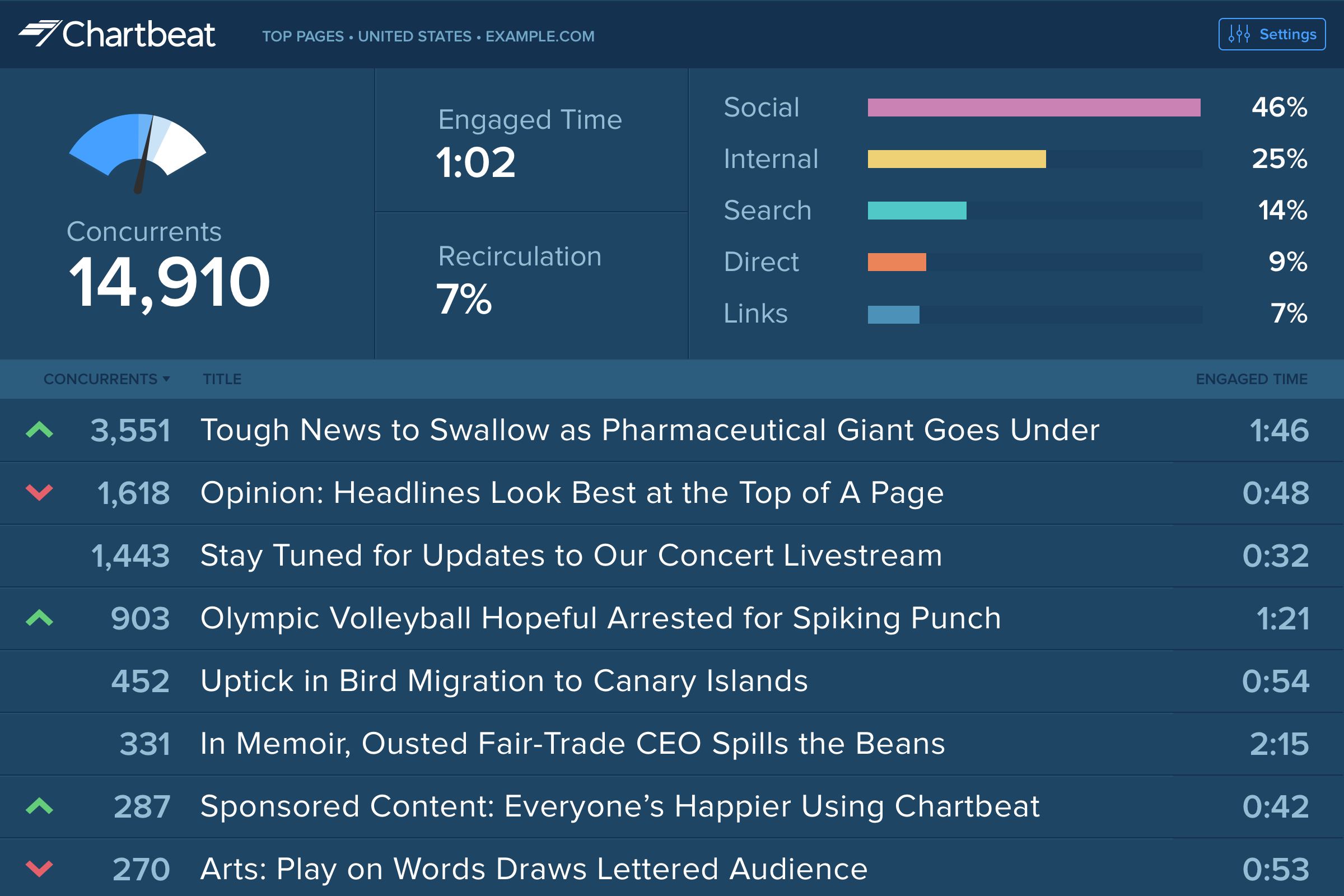
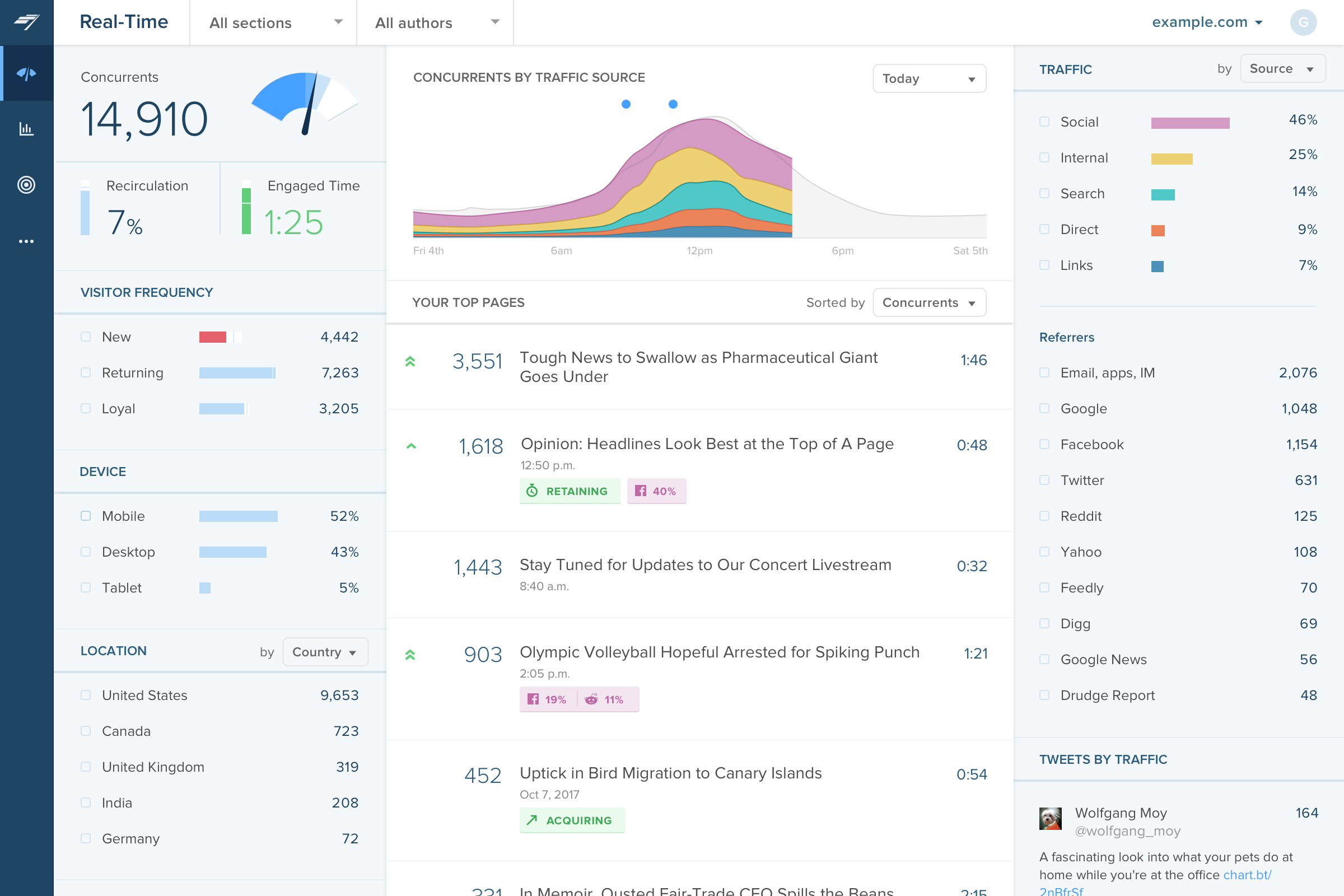
Chartbeat delivers real-time analytics, insights, and transformative tools for content teams around the world, to help improve audience engagement, inform editorial decisions, and increase loyalty.
N/A
Convert Experiences
Score 9.9 out of 10
Mid-Size Companies (51-1,000 employees)
Convert Experiences is an experimentation platform that offers features and support to run A/B tests across multiple growth channels. Its enterprise-ready advanced features include full stack experimentation, multi-page testing, post-segmentation, sequential testing, targeting with 40+ filters, triggering tests based on data in other apps (data sources), dynamic triggers, complex goal tracking, and a secure API. It includes 90+ out-of-the box integrations in a…
$299
per month 100k tested users per month
Pricing
Chartbeat
Convert Experiences
Editions & Modules
No answers on this topic
Growth
$299
per month 100k tested users per month
Pro
$5988
per year 3M tested users available upfront
Enterprise
Pricing available on request
From 1M tested users/mo (billed annually)
Enterprise
Pricing available on request
From 1M tested users/mo (billed annually)
Offerings
Pricing Offerings
Chartbeat
Convert Experiences
Free Trial
Yes
Yes
Free/Freemium Version
No
No
Premium Consulting/Integration Services
No
No
Entry-level Setup Fee
No setup fee
No setup fee
Additional Details
Chartbeat pricing is based on monthly site page views. Discounts are applied to multi-year contracts. The Basic Plan includes the Real-time Dashboard, Historical Dashboard, Heads Up Display, Reports, Big Board, iOS and Android app, and Real-time API endpoints.
The Plus Plan includes all of the Basic Plan features, plus ONE of the following Premium features: Headline Testing, Advanced Queries, or Multi-Site View.
The Premium Plan includes all of the Basic Plan features, plus ALL Premium features: Headline Testing, Advanced Queries, Multi-Site View, and enterprise-level support and custom trainings.
1. Annual contract or monthly payments available (40% discount for annual pricing).
2. Pricing is not feature dependent. Some features like integrations, goals, Live Logs are necessary to test successfully. This is why Convert caps by unique tested users - basically visitors who have been bucketed to see a variation and are unique to that variation. As a result the app tested users are always </= the site's net traffic.
We use Chartbeat in conjuction with these tools. Chartbeat is forward facing and we encourage everyone in the newsroom to use it. It provides the best live view, but lacks depth needed for more longer-term trend reporting and analysis. Domo allows much more advanced data …
Google Analytics 360 had problems, but after it was discontinued, Google Analytics became a shell of its former self. An added benefit of Chartbeat is that it's more "live" (looking at live concurrents rather than in the past however many minutes) and tells you how that number …
We use Chartbeat for real-time evaluation and Adobe Analytics for longer-term performance reporting. Chartbeat is easier to use overall, particularly for content producers. Researchers tend to rely on Adobe Analytics for their reports. We have found that we need to keep using …
Google Analytics has gradually become much more difficult to use, and much slower in its realtime reporting. It was the changes that came in with Google Analytics 4 that gave us the final push to work with Chartbeat - a product some of us were already familiar with from …
Omnilytics is more robust, detailed, and catered for an intermediate media user, while I think Chartbeat is a more user-friendly and beginner-oriented piece of technology. That being said, there is an impressive amount of lift for Chartbeat, and it's evident that simplicity is …
I used Parse.ly before I used Chartbeat. We shifted away from Parse.ly because it's social standing wasn't as good, it was mostly for site readership and we needed a bigger concentration on social media that Parse.ly couldn't provide. It's not listed, but we now use Social Flow …
Chartbeat stands out in terms of real-time tracking and information from which to manage homepages, I found this better than Smart Octo's equivalent. However, the ability to quickly explore past data does not go as deep as Google Analytics.
Chartbeat is better than GA when it comes to ease of use and immediacy. The homepage layover that Chartbeat offers is unique from what I've seen and gives me an instant knowledge of what's working on my site and how to best arrange it.
Other products like Chartbeat that I've used are Parse.ly, GA, and Omniture. Parse.ly is the only tool, in my opinion, that offers more real-time data, but the interface is lacking and isn't as intuitive as Chartbeat.
Chartbeat is certainly better at visualizing content and segmenting the data all on one screen. We can filter by section, author, channel and more without leaving the main dashboard page. Combining properties together in roll up groups is another key feature. We're able to …
Three words: value for money. In a due diligence comparison, Convert Experiences came up more than twice less expensive than the nearest competitor, while offering more product features, better performance and a quick response time with support/sales agents that actually …
Convert Experiences sits in a niche of great products, against which it competes very well and remains held in high regard as it achieves pretty much everything that the bigger platforms put on the table but in a more cost-effective model. The reason we initially chose …
Convert has the best JS code editor for advanced users (and developers). It doesn't have as great integration with GA as Google Optimize, but it also doesn't have a limit to 5 tests at one time. It's also much easier to use than Optimizely.
Although not as robust as Adobe Target, Convert fills the niche with solid functionality at a great price. Comparable to Optimizely and far above Google Optimize.
Although VWO is slightly cheaper it flickers quite a bit, hence why I originally looked into alternative software to use for A/B testing. VWO also has other features that could be useful, but they can be found in tools you may already be using, like Hotjar. Also, their support …
Convert was selected based on price point, feature set, and UI/UX. All three are very friendly to new testers and small to mid-market size companies. Their UI and tool workflow is the best out of all of the non-enterprise solutions that I have tried. There is some small room …
There were a number of other tools I used. Specifically though: they expose the DMP features that some other companies price into oblivion and enterprise levels (if the other tools have them at all!)
I feel like I've gushed a lot about the DMP and power user features of Convert …
The biggest point for Convert Experiences is definitely the price and the completeness of their packages. Their Magento plugin makes it great for running tests on ecommerce stores. One thing that's missing for me is deeper insights into revenue (something optimizely does …
Visual Website Optimizer's feature set is not as well suited to advanced experiments (it doesn't seem to allow direct editing of variation code). Optimizely is expensive and their agency plan requires a 12 month minimum contract. Support is not as great. Optimizely also does …
While Optimizely is an amazing A/B testing tool, Convert has almost the exact same offerings but at a much lower cost. The customer and technical support are excellent as well, and Dennis's insights and strategy calls are very helpful.
Visual Website Optimizer costs too much and misses a lot of transactions due to third-party cookies. Optimizely flat out refused to support Shopify. They withdrew their app from the marketplace in 2014.
It is well suited to keeping me toward a specified goal, and gives me concrete numbers and gives me an idea of what we need to do to meet our goals. It's less appropriate if you want something more than pageviews, and doesn't really do a lot for video views.
Definitely well suited for budget conscious companies that want a solid array of functionality but without having to pay an exorbitant amount. Great for marketing and analytics team members that need the ability to get in and set up tests w/o dev assistance. But, functionality is there for developers to get in and set up more complicated tests.
The platform is good value for money, comparing its features and prices to some of the bigger players.
The tool is very flexible and can be used for simpler tests right through to much more challenging and rewarding testing but does require a more thorough knowledge of the platform.
Their support team is always available and always responsive, not resting until resolutions are met.
Source of traffic needs improvement. Search and social make sense, but "internal" and "links" is a grey area. It would be helpful to define those with an organization and provide an information icon so users can easily remember what each of those buckets is tracking.
More ways to customize the real-time board. For example, with video content, that's great that I can see a user has started a video, but what is the completion rate, was that only on O&O or can that track Facebook, too?
Would like to see demo (age) information included as a way to slice the data so I can see what's working with my older and younger demo.
The only thing I'm really missing is segmentation during or after testing of the results by device, new users etc., within the results page. Targeting of users based on segments is obviously possible.
There are a few inconsistencies in their user interface that I would have liked to see differently. This could be personal taste though.
I gave Chartbeat a 5 for a renewal rating, because, while it delivers clear and understandable content, Google Analytics also provides many of the same features for free. For a small to medium website, I believe it would be more cost effective to use Google Analytics. A website with a high amount of traffic, however, could merit spending the money on Chartbeat to maximize their potential.
Chartbeat is really pretty straightforward. The only things that may cause confusion are the string of sidebar features and tools at the left of the screen. I mostly use the big leader board in real-time and the historical feature (looking at the monthly or weekly performance of my team's content) and then generate reports automatically from there.
To use the platform in the context of developing enhanced tests that stretch the platform there is as with most things a learning curve. However, if you're a casual user or have standard experiments that you wish to run you would be easily able to hit the ground running.
I have had limited experience of support for Chartbeat but whenever I have needed help it has been there. Recently there was an issue of seeing different forms of data in real time - app and otherwise effectively, and the issue was being clearly dealt with and communicated back to us.
Google Analytics has gradually become much more difficult to use, and much slower in its realtime reporting. It was the changes that came in with Google Analytics 4 that gave us the final push to work with Chartbeat - a product some of us were already familiar with from previous jobs. Things are just much harder to find in GA, and when time is always tight you can't afford to spend a long time looking for particular data - it should be quick and easy to locate
Convert was selected based on price point, feature set, and UI/UX. All three are very friendly to new testers and small to mid-market size companies. Their UI and tool workflow is the best out of all of the non-enterprise solutions that I have tried. There is some small room for improvement, but that only really affects power users or tests that require significant coding/development work to execute.
Using Convert has allowed us to make quick decisions on site edits and price changes. Seeing and sharing quick results makes our operations much more profitable.
Connecting the tests with Shopify has produced very valuable and timely results that we can act upon as soon as we see statistically significant results.