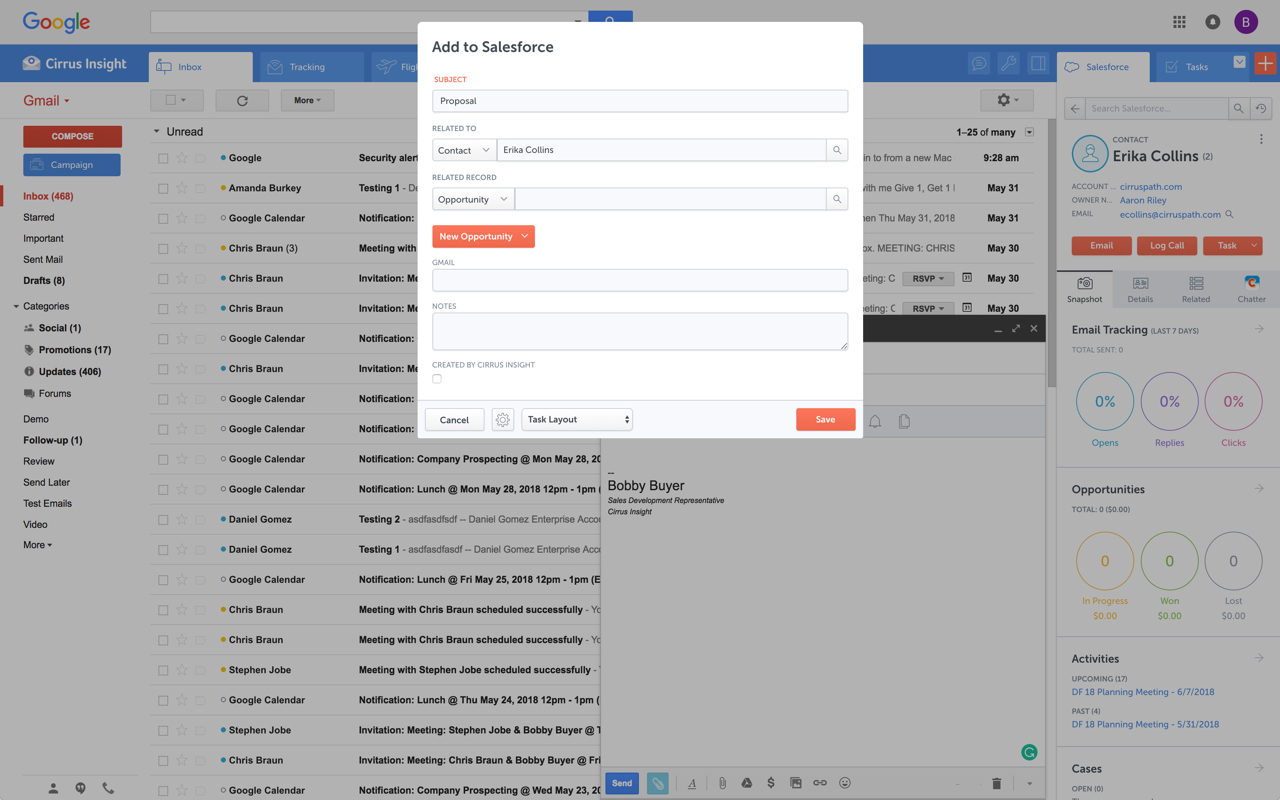
Cirrus Insight integrates Salesforce with Gmail, Google Calendar, and Google Contacts. Instantly View Contextual Salesforce Information in Your Inbox. Save Emails & Attachments to Salesforce with a Click. Sync Your Google & Salesforce Calendars. Create & Edit Salesforce Records on the Fly. Customize Your Salesforce Workflow in Gmail. Add Google Contacts to Salesforce. Salesforce Tasks Integration. Salesforce Templates Integrated with Gmail.
$27
per user/month
Modus
Score 8.0 out of 10
N/A
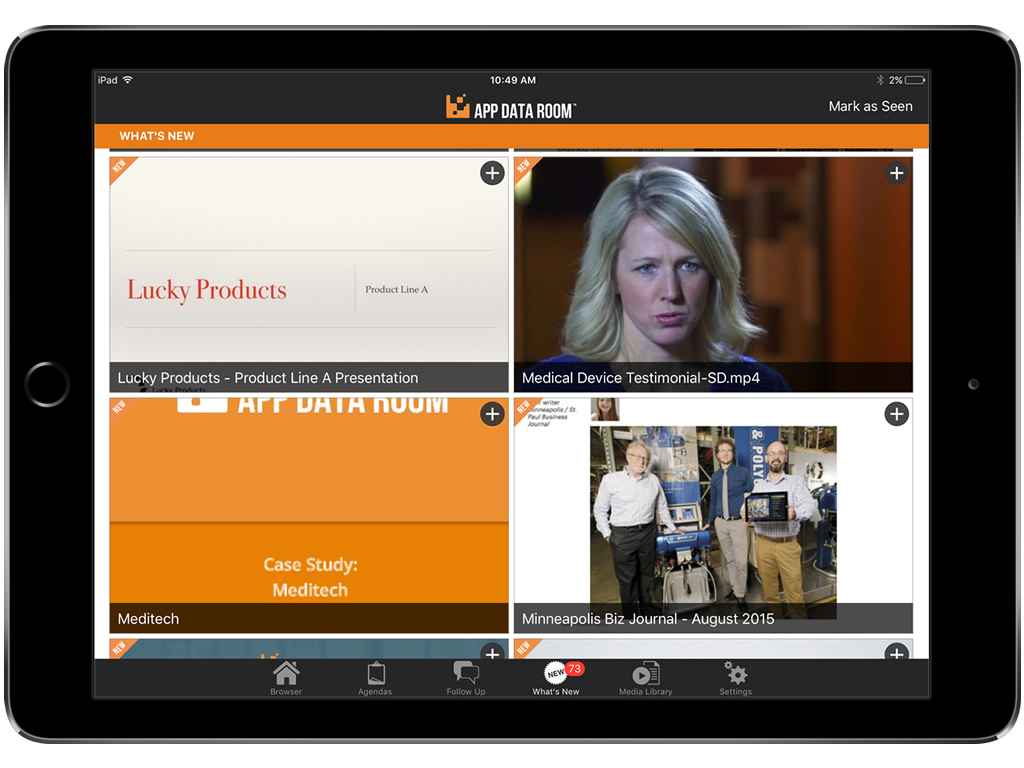
Modus (formerly App Data Room) is designed to drive sales success, by helping customers create and distribute content for the most critical moments of their sales process. The vendor boasts more than 120,000 sales and marketing professionals are using Modus to conduct 250,000 Critical Customer Conversations every day.
N/A
Pricing
Cirrus Insight
Modus
Editions & Modules
Starter
$27
per user/month
Closer
$45
per user/month
Rainmaker
$72
per user/month
No answers on this topic
Offerings
Pricing Offerings
Cirrus Insight
Modus
Free Trial
Yes
Yes
Free/Freemium Version
No
No
Premium Consulting/Integration Services
No
No
Entry-level Setup Fee
$500 per installation
Optional
Additional Details
Pricing based on annual billing.
The off-the-shelf version starts at $45 per user per month. Whitelabel, integrations, enterprise pricing and authentication packages available on request.
For someone who uses both Gmail and Salesforce as part of their main role, this software is an invaluable connector for them both. Some of the features are also not Salesforce specific - such as the Meeting Scheduler, which has proved invaluable to me, and I would recommend to any Gmail user who frequently set up meetings (either internally or externally).
ADR is a great interactive tool for B2B businesses that sales deals one-on-one with the customer. I don't think it would be well suited for B2C businesses because of the need and cost for individual licenses per user. I would highly recommend this tool to B2B companies that practice traditional sales with a technological edge.
Log email to Salesforce. You click one button and it logs for you. This is easier than adding the BCC email address that Salesforce provides as a way to log email.
Track views and engagement on these emails. It's nice to know if the email was opened and if links were clicked.
Update quick fields in Salesforce directly from their inbox using Cirrus. This prevented reps from needing to click into Salesforce, wait for it to load, then update fields like the phone number or name.
If the rep did need to open Salesforce, Cirrus provides a quick button to navigate to the Lead/Contact/Opportunity page quickly.
Content Mangement System - Our Marcom department is able to maintain and update the app in real-time and push updates directly to our team without going to an outside vendor. The CMS has a great UI/UX and is easy to use and maintain.
What's New Feature - Our sales team can easily see every time we make additions or updates.
3D capabilities - the ability to use animation image sequences on the app really impresses our customers.
It is the best google to salesforce integration on the market. support is incredibly responsive and very helpful. They are constantly adding new features, and the current feature set is well beyond anything else that is currently offered in the market
App Data Room has been instrumental in allowing our sale representatives to present up-to-date and innovative marketing collateral to potential customers. A second value add is that our Marketing Department is able to create and upload the most current material to the app so that our sales representatives have access to the most up-to-date information to present to our customers.
Very easy to use. Everything opens in a familiar interface right inside the google apps sidebar. It brings in salesforce records, so as long as you know google apps / gmail and salesforce you'll be all set. It's point and click.
Overall, the App Data Room product is easy to use. Our Marketing Department is able to quickly upload updated and new material once they create the documents. Users are able to quickly find material filed by subject matter. Once the appropriate material is located, it can be presented on their iPad and emailed to prospective customers who indicate interest in the products.
The few support requests that we have submitted have been resolved within 2 business days. The App Data Room staff has also been responsive to suggestions from our staff to upgrade the product - specifically in the area of analytics.
The plugin is installed inside your internet browser as an extension/add-on. It can be found in most add on stores and is easy to install. Usually just a few clicks. It handles authorization for you once you sign in, and then takes care of all the rest. It couldn't be easier to get working right out of the box. You're up in running in less than 5 minutes.
No, key insights. Implementation was easy. The App Data Room staff hosted initial training sessions for our support personnel, and then these support persons conducted training and support sessions for our users.
Yesware regularly sent me alerts that my emails had been opened by someone who I hadn't sent them to, from locations they couldn't possibly have been. I also don't recall its Salesforce activity logging working as smoothly, though I last used Yesware more than 12 months ago so my memory isn't as fresh as it could be
We've used custom developed tools in the past but the upfront cost is very high and the solution we had was very costly to update. We did not have a CMS previously so real-time updates were unheard of. App Data Room has all of the features we previously had plus so much more.