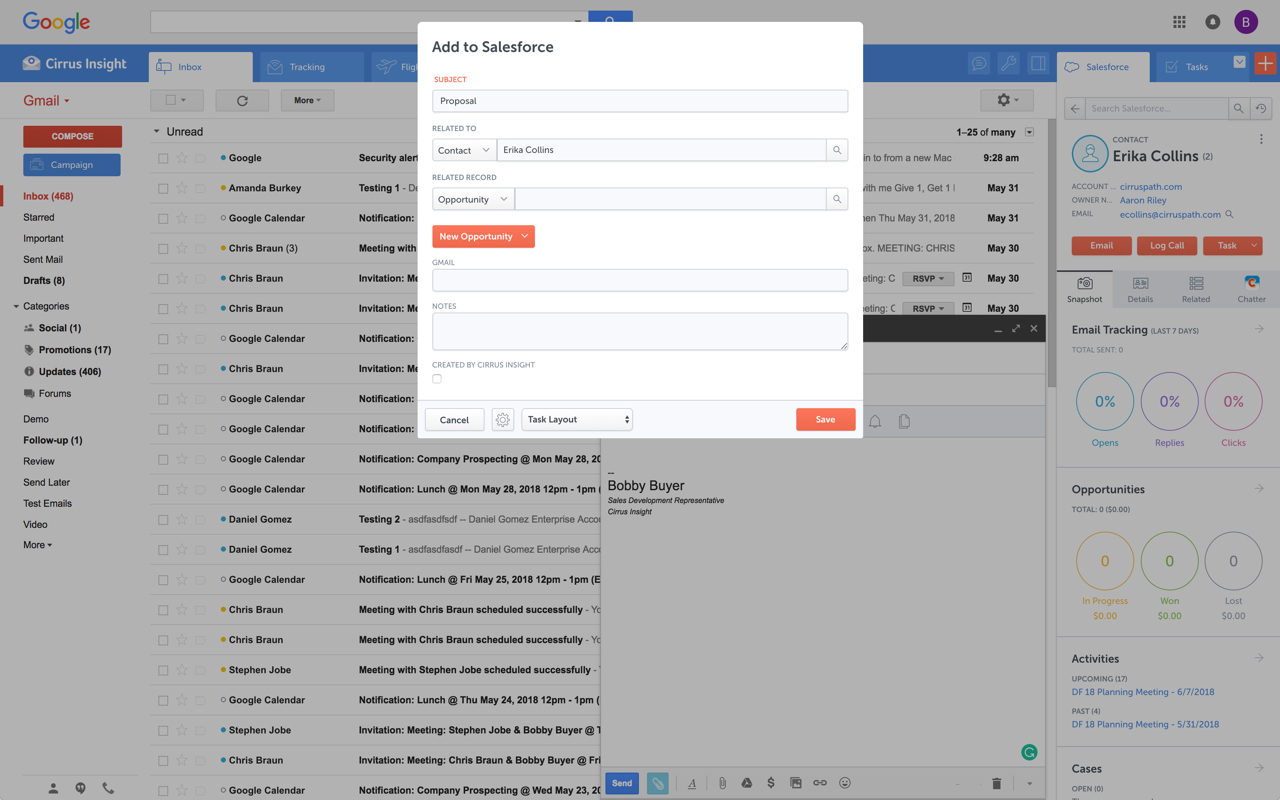
Cirrus Insight integrates Salesforce with Gmail, Google Calendar, and Google Contacts. Instantly View Contextual Salesforce Information in Your Inbox. Save Emails & Attachments to Salesforce with a Click. Sync Your Google & Salesforce Calendars. Create & Edit Salesforce Records on the Fly. Customize Your Salesforce Workflow in Gmail. Add Google Contacts to Salesforce. Salesforce Tasks Integration. Salesforce Templates Integrated with Gmail.
$27
per user/month
Seismic Content
Score 8.5 out of 10
Enterprise companies (1,001+ employees)
Seismic is a recognized leader in sales and marketing enablement. The vendor's value proposition is that their solution equips global sales teams with the knowledge, messaging, and automatically personalized content proven to be the most effective for any buyer interaction. Additionally, the vendor says powerful content intelligence and analytics enable marketers to prove and improve their impact on the bottom line, revealing what is really driving revenue and what needs to be…
We used Cirrus Insights for a period of time and then switched to Salesforce Inbox because Salesforce Inbox was included in our Salesforce license which made the change easier to do since there was no financial impact of making the switch. We didn't spend very much time …
We use Outreach to drive campaigns now. We've been successful with it for several reasons: 1- Our business operations team knows it and is able to coach us on how to use it 2- We use it across several departments (Marketing, SDE team, AE team, Customer Success - though we may be …
Yesware regularly sent me alerts that my emails had been opened by someone who I hadn't sent them to, from locations they couldn't possibly have been. I also don't recall its Salesforce activity logging working as smoothly, though I last used Yesware more than 12 months ago so …
We were just using the free email to Salesforce option, which sends your email to an inbox within Salesforce. Then you are required to address it to the correct location. It's a two step process, so that was cumbersome. Or, some of my coworkers would drag the email onto their …
Cirrus Insight is a light-weight affordable tool that offers reasonable bang for your buck. However it does not have the reliability of other more enterprise-like platforms nor does it have the advanced features that are becoming of an email support tool - such as more advanced …
The decision was made at my current role before I was hired, but I made the decision in a previous role to personally pay for Cirrus Insight, as I found it that valuable. This was after my entire sales team did a trial of Yesware, which I found to be a bit clunky and not as …
While I really liked Toutapp's social integration, it left a lot to be desired with the SFDC integration, which was a higher priority for me. It does what both Boomerang and Yesware do IMO for my purposes in one, easy to use app that doesn't dominate my screen.
Appirio was already being used by our organization. We'd also tried using various email connectors.
Seismic Content
Verified User
Anonymous
Chose Seismic Content
Highspot was used at a different organization and seems to me to be superior in user interface, tracking metrics, and efficiency. Seismic was purchased for our current organization with no solution previously in place. In my experience, Seismic lacks features for guiding and …
Seismic is very similar to high spot but it a bit more user friendly and intuitive. Guru would be great for a small company who just needs to organize assets. But Seismic is the best option if you also utilize their ai capabilities which heavily impacts search in a positive way
Seismic is the go to platform for content creation, sharing, and collaboration between customers and colleagues. It's saves you time having to look for information when it's a tool with everything in one unified place. We don't have to ask anyone else for slides, brochures, …
Seismic is much more high level compared to the free tools as far as features. Competitors likely just house files whereas Seismic does this along with a lot more. In my opinion, also has a cleaner layout.
Both Highspot and Seismic are great tools. They each provide an extensive library that can be easily customized based on the rep/team/deal cycle stage etc. Seismic has a much cleaner look and feel. As a rep, I felt it was much easier to navigate the tool and organize my content …
The ease of use with Seismic versus Confluence is night and day! Confluence is not a very user-friendly program and what you can find is basically by luck. In Seismic it is accessible to everyone that has the permission to view whatever it is they are trying to view or follow …
Seismic is very similar to most content management systems and integrates less easily than the Salesforce CMS (not surprising), but it is more powerful than Salesforce CMS and Highspot. Highspot is less refined and less user-friendly than Seismic but I feel it also has more …
I honestly, personally, haven't looked into other options very much besides Google Drive. I think for this purpose, Seismic does a better job because it holds everything we need without having to share files or give people access. It is just a site where we all have a log-in …
Seismic is designed for salespeople - whereas Adobe Experience Manager (Assets and Sites) were both designed for Marketing teams to use. I think Seismic is more valuable for customer interactions than Adobe Experience Manager because it allows you to measure the amount of time …
We used to use Callidus Cloud, but honestly nobody was utilizing the platform, nor were we using it to the most potential. Seismic allowed for us to customize and have partner licenses.
Seismic and Hubspot were the top two finalists and ultimately we chose Seismic because its integration with Dynamics CRM was already ready to go. Hubspot was working on their integration but we knew from experience how difficult working with Microsoft could be, so we went with …
Prior to Seismic, we used SAVO. SAVO's user interface wasn't as visually pleasing as Seismic's, but we found it much easier to edit/update our master content within SAVO.
Sales Enablement Programs and Communications Manager
Chose Seismic Content
Seismic is very similar to Showpad and Highspot and I'm sure they are great products too. What we were really impressed by was their ability to speak to our requirements and helped us build a strong business case for implementing this platform. We felt confident moving forward …
Seismic is our first sales enablement tool and we didn't really research others. They hit the ball out of the park with their initial presentation and we didn't look back.
For someone who uses both Gmail and Salesforce as part of their main role, this software is an invaluable connector for them both. Some of the features are also not Salesforce specific - such as the Meeting Scheduler, which has proved invaluable to me, and I would recommend to any Gmail user who frequently set up meetings (either internally or externally).
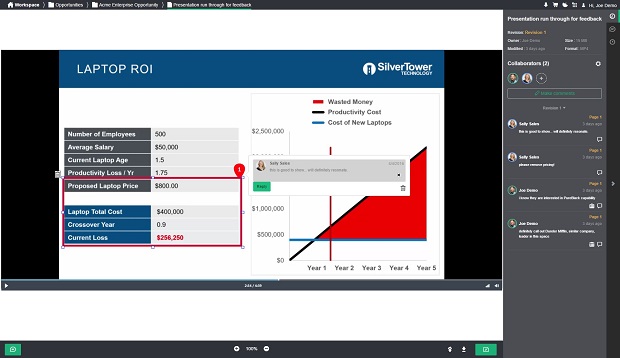
It is excellent for a cloud-based workspace between you and your customers. I find the chat feature to be a cool and underutilized tool. I appreciate how you can consolidate all your information on one page, rather than having multiple attachments. Easy to clone DSRs (Digital Sales Rooms), which saves a significant amount of time. Especially when all you have to do is make minor changes between customers.
Log email to Salesforce. You click one button and it logs for you. This is easier than adding the BCC email address that Salesforce provides as a way to log email.
Track views and engagement on these emails. It's nice to know if the email was opened and if links were clicked.
Update quick fields in Salesforce directly from their inbox using Cirrus. This prevented reps from needing to click into Salesforce, wait for it to load, then update fields like the phone number or name.
If the rep did need to open Salesforce, Cirrus provides a quick button to navigate to the Lead/Contact/Opportunity page quickly.
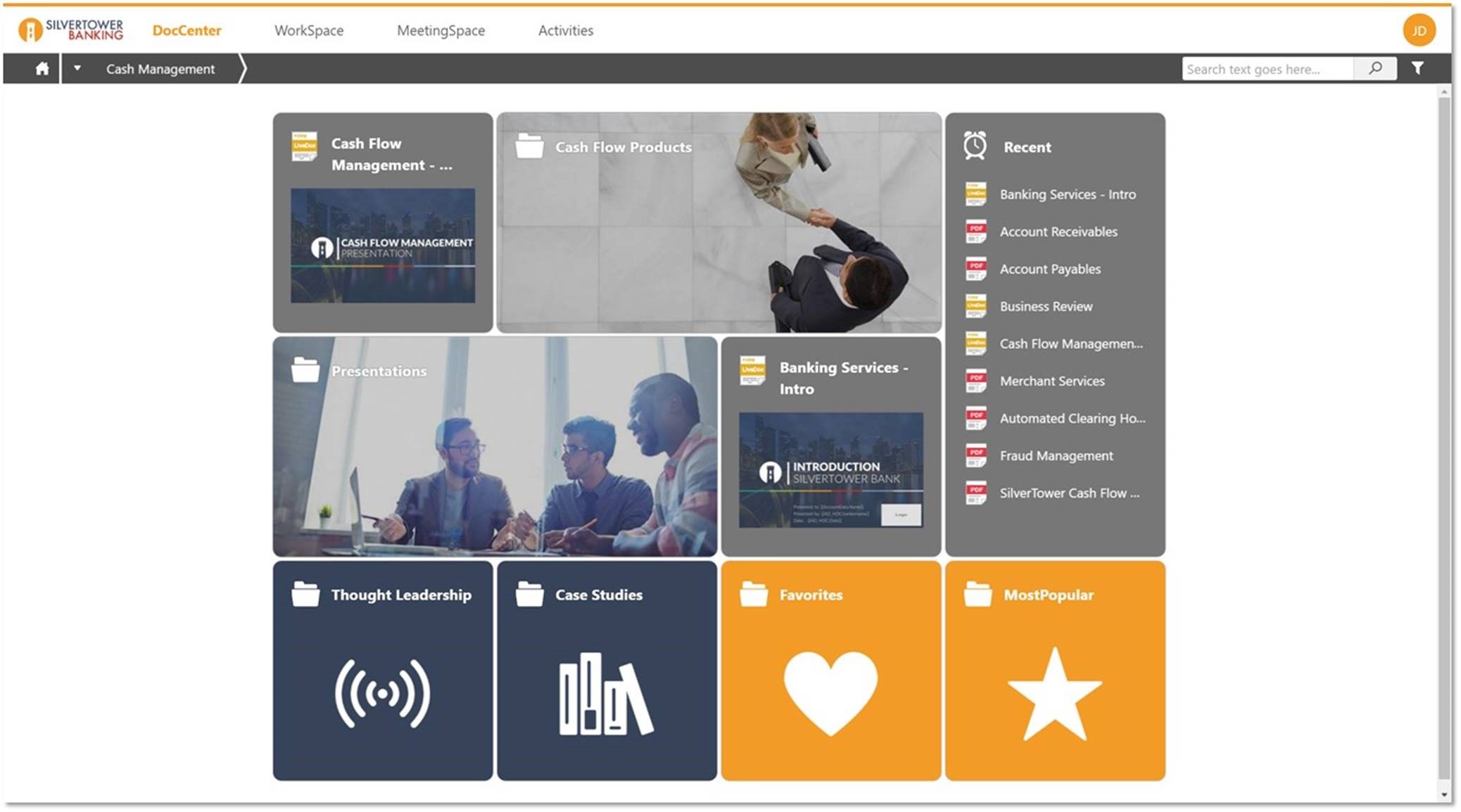
Seismic allows for one location to store all relevant content so that associates are not having to spend as much time searching for what they need.
Seismic provides the ability to fully customize content such that one template can serve many needs with the simple ability to answer questions that drive the customization in the content. This customization can range from simple to quite complex depending on your level of expertise with the tool.
Seismic provides a lot of flexibility when it comes to organizing your content and how to make the experience of accessing that content unique to the needs of each user in the system.
There have been a few times where issues with a server leads to a slow user experience or users are unable to use the platform for a small period of time. Bringing these to a minimum would greatly enhance the user experience.
It is the best google to salesforce integration on the market. support is incredibly responsive and very helpful. They are constantly adding new features, and the current feature set is well beyond anything else that is currently offered in the market
Very easy to use. Everything opens in a familiar interface right inside the google apps sidebar. It brings in salesforce records, so as long as you know google apps / gmail and salesforce you'll be all set. It's point and click.
Seismic is super easy to use and has so many different features and functionality to take advantage of. But being a company who utilizes Google platform a lot we have some issues with the api connections and integrations across the board. But all in all it is not a huge issue, I would just like to see them improve the integration more
I have never tried chatting/calling with Support for Seismic. However, from others that I have talked to that use Seismic in more of an administrative role, they have been easy to work with and are of great assistance. I think it's a good thing I've never needed to talk to support, as it means I haven't had any issues to this point.
The plugin is installed inside your internet browser as an extension/add-on. It can be found in most add on stores and is easy to install. Usually just a few clicks. It handles authorization for you once you sign in, and then takes care of all the rest. It couldn't be easier to get working right out of the box. You're up in running in less than 5 minutes.
Yesware regularly sent me alerts that my emails had been opened by someone who I hadn't sent them to, from locations they couldn't possibly have been. I also don't recall its Salesforce activity logging working as smoothly, though I last used Yesware more than 12 months ago so my memory isn't as fresh as it could be
Both Highspot and Seismic are great tools. They each provide an extensive library that can be easily customized based on the rep/team/deal cycle stage etc. Seismic has a much cleaner look and feel. As a rep, I felt it was much easier to navigate the tool and organize my content the way I wanted to. Highspot tended to feel cluttered and even overwhelming at times. Along with that, the AI and saved search feature ran smoother in Seismic. I could easily find the document or sales deck I was looking for, whereas in Highspot I felt I had to look around longer than I would have liked.
The bespoke resources we have created and implemented in Seismic have increased our reps efficiency and effectiveness and ultimately increased their confidence with our prospects.
Better time management as connecting different lines of businesses and/or functions like Marketing with Compliance allows for a smoother workflow and less time consumption.
Improved workflows as Seismic allows the distribution of resources either internally or externally quickly with links & PDF files directly into email correspondence or Slack messages.