Chose ClickUp
This is a test review

| Product | Rating | Most Used By | Product Summary | Starting Price |
|---|---|---|---|---|
 ClickUp | Small Businesses (1-50 employees) | ClickUp is an all-in-one productivity platform. It’s a hub where teams can come together to plan, organize, and collaborate on work using tasks, Docs, Chat, Goals, and Whiteboard. Customized with just a few clicks, ClickUp helps teams of all types and sizes deliver work more effectively, to boost productivity to new heights. ClickUp aims to make the world more productive by removing friction caused by using many different applications. The platform boasts millions… | $0 | |
 GanttPRO | N/A | GanttPRO is a project planning tool based on a Gantt chart approach. It visualizes all tasks along a timeline, and it supports resource management, collaboration within teams, and importing and exporting projects onto 3rd party programs. | $8.90 per user per month |
| ClickUp | GanttPRO | |||||||||||||||
|---|---|---|---|---|---|---|---|---|---|---|---|---|---|---|---|---|
| Editions & Modules |
|
| ||||||||||||||
| Offerings |
| |||||||||||||||
| Entry-level Setup Fee | No setup fee | No setup fee | ||||||||||||||
| Additional Details | — | — | ||||||||||||||
| More Pricing Information | ||||||||||||||||
| ClickUp | GanttPRO | |
|---|---|---|
| Considered Both Products |  ClickUp  Gastón Barcia Advisor Chose ClickUp I still use both. ClickUp is a little "bigger" and has some more tunning over details. When someone ask me about which to choose, my answer is "you must try them"... start using both and you'll find the best using them and asking users how they feel.  Victoria Piedade Manager of Corporate Services Chose ClickUp The big selling point of Notion is that it is completely customisable. I would say ClickUp is only slightly less customisable and because the framework and support is there in ClickUp, it is actually faster to onboard people too. ClickUp gives businesses a better foundation to …  Louis Venter Founder Chose ClickUp Access is great - but not a shareable cloud environment. Monday.com is a close second - CU pips them at the post at this stage. It does become difficult to switch so the choice of tool at the beginning is very very important. The continuous improvements in CU gives me a lot of …  Conor Engelbrecht System Manager Chose ClickUp Love how ClickUp allows tasks to be opened in their own little window, where you can then see additional info. Monday.com forced us to have every field visible as a column, which lead to really complicated and difficult to navigate boards. ClickUp's Lists are cleaner, more …  Paige Knickle Owner of Copper Cabbage Studios Chose ClickUp I walked away from so many other products that I tried primarily because I wanted to have a task and productivity tool that allowed me to re-envision my 'data' at the task level. I wanted to be able to have Gantt views and dashboard views and then dive in deeper with comments …  Ariana Nhu Le Project Manager Chose ClickUp - Data centralization - Fast and clean - Easy to manage  Kate Smoothy Director Chose ClickUp ClickUp's features were far superior in terms of what we could do for project management and flexible enough we could adjust it to our use case. We found Notion too basic and Monday.com too restrictive. ClickUp is the perfect blend of what we need and their new features often …  Lisa Wheatley Implementation Project Manager Chose ClickUp I did not make the decision to move to ClickUp, but I did provide feedback and hear feedback from our internal team about how ClickUp centralizes a lot of the company wides resources into one space. I feel that ClickUp provides more dynamic workflow building beyond Jira and …  Maque Mathison Project Manager Chose ClickUp ClickUp is definitely a marked improvement in just about every way from Redmine. UI, functionalities, usability- all of it has been a much better experience in ClickUp. As for JIRA and AirTable, I think ClickUp's overall layout and organization style trumps those sites by …  Lourens Swart Founder Chose ClickUp It has been probably around 4 years. A big part of the decision between monday and ClickUp (CU) when we decided on a platform was the pricing model of CU was more suitable. There has been massive updates since we started using CU. So not sure how it stacks up now |  GanttPRO  Nile Livingston Founder Chose GanttPRO TeamGantt is much better. TeamGantt has a beautiful, modern design. TeamGantt has better user interface. GanttPRO isn't human-centric.  Nicholas Naclerio Senior Business Developer Chose GanttPRO GanttPRO is just simple, easy and straightforward. It's one of the easiest programs to use as opposed to other gantt chart software. The interface is so easy to use. It is incomparable to other similar options.  Ralph Klein Guevarra PHP Developer Chose GanttPRO I think it doesn't have any competition right now as GanttPro is the best out there that I've personally used. If there are any, there is none that I know of. I also think that it will last long in this status and will surely last a long time holding the top 1 spot on my list.  Cassie Tucker Luge Crew Chose GanttPRO I chose GanttPro over Team Gantt as I was not able to get the layout I desired on Team Gantt. Once I had a bit of practice on GanttPro, I also found it slightly more user-friendly than Team Gantt, which helps a lot when you are new to this!  nurul zayanah zolkafli Website Developer Chose GanttPRO GanttPro is much easier to use.  Manoel Carvalho Gerente de TI Chose GanttPRO In addition to offering the same features of desktop tools. GanttPRO brings online features that allow us to collaborate. No complications regarding access.  Jessica Daniel Program Manager and Student Chose GanttPRO All of the other platforms I tried were too complex and were very confusing from the moment I logged in. It was unclear as to where you even start, or how the platform was set up. With GanttPRO, I was creating everything I needed for my school projects in moments.  Liudmila Vasilyeva Analyst Chose GanttPRO Out of all the options that provide Gantt charts I like GanttPro the best because it is very user-friendly and easy to navigate. |
| ClickUp | GanttPRO | ||||||||||||||||||||||||||||||||||||||||||
|---|---|---|---|---|---|---|---|---|---|---|---|---|---|---|---|---|---|---|---|---|---|---|---|---|---|---|---|---|---|---|---|---|---|---|---|---|---|---|---|---|---|---|---|
| Project Management |
| ||||||||||||||||||||||||||||||||||||||||||
| Professional Services Automation |
|
| ClickUp | GanttPRO | |
|---|---|---|
| Small Businesses |  Stackby Score 9.0 out of 10 | Stackby Score 9.0 out of 10 |
| Medium-sized Companies |  InEight Score 8.3 out of 10 | InEight Score 8.3 out of 10 |
| Enterprises | InEight Score 8.3 out of 10 | InEight Score 8.3 out of 10 |
| All Alternatives | View all alternatives | View all alternatives |
| ClickUp | GanttPRO | |
|---|---|---|
| Likelihood to Recommend | 8.6 (0 ratings) | 8.4 (0 ratings) |
| Likelihood to Renew | 7.3 (0 ratings) | - (0 ratings) |
| Usability | 7.8 (0 ratings) | 10.0 (0 ratings) |
| Availability | 9.5 (0 ratings) | - (0 ratings) |
| Performance | 8.0 (0 ratings) | - (0 ratings) |
| Support Rating | 9.4 (0 ratings) | 10.0 (0 ratings) |
| Online Training | 10.0 (0 ratings) | - (0 ratings) |
| Implementation Rating | 7.9 (0 ratings) | - (0 ratings) |
| Configurability | 8.0 (0 ratings) | - (0 ratings) |
| Ease of integration | 7.0 (0 ratings) | - (0 ratings) |
| Product Scalability | 8.9 (0 ratings) | - (0 ratings) |
| Vendor post-sale | 5.0 (0 ratings) | - (0 ratings) |
| Vendor pre-sale | 5.0 (0 ratings) | - (0 ratings) |
| ClickUp | GanttPRO | |
|---|---|---|
| Likelihood to Recommend |
Victoria Piedade Manager of Corporate Services |
|
| Pros |
Maque Mathison Project Manager |
 Clarissa Chong Student |
| Cons |
 Cathy Baillargeon Founder/CEO |
 Kevin McLaughlin Student Assistant |
| Likelihood to Renew |
| No answers on this topic |
| Usability |
|
|
| Reliability and Availability |
| No answers on this topic |
| Performance |
| No answers on this topic |
| Support Rating |
 Will Helliwell Assistant Head of Engineering |
Ralph Klein Guevarra PHP Developer |
| Online Training |
| No answers on this topic |
| Implementation Rating |
 Leon Prather II, CTS Manager, Digital Product Operations | No answers on this topic |
| Alternatives Considered |
 Holly Biondo Marketing & Communications Manager |
|
| Scalability |
| No answers on this topic |
| Return on Investment |
|
|
| ScreenShots | ClickUp Screenshots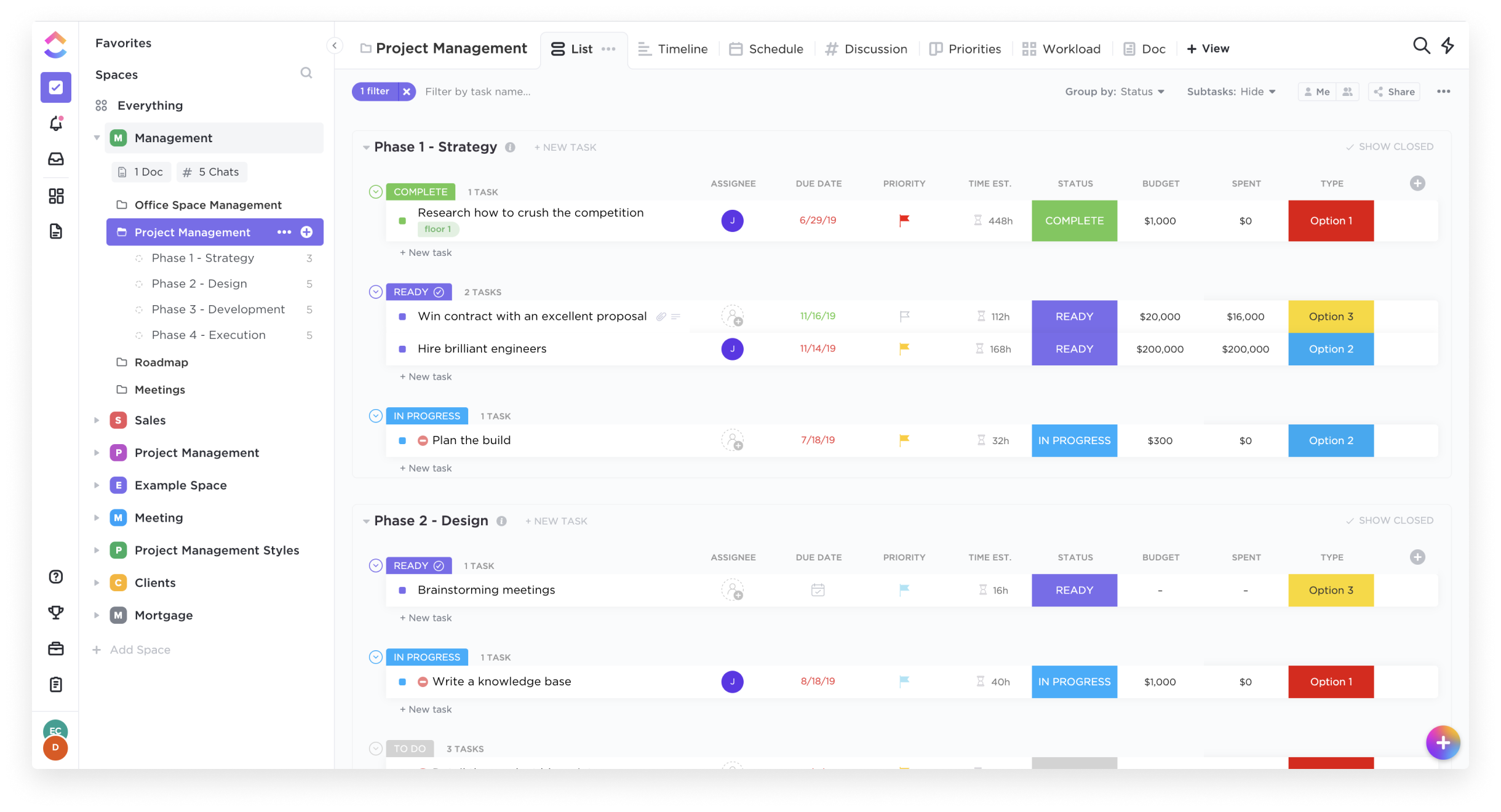    | GanttPRO Screenshots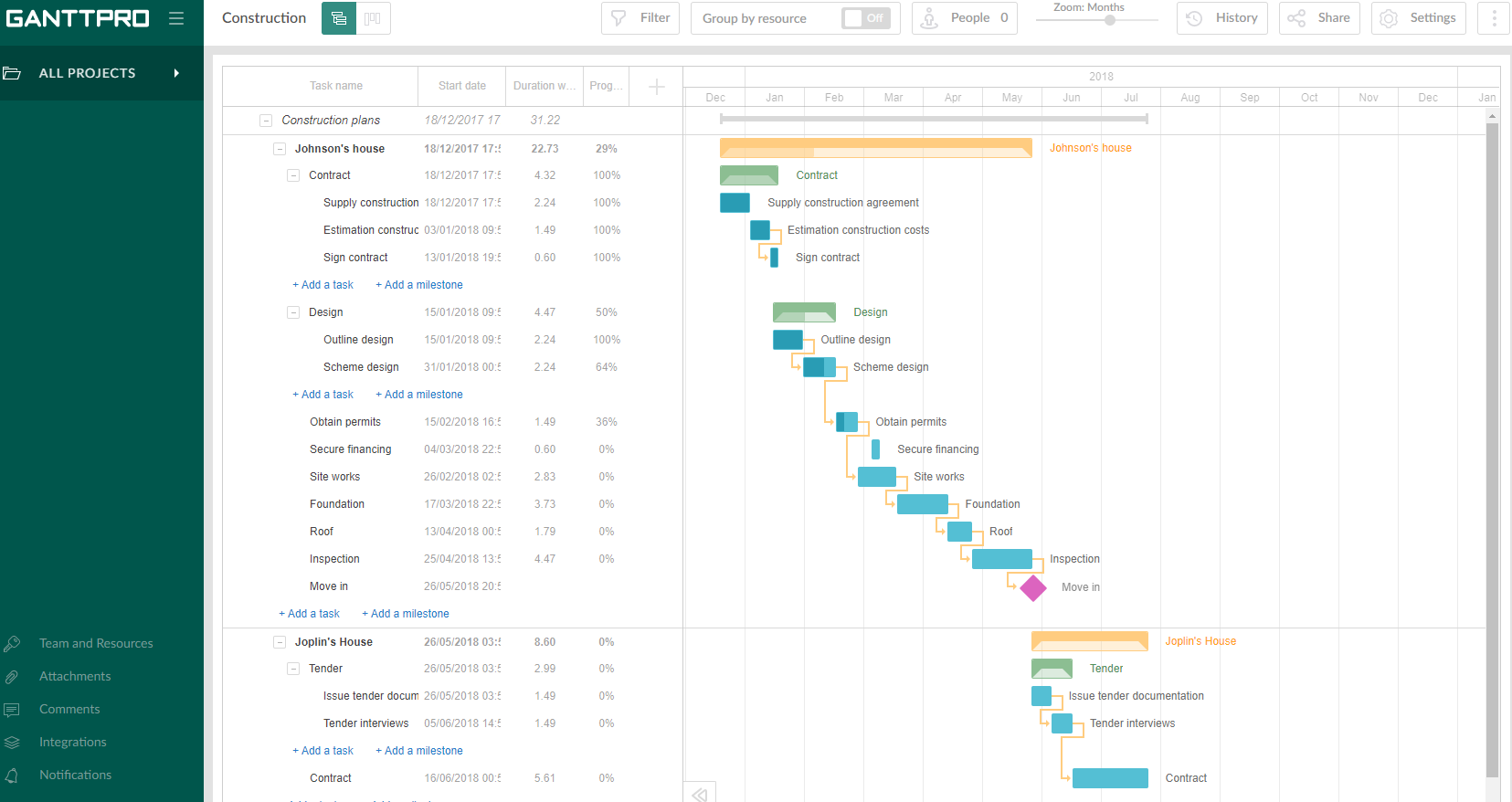  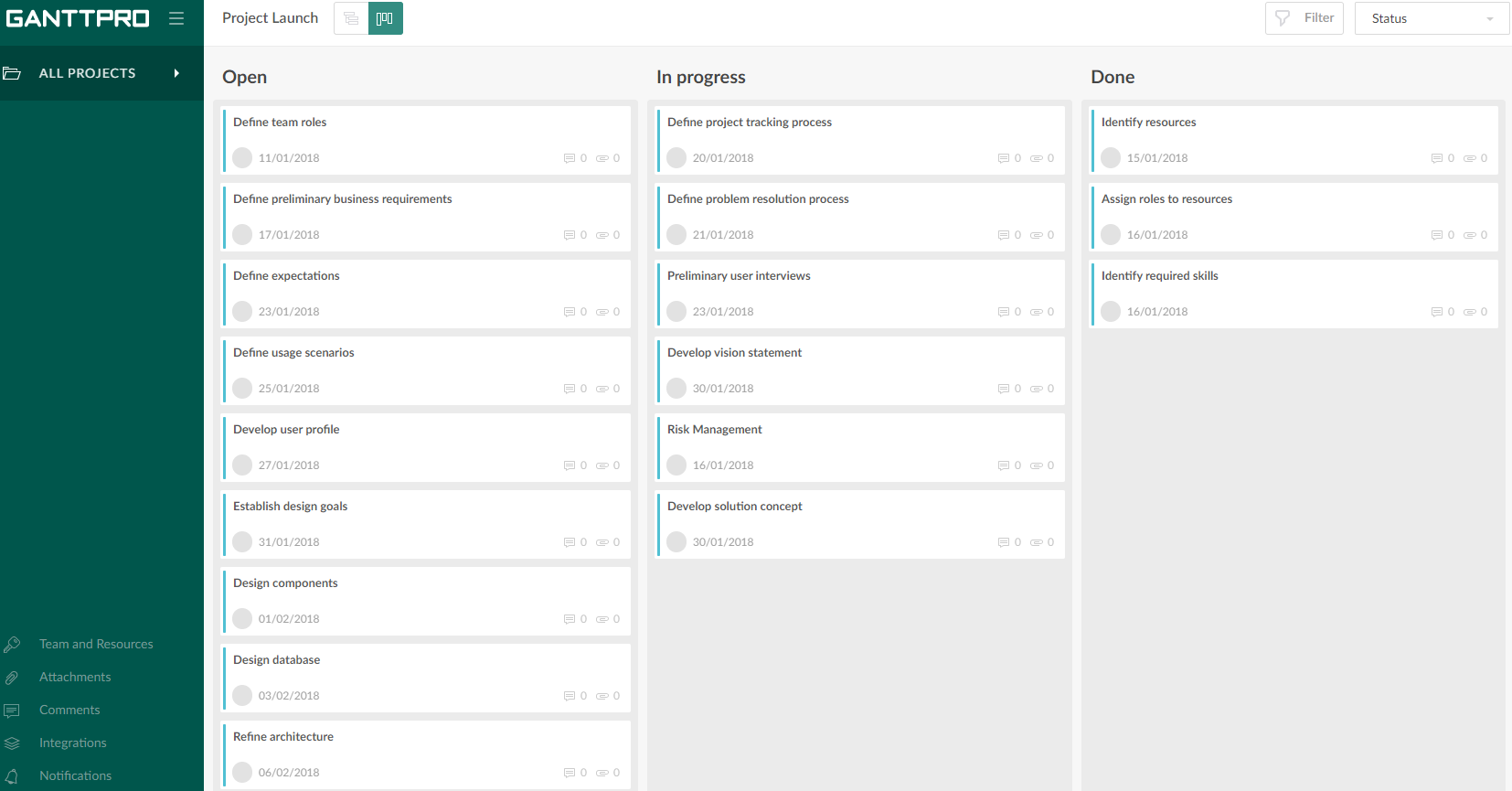  |