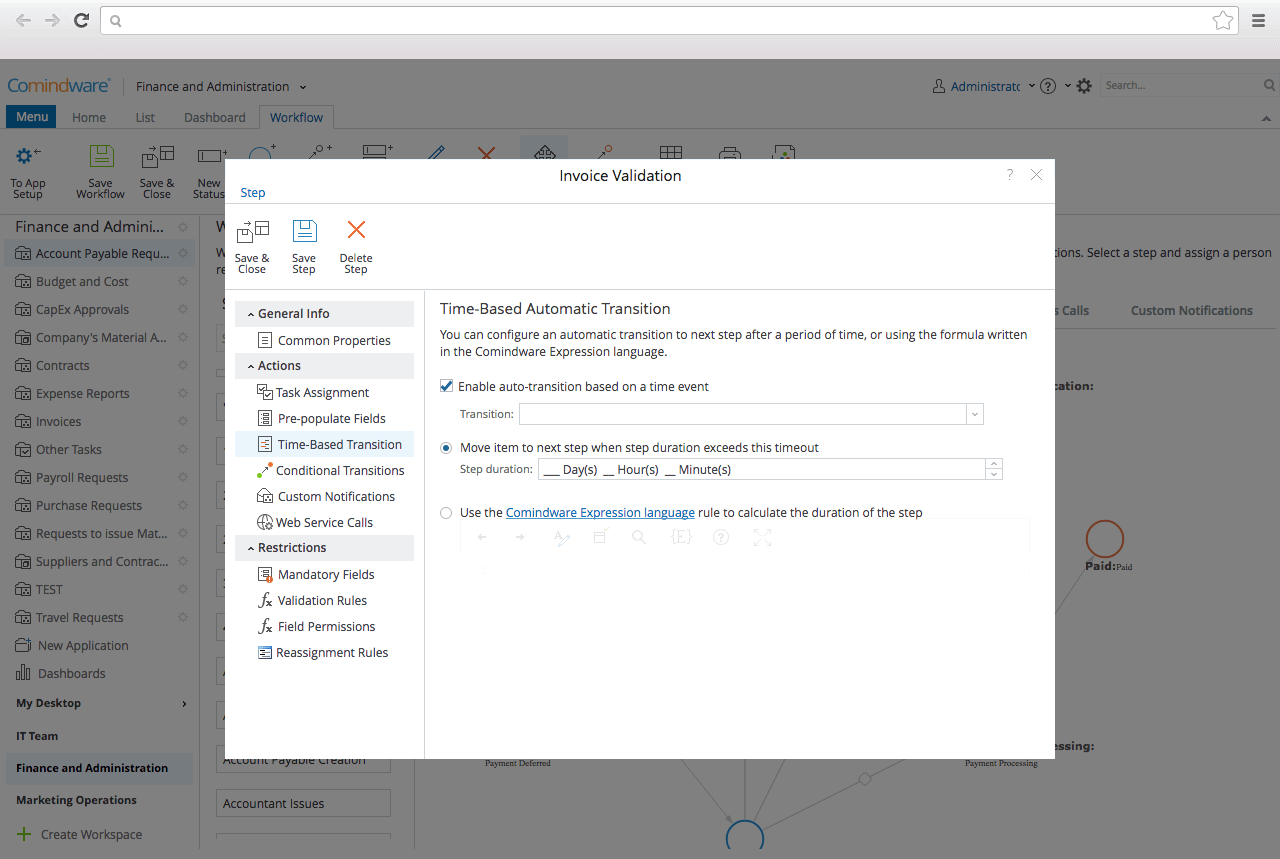
CMW Platform (formerly Comindware) is a business process management software centered on worklows to build automations. It implements a drag-and-drop interface along with Excel-style rules and forms.
N/A
Okta Workflows
Score 8.8 out of 10
N/A
Azuqua was a tool that helped users integrate their SaaS applications and build custom automations. It was acquired by Okta in late 2019, and is now part of Okta Workflows. Okta Workflows leverages Azuqua’s workflow orchestration engine and application integrations to automate complex identity-centric processes such as user onboarding and offboarding. The product is available as part of the Okta Lifecycle Management…
N/A
Pricing
CMW Platform
Okta Workflows
Editions & Modules
No answers on this topic
No answers on this topic
Offerings
Pricing Offerings
CMW Platform
Okta Workflows
Free Trial
Yes
No
Free/Freemium Version
No
No
Premium Consulting/Integration Services
No
No
Entry-level Setup Fee
Optional
Optional
Additional Details
Comindware Tracker is available for purchase on a per-user subscription plan.
—
More Pricing Information
Community Pulse
CMW Platform
Okta Workflows
Considered Both Products
CMW Platform
Verified User
Anonymous
Chose CMW Platform
CMW Platform is a better fit than Asana for more complex workflows. While Asana is great for simple task management, CMW Platform offers deeper customization, advanced automation and better tools for handling multi-department projects.
CMW platform is much better designed in terms of workflows and automation when compared to others and the integration is also seamless. Besides, we chose this tool also because of its scalability and the support they provided in trial which made our belief stronger in them. …
I've been the longest user of ZOHO until I switched to CMW. Zoho has a better customer support and is an inexpensive option. Rest of the functionalities are more or less the same.
Efficient use of platform unlike process maker that gets stuck. Excellent conditions of project, document, file management and sharing. Easy to use, access, editing, updating and able to share to everyone on the organization. The best part of CMW platform is the need to a tool …
CMW platform is a comprehensive work management system for larger organizations whereas Wordpress is primarily designed for web content management and may not be as robust in terms of features.The platform can scale to accomadate growing content demands. Compared to …
We are looking for the free tariffs for few days so that maximum organizations can utilise the services and understand the need of the same before final purchase or switch to Comindware tracker
Comindware Tracker is useful and can be accessed through a web
browser on iOS and Android devices, as well as Mac and Windows desktops. It is
necessary to create, implement and modify our workflows, as well as to automate
it's way better than notion because it make various teams collaborate on various with ease of use and with hands on more features that is actually usefull for business as it has a great and fully customizable user interface with availability for mobile platforms it's not that …
We implemented Comindware Tracker since it is easy to implement and has high security features. Additionally, it has electronic form design that doesn’t require IT environment involvement.
Error management. With the latest updates, many of my processes have been negatively impacted, generating communication errors, information flow errors, shipping errors, in short, errors.
Other software required dedicated IT personnel to set-up, implement and monitor it. But I was able to set up Comindware Tracker myself, without the need of much technical expertise.
I selected Comindware Tracker because it is very user friendly, and it can also be integrated with other applications. This software is very friendly and interesting in the creation of tables and templates.
Comindware Tracker has an advantage over other software because of its ability to create projects without any coding skills. It is also connected to the cloud, hence it stores all the projects online. Due to Comindware Tracker having templets it is easy to form a project.
We were looking for a platform that would allow us to facilitate the automation of processes and tasks, it was vitally important to manage the data more safely and reliably, thus reducing costs from the hiring of intermediate personnel in distribution and production chains. …
Comindware is an extremely competitive software as it is web-based and could be used even in the home office environment. Its simplicity and ease of use works as an advantage and makes it stand out among other alternatives. It is definitely worth considering for company …
I think Okta is so much more complete and FUB is more only sales oriented instead of Customer Service, with Okta you can call, chat, get in contact internally with other departments, and do different things to solve customer issue.
I evaluated Zapier and Microsoft Flow before coming across Azuqua. Zapier was too simplistic and didn't allow for transfer of enough variables. The price point also didn't work for the value it could provide. Microsoft Flow couldn't make the connection with Smartsheet, and I …
Stampley - on the surface they look similar, but I came across this alternative after integrating with Azuqua so I haven't fully evaluated it against Azuqua.
I have used Mulesoft, Workato, my own code and in past years heavyweight data (e.g. ETL) platforms along with a number of bus technologies. In this case, I was looking for the cloud-based approach that matches our strategy of being totally cloud-focused along with simpler …
Azuqua was the first application we assessed for our purposes, and served our needs so well that we felt no need to search further. It gave us the solutions we needed in a way that was easy to set up and maintain, and the support we received was above and beyond expectations, …
I had to use the Automate tool for funneling image assets in bulk (tens of thousands) from FTPs into various destinations on an eCommerce platform. The user interface was quite harsh in comparison to Azuqua. Far more text/code line driven.
Azuqua offered the most customization of the other platforms we tried. While it was comparably intuitive to use, in terms of entry level, Azuqua maintained this intuitiveness at higher levels of sophistication/integration whereas the other platforms either lacked the same logic …
Smartsheet notifications is the main competitor for what we use Azuqua for. When we got Azuqua, there was no competitor and Smartsheet actually recommended it as the solution. Now, we split up the work between the 2 tools and use Smartsheet for the easier notifications and …
Easy to build out complex if/then scenarios and fire of multiple other workflows within one workflow. Like the UI of seeing how data is being utilizes, ported, and manipulated across the workflows. Also like the workflow history for optimization as well as troubleshooting. Raw …
CMW has less integration capabilities, this is something that can definitely be improved in the future. On a side note, the MS Outlook integration option is excellent. The UI is decent for its purpose and the platform is well suited for a range of business requirements - customer order management, document tracking and approval management. You name it, they have it.
The integration I used Azuqua for was based on Salesforce, Wrike and Office 365. I found the integration of Salesforce reasonably straightforward, Wrike was limited in the "cards" capability but functional (there are bugs but there are also workarounds but they required assistance from the Azuqua support team) and Office 365 was quite immature (primarily around Excel bugs but also email was limited).
The best part about Azuqua is that you do not need to write code. You do however need to have an understanding of logic and how the software works. This happens to fit me perfectly as someone with basic programming experience.
Their Support is second to none. Not only are they extremely quick and responsive, but their answers are never canned responses and always provide valuable content.
They seem to take feedback seriously and will continue to evolve and make a better product.
I would like to see Comindware Tracker come in a free pricing tier.
I would like to see Comindware Tracker offer more granular roles to be assigned to workflow users.
I would like to see Comindware Tracker integrate with more ERP systems and to offer more import/export/migration capabilities from other workflow management systems.
I think it requires an easy way to migrate flows created from one user to then move the ownership to another user. It happened to us that one of our engineers left the company and he had the Azuqua account and flows. It required quite some time, cases and telephone calls to do the migration to my account.
As I mentioned in my whole review that it is making opration smoother it's capabilities to automate repetitive tasks, reduce manual errors,and improve productivity.Its low code approach allows us to create business apps quickly and easily without requiring extensibe programming knowledge.although it has lots of positive points but there are some issues which is barrier to become perfect that's why I give 8
The system is working as it should, keeping our programs safe from outside hackers. Helping us keep our passwords safe, convenient and already ready to get us logged into the program securely and quickly. Verification that only authorized users are able to access our company's programs. Okta Workflows (Azuqua) is a very good system that has helped our company greatly.
It's more of drag and drop functionality. It is quite easy to set up. Creation of form is very easy. Support Team of Comindware Tracker is good and very friendly. It is efficient in terms of task management, project management, team management, vendor/client tracking.
Other than trying Comindware Tracker it is newer to me, I have used Adobe software multiple times and are familiar with their products. I won't stack Comindware Tracker against them because they both are amazing. I like using Comindware tracker because it is easy to use and is great for me, it helps optimize and maintain my workflows.
I evaluated Zapier and Microsoft Flow before coming across Azuqua. Zapier was too simplistic and didn't allow for transfer of enough variables. The price point also didn't work for the value it could provide. Microsoft Flow couldn't make the connection with Smartsheet, and I was unable to get Microsoft support or Smartsheet support to assist me with the issue.
Increased time savings. We could not function as a matter of daily business if we did not have a tool to automate project folders (and complementary workflow management profiles) for the thousands of projects that flow through daily.
Opens up a greater understanding of all the silos and divisions within the company infrastructure and tests secure means to link those groups safely and share information.
Opens up the chance to communicate with other API information sources if our company is doing a partnership with another organization. Granted everything is square with IT security.