Chose Conga Composer
I've used PandaDoc before; it is nowhere near as good as Conga Composer in terms of usability and end-user experience. Conga is much more valuable and business-oriented.

| Product | Rating | Most Used By | Product Summary | Starting Price |
|---|---|---|---|---|
 Conga Composer | N/A | Conga Composer is a document generation and automation tool designed to simplify and streamline the process of creating and distributing customized documents, presentations, and reports. | N/A | |
 Genebra Quality Management | N/A | Genebra is a document management software, entirely developed based on ISO 9001 Standard. According to the vendor, key features and business benefits include: OPTIMIZING INFORMATION MANAGEMENT • Simplifies the creation, approval and document review. • Maintains quality document history. • Alerts you about document changes and deadline expiration dates. • Unifies the Documented Information: eliminates scattered documents and ensures greater control… | N/A |
| Conga Composer | Genebra Quality Management | |||||||||||||||
|---|---|---|---|---|---|---|---|---|---|---|---|---|---|---|---|---|
| Editions & Modules | No answers on this topic | No answers on this topic | ||||||||||||||
| Offerings |
| |||||||||||||||
| Entry-level Setup Fee | Optional | No setup fee | ||||||||||||||
| Additional Details | — | Genebra Quality costs $10 per user, offering a 30-day free trial. | ||||||||||||||
| More Pricing Information | ||||||||||||||||
| Conga Composer | Genebra Quality Management | |
|---|---|---|
| Considered Both Products |  Conga Composer  Camden Pankratz Sr Salesforce Admin & Developer Chose Conga Composer Fluix and Salesforce CMS  Sofia Fernandez Regional Sales Manager Chose Conga Composer Not as good.  Kelly Michael Skelton Salesforce Administrator Chose Conga Composer CPQ is more customizable and native to Salesforce, but it's extremely difficult to set up and maintain. The Conga Composer configuration is much simpler and quicker to implement.  Angelique Goins Software Solutions Consultant Chose Conga Composer I just wish that Docusign and Conga Document Generation could work together after the quote is generated to send out for signature.  Harrison Pershing Salesforce Admin Chose Conga Composer I haven't used or evaluated other products before. |  Genebra Quality Management No answer on this topic |
| Conga Composer | Genebra Quality Management | |
|---|---|---|
| Small Businesses |  airSlate WorkFlow Score 7.5 out of 10 |  Square 9 Softworks Score 9.1 out of 10 |
| Medium-sized Companies |  Foxit PDF Editor Score 8.6 out of 10 |  MSB Docs Score 9.4 out of 10 |
| Enterprises |  DocuSign Score 8.3 out of 10 |  M‑Files Score 8.9 out of 10 |
| All Alternatives | View all alternatives | View all alternatives |
| Conga Composer | Genebra Quality Management | |
|---|---|---|
| Likelihood to Recommend | 9.7 (0 ratings) | - (0 ratings) |
| Likelihood to Renew | 8.9 (0 ratings) | - (0 ratings) |
| Usability | 7.5 (0 ratings) | - (0 ratings) |
| Availability | 3.6 (0 ratings) | - (0 ratings) |
| Performance | 3.6 (0 ratings) | - (0 ratings) |
| Support Rating | 5.5 (0 ratings) | - (0 ratings) |
| Implementation Rating | 3.7 (0 ratings) | - (0 ratings) |
| Configurability | 1.8 (0 ratings) | - (0 ratings) |
| Ease of integration | 2.7 (0 ratings) | - (0 ratings) |
| Product Scalability | 3.6 (0 ratings) | - (0 ratings) |
| Vendor post-sale | 1.8 (0 ratings) | - (0 ratings) |
| Vendor pre-sale | 3.3 (0 ratings) | - (0 ratings) |
| Conga Composer | Genebra Quality Management | |
|---|---|---|
| Likelihood to Recommend |
| No answers on this topic |
| Pros |
 Shubhank Shrivastava Support Analyst | No answers on this topic |
| Cons |
| No answers on this topic |
| Likelihood to Renew |
 Kyle Broderick Account Executive | No answers on this topic |
| Usability |
Harrison Pershing Salesforce Admin | No answers on this topic |
| Reliability and Availability |
| No answers on this topic |
| Performance |
 Robin Craigen President / CEO / Co-Founder | No answers on this topic |
| Support Rating |
| No answers on this topic |
| Implementation Rating |
| No answers on this topic |
| Alternatives Considered |
| No answers on this topic |
| Scalability |
| No answers on this topic |
| Return on Investment |
| No answers on this topic |
| ScreenShots | Conga Composer Screenshots 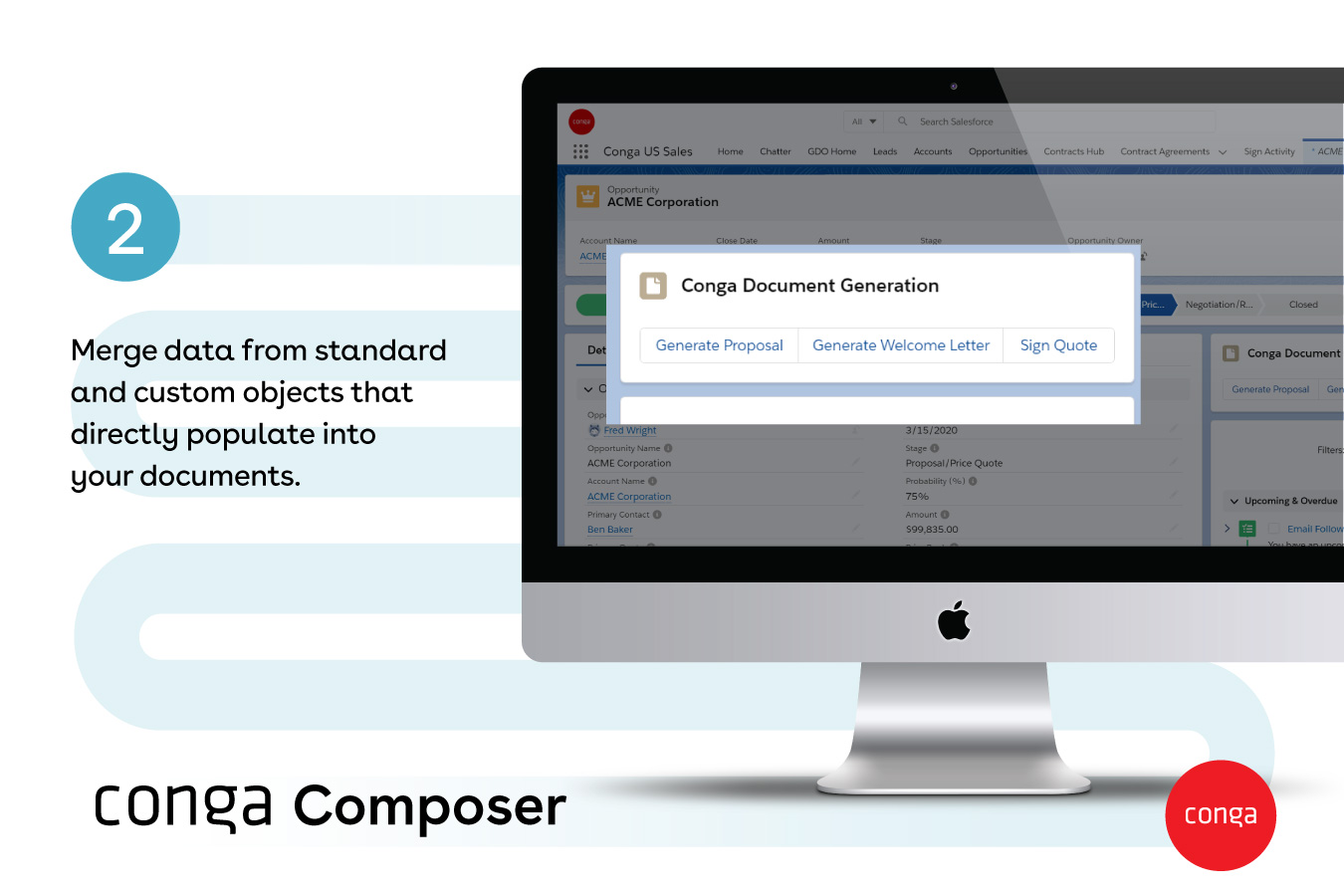  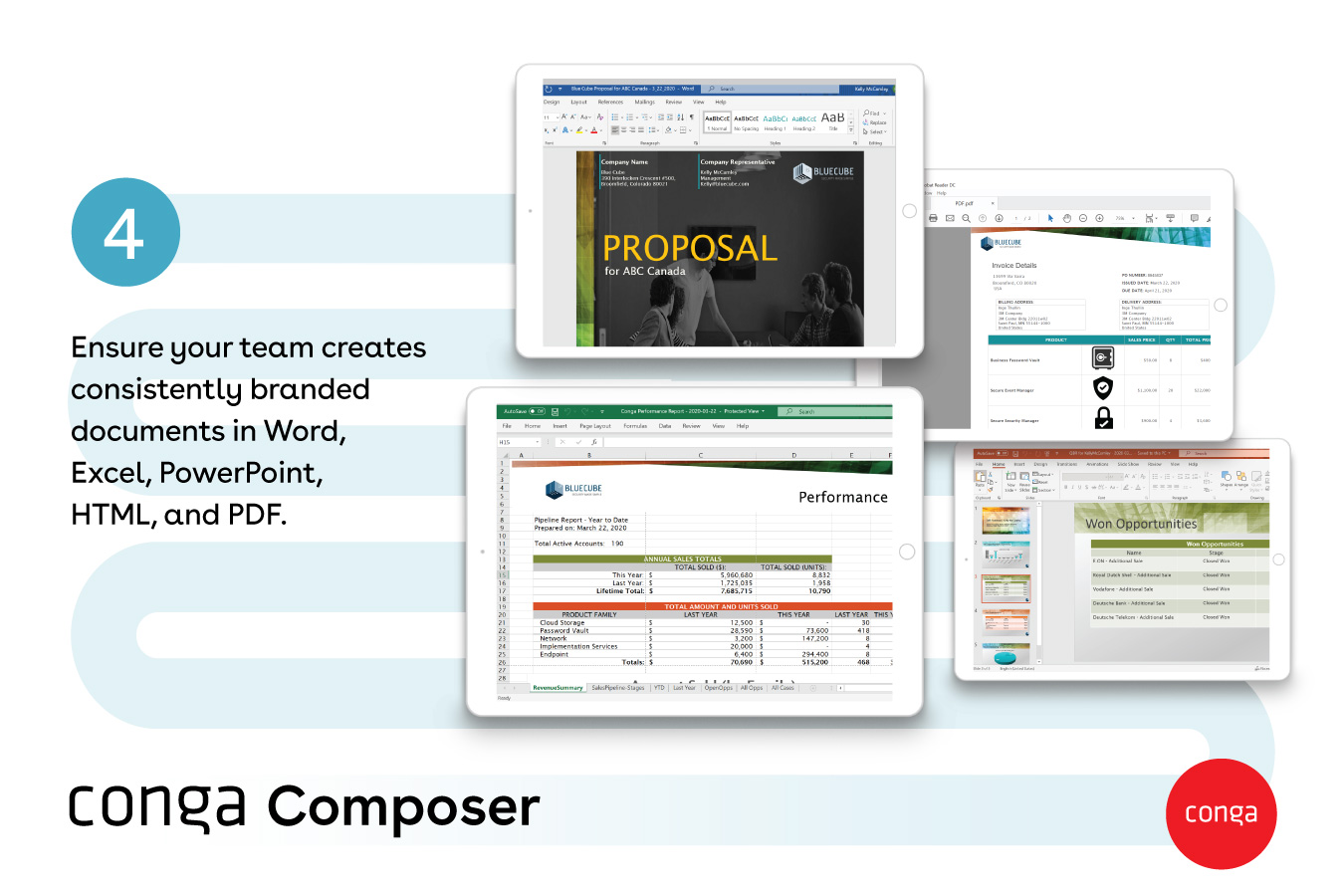   | Genebra Quality Management Screenshots   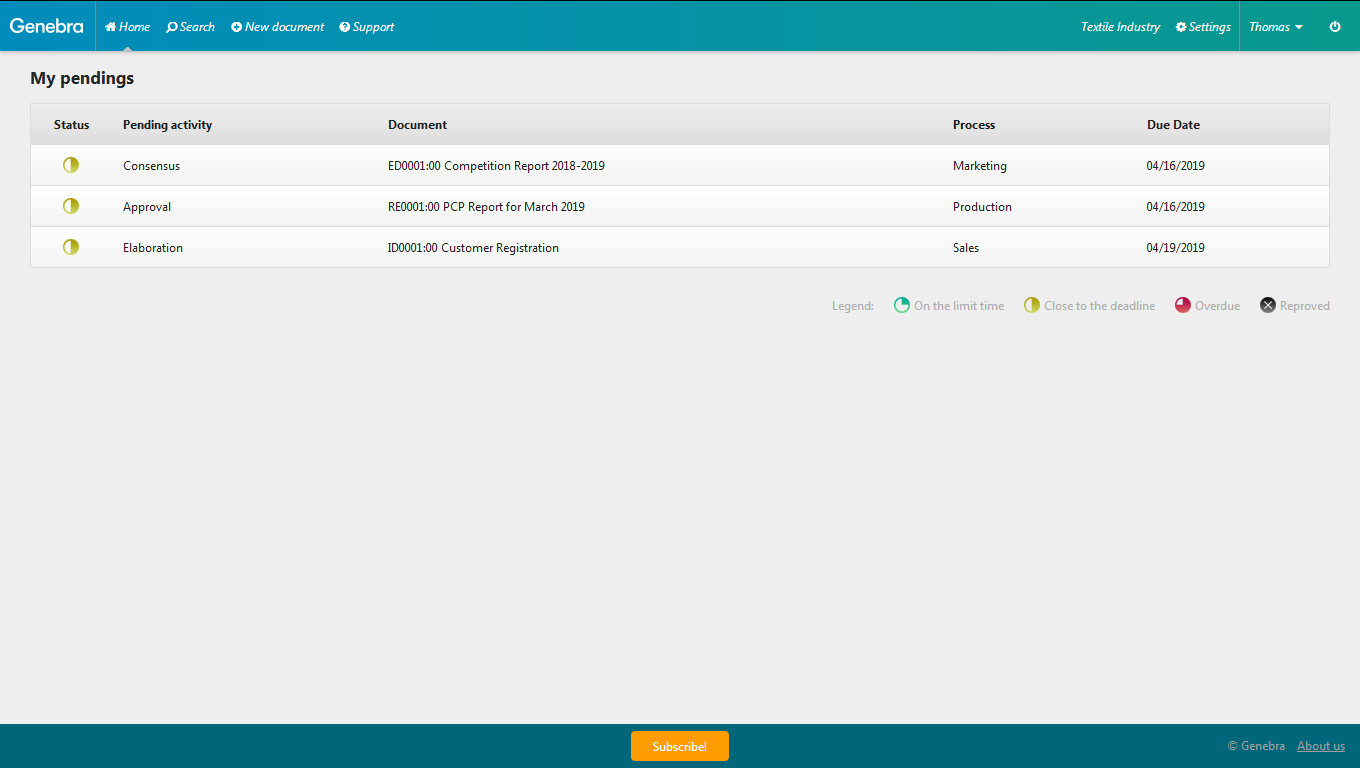  |