Copper is a customer relationship management (CRM) built as an integration into Google Apps.
$9
per month per user
Kustomer
Score 8.7 out of 10
N/A
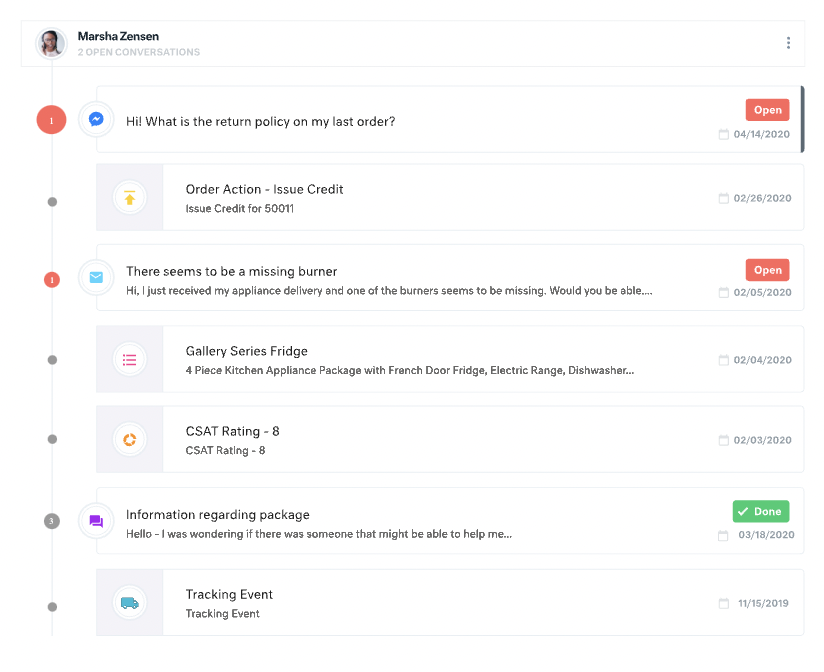
Kustomer is a customer service CRM platform built for managing high support volume by optimizing experiences throughout the customer service journey. Kustomer was acquired by Facebook in late 2020, but spun out in 2023 and re-launched as an independent entity, Kustomer, LLC.
$89
per month, per user
Pricing
Copper
Kustomer
Editions & Modules
Starter - Paid Annually
$9.00
per month per user
Basic - Paid Annually
$23.00
per month per user
Professional - Paid Annually
$59.00
per month per user
Business - Paid Annually
$99.00
per month per user
Enterprise
$89
per month, per user
Ultimate
$139
per month, per user
Offerings
Pricing Offerings
Copper
Kustomer
Free Trial
Yes
No
Free/Freemium Version
No
No
Premium Consulting/Integration Services
No
No
Entry-level Setup Fee
No setup fee
No setup fee
Additional Details
Up to 15% discount for annual pricing.
All plans require an annual subscription and 8 users minimum.
More Pricing Information
Community Pulse
Copper
Kustomer
Considered Both Products
Copper
Verified User
Anonymous
Chose Copper
It's the perfect bridge between advance for our needs, and simple for our team to actually use it, and learn it quickly.

Unlike Copper, I find Hubspot not as intuitive when it comes to their dashboard and customization. Copper offers much better value without having to pay for multiple add-on modules.
We outgrew pipedrive and moved into Copper. After about a few years our sales teams grew and we needed a global slution for all teams across the globe, hence, moved into Hubspot.
In all fairness, other CRM tools I have used were set up by a corporate IT person who knew much more than I do about programming. Therefore, those were easy to use and had the features I expected them to have. Whereas I, with minimal IT experience, set up Copper by myself. It …
We selected Copper over these other CRMs mainly because of its ability to integrate with Google Workspace. Members of our team have used Salesforce in the past and found it to be a nightmare to work with/on. Candidly, Copper doesn't fill all of our needs so we supplement that …
When I switched from being an employee to employer, one of my first tasks was to find a CRM that was suitable for me. Moving from Pipedrive to Copper was an easy decision. I only needed a place to store my contacts, have a great calendar, and be able to email directly from …
Copper is cheaper than Hubspot if you have a lower amount of users and still need advanced features. However, the TERRIBLE customer service and DECEPTIVE cancellation policy should make you think twice before trying to save a few bucks.
I selected Copper because of its interface with all things Google, specifically the sync feature for calendar and capture of email correspondence. It made sense to use Copper because our corporate communications is built on the Google platform. Bloomerang is an excellent tool …
More complete than SugarCRM by a long shot with reporting and ability to seamlessly integrate with ANYTHING at all. Less complicated than Salesforce Lightning from implementation and maintenance but Copper lacks deep customization ability and sheer size. Zoho CRM is a dying CRM …
Copper is right in the middle in terms of price when comparing other CRMs, which is actually pretty awesome because I've used about 10 other CRM's and I've never been happy until I started using Copper. Pipedrive was very competitively priced, but I couldn't stand the UI. …
I didn't have much authorization in the selection of Copper, however, I have looked into switching costs and leaving Copper due to their limited workflow automations. Hubspot and Salesforce look more robust and integrated with our other marketing tools.
Copper is simple and free, and we didn’t have a need for a more elaborate CRM that didn’t have event specific features. We do utilize a more specific marketing flow for drip campaigns but for basic email tracking for sales, Copper does what it needs to.
For my company, we chose Copper over Salesforce and HubSpot for a few reasons. First and foremost, G-Suite integration. This was one of the most attractive features we liked about Copper. The integration allows for seamless lead import, automated activity tracking and much …
ProsperWorks is just an amazing lightweight CRM. Unless you're a large organization that needs to build out crazy custom reporting and tools that integrate into your CRM, Prosperworks is the best bet. Instead of being an IT project that you need to get a bunch of other people …
ProsperWorks had the robust Google Apps integration, Forecasting, Roles/Permissions, and Opportunity Tracking and the price point was right for us. All of the other softwares we evaluated (except Salesforce) where missing one or more of the features. We didn't go with …
It is a very powerful tool to the level of Sugar and SalesForce. With its tight integration, as a Google product, it is seamless and really assists in managing communication with clients. While Zoho offers a great low-cost solution, ProsperWorks definitely hits the mark for …
We selected to test ProsperWorks and then switched back to Insightly because we had workflows set up and training created specific to Insightly. The cost for Prosperworks with fewer features than our current CRM made it easy to decide to switch back, at least for now. We might …
I find Sales Force to be way more complex than my needs. Sales Force is difficult to configure, It is expensive, and not user friendly. I currently use both products daily.
I find it baffling how little data can be stored or associated with a customer in many other systems, and how difficult that can be to set up. It is fine if you already have a robust CDP that you can hook up and use to power your CRM, but it is rare that an organization has the …
It has improved a lot of the training time needed for our new hires to understand the Kustomer interface and how to handle communications fully. The time invested went significantly down, and the learning curve improved a lot as well.
Apps like Intercom, Zendesk, and Gorgios all treat customer inquiries as tickets, just tracking that one issue or interaction with a customer. Kustomer treats each customer as an individual, which allows us to provide top-notch customer service. Customers love that we're able …
Kustomer is a great fit for our organization because we can cut down on multiple contacts from the same customer and see all their information in one place. It's also infinitely customizable, so if we need changes made we can make them while still using the same platform. This …
The UI of Kustomer is a lot cooler than what we are using before. There are a lot of features that Kustomer has that make things easier and more convenient than Desk.com.
I use both in my role with the company. Our social media channels are managed through Khoros, but we use Kustomer to notate and contact customers outside of social media. I'd much rather bring our social media channels into Kustomer, to help with efficiency.
Kustomer is far more intuitive, personal, and holistic than Zendesk. As a company who has a lot of interaction with a single customer, it is such an advantage to take the customer approach rather than a single ticket approach. Zendesk was very limited in a lot of the actions …
All other systems I have used have been internally-made programs that were a lot more basic order-taking systems, no notes or call functions outside of when order was placed. Doesn't really compare here.
Kustomer simply does more than any other platform I've been able to work with. Sure some others will give you a handful of neat tricks built in for managing a channel or two but those rarely offer any external integrative capacity or limit what you can do in connections. …
I was not personally involved in the decision-making process when selecting a new CRM and ultimately settling on Kustomer. That said, I'm happy with the decision to partner with them. Compared to our previous CRMs, it is much easier to work with everything in one place and we …
Moving from Zendesk to Kustomer was driven by the clarity that the customer timeline brings for advocate engagement alongside the custom workflow abilities.
Zendesk did not give a big picture of the customer. It was more of a ticketing platform, and only gave statistics of those conversations. We were unable to track customer sentiment, or other attributes of the customer.
Kustomer is far more scalable and flexible than Zendesk, and it provides a real omni-channel experience far from the "Zendesk for mails, Zendesk chat for chats" we were used to. On the automation and customisation features, it gets even clearer how Kustomer can deal with a lot …
Copper has helped me extensively keep track of not only my own but my company's workflow. With so many projects and quotes to track, it has become essential to keep me on task and not miss any of our goals. It has been a perfect fit with our specific workflow, but I don't think it has the customizability just yet to be a perfect fit for every company out there.
It works really well for you to ask a teammate to review a case/email/message and provide some input since you can all review the same conversations and client accounts. They can also cover your inbox using your email handle in case you are out of the office suing some well deserved PTO.
The Google integration and Chrome extension automatically tracks and updates prospect and lead activity in the CRM. Data entry is simplified.
Copper is a very user-friendly CRM with the ability to create custom fields, multiple pipelines, sales stages, etc. It is truly customizable and far less complex than other CRMs I have used in the past.
Copper makes it simple to add leads manually, through Gmail or using a template and uploading a large list.
Great support. We are very happy with our account management team and they strive to make sure we are getting the most out of the platform.
All customer data (past orders, communication with customer service, rewards account data) is in one place. This helps agents avoid confusion and reduces the number of tabs they need to open.
The Knowledge Base (or K Base) is very helpful. Any time we roll out a new policy or have a limited-time promotion, we can add all the relevant information and worksheets there for the convenience of the agents. That way they can stay in a chat while looking up the answer to a question.
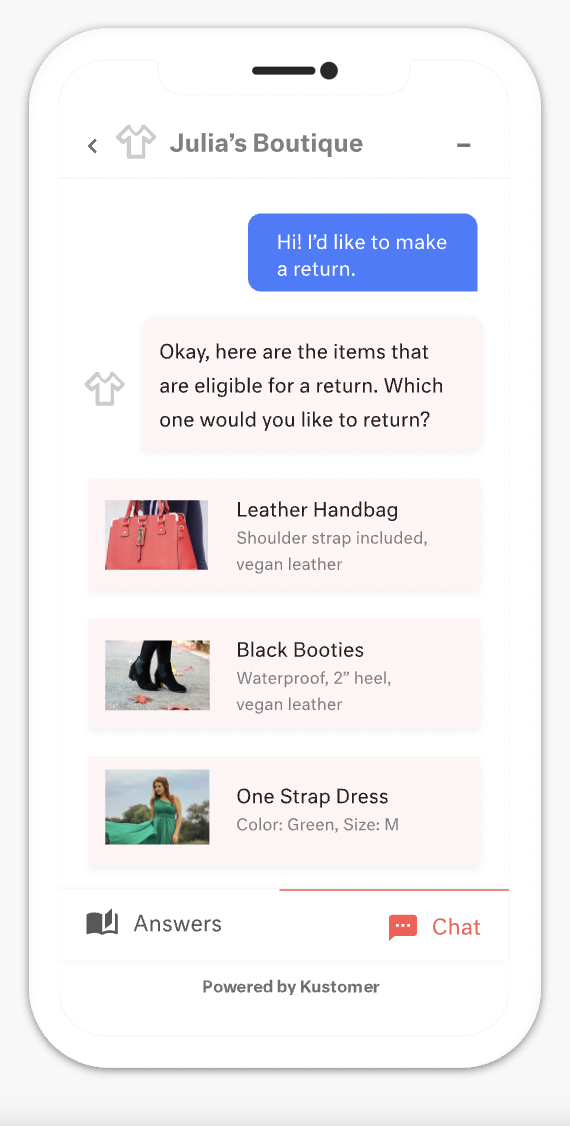
We can seamlessly move from chat into email if the customer leaves or the queue times are too long. All the interactions will stay on the customer profile page, so they are kept up to date.
Window change: for mobile - when you tap on a card from a pipeline it takes you to the lead’s basic info. I wish it would immediately just open all activities so I can quick see notes
I usually use Copper on the go. When you open the Copper app, it immediately opens a collab window. I wish it had some sort of easy dashboard….plus a notes area. I open Copper on mobile to quickly search for someone’s name or to take quick notes from a sales meeting
For our team, the feature that defaults all notes to begin in "done" status is difficult. Throughout each day we need to have notes open and assigned back and forth to different teams, and we have to remember to manually "open" each note. There is too much room for human error with this setting, and it is easy for important notes to be missed if a user forgets to open the note.
Similarly, it can be hard to remember to assign emails/notes to a particular team in addition to a user. We almost exclusively work out of team inboxes, and if someone on Care writes an email to a customer, the email will automatically be "done" when it is created, and it will be assigned to the user who wrote it, but not also to the user's team. There are instances where an email needs to be snoozed for several days/hours with further action needed, and unless the user remembers to assign the email to their team it may "awake" from the snooze and not be visible to anyone except the user who created it. Similarly to my first comment, this leaves a lot of room for human error and is not very intuitive.
Personally, I do not love that all tickets/emails/notes are jumbled together in the same inbox. While this gives visibility to everything on the "to do" list at the same time, it can be visually overwhelming. We have created unique folders for certain types of projects or categories of work, but have experienced tech glitches or just the awkwardness of another step to manually read the note, determine what type of category it is, and then manually assign it to another folder. Would love to have things auto-sort and take out this manual lift.
I love the idea of the autopilot setting, but we have not been able to use this for our work because it sorts items based on time, and not based on priority. In our line of work, we may have an urgent situation arise that needs attention before an email that was sent in 60 minutes ago. The autopilot feature would push the email to my associates sooner than it would the urgent situation from 5 minutes ago. Due to this, we manually monitor inboxes and assign work to ourselves and others.
I would rate Copper overall usability as a 10. It is easy to use. I am not extremely computer friendly so I needed to find something that would fit what I can do. Copper definitely fit the bill. I would highly recommend it to anyone of any level of computer knowledge.
There is a learning curve, but it is more than worth it, especially to have a dedicated resource pointed at Kustomer and any other software it interacts with. The basic implementation is useful, and powerful - certainly a MASSIVE upgrade over taking care of your customers in an email inbox or shuffling between multiple windows and applications! It is also set up really well to grow and reconfigure with your business. I'm a big fan.
It has been so far so good, they have been quick to respond to queries, and do follow up as well. But then again this is a work in progress and I guess they would not have a solution to every problem every posed to them right away. Hence I will refrain from making any judgments.
It’s a great tool that has helped our company and overall customer service. I believe if we were able to edit certain setting for our specific company that would be hopeful. We have been told before that certain desires of ours would make a change throughout all of Kustomer. Which is not something we would want, we would just want that to change for our business.
In all fairness, other CRM tools I have used were set up by a corporate IT person who knew much more than I do about programming. Therefore, those were easy to use and had the features I expected them to have. Whereas I, with minimal IT experience, set up Copper by myself. It works very well for what we do, so it is a very user-friendly program.
I find it baffling how little data can be stored or associated with a customer in many other systems, and how difficult that can be to set up. It is fine if you already have a robust CDP that you can hook up and use to power your CRM, but it is rare that an organization has the resources or the customer-focus to rally behind setting up their customer service/experience team up for success. With a platform like Kustomer, you can actually evolve the relationship over time, or use the past experiences (number of contacts, purchases, previous issues, etc.) to power your next steps with a customer, making for a much more nuanced relationship with a human, not just a ticket.
The ability to nurture abandoned prospects via Sequences has proven to be a great tool for our Business Development Team. Rather than leaving the nurturing to Marketing, the BD Team is able to play a more active role in reviving abandoned Opportunities with a higher potential for conversion to clients.
Probably the biggest positive impact Copper has had for our company is its ability to export to Sheets. As a financial services company, we live inside of spreadsheets and are constantly crunching numbers. Being able to pull important data out of Copper and into a tool like sheets has allowed us to create a robust series of charts and metrics enabling us to tweak our performance for the better.
The biggest negative impact Copper has had on our overall business might be in the inability to track interactions between members of our company that don't have Copper licenses. While we don't need every member of our company to use all of the features within the CRM platform, the lack of email tracking for all people within our company causes the interaction counts for prospects/clients to be skewed and not reflect the true count of total interactions.
We’re getting so much positive feedback — which is not something you traditionally associate with a customer care team — because we’re making it effortless for customers to deliver both positive and negative feedback, and we can now resolve the bad feedback really really quickly.
Primarily from our increased efficiency with Kustomer, we’ve seen a significant reduction of $3 to $4 for every cost per contact.