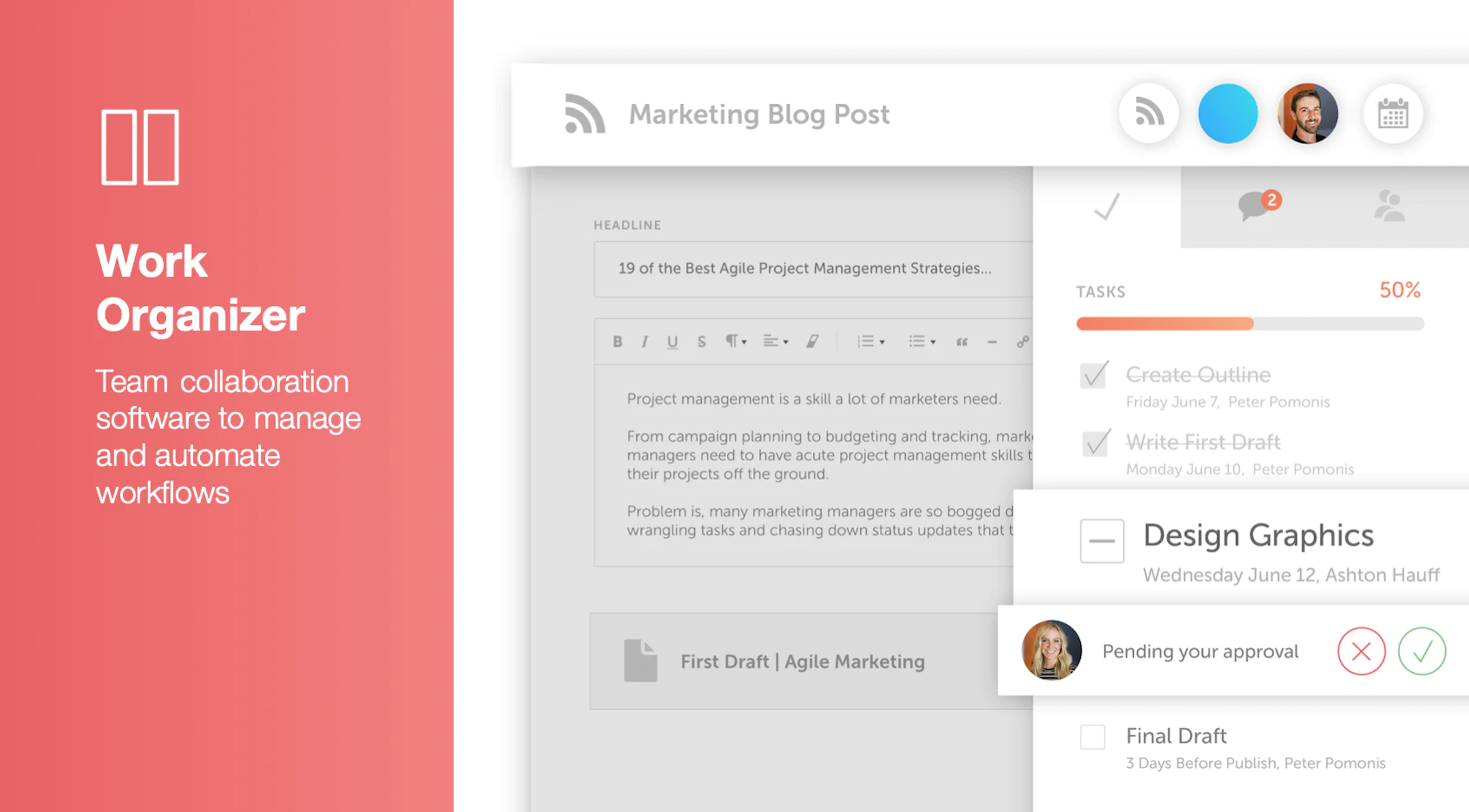
CoSchedule provides a content calendar, content optimization, and contentmarketing products, with users among 50,000 marketers worldwide, helping them organize their work, deliver projects on time, and prove marketing team value.
N/A
Salesforce Marketing Cloud Social Studio (discontinued)
Score 7.3 out of 10
N/A
Radian6 was acquired by Salesforce.com in 2011 and - along with Buddy Media - became Salesforce Social Studio. The product was retired in November of 2024.
$1,000
Per Org Per Month
Pricing
CoSchedule Marketing Suite
Salesforce Marketing Cloud Social Studio (discontinued)
Editions & Modules
No answers on this topic
Basic
$1,000.00
Per Org Per Month
Pro
$4,000.00
Per Org Per Month
Corporate
$12,000.00
Per Org Per Month
Enterprise
$40,000.00
Per Org Per Month
Offerings
Pricing Offerings
CoSchedule Marketing Suite
Salesforce Marketing Cloud Social Studio (discontinued)
Free Trial
No
No
Free/Freemium Version
Yes
No
Premium Consulting/Integration Services
No
No
Entry-level Setup Fee
No setup fee
No setup fee
Additional Details
—
—
More Pricing Information
Community Pulse
CoSchedule Marketing Suite
Salesforce Marketing Cloud Social Studio (discontinued)
Considered Both Products
CoSchedule Marketing Suite
Verified User
Anonymous
Chose CoSchedule Marketing Suite
Hootsuite has gotten soooooo expensive in relation to the functionality it provides. The value is just not there compared to when prices were lower for SMBs.
In contrast, CoSchedule Marketing Suite provides huge value for the price and the tiered pricing based on users, number …
CoSchedule is definitely a more powerful marketing tool than Loomly or Buffer, which are more dedicated to straight social media scheduling. I preview the calendar overview offered by CoSchedule, which makes it easy to see everything at a glance. PromoRepublic is similar but …
CoSchedule offers a lot more than some of its competitors, but you have to evaluate what your organization needs and doesn't need. For some organizations, they only need a content planner for social media, and CoSchedule might not be the best fit due to price compared to some …
CoSchedule provides collaborative planning of projects. The calendar view is very well designed. Meetings and tasks can be scheduled and tracked easily. Whatever is being done, no matter how big the task/project is, it gives a bird-eye view of everything. Additionally, it also …
After trying other social media scheduling tools, CoSchedule is my favorite. Like I said previously, it fills the gaps I've found in other tools. I feel more organized with CoSchedule and prefer their mobile app as well.
CoSchedule better supports the content creation and redistribution of content activities. The best thing was that you can get it all automated here, while other tools do not provide with support. I would say CoSchedule is one of the best tools for managing both content and …
Crescendo has some very powerful features such as a built in editor that provides a simpler editing suite than Wordpress, especially valuable for contributors. The fact that it has multiple levels of contributor/author/editor is a real plus. There is also a comments box that …
Chose Salesforce Marketing Cloud Social Studio (discontinued)
Radian6 is one of the popular social media monitoring tools, There are many features of the Radian6 that I can vote for over other tools. The important ones are the seamless Salesforce integration, The data presentation capabilities, Multiple profiles feature, keyword cloud. …
Chose Salesforce Marketing Cloud Social Studio (discontinued)
Given that Social Studio has 3 key functions, it appeals to three key audiences who may or may not be in the same team. Therefore it is a nice tool when considering uptake outside of one team within an organization. It is a simple and effective approach to fulfilling a number …
Chose Salesforce Marketing Cloud Social Studio (discontinued)
Being the most popular and advanced social media monitoring tool, it's scalable and covers a wide range list of social media platforms allowing you to connect with other cloud-based CRM systems like Salesforce. Social Media for brand monitoring requires a dedicated high-end and …
Chose Salesforce Marketing Cloud Social Studio (discontinued)
We chose to use Social Studio when it was still called Radian6, before the acquisition by Salesforce. The product was really realiable and full of features that, at that time, were suitable for our purposes. At the time there were practically no competitors for size and …
Chose Salesforce Marketing Cloud Social Studio (discontinued)
Social Studio is most comparable to Meltwater in that they both have very basic analytics capabilities, but pull in mass amounts of data. Crimson Hexagon, Sprinklr and Cision all have much more advanced social media analytics capabilities, although they are potentially more …
Chose Salesforce Marketing Cloud Social Studio (discontinued)
We do not make the decision for tools in most cases, however Social Studio does out-weigh all other tools on the Social Listening aspect. It is not just key-words the way most tools are. This also allows you to personalize the source, including magazines, forums etc web-wide. …
Chose Salesforce Marketing Cloud Social Studio (discontinued)
I liked Radian6 better on the basis of the information that it could report on. I liked seeing the Share of Voice and NUVI had trouble pulling the competitor and industry-wide information that we needed to show our share of voice. NUVI has a nice interface, but I think Radian6 …
Chose Salesforce Marketing Cloud Social Studio (discontinued)
Social studio is far superior to any other platforms I've used because everything is seamlessly integrated, the UI is amazing and the platform is user friendly. The ability to work in teams, in shared workspaces, with shared calendars, the ability to share content across …
Chose Salesforce Marketing Cloud Social Studio (discontinued)
We were using HooteSuite in the beginning as it was the only scheduling tool that worked for us, but since SS has include the scheduling, it has been our only social posting tool of use.
Chose Salesforce Marketing Cloud Social Studio (discontinued)
Radian6 offers the most comprehensive categorization while also covering the rest of what we need reasonably well. Every other tool I've evaluated has its strength, but Radian6 just ticks off more boxes across the board.
Chose Salesforce Marketing Cloud Social Studio (discontinued)
Compared to Radian6, I found Meltwater Buzz, Simply Measured, and Sprout Social to be much more user friendly. Meltwater Buzz and Radian6 are very similar products with many of the same functionalities but Buzz presents your analytics in a way that is much easier to understand. …
Chose Salesforce Marketing Cloud Social Studio (discontinued)
Personally, Radian6 is the lesser of evils. Every social monitoring engine seems to have it's weaknesses. Constantly being in the nuts and bolts of the data, as a team we are able to dissect the tool and focus on what the tool does well. IMO, the tool has the least number of …
Chose Salesforce Marketing Cloud Social Studio (discontinued)
Buddy Media was more simple to use vs. Virtue, when it came to a content management standpoint. Wildfire was our go-to content platform, until Buddy Media created a facet of managing online contests themselves and we chose to switch. Dachis' offering was a bunch of dirty data, …
Salesforce Marketing Cloud Social Studio (discontinued)
Likelihood to Recommend
CoSchedule does more than just content planning, it helps you organize your content, betters your content with headline analyzers, and allows you to organize your work and marketing calendars as well. If your organization is in a spot where you need a well-rounded tool to help with content, marketing, or even task organization, CoSchedule might be the right fit.
Social studio is well-suited for environments where multiple social media channels are being managed by more than one individual, allowing for shared access and collaboration. There's no reason it wouldn't work equally as well for an individual user without a team needing shared access.
The import Google Doc to WordPress functionality never worked successfully or reliably for me. So I just manually copy and paste Google Docs to the WordPress editor instead.
The social sharing counter was not that helpful, because it only counted Facebook and Google+. Who uses Google+ anymore? Plus, now they don't even show the social counter in the monthly calendar view. so you can't see the numbers without doing some extra digging.
In the monthly calendar view, some titles get cut off if they don't wrap cleanly in the day's box. So I would make it look cleaner instead of having words broken up by a hyphen.
The export or raw data can be tedious. Currently, the tool exports a 10,000 mention bulk CSV file. When dealing with larger brands like Nike, you are looking at well over 300K posts for a year. Parallel to this, is the lack of an exportable sample of data.
Each widget can only showcase 3 months worth of data. So creating a trend line of volume of mentions must be done in 3 separate widgets and requires the user to manually piece them together.
Though the tool consistently brings back the most volume, the data is not always clean. Within the data crawl, twitter user names are also scraped for your kewords, so going back to the above example, if your keyword is nike, and someone's twitter handle is @IhateNike, the post is often irrelevant to the brand.
Though I find the tool quite easy to use, new users often tell me that the tool is incredibly confusing and not an intuitive process.
Lack of Facebook posts, though this is a limitation of all social monitoring tools given the privacy settings of the social network
Lacking the ability to input Boolean Syntax limits the depth of the keyword queries.
Our company's contract with Radian6 was up in January and we came to the unanimous agreement that we would look for another software. For the 18 months we had Radian6, very few employees knew how to use it and we were ready to try something new
The interface is very intuitive, from setting up social profiles, to posting, to tags, to optimizing for best day/time to post. It's super easy to scan the aggregate analytics. The calendar is very easy to grok at a glance, and the more advanced functionality is intuitive to set up.
• Would rate this a 6. The User Interface is pretty intuitive, but the platform was still considered pretty intimidating by our non-technical staff when they first saw it. It took a while to get used to it and feel comfortable. There was quite a lot of setup work in the beginning (for example, we had to build our own reports using a canned report as a template, and this was not simple). Although it took a while to get it setup correctly, it’s quite intuitive once that work has been done.
I didn't have to use their official support, but I can say that they put out a lot of content online to help users. Their YouTube page has quite an array of tutorial videos explaining how things work and how to get the most out of their tools. If you're struggling, before picking up a phone or blasting off an email, try searching for your problem on YouTube or their forums.
As mentioned previously, it can be hard to get through to people who can help you. On occasion when I have spoken to customer service/tech support, they all seem nice and try to be helpful, however instead of admitting the system cannot do certain things, they will persist it saying that it can, which results in many wasted hours overall.
• We initially received dedicated online training for our team which was delivered by our account rep. This was pretty effective since it happened after our data had been loaded into the system and it had been configured for specific needs our organization. The training was perhaps a bit shallow though, as it was only an hour long. Online videos are available to be taken individually, and these have been useful.
Implementation was pretty simple. Just a matter of giving the account rep a list of our search terms and having him set the system up to pull the data we wanted to see. Once this had been done, we tweaked it with his help. Process was pretty smooth, although there was some back and forth until it worked the way we wanted.
CoSchedule is definitely a more powerful marketing tool than Loomly or Buffer, which are more dedicated to straight social media scheduling. I preview the calendar overview offered by CoSchedule, which makes it easy to see everything at a glance. PromoRepublic is similar but has the added Canva-type integration, which makes it more appealing to our clients who want to be able to easily put together their own images. CoSchedule is a bit pricy, which can be prohibitive for clients who don't pay in dollars.
Radian6 is one of the popular social media monitoring tools, There are many features of the Radian6 that I can vote for over other tools. The important ones are the seamless Salesforce integration, The data presentation capabilities, Multiple profiles feature, keyword cloud. Despite the fact that the license is costly, the features and the integrations(specially SFDC) provided are very handful and worth the money.
Monitoring social brand awareness is not something you can consider to have a meaninful impact in your business ROI short term, however it's a must for taking care of long term relationships and customer intimacy.
Radian6 connects with other analytical tools like webtrends, Google Analytics, etc..however it's not directly linked to a revenue driven platform, you can´t see the immediate ROI generated in the tool.
If you bet for social relationships you should consider this tool, no question on that. Social Commerce might be of course impacted postively by the proper use of this tool.