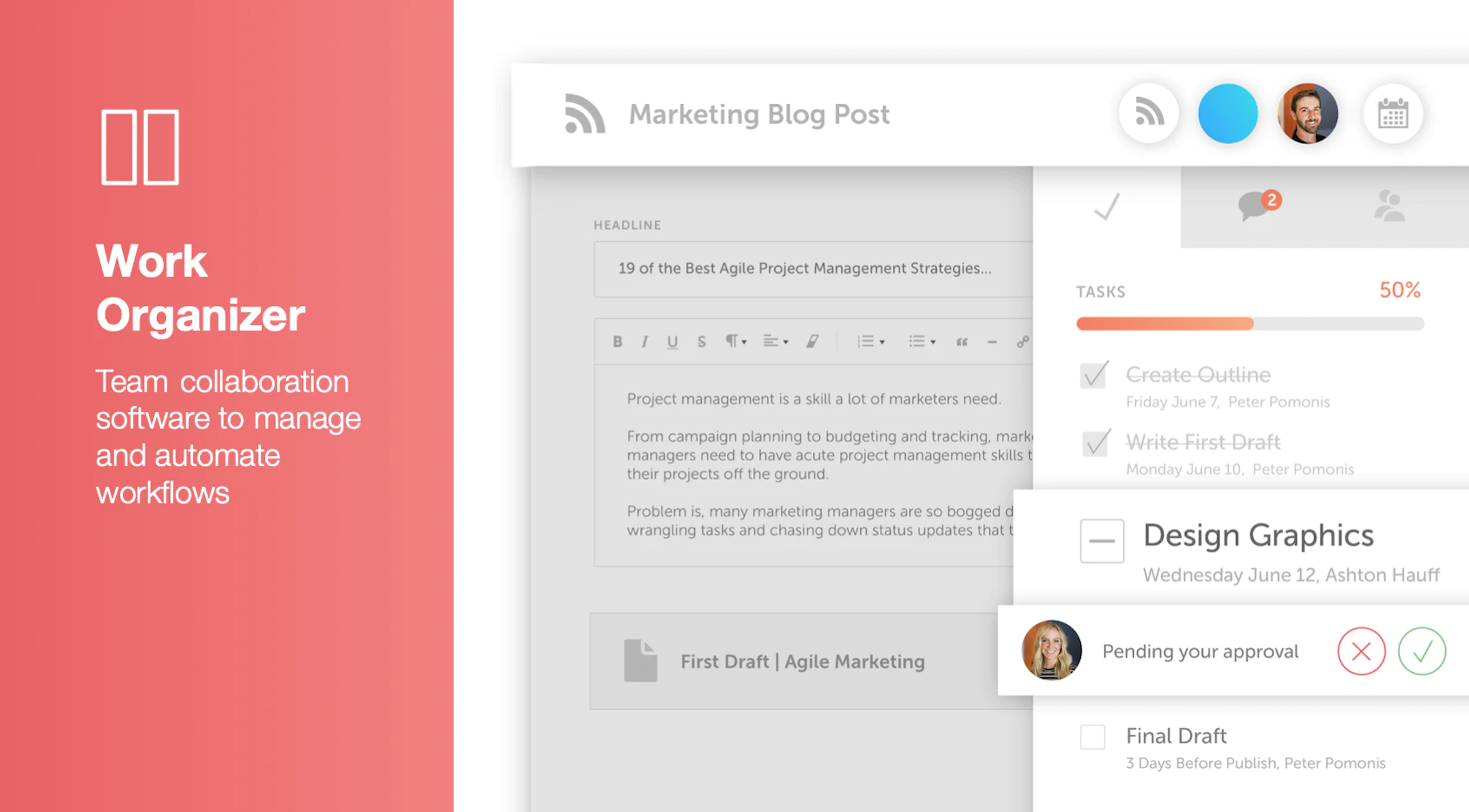
CoSchedule provides a content calendar, content optimization, and contentmarketing products, with users among 50,000 marketers worldwide, helping them organize their work, deliver projects on time, and prove marketing team value.
N/A
Zoho Calendar
Score 9.8 out of 10
N/A
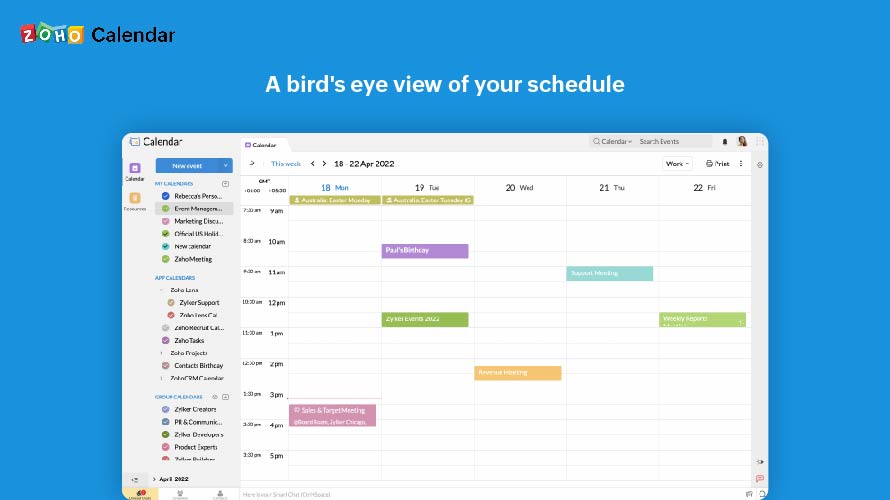
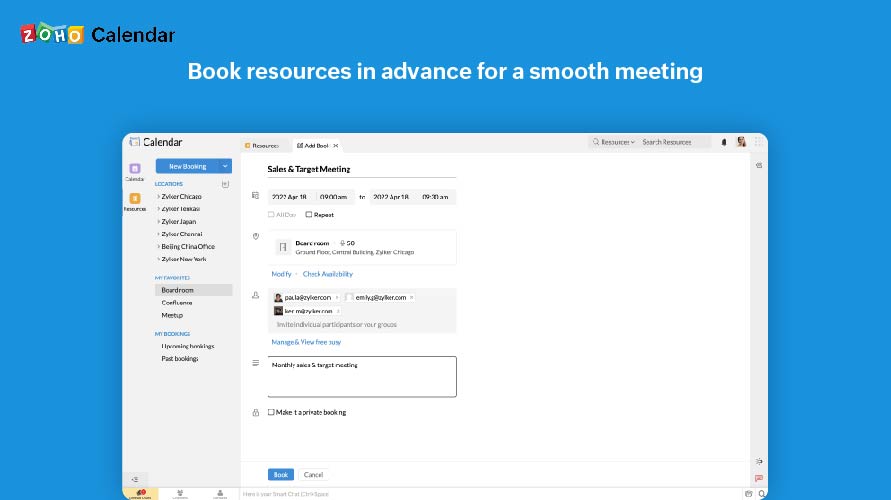
Zoho Calendar is an online business calendar designed to make scheduling easy. It can be used to stay on top of a schedule, or to share scheduled events with peers.
N/A
Pricing
CoSchedule Marketing Suite
Zoho Calendar
Editions & Modules
No answers on this topic
No answers on this topic
Offerings
Pricing Offerings
CoSchedule Marketing Suite
Zoho Calendar
Free Trial
No
No
Free/Freemium Version
Yes
Yes
Premium Consulting/Integration Services
No
No
Entry-level Setup Fee
No setup fee
No setup fee
Additional Details
—
—
More Pricing Information
Community Pulse
CoSchedule Marketing Suite
Zoho Calendar
Considered Both Products
CoSchedule Marketing Suite
Verified User
Anonymous
Chose CoSchedule Marketing Suite
Hootsuite has gotten soooooo expensive in relation to the functionality it provides. The value is just not there compared to when prices were lower for SMBs.
In contrast, CoSchedule Marketing Suite provides huge value for the price and the tiered pricing based on users, number …
CoSchedule is definitely a more powerful marketing tool than Loomly or Buffer, which are more dedicated to straight social media scheduling. I preview the calendar overview offered by CoSchedule, which makes it easy to see everything at a glance. PromoRepublic is similar but …
CoSchedule offers a lot more than some of its competitors, but you have to evaluate what your organization needs and doesn't need. For some organizations, they only need a content planner for social media, and CoSchedule might not be the best fit due to price compared to some …
CoSchedule provides collaborative planning of projects. The calendar view is very well designed. Meetings and tasks can be scheduled and tracked easily. Whatever is being done, no matter how big the task/project is, it gives a bird-eye view of everything. Additionally, it also …
After trying other social media scheduling tools, CoSchedule is my favorite. Like I said previously, it fills the gaps I've found in other tools. I feel more organized with CoSchedule and prefer their mobile app as well.
CoSchedule better supports the content creation and redistribution of content activities. The best thing was that you can get it all automated here, while other tools do not provide with support. I would say CoSchedule is one of the best tools for managing both content and …
Crescendo has some very powerful features such as a built in editor that provides a simpler editing suite than Wordpress, especially valuable for contributors. The fact that it has multiple levels of contributor/author/editor is a real plus. There is also a comments box that …
It's almost the same. Both are wonderful applications. I have been using Zoho for quite a long time that's why much familiar with the features and functionalities. I find it a bit easy to use and sync up.
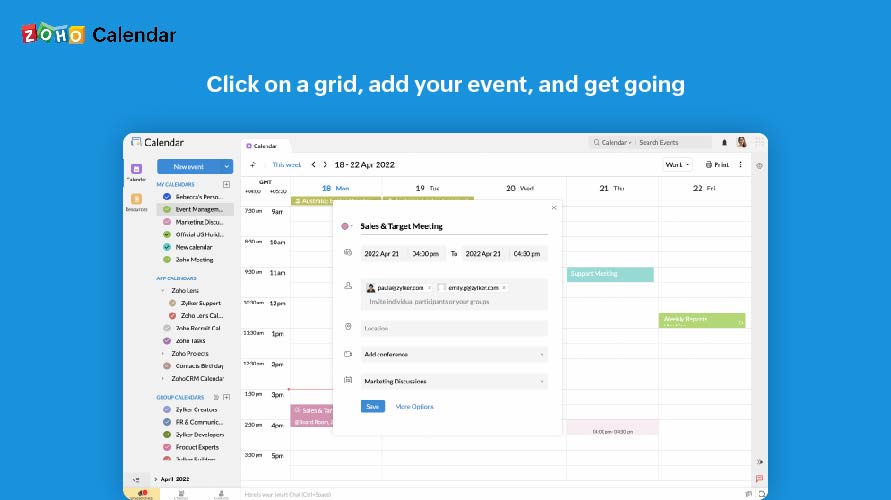
It as easy access, it provides platform for every member to collaborate, and it makes event management easier It sends invitations easily. It helps to schedule meetings easily with SMART ADD. We can set the reminder for events each and every member of team has access to Zoho …
Zoho calendar allows us to schedule, manage and track your appointment, meetings, birthdays, and other important dates. And also collaborate, share and publish your daily activities. Zoho Calendar also provides you to make it more creative by changing the themes. Event …
Zoho Calendar has easy-to-use interface. It can be used by anybody and everybody for event scheduling, event tracking, sending/receiving invitations and setting reminders. Zoho Calendar can easily integrate with Google Calendar, outlook, and Zoho Apps, which CloudApp can't. …
As a team leader, Zoho Calendar is the greatest option for scheduling meetings quickly, effortlessly sharing a calendar with your team, syncing your calendars, and much more. Zoho Calendar is on the same level as other solutions and, more significantly, offers a free tier so …
Using Zoho Calendar, I am able to keep track of my appointments and meetings, issue invites and manage RSVPs, and market our calendars to friends and co-workers for free. The Zoho Calendar app is now available on my phone. Sending and receiving invites is easy with Zoho Calendar.
The other software I used when Zoho Calendar was having issues was by far a much better option. The business I was working for at the time chose Zoho Calendar because it was a cheaper alternative and served basic functions that were useful to my superiors. After using the …
Zoho Calendar is a free online calendar that allows me to keep track of my appointments and meetings, send invitations and track RSVPs, and share and advertise our calendars. I can also use my phone to access the Zoho Calendar. With Zoho Calendar, it's simple to send and accept …
Prior to the Zoho calendar, we were using google calendar. And don't find anything different except for the user interface both products are very good. My organization has purchased Zoho product for internal communication from Zoho after that we are using Zoho calendar to keep …
It is at the same level, Zoho Calendar has everything other solutions have and more importantly provide a free tier to start working with them immediately.
Since we use the full suite of Zoho modules, I'm not really sure how to answer this one, but we do occasionally use Zoho Bookings, which is like Calendarly but integrates with our Zoho Calendar when sending booking/appointment links to clients or vendors. For us, we always want …
CoSchedule does more than just content planning, it helps you organize your content, betters your content with headline analyzers, and allows you to organize your work and marketing calendars as well. If your organization is in a spot where you need a well-rounded tool to help with content, marketing, or even task organization, CoSchedule might be the right fit.
Zoho Calendar is appropriate for every scenario because it reminds you of your upcoming meetings. I am using the product to manage my team meetings in my current project and also in the past projects as well. It integrates well with other applications well and cross functional tool to manage your schedule.
The import Google Doc to WordPress functionality never worked successfully or reliably for me. So I just manually copy and paste Google Docs to the WordPress editor instead.
The social sharing counter was not that helpful, because it only counted Facebook and Google+. Who uses Google+ anymore? Plus, now they don't even show the social counter in the monthly calendar view. so you can't see the numbers without doing some extra digging.
In the monthly calendar view, some titles get cut off if they don't wrap cleanly in the day's box. So I would make it look cleaner instead of having words broken up by a hyphen.
I subscribe to Zoho One so I use many of the modules that come with that single subscription. I've had intermittent issues with scheduled Zoho Meetings through Zoho CRM not appearing in my Zoho Calendar. Zoho has been working on the issue but it will be fixed for a while and then I'll miss a meeting because it wasn't appearing.
The interface is very intuitive, from setting up social profiles, to posting, to tags, to optimizing for best day/time to post. It's super easy to scan the aggregate analytics. The calendar is very easy to grok at a glance, and the more advanced functionality is intuitive to set up.
Since there are lots of preference options, it can be a little confusing when setting up. It does integrate with other calendars where you can choose one or two way syncing which is helpful if you keep separate personal and work calendars. You can set your start day of the week which for me I have it set to Monday. There are also time zone options which are great but still a bit confusing to me.
I didn't have to use their official support, but I can say that they put out a lot of content online to help users. Their YouTube page has quite an array of tutorial videos explaining how things work and how to get the most out of their tools. If you're struggling, before picking up a phone or blasting off an email, try searching for your problem on YouTube or their forums.
Support has been excellent. As always, they are quickly responsive, and I feel they genuinely wish to address and fix any issues. It's unfortunate that my issues with meetings created in Zoho CRM don't always appear in my Zoho Calendar. While they mostly appear, my confidence level on any given week that I can see what is on my schedule is decidedly lacking.
CoSchedule is definitely a more powerful marketing tool than Loomly or Buffer, which are more dedicated to straight social media scheduling. I preview the calendar overview offered by CoSchedule, which makes it easy to see everything at a glance. PromoRepublic is similar but has the added Canva-type integration, which makes it more appealing to our clients who want to be able to easily put together their own images. CoSchedule is a bit pricy, which can be prohibitive for clients who don't pay in dollars.
It as easy access, it provides platform for every member to collaborate, and it makes event management easier It sends invitations easily. It helps to schedule meetings easily with SMART ADD. We can set the reminder for events each and every member of team has access to Zoho Calendar It is easy to understand and use it is not that complicated .