TrustRadius: an HG Insights company

Zoho Calendar

Score9.6 out of 10

33 Reviews and Ratings

What is Zoho Calendar?

Zoho Calendar is an online business calendar designed to make scheduling easy. It can be used to stay on top of a schedule, or to share scheduled events with peers.

Media

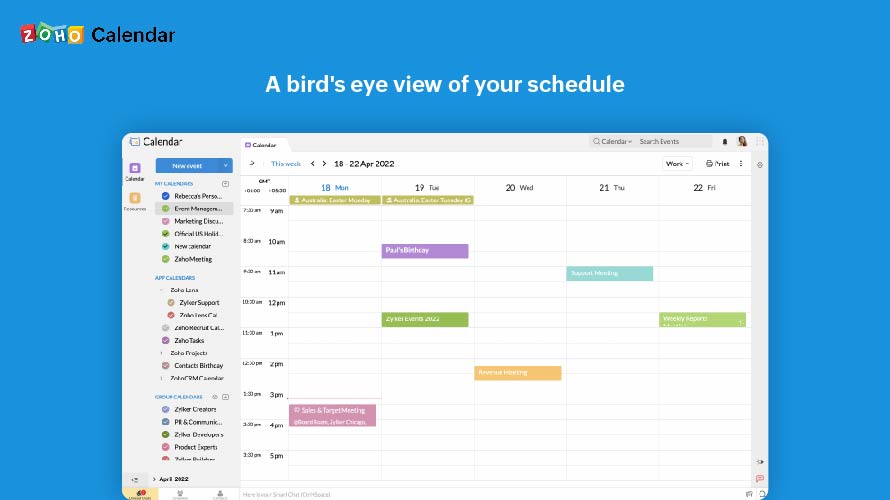
A bird's eye view of your schedule
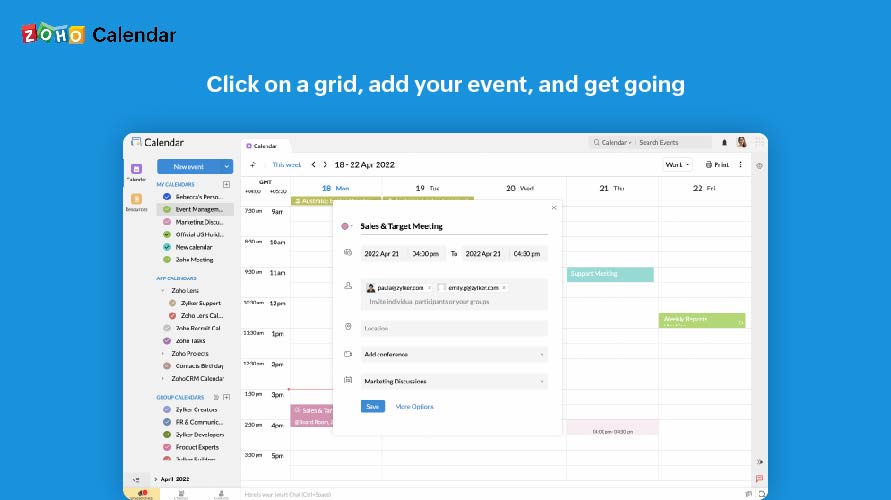
Click on a grid, add your event, and get going
Skip the steps, one click is all it takes
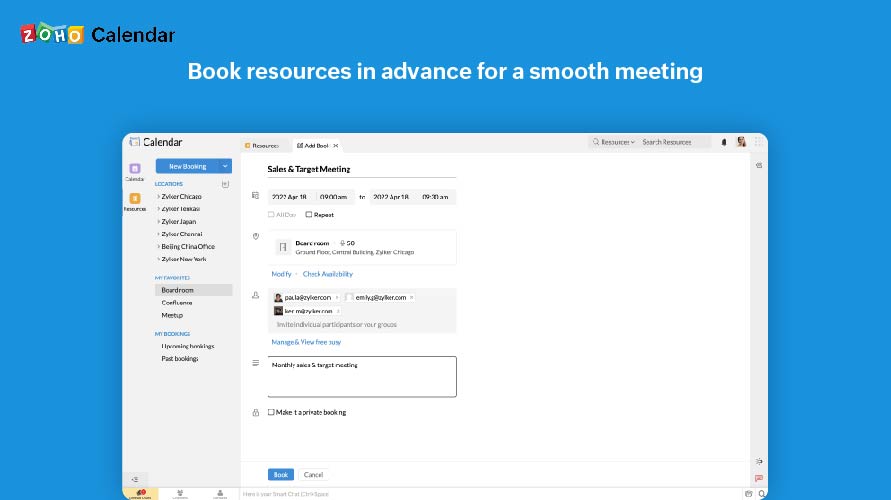
Book resources in advance for a smooth meeting
Know what's available and what's not

1 / 5

Zoho Calendar is great for all Zoho users of other modules

Use Cases and Deployment Scope

We use Zoho One, which is the entire suite of Zoho modules that seamlessly integrate. There is a desktop and mobile app that syncs, so you can have your calendar with you anywhere. A meeting or event can be added either in the Calendar app or via CRM, and it will appear in your calendar or be linked to a Lead or Contact in your CRM. Being able to have a fully synced calendar all the time is paramount.

Pros

  • Integrates with Zoho CRM
  • Integrates with Zoho Mail
  • Standalone Mobile app makes it convenient

Cons

  • Occasionally, recurring events won't appear
  • Zoho has always been responsive but the above issue still happens
  • New features are always being rolled out but mostly without prior notice

Return on Investment

  • Like most calendars, it's great to see your day in advance
  • You can change the view from standard day, week, month
  • There is also a plan agenda view which is helpful

Usability

Alternatives Considered

Zoho Bookings

Other Software Used

Zoho Books, Zoho Payroll, Zoho Mail

A preferred application to schedule, manage and organize meetings

Use Cases and Deployment Scope

A preferred application to schedule, manage and organize meetings. Zoho Calendar is easy-to-use and has lots of useful features, such as editing meeting times or dates and updating participants with new details, as we use Zoho apps for free like ZoHo Mail. Also, the thing I love is that I can install an app on both iOS and Android devices.

Pros

  • Free and user friendly
  • Supports multiple OS
  • Hassle free and scheduling meeting is a cake walk.

Cons

  • UI could have been better.
  • Overall a good tool compared to its competitors.
  • Lags a bit at times.

Most Important Features

  • Editing meeting times and/or dates.
  • Works well with distributed teams.
  • Organizing meeting with team is very easy.

Return on Investment

  • Improved efficiency
  • Increased productivity
  • Streamlined daily operations

Alternatives Considered

Google Calendar

Other Software Used

Azure Lab Services, Ubuntu Linux, Duck Creek Suite

One of the best tool for Scheduling and Managing meetings

Use Cases and Deployment Scope

We have to schedule many meetings with various faculties and different students on regular basis, so the Zoho calendar works great for us. It allows easy scheduling of our meetings, and it can be used as a collaboration tool. It also allows us to save our personal reminders, like Friend's Birthday, Anniversaries, etc. along with the professional schedules

Pros

  • Easy to use and understand
  • Meeting Scheduling and Invitations could be done easily
  • Easy integration with many CRMs and Google Calender
  • Works on both Mobile (Android and iOS) and PCs
  • Unified Calender View Feature

Cons

  • They can work a little to improve its user interface
  • They can add other features as well, like more customization

Most Important Features

  • It sends automatic reminders to the attendees of a meeting
  • It can be used globally, as it support various timezones
  • It can be used for any type of virtual meetings
  • It allows setting invitations & reminders and various other customizations

Return on Investment

  • It allowed us to Schedule various meetings by just using a single dashboard
  • It works flawlessly, so we could trust the tool

Other Software Used

Plivo, Flutter, by Google, Pusher

Very Good Scheduling tool for Business

Use Cases and Deployment Scope

Zoho Calendar is very handy tool in terms of creating onboarding call schedules for the client and the clients get appointment schedule on time it is very user friendly, it can send invites without any issues and the synchronization with Google Calendar is awesome, at one glance we can see a unified view of the schedules at the team level.

Pros

  • Convenient scheduling at a click
  • Event remainder upto 90 days
  • Publishing calendar view on website for public view.

Cons

  • Syncing sometimes is very slow
  • Integration should be open via api
  • More languages

Most Important Features

  • Google Calendar integration
  • Unified team calendar view
  • Reminder system

Return on Investment

  • Very user friendly in terms of User interface.
  • The number of Demo has gone up to 6 per day from 2 per day.
  • More online events booking.

Other Software Used

Doodle, Vagaro, Calendly

Great tool for keeping track of events online

Use Cases and Deployment Scope

I have been using Zoho Calendar to schedule and track my meetings. It is an online calendar so it can easily be shared among teams. It can be used to schedule meetings, set reminders and even for tracking holidays.

Pros

  • It is an excellent platform for tracking meetings.
  • It can be used to share the planned activities between groups or teams.
  • It is a great tool for setting reminders.

Cons

  • Live support feature can be included in case of any assistance

Most Important Features

  • Suitable Scheduling of meetings
  • Sending/Receiving invitations
  • Setting reminders
  • Google Calendar and Zoho Calendar Sync

Return on Investment

  • It made scheduling easy for me.
  • Reminder feature has been my savior, always.

Alternatives Considered

CloudApp

Other Software Used

Zoho People, Google Calendar, Microsoft Teams
