Autotask PSA is designed as a complete IT Business Management Platform for MSPs, now from Datto (resulting from the Autotask merger with Datto in 2017).
N/A
HaloITSM
Score 9.0 out of 10
Enterprise companies (1,001+ employees)
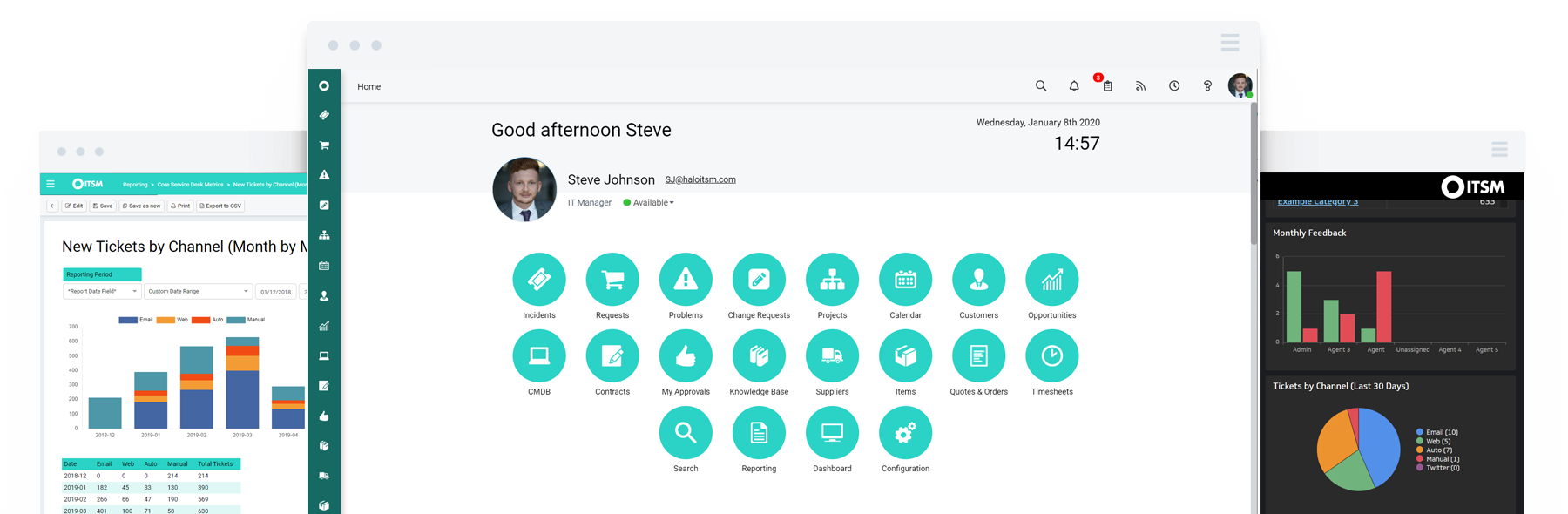
HaloITSM provides ITIL aligned help desk software that can be installed on premise or in the cloud. Boasting over 25 years of experience, HaloITSM has been developed to offer a feature rich application whilst maintaining a simple to use interface. Features include: Incident Management, Problem Management, Change Management, Asset Management, Service Catalogue, Telephony Integration, as well as the best of breed mobile apps. The vendor describes the following five differentiators: 1.…
$49
per month per user
Pricing
Datto Autotask PSA
HaloITSM
Editions & Modules
No answers on this topic
On Premise
$49
per month per user
Cloud
$49
per month per user
Offerings
Pricing Offerings
Autotask PSA
HaloITSM
Free Trial
No
Yes
Free/Freemium Version
No
No
Premium Consulting/Integration Services
No
No
Entry-level Setup Fee
No setup fee
Optional
Additional Details
—
There is 15% discount for all charities, educational institutions and non-profit organisations.
Atera is an RMM first with PSA features so it falls short of a PSA. The essentials are there for a fledgling MSP, but for more advanced ticket handling and contract management, it falls short. When I used Zendesk at the beginning (about 10 years ago), it was really only a …
Datto Autotask PSA is probably the best all-in-one platform for MSPs. It's targeted and designed specifically for MSPs, whilst most service desk software/PSA is often just general service desk software.
Autotask is more robust than simple ticketing systems. It provides better billing ability that many ticketing systems and works well with existing clients. The invoicing options provided are beneficial to the business and streamline the process. The ticketing system provides …
Chief Operating Officer, and HIPAA Privacy Officer
Chose Autotask PSA
The portion of Autotask that we've used other companies for prior to using Autotask is the Endpoint Management. The Autotask Endpoint Management (AEM) portal integrates perfectly with their PSA/CRM tools. It's alerting features are much better than the above software as there …
It has been many years since we compared Autotask to the competition. We made the decision early on because of the overall solution that Autotask provides. It suits our needs well and we have not had a need to change since.
ConnectWise would be a close second however the overall functionality hasn't been great in the past, I've learned they've implemented a more robust web interface however the client was not stable. Autotask is easy to manage from service requests, reporting and time management.
I've used OTRS and Autotask gives a better overall experience as it isn't just simply a ticketing system it gives greater breadth over what you can accomplish. It allows for better interdepartmental communication rather than just a place for end users and clients to dump more …
Autotask stacks up fairly well against software like Kaseya, ConnectWise, and Tigerpaw. They all have their own strengths and weaknesses, however I feel that ConnectWise and Autotask have improved the most as of the last 10 years. The reason we chose Autotask is because it …
Except for multi-tenancy and permissioning for external users, Autotask beats BMC Remedy in every category for an ITSM Incident/Request Management suite. From allowing legitimate multi-tasking to the streamlined and more-straightforward user experience, Autotask takes the focus …
ServiceNow was faster to use to create tickets in a fast-paced call center style helpdesk. I preferred it to Autotask, but from a business perspective, I felt that Autotask covers a lot more ground than ServiceNow. My Experience with Solar Winds was minimal although it was a …
We tested several solutions ranging from short-term trials to extended 6-month production runs and found the other solutions to lack what we needed. Autotask PSA was a more mature, thought-out, and developed product that had everything we needed in a single solution. Over the …
HaloITSM offered the highest level of functionality, available as standard, at our price level. Halo support during our trial period was second to none and unrestricted. We had a list of deciding factors covering the most important areas of functionality and HaloITSM covered …
Halo just matched all our criterias like: provide knowledgebase articles with or without beeing logged in, assessing knowledgebase articles to user groups, sync users with Azure login via SSO customizable selfservice portal, disable modules which are not in use, provide …
Simply better. Each system has its merits, however, HaloITSM simply does everything in one neat package. no hidden costs fully sorted and without the constant frustrations of other systems. Simple, elegant, efficient, and maps to our processes NOT the other way around - the way …
This sits head and shoulders above anything I've used before. The degree of customization (whilst sometimes challenging to realize) is second to none. We have encountered relatively few issues/faults with Halo and the support for any such problems is generally excellent.
[HalolTSM is] easier to configure, [more flexible] with workflows, [has] APIs and customizable fields, [and] additional licenses [do] not require system file updates and service restarts.
Spiceworks has a limited feature set compared to Halo and we also had issues with ticket creation. Sometimes tickets would get missed or emails wouldn't send/recieve. ConnectWise was very clunky and slow at times. Instead of using a web interface it uses a software interface. …
Based on our requirements, this is how we scored them. Halo - 78, ServiceNow - 77, Ivanti - 67, Jira - 57, FreshService - 41. This was based purely on our requirements and whether additional modules required additional licences.
LANDesk was quite a large, non-cloud system that was basically too big for our trust. It offered lots of functionality, but we would have just never used it all. It also required an on-site server which does not fit into our future plans and portfolio. Therefore HALO was the …
In my opinion, Datto Autotask is exceptionally complicated to set up, manage, and use on a daily basis. I would think the target market for this product would be someone managing a team of 20 - 50 people, possibly more. In my experience, for it to run properly you will need to dedicate at least half an FTE to running this product in an organization of that size per month. I would not recommend it for companies with less than 10 people or for companies that value quick communication with their clients. I would not recommend it for companies using Datto's RMM product. The integration exists, but it is clearly a bolt-on. They were not developed together and they are slow to talk to each other. Frequently you cannot add details from RMM sessions into the PSA without manually copying the ticket number, and if the ticket is more than a week old, then you can't even find it with the ticket number.
HALO is very much suited to the IT Support Desk environment and works very well. It offers all the functionality that is required to run a service plus much more. I can't really comment on the other modules yet as we haven't really fully utilised them, but hopefully will in the future.
AutoTask allows for us to receive and work support tickets very easily. We've setup various 'Issue Types' that in turn are bound to SLAs ensuring that items are worked appropriately as they are received.
The automation that AutoTask allows for with regards to various emails/requests coming through has been great. It allows for us to not have to constantly "watch the queue" as when a critical item arrives the appropriate persons are notified and can work it.
I feel that the management of AutoTask for both user setup, and various automations is done well. We're able to copy settings as needed, and create templates for multiple items.
The ticketing structure (allowing us to add custom fields and tables) and the process are quick, clean, and easy to adapt to our changing needs. Change requests are processed within a few hours (complex ones take longer, purely for testing), however, the whole solution is geared to customization and the more you work with it the more you get out of it
SLA's
Detailed SLAs for each part of the business, with multiple tiers, time frames, reporting, and alerting options - a different config for every team configured with a few simple clicks
Time Management
Excellent granular reporting that lets you drill in, both from a business perspective as to how many hours are being spent on different activities and from a support perspective, where are your teams spending their team.
Reporting
Excellent set of customizable reports (hundreds of them) along with a reporting tool (For which a little SQL does go a long way) and for those fiddly reports, free support is only a call away.
Role Assignments
Simple role assignments that make updating changes to teams and departments the work of minutes rather than days. Easy to apply and each person can have multiple roles. Simple but powerful and very sleek.
Datto Autotask PSA is a full featured product that can do almost anything you need. There is a significant learning curve to get started which requires several hours spent in product training. Additionally, several hours / days are needed to get clients imported, contracts configured, and integrations implemented. Once the setup and user training is complete, the product is very functional, but it's imperative to not get overwhelmed when starting out.
I've made overall positive experiences with the Halo support. The only thing to increase would be some follow ups on feature requests. If someone would reach out to me, telling me wheter or not my feature request will be considered in future updates or not.
The portion of Autotask that we've used other companies for prior to using Autotask is the Endpoint Management. The Autotask Endpoint Management (AEM) portal integrates perfectly with their PSA/CRM tools. It's alerting features are much better than the above software as there aren't a bunch of superfluous and unneeded alerts. Instead, it only alerts for things that you specify that you want. Alerts aside, for the PSA/CRM, I don't have much to compare it to as Autotask was the first PSA we tried. It's hard to imagine a PSA having more features or doing a better job than Autotask.
Based on our requirements, this is how we scored them. Halo - 78, ServiceNow - 77, Ivanti - 67, Jira - 57, Freshservice - 41. This was based purely on our requirements and whether additional modules required additional licences.
It enabled us to allow our Service Desk Staff to work from home during COVID and this has continued ever since.
We have halved our average resolution time.
Some of the automation processes, when implemented alongside the MS Power Platform, have saved approximately 30 hours a month. This includes times when customers were unable to access the system until they had been trained. This is now automated via Halo and they get sent to on-demand training, instead of waiting up to 3 weeks for the next scheduled session.