Dialpad Sell is a phone system built for sales, with real-time coaching and CRM integrations. It features call analytics, voice intelligence with objection handling, call sentiment analysis for just-in-time coaching, and support for a range of headsets and phones.
N/A
Salesforce Revenue Cloud
Score 8.8 out of 10
Mid-Size Companies (51-1,000 employees)
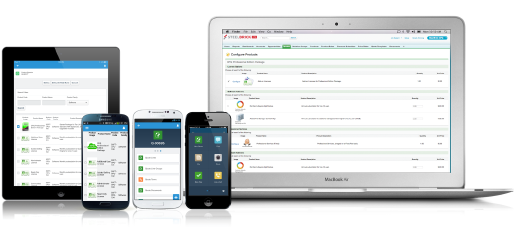
Salesforce Revenue Cloud (formerly Salesforce CPQ or SteelBrick) is built and delivered on the Salesforce Platform and Salesforce1 Mobile App which enables users to create accurate sales quotes quickly and submit error-free orders on the fly from any device.
$30
Per User per Month
Pricing
Dialpad Sell
Salesforce Revenue Cloud
Editions & Modules
No answers on this topic
Basic
$30
Per User per Month
Professional
$50
Per User per Month
Enterprise
$75
Per User per Month
Offerings
Pricing Offerings
Dialpad Sell
Salesforce Revenue Cloud
Free Trial
No
Yes
Free/Freemium Version
No
No
Premium Consulting/Integration Services
No
No
Entry-level Setup Fee
No setup fee
Optional
Additional Details
—
—
More Pricing Information
Community Pulse
Dialpad Sell
Salesforce Revenue Cloud
Considered Both Products
Dialpad Sell
Verified User
Anonymous
Chose Dialpad Sell
To be honest, this was already integrated in the organization when I joined here and I do not find the need to change anything. Dialpad Sell is so simple and easy to navigate and loaded with so many features and options that you would not need to switch to any other alternative.
The mobile app was the reason we started looking away from RingCentral. The biggest issue I personally had with RingCentral was that inbound calls could really throw people off. If you were working in SFDC and you hadn't saved, an inbound call would erase all that work you had …
I like Dialpad so much more than PB simply for its analytics and follow up notes. I also love how you can text clients through DP which in PB, you cannot do. The AI technology and communications with the user is something that is so beneficial to it's users and therefore, I …
Microsoft is not as fast or efficient as Dialpad Sell is also the history on Microsoft isn't saved the same way. I think its harder for the normal person to find how to navigate Microsoft than it is Dialpad Sell! we have both options here at the call center that i work at and …
Dialpad Sell offers an amazing array of features for the price. Some of the products I evaluated were up to 10x the price of Dialpad Sell and lacked the voice intelligence features
I chose Dialpad over RingCentral because the pricing was much better and the analytics go way more in depth. Implementation was a lot more robust and I feel Dialpad had way better customer service.
I think that Skype for Business was a clunky system to use and didn't seem as up-to-date with their interface as Dialpad Sell does. I have found that Slack does a better job at communicating within the company, but Dialpad Sell is still the best system for external outreach.
Google voice is more affordable but has fewer options for customization. We needed Dialpad Sell to be able to route calls appropriately and the price was better for our needs. Google Voice is great for a one-line, one-number account to have a business line on your same personal …
It is more appropriate to use and is better suited to my job than any other product. It has all the features of a caller app with other amazing integrations. I am a huge fan of how it summarises the conversation and I can always go back to a call and listen to something I want …
This software is so complex we can say that Salesforce works so much better in the interface. Also, the features provided by Salesforce are far better than this software. It also includes Storing data, API development, and so many other functionalities which help a developer …
This has better product capabilities like Manage Order, Mobile, pricing module, select product offers service channel. What I like best is the integration with Salesforce, the ability to create and connect opportunities and there is a lot of flexibility in this tool. It has a …
There is no comparison to a fully functional instance of CPQ. Nothing comes close due to the amount of customization and ease of use that CPQ offers once it's fully built out. Other solutions may be easier to build or administer, but for the users and business needs, CPQ is the …
SalesForce Revenue Cloud has been leaps and bounds ahead of the softwares I used to use! I had used Google Sheets at first (since it was free), then bought Excel briefly thinking that would suffice as a good CRM layout. Turns out I was wrong and needed something more. Revenue …
This program is just more advanced and customizable. It worked for our diverse team needs considering the size and complexity of our portfolio. This was just the right choice for us. The other CRM's were great for smaller-scale enterprises at the time that I used them.
Salesforce CPQ [(formerly SteelBrick)] seamlessly integrates with Salesforce allowing us to have less integrations to manage. Releases don't break a connection causing delays in the sales process.
Salesforce stacks well in terms of features like lead, quote and pricing management than other software like Zoho, bichon, agile or Hubspot, personally I believe if the entire set of tools and solutions provided by Salesforce are employed they would work like a well-oiled …
Salesforces CPQ compares very highly to Apparound CPQ, because of the integration with the Salesforce platform. Because of the integration with the regular Salesforce platform, the tools work interchangeably with one another. This process creates a great deal of efficiency, and …
CPQ is a more inline, integrated and user-friendly product compared to Apttus's offering. The fact that it was bought and embedded by Salesforce into the platform and the support that entails, was the big differentiator for us.
It is a strong offering if your a Salesforce customer. We previously used Panda Doc and the integration with Saleforce was just not robust enough as we've expanded. Panda Doc allowed for much more customization and control of templates. However, the pricing rules, …
It was not my choice to move to Salesforce CPQ. Our organization chose to move to this platform because Octiv gave the reps too much flexibility. They wanted to tighten the reins. Everyone hates Salesforce CPQ and the guy who implemented it isn't even at the company anymore.
We looked into using BigMachines and FPX but decided to implement Apttus many years ago. The Apttus implementation never went live after several hiccups along the way and we shifted our focus to Salesforce CPQ which has had it's moments as well. Overall, Salesforce CPQ is the …
Almost a no brainer as we already heavily use SalesForce. This process allowed for everything to be in one place. As stated before, it is better than our old solution because it pulls a lot of the info from the option for you, allows for you to cross-function with services …
CPQ is much more intuitive and user-friendly than JDE. JDE is clunky and was not native to the Oracle CRM tool, which created problems when it came to quote creation and consistency in how deals are moved through the pipeline. We chose CPQ because we were already using SFDC as …
Well, There are numerous scenarios where a Dialpad can be very helpful in terms of communication tools. It allows the user to send text unlimited messages, making outbound calls, and review daily, weekly, monthly, or custom analytics. Saving n number of contact details, easy to search them on Dialpad. As of now, I did not come across any scenario where I can say Dialpad would not be suited.
CPQ is great if you can devote the time to it to make it perfect for your sales team. It requires a lot of time and energy to build it out and customize, but once that's done it is one of the most powerful tools you will have. Having an expert in CPQ is really helpful as well.
Salesforce CPQ is great for being able to quickly and easily build product bundles in an intuitive and visually appealing way.
The product catalog and ability to easily add fields to product records makes setting up products really simple and adds a lot of value to reporting within Salesforce.
Basic product and configuration rules are very easy to understand and set up.
The biggest thing for me is being able to link calls to specific objects in SalesForce. In the app, you can link a contact to an object, but I often call the same contact several times, so I have to create a report in Salesforce and manually link the call everytime that way.
Our Salesforce is very messy, which tells me it's not super easy to clean up.
I always have a really hard time removing a contacts from an account - it seems like you can't simply remove the relationship so we have lots of people named DO NOT CONTACT or things of that nature.
Sometimes when saving it doesn't seem like things actually save.
Dialpad Sell is Very easy to use, whether at home or in the office dial pad has very sleek and easy to use features, all features are easy to find and are pretty self explanatory, the switch from regular phones to dial pad was a very easy and non stressful switch for our whole team
There have been some issues with multi-year pricing of certain products and services which we have been assured will be resolved but I guess are still underway, the support team apart from this has not been needed much and in the rare scenarios, it has been needed the resolutions of conflicts has been prompt and quick, so the overall support would have my high regards for being so helpful and customer-oriented so as to assure good performance of their toolset and customer satisfaction.
I like Dialpad so much more than PB simply for its analytics and follow up notes. I also love how you can text clients through DP which in PB, you cannot do. The AI technology and communications with the user is something that is so beneficial to it's users and therefore, I highly recommend this product over others
This has better product capabilities like Manage Order, Mobile, pricing module, select product offers service channel. What I like best is the integration with Salesforce, the ability to create and connect opportunities and there is a lot of flexibility in this tool. It has a very user-friendly platform & navigation across pages is the best Also I like how fast I can create quotes. I also like how detailed you can get with reporting. Any possible metric we can think of can be tracked, measured, and integrated.
Easy access to reporting on closed-won, closed-lost, and open quotes.
Accuracy in data referenced in a quote - it's typically accurate as it is pulled directly from opportunity, looking up to associated subscription start/end dates, etc..
We lose valuable time in creating quotes ourselves. Quotes were requested and created through sales ops previously, sales did not have access to the excel templates used to generate quotes.