eClincher vs. Zoho Social

Overview
ProductRatingMost Used ByProduct SummaryStarting Price
eClincher
Score 7.9 out of 10
N/A
eClincher aims to be the most powerful, complete and intuitive social media management software. According to the vendor, the product is designed to help users, businesses, and agencies manage social media presence with one platform, and offers the following capabilities: advanced publishing publishing automation (queues, RSS feeds, recycle evergreen content) engagement with unified social inbox & live social feeds monitoring content…
$149
per month
Zoho Social
Score 8.9 out of 10
N/A
Zoho Social is a comprehensive social media management platform designed for businesses of all sizes and agencies. It is used to schedule and publish posts, manage conversations—including direct messages, comments, and mentions—across multiple platforms, track keywords, competitors, and hashtags, and generate reports from one dashboard. Supported platforms: Meta (Facebook, Instagram, and Threads), Google Business Profile, YouTube, Pinterest, Mastodon, X (formerly Twitter),…
$0
per month per user
Pricing
eClincherZoho Social
Editions & Modules
Standard
$149
per month
Professional
$349
per month
Enterprise
Contact Vendor
Free
$0
per month per user
Standard
$15
per month per user
Professional
$40
per month per user
Premium
$65
per month 3 users
Agency
$320
per month 5 users
Agency Plus
$460
per month 5 users
Offerings
Pricing Offerings
eClincherZoho Social
Free Trial
YesYes
Free/Freemium Version
NoYes
Premium Consulting/Integration Services
NoNo
Entry-level Setup FeeNo setup feeNo setup fee
Additional DetailsA discount is offered for annual billing.Add Ons Users at $10 / user / month Brands $10 / brand / month Discount available for annual pricing.
More Pricing Information
Community Pulse
eClincherZoho Social
Considered Both Products
eClincher
Chose eClincher
I now use content studio and feedhive as an alternative to eClincher. These tend to be better solutions since eClincher rescinded their LTD from its users.

Chose eClincher
I used Sprout in a past life and while it does have some more features and might be a bit more aesthetically pleasing and a tad more intuitive, it doesn't have the queues feature eClincher has, and it is much more expensive. The only feature I miss from Sprout really is the …
Chose eClincher
It's cheap, it's great, and it can do all the things the above can do with great efficiency. It's just a bit uglier to look at than Sprout Social.
Chose eClincher
In my quest to find the best Social Media Management software, I tried just about every service out there (scrolling through Capterra, TrustRadius, and G2 Crowd to find new programs). I was able to go for about 4 months on free trials alone and kept a log of the pros and cons, …
Chose eClincher
There are loads of social scheduling tools out there. I was using Buffer but then found it was limited in terms of listening and reporting so I started to look at a more professional software. I tried Hootsuite but hated the interface, way too busy with the primary focus …
Zoho Social
Chose Zoho Social
Honestly the primary benefit to Zoho Social is that It is a far cheaper alternative to Hootsuite, though it seems to do many of the same things!
Chose Zoho Social
Zoho Social is more reliable than Buffer. Buffer sometimes has technical issues where posts don't go out after being scheduled.

Hootsuite has gotten way too expensive.
Chose Zoho Social
Cheaper and simpler to use and understand
Chose Zoho Social
Zoho Social is a much easier and integrated tool that accomplishes my tasks at a way faster rate. If you are busy like me but still enjoy running your own marketing this is the platform you are looking for. It Is a real treasure for small businesses and owner operated marketing.
Chose Zoho Social
Zoho Social is cheaper and gives more flexibility than Hootsuite in my opinion. Hootsuite is bigger and sleeker in design, but I appreciate the functionality that Zoho Social offers.
Chose Zoho Social
Zoho Social is reliable, affordable, and has everything I need for managing multiple channels and consistent posting.
Chose Zoho Social
This is the first product I have tried based on reviews of a range of similar products.
Chose Zoho Social
Zoho Social is far easier to use and much better priced.
Chose Zoho Social
Zoho Social's payment structure is much more affordable than Hootsuite. As a nonprofit, we were paying $37.50 a month, and then Hootsuite increased the monthly payment amount, doubling it to $75 a month. As a small, self-funded nonprofit, we could not continue using Hootsuite …
Chose Zoho Social
Kontentino is nothing compared to Zoho Social. It's good for their approval flow of your posts but that's like it. They only show the posts and analytics of the posts you published through their platform and not many to no competitors analytics. Hootsuite is good but …
Chose Zoho Social
Zoho Social can do nearly everything Hootsuite can for a fraction of the cost. For small businesses like ours, it is a no-brainer to go with Zoho Social which clearly understands the needs of mom and pop businesses like ours!
Chose Zoho Social
Loomly is so far the best out of all the platform options. However, Zoho is a strong contender. Loomly has more features. Pricing also comes into play.
Chose Zoho Social
I have had to reconnect many of them or just have them bog down and freeze. The only one that doesn't give me problems in Meta, but it only posts to the two platforms. I love that Zoho Social lets me post to so many platforms at one time.
Chose Zoho Social
Microsoft Cloud for Nonprofit (discontinued)
Chose Zoho Social
I would say it is right on par with hubspot regariding social media and, in my opinion, analytics. However, the only aspect and caveat that gets me is the analytics compared to hootsuite. If Zoho Social can get the analytics to be as close as possible to hootsuite I would use …
Features
eClincherZoho Social
Listening/monitoring
Comparison of Listening/monitoring features of Product A and Product B
eClincher
7.0
Ratings
10% below category average
Zoho Social
8.2
Ratings
6% above category average
Boolean keyword searches7.00 Ratings00 Ratings
Filtering out noise/spam7.00 Ratings00 Ratings
Broad channel coverage7.00 Ratings8.40 Ratings
Sentiment analysis00 Ratings8.00 Ratings
Publishing
Comparison of Publishing features of Product A and Product B
eClincher
6.0
Ratings
29% below category average
Zoho Social
8.8
Ratings
9% above category average
Content planning and scheduling8.00 Ratings9.20 Ratings
Audience targeting1.00 Ratings8.40 Ratings
Content optimization9.00 Ratings8.90 Ratings
Workflow management6.00 Ratings00 Ratings
Engagement
Comparison of Engagement features of Product A and Product B
eClincher
6.3
Ratings
23% below category average
Zoho Social
8.6
Ratings
8% above category average
Automated routing and prioritization7.00 Ratings8.30 Ratings
Customer interaction histories4.80 Ratings8.80 Ratings
Bulk actions7.00 Ratings00 Ratings
Marketing
Comparison of Marketing features of Product A and Product B
eClincher
1.0
Ratings
154% below category average
Zoho Social
8.8
Ratings
13% above category average
Lead generation1.00 Ratings8.50 Ratings
Content marketing1.10 Ratings9.10 Ratings
Channel coverage/integration
Comparison of Channel coverage/integration features of Product A and Product B
eClincher
6.8
Ratings
21% below category average
Zoho Social
9.3
Ratings
10% above category average
Twitter7.00 Ratings9.30 Ratings
Facebook8.00 Ratings9.20 Ratings
LinkedIn6.00 Ratings9.20 Ratings
Google+9.90 Ratings9.30 Ratings
Instagram8.00 Ratings9.30 Ratings
Pinterest8.00 Ratings00 Ratings
YouTube1.00 Ratings00 Ratings
Reporting/analytics
Comparison of Reporting/analytics features of Product A and Product B
eClincher
4.0
Ratings
66% below category average
Zoho Social
8.4
Ratings
6% above category average
Campaign success analytics4.00 Ratings8.60 Ratings
Real-time tracking4.00 Ratings00 Ratings
Competitor analysis00 Ratings8.20 Ratings
Account management
Comparison of Account management features of Product A and Product B
eClincher
4.5
Ratings
56% below category average
Zoho Social
9.1
Ratings
13% above category average
Role-based user permissions & privileges8.00 Ratings9.10 Ratings
Mobile access1.10 Ratings9.20 Ratings
Best Alternatives
eClincherZoho Social
Small Businesses
CoSchedule Marketing Suite
Score 10.0 out of 10
CoSchedule Marketing Suite
Score 10.0 out of 10
Medium-sized Companies
CoSchedule Marketing Suite
Score 10.0 out of 10
CoSchedule Marketing Suite
Score 10.0 out of 10
Enterprises
Social Suite by Reputation.com
Score 9.4 out of 10
Social Suite by Reputation.com
Score 9.4 out of 10
All AlternativesView all alternativesView all alternatives
User Ratings
eClincherZoho Social
Likelihood to Recommend
1.0
(0 ratings)
9.2
(0 ratings)
Likelihood to Renew
10.0
(0 ratings)
10.0
(0 ratings)
Usability
1.0
(0 ratings)
9.2
(0 ratings)
Availability
-
(0 ratings)
8.2
(0 ratings)
Performance
-
(0 ratings)
8.2
(0 ratings)
Support Rating
1.0
(0 ratings)
9.3
(0 ratings)
Online Training
-
(0 ratings)
8.2
(0 ratings)
Implementation Rating
8.0
(0 ratings)
8.4
(0 ratings)
Configurability
-
(0 ratings)
7.3
(0 ratings)
Ease of integration
-
(0 ratings)
3.6
(0 ratings)
Product Scalability
-
(0 ratings)
8.2
(0 ratings)
Vendor post-sale
-
(0 ratings)
8.2
(0 ratings)
Vendor pre-sale
-
(0 ratings)
8.2
(0 ratings)
User Testimonials
eClincherZoho Social
Likelihood to Recommend
If you are on a tight budget and sick of comparable options, this is the ideal solution. For an incredibly reasonable price, this can do everything I need to manage social media for a handful of mobile apps simultaneously. If you have infinite money, handle massive brands, and harbor huge expectations for powerful social media tools, you should go with one of the pricier options. But keep in mind, this will end up being the difference between $99 USD a month, and $3,000 USD a month. You need to really decide what you need before making that leap because, in the mobile world, it's often the case that money like that is best allocated elsewhere.
Read full review
n a crowded landscape of scheduling software options, this particular solution stands out as a beacon of simplicity and user-friendliness. What truly sets it apart is its ability to strike a delicate balance between ease of use and content flexibility. Unlike some other platforms that may impose restrictions on content size and compromise quality during scheduling, this software manages to preserve the integrity of the content while offering an intuitive interface.
Read full review
Pros
  • We use eClincher to schedule posts and reply to messages on various social platforms.
  • The platform compiles all of the social outlets so that we can see and reply to all outlets in the same dashboard.
  • The reporting is wonderful! Easy to generate and easy for clients to read.
  • There are so many outlets to post your message, the more on one platform the better. There are a couple of things that we've requested from eClincher and they've always been able to deliver.
Read full review
  • Zoho Social helps us develop posts, and it facilitates the automated publishing, which is vital in sharing the content we want.
  • Besides, Zoho Social is fruitful in customer engagement plan, where the software manages different accounts, and there is free communications throughout.
  • Finally, there is social media evaluation, monitoring, and analytics, and all of them brings to us an inference that is accurate and digital.
Read full review
Cons
  • It's not very visually appealing, but this is not a dealbreaker.
  • The reporting features could definitely use some work. I still get more value from the native SNS pages, but this is quickly changing. They removed the "export to CSV" functionality, but they plan to reintroduce it soon. As mentioned previously, they really respond to criticism well and update the tool constantly.
  • The inbox could use some work. I don't like being directed offsite to view certain comments deemed "requests for further info" when they could just easily display them there.
Read full review
  • The Calendar view displaying published posts would be a great feature. You can view published posts displayed in a list, but when scheduling and arranging posts based on a calendar, seeing upcoming posts as well as past posts can be very helpful.
Read full review
Likelihood to Renew
Unless the price of eClincher moves to a point where it is too much to justify, I don't see any reason why we wouldn't continue to use eClincher for our agency. The value at this price-point is unbelievable and we'd be foolish to move to a pricier program purely for the sake of slicker graphics or UI. eClinchers pricing is fantastic, and is only matched by its functionality—it matches or beats any of the major Social Media Manager SaaS programs out there for a fraction of the cost. This tool is great for growing agencies, but would also be useful for any marketing department or large agency that wants to streamline their social media workflow.
Read full review
I am enjoying using Zoho Social and I look forward to really unwrapping what it has to offer. I need to be able to essentially offload all my social media posting and work so that I can do the actual work of sewing clothes, which is what my business actually does. This way, I can spend a few weeks making different types of content while also sewing clothes and post the content in a way that builds a story for my business and is entertaining.
Read full review
Usability
Its usability was good until they changed their plans and stopped their LTD program for its early adopters who helped raise the tool by giving it positive reviews. I don't think eClincher is ethical in any sense based on the recent actions.
Read full review
I think it provides good value for money, a streamlined, intuitive, user friendly platform, with lots of features I'm still discovering. The social media publishing is easy and effective to use. We would love to see the monitoring feature included in the basic package but for the price you can't ask much more, really
Read full review
Support Rating
[In my experience,] due to the fact that they did a bait and switch on their plans and blamed AppSumo for the lifetime program ending is simply wrong. [I believe that] it's unethical to get support and reviews from their early adopters then take the plan away later.
Read full review
The guys at Zoho are amazing. They are always in touch and are willing to help. They regularly send support emails to find out how they can help. They send tips and information on updates. When you need help, they don't hesitate to call. Support is really great from Zoho.
Read full review
Implementation Rating
Be patient. eClincher isn't perfect and has some software issues. These issues will be exacerbated if you get frustrated or have a slow connection. If something "breaks" or locks up, just refresh the page and re-do that step. It may take your team a couple weeks to get use to using the new system. Once they've gotten the hang of it, I'm sure they'll love the amount of time they save. I'd recommend taking your time with the set-up. Though there aren't a lot of steps to get everything squared away, you can break the process into small chunks to make sure you're managing your time. To just hook-up all the social accounts, it may only take an hour or so. But, if you want to set-up all the extra tools (such as user accounts, listening feeds, posting groups, schedules, etc.) it'll take longer. I think it took around a day to set-up completely, but your mileage my vary.
Read full review
No answers on this topic
Alternatives Considered
I used Sprout in a past life and while it does have some more features and might be a bit more aesthetically pleasing and a tad more intuitive, it doesn't have the queues feature eClincher has, and it is much more expensive. The only feature I miss from Sprout really is the customer history feature.
Read full review
Zoho Social is more practical. It has the features we need. We just want to share content on our social media accounts and view the post-share stats. The integration process is easy, the sharing process is easy, and these are the key features we need at the moment. Also, we can manage our team and responsibilities by Zoho Social's permission system quite efficiently.
Read full review
Return on Investment
  • Improved staff productivity tenfold.
  • Have not been able to calculate an ROI however, it has enabled us to take on more client accounts therefore improving turnover.
Read full review
  • Zoho Social allows me to "see" my messaging planning weeks into the future. I can create themes for a week or month and easily see how it performs.
  • Having all my social accounts in one place saves me time.
  • It is too early for any ROI from Zoho but the amount of content I am putting out has increased by at least 400%.
Read full review
ScreenShots

eClincher Screenshots

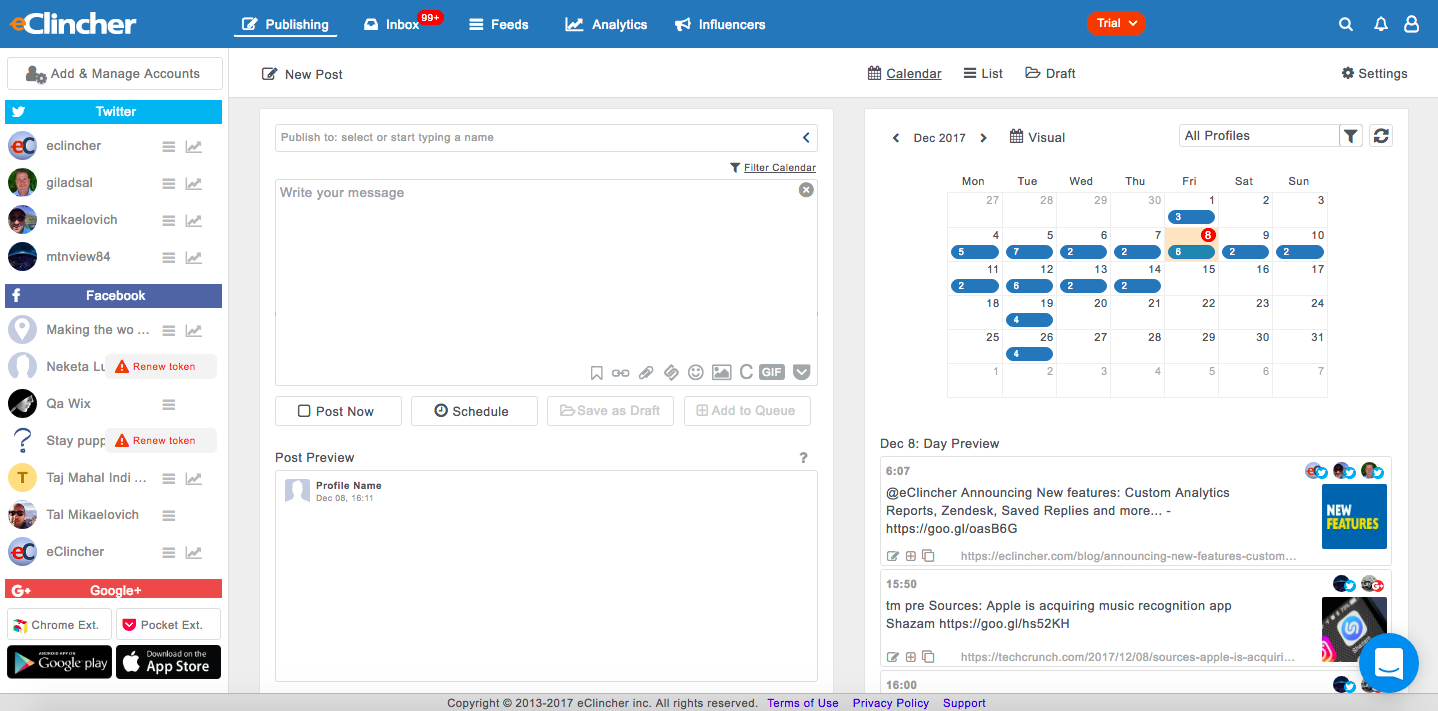
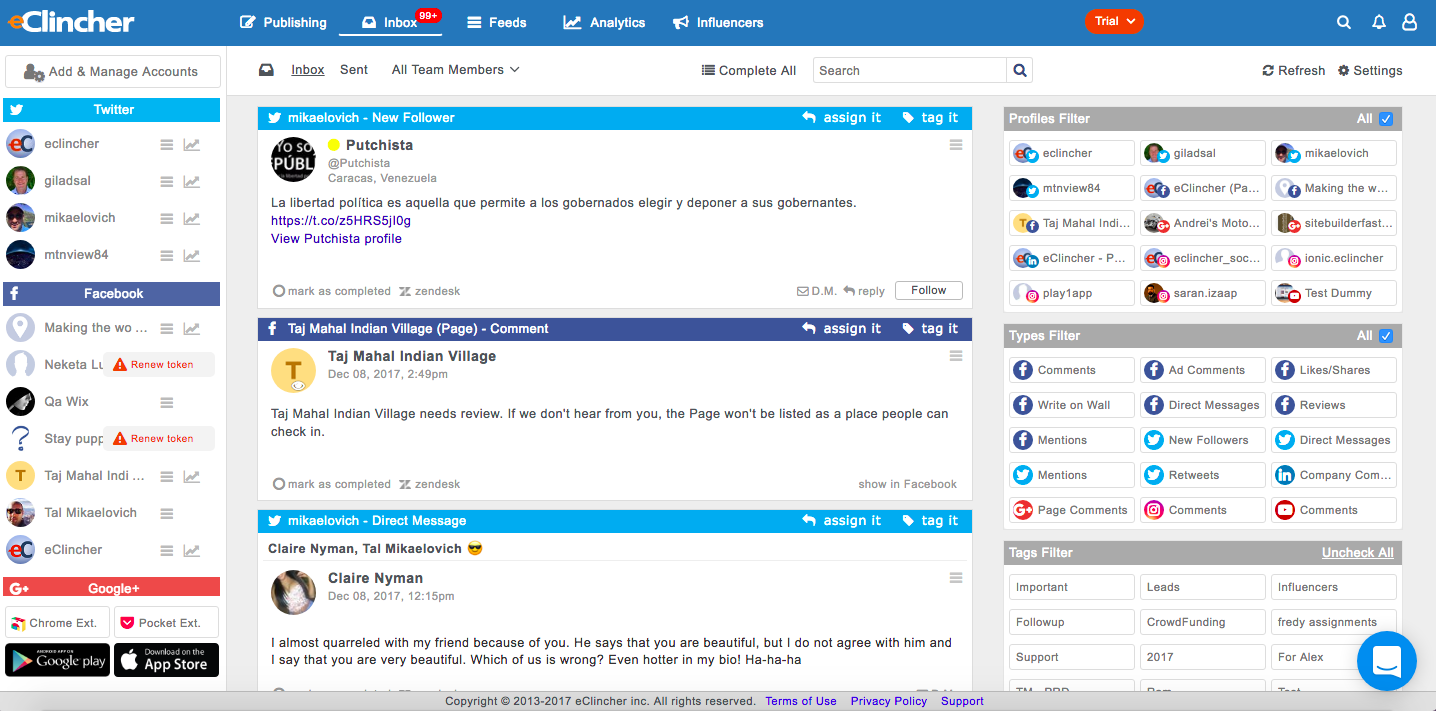
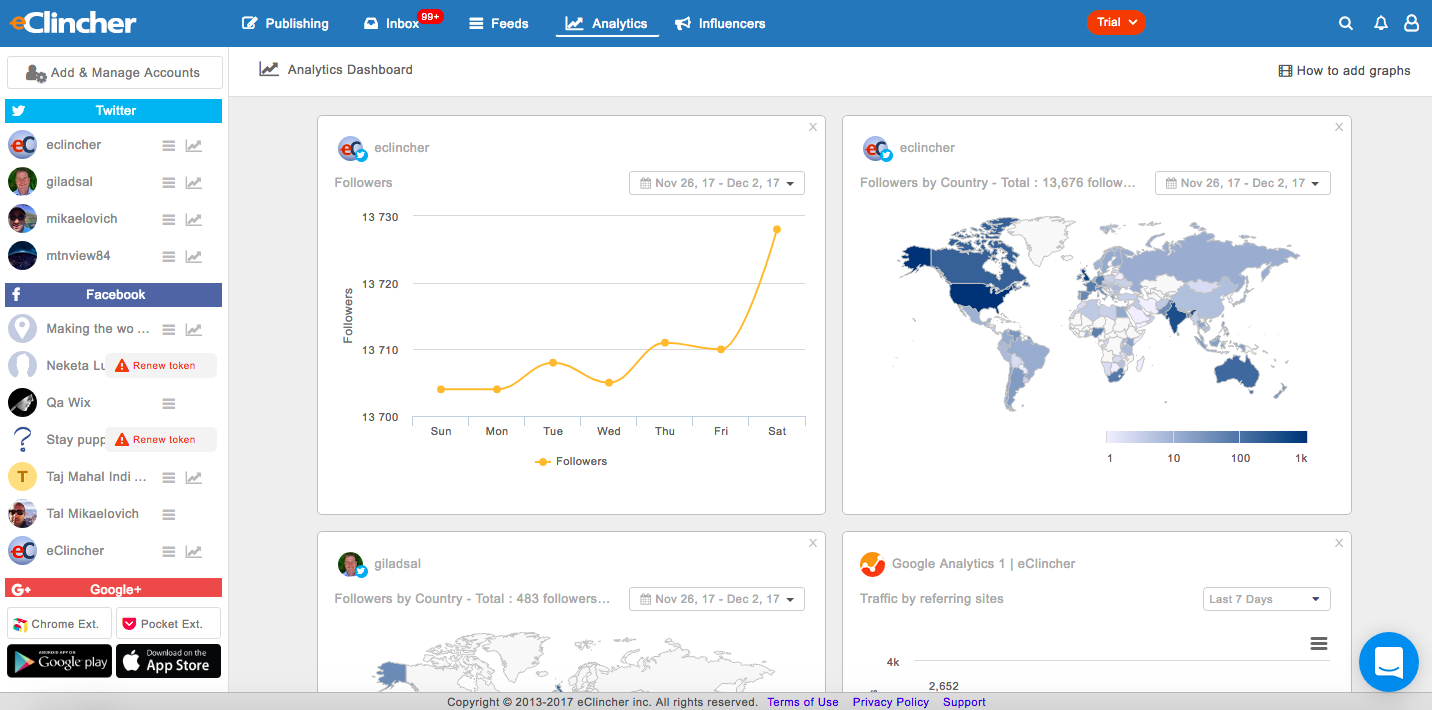
Screenshot of eClincher Publishing/Draft workspaceScreenshot of eClincher Inbox/Assignment/Tags workspaceScreenshot of eClincher Analytics workspaceScreenshot of eClincher Reporting workspaceScreenshot of eClincher Content Curation workspace

Zoho Social Screenshots

Screenshot of the Zoho Social interface, which appears when logging into an account. It provides navigation to switch between brands, monitor follower growth, and analyze post performance across connected channels—offering a unified view of an organization's social media health, posts, and interactions.Screenshot of the interface to publish content across all connected channels at once, or by selecting specific ones individually. It also offers the option to schedule posts for later or use SmartQ to automatically pick the best time for optimal engagement.Screenshot of the interface to manage all social media conversations, including direct messages, comments, and mentions, across all channels in a single unified inbox.Screenshot of the Monitor feature, used to track keywords, relevant accounts, and content, with notifications.Screenshot of an example of Zoho Social's data-driven insights, used to crunch numbers and generate reports.Screenshot of the Social Media Calendar, used to plan and deliver experiences.