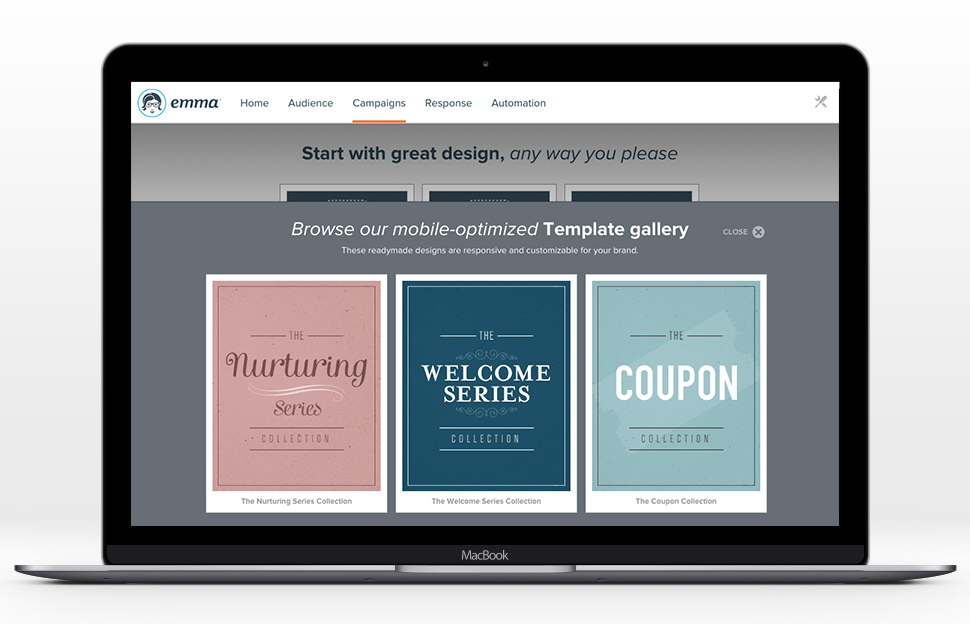
Emma by Marigold is an email marketing solution. Its key features include mobile-ready design templates, email automation, audience segmentation, and dynamic content. The software includes integration with third-party CRM solutions, ecommerce platforms, and social networks.
$500
per year per user
SendPulse
Score 3.5 out of 10
N/A
SendPulse is an integrated messaging platform providing user communication that includes emails, SMS, web push, SMTP, and user management.. This solution includes 15,000 free emails with up to 2,500 subscribers per month.
N/A
Pricing
Emma by Marigold
SendPulse
Editions & Modules
Basic
$500
per year per user
No answers on this topic
Offerings
Pricing Offerings
Emma by Marigold
SendPulse
Free Trial
Yes
Yes
Free/Freemium Version
No
Yes
Premium Consulting/Integration Services
No
No
Entry-level Setup Fee
No setup fee
No setup fee
Additional Details
—
Pricing starts from $9 a month and depends on the number of messages sent.
More Pricing Information
Community Pulse
Emma by Marigold
SendPulse
Features
Emma by Marigold
SendPulse
Email & Online Marketing
Comparison of Email & Online Marketing features of Product A and Product B
Emma by Marigold
9.1
Ratings
14% above category average
SendPulse
4.0
Ratings
66% below category average
WYSIWYG email editor
8.00 Ratings
2.00 Ratings
Dynamic content
9.00 Ratings
1.00 Ratings
Ability to test dynamic content
9.00 Ratings
4.00 Ratings
A/B testing
9.00 Ratings
3.00 Ratings
Mobile optimization
9.00 Ratings
2.00 Ratings
Email deliverability reporting
10.00 Ratings
7.00 Ratings
List management
10.00 Ratings
6.00 Ratings
Triggered drip sequences
9.00 Ratings
7.00 Ratings
Reporting & Analytics
Comparison of Reporting & Analytics features of Product A and Product B
Using Emma for weekly templated email use with minimal changes is awesome. If you want you can create a master and make minor graphic edits quickly and easily from your smartphone. Any edit is possible as long as the artwork is on the online server. Only time I hit a bump in the road is when I was asked to change the style sheet and did not know that the pricing plan I was on did not include this feature. Client had to wait to send new format until Emma performed the requested changes.
In my department it is very well suited. It is one of the best application for sending weekly newsletters to my clients. I use it to send important market information to my clients on a regular basis. The kind of templates it provides me I fill with adequate information for my clients. It also allows me to present that information in a very organised manner.
Drag and Drop Interface - I love the drag-and-drop interface used to design campaigns. It makes it easy for creative types to get the look they want, and it helps less technically and aesthetically adept users to create campaigns that still look great. After using both Constant Contact and Mailchimp, I think Emma comes out on top in terms of ease of template design.
Master Admin Account - Having a master admin account controlled by one person allows us to deploy brand assets to each sub-account, and we're also able to push out templates for users who aren't ready or don't have the time to design their own.
Dynamic Content - Dynamic content has proven so useful to us, especially in our Admissions Office. Making it possible for regular users to easily create emails using dynamic content is a VERY strong feature that, in my experience, is unique to Emma.
Great Tutorials - Emma does a great job taking care of its users. The support folks are always kind and helpful, but Emma publishes an array of tutorials and resources to help with just about anything its users encounter, from how to use custom merge fields to advice on creating the best campaigns.
I feel its User Interface is one of the strengths. It is very simple to operate. It is not necessary for any user to have good knowledge of newsletters design or e-mailer design to make a good and informative e-mail design on this software.
Its technical ability to send user's campaign to customer's Inbox is something which one can rely on. Its deliver-ability is almost 100 percent.
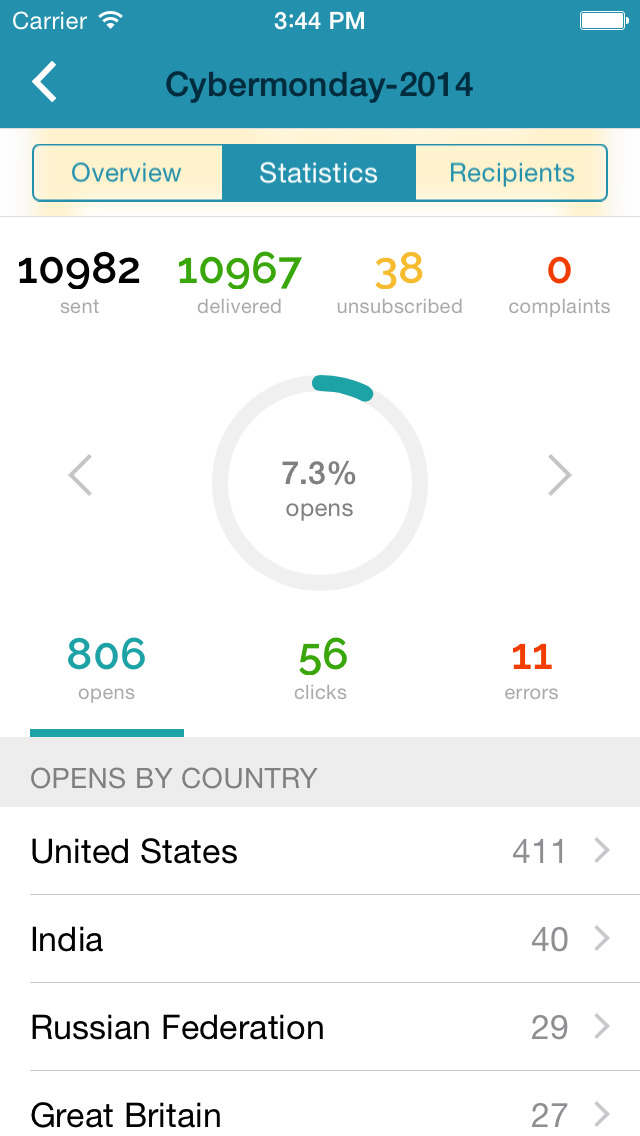
It gives detailed analysis of any campaign. And this feature is very necessary for any software to help its users to understand the outcome of that email activity. SendPulse is awesome in this feature. It gives you detailed statistics to analyse your campaign. Users can download these statistics in PDF and Excel format also.
Setup of users - We used to be able to setup a user and send them our own welcome email. Emma has since set up the ability to add users where they send the welcome email. It's a great new feature, but it doesn't always work. We've had some users who never receive these emails and then we need to reach out to support anyway.
The code to set up a configurable email is cumbersome. It's great that it is so customizable, but there is a learning curve.
I like its Drag and Drop function to design e-mailers but it lacks in some functionalities. Foe example when I write two different contents in a same box I need a line to show separation between my contents in the same box but this feature is unavailable in SendPulse.
They should include more fonts. Every product or service needs different kind of fonts to make a right impact on customers. With limited option of fonts it restricts user's creativity.
It is good to have templates to give users some idea for designing campaigns but here SendPluse has nothing much to offer. They have very limited number of templates.
Easy to use and gets the job done without too many "extras" (ex. we didn't need a full marketing automation platform so Emma had what we needed to send email marketing communications without having to pay for the stuff we didn't need)
While every WYSIWYG software will experience glitches, Emma handles them well. Keep in mind they rarely happen, but they do, it can be of annoyance. Regardless, Emma allows my organization to create seamless email campaigns using fresh data. Emma makes coming up with strategic decisions very easy. The list segmentation that Emma feature allows us to easily manage a large list without issues. Overall, Emma is extremely usable with nearly no learning curve!
I find that overall SendPulse is very intuitive to use and the support is there to help you out in case you don't find how to do what you wish to do. The drag and drop functionalities make it easy to create the newsletters you want. Every field is explained and small tutorials are included to show you how to create a new template, newsletter, etc. which makes it very easy to use.
I hate that to get support I have to submit a question to a public forum and wait for a response. I just want the ability for a quick live chat to answer my simple help questions quickly or at the very least submit a ticket via email and get a status update.
Every time I contacted the support team with a question or a problem, they were very fast in replying and helping me out solve it. Usually latest within 10 minutes I would receive a first answer, and the problem would get solved on the same day.
Emma had a more robust multi-level account structure which empowered individual locations to participate at the ground-level. Additionally corporate was able to maintain oversight, template creation, marketing automation, and data reporting. The goal is to provide the locations with the ability to send their own marketing messages, saving corporate marketing time, and providing more genuine, locally-focused email campaigns. Emma was very effective at making that happen.
For SendPulse's price point, I consider their competition to be the likes of Mailchimp, ConstantContact, etc. While SendPulse rates roughly average across the board in all areas, for businesses looking for the cheapest option (which comes with a lack of features/quality), ConstantContact beats them. For quality/features/value, I'd say Mailchimp is the best option for small businesses.