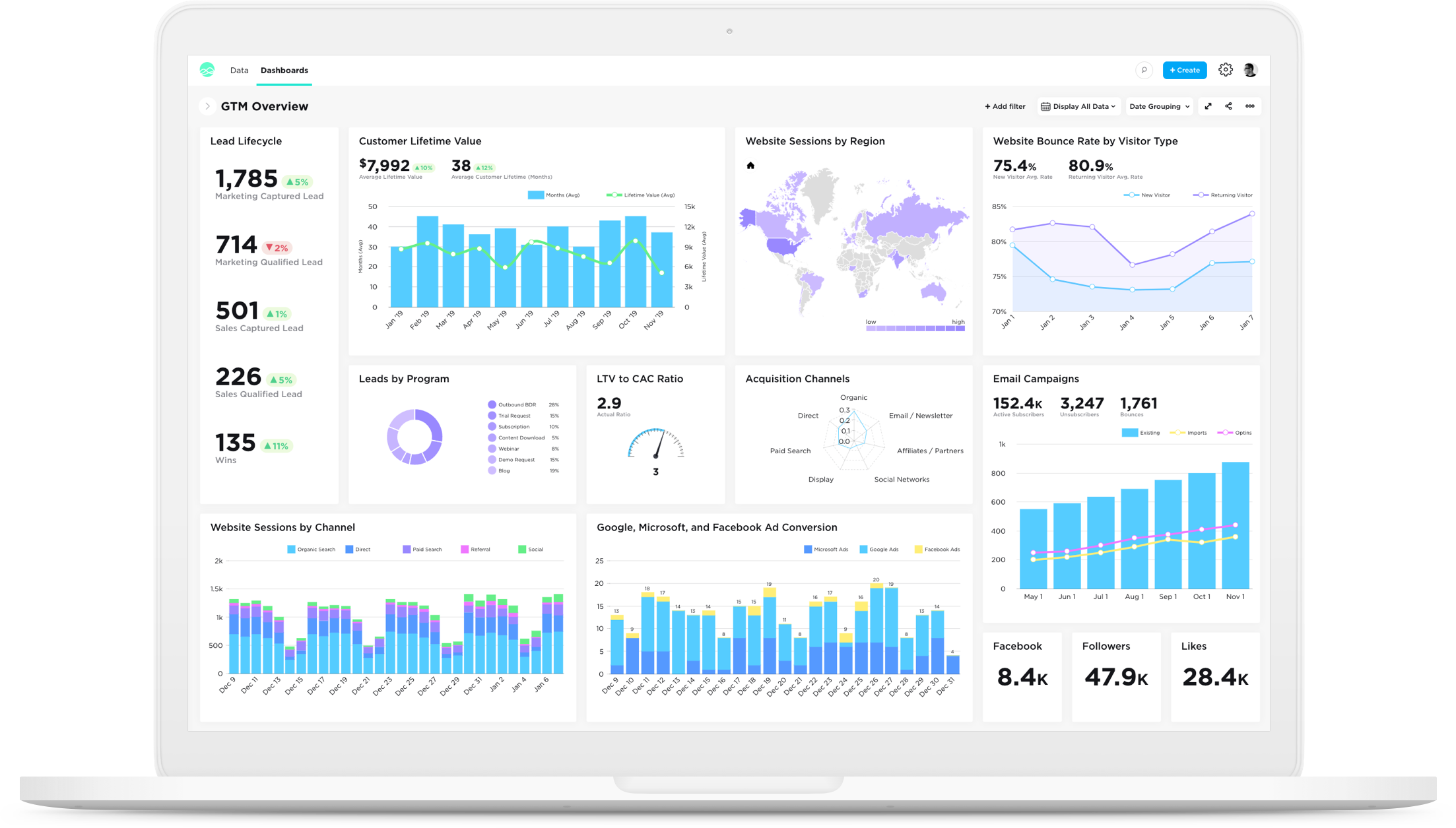
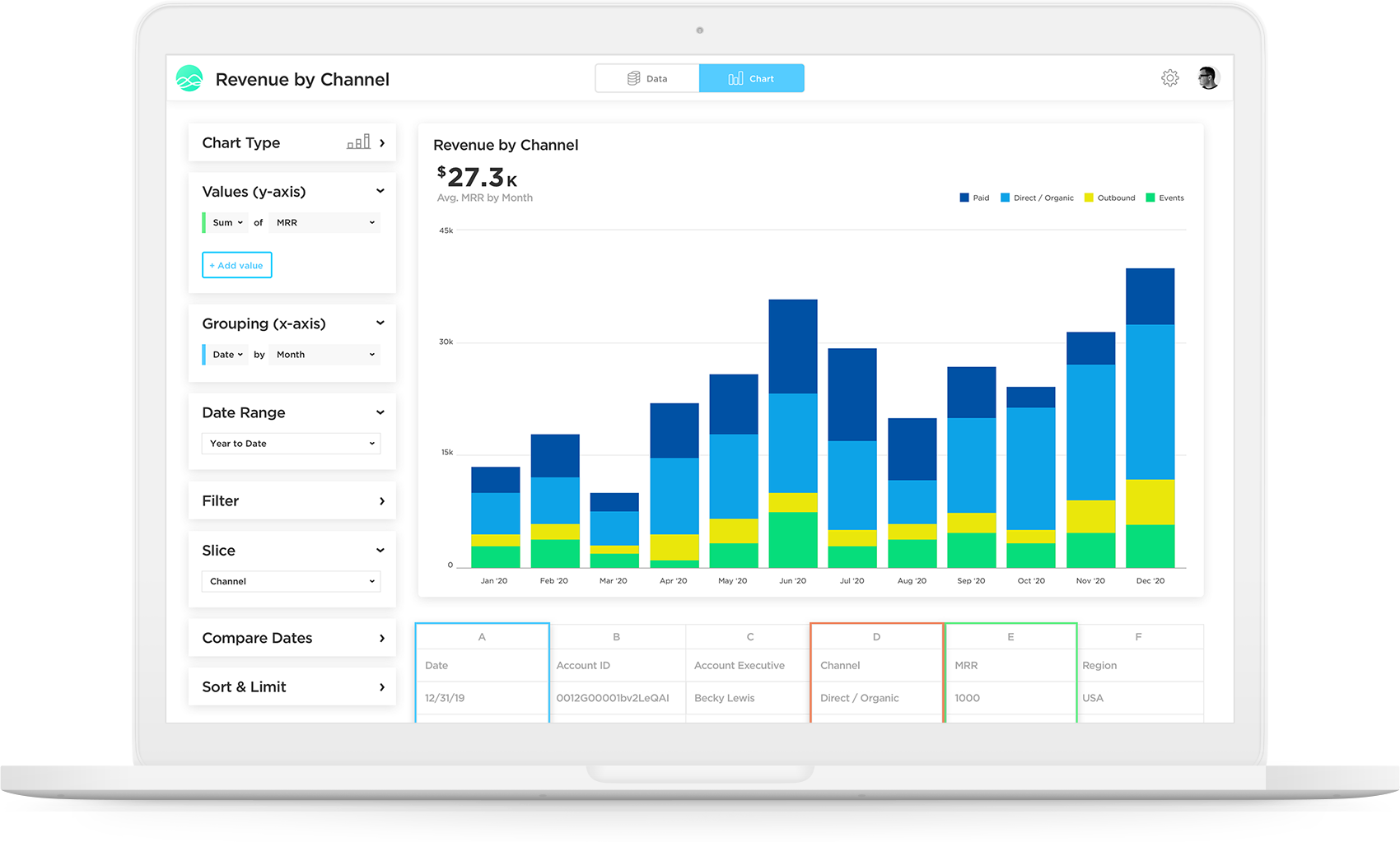
Grow, from Epicor since the March 2022 acquisition, is a business intelligence software that is designed to empower businesses to become data-driven and accelerate growth by aligning team objectives and inspiring strategic decisions.
N/A
Zendesk Explore
Score 8.7 out of 10
N/A
Zendesk offers Explore, a business intelligence and customer analytics tool which integrates with the Zendesk suite featuring ticket analytics, custom fields, dashboards, and other features. Zendesk is migrating customers of the BIME analytics product, which is approaching end of support, to Zendesk Explore in 2019.
Grow is above and beyond using google sheets for data analysis. There really is no comparison to the ability to access, analyze and report on data in Grow versus in Google sheets. The metrics are also great, the graphs are easily created and understandable. They are also easily …
Grow.com is a great product because it is usable and has tons of functionality and customization, but it is definitely very expensive compared to other options out there.
Grow.com is a software that we picked because of the great positive reviews and because of the great customer service. Often times we need assistance within the software and the customer service reps are able to help.
We like Grow.com and chose this platform because the customer support team was great and super helpful. We make this a priority so that when we run into issues, someone can assist.
Grow.com is one of the best software out there simply because of how intuitive it is to use. It does not take much effort to get a team up and running using the software, but there are also a lot of other functions that can be expanded on as well.
Grow doesn't have as many advanced analytics features and other capabilities as some other 'dashboard' platforms on the market. Simply, if you want a tool for internal use only that has high-level analytics capabilities (regressions, completely custom visualizations, modeling), …
Tableau and Klipfolio are both great options and we considered others but ultimately Grow had the best combination of pricing, report customization, and support that we were looking for. At one point, when we were only using Grow with our Sales Team, we thought about moving …
I've used all three products listed, and Salesforce really lacks even with their own reports. We started using Grow almost exclusively for displaying and visualizing Salesforce data. At a previous company, we used Geckoboard, which I would consider more of a direct competitor. …
Grow.com has the easiest to use UI/UX out of the other business intelligence tools that I have used. It is a little more intuitive and takes less knowledge of SQL to really get what you want. The pre-built metrics really help to get up and going right out of the box, where …
I initially selected Grow because it was integrated with our CRM (ProsperWorks) and allowed me to use SQL to query that data. I've stuck with it because it supports many of the other data sources we are interested in pulling data from and gives us a lot of flexibility in doing …
We've used several Google Docs as our own dashboarding platform. Integration was ok but not nearly as clean as grow. Implementation was slightly easier if you were familiar with Excel though.
We chose Grow because of how economical it was in comparison. It was a great decision because we got what we needed and didn't have to pay even close to what we would have with other companies.
Before Grow we chose iCharts and developed all charts in iCharts. But it is very difficult to develop charts in iCharts and also we cannot display those charts on TV monitors continuously. That is when we looked into Grow and we have been using Grow since then.
Zendesk Explore stands out against Freshchat and Freshdesk for it's deeper analytics capabilities and seamless integration with Zendesk ecosystem. While Freshdesk offers reporting, it lacks on the same level of granular insights and customization that Zendesk Explore provides. …
I selected Zendesk Explore only to provide an easy and quick access for my managers and supervisors regading metrics and volume trends. Is not the most flexible nor complete data visualization tool, but works well for day-to-day follow ups. You need to use another tool if you …
What's good with Zendesk Explore is that data is already provided since it's included in the package. We get the data from Zendesk Support and make a report in Zendesk Explore.
It provides suggested templates and report formats also which you don't get on the other platforms. …
Zendesk Explore is more user friendly and the software plus maintenance cost is less. The report section is more detailed and no lag while creating report for a large data source. The report segments and formats are editable which make it more convenient to make a report …
We tried other reporting and Zendesk Explore was by far the best as it was already implemented into our support system we were already using; Zendesk. The main selling point for us, is that all of the reports are customizable and that no coding knowledge is needed to build out …
Zendesk Explore is better than Freshservice Analytics. In Freshservice, even though the interface is more attractive, the functions are not as good as Zendesk Explore. Reports and dashboards are hard to build, and the materials to learn are not as good as the materials on …
For support data, we have only used Explore because it came with our ZenDesk membership. So I can't speak to other solutions! That said, it's awesome to have Knowledge Base and support data in one place.
Grow.com is well suited if you have a lot of data or client data to manage. If you do not have tons of data, there are other options out there that are a bit more simple and easy to use and a better price.
Compared to other analytics functions of other Ticket Management System, Zendesk Explore is the easiest to learn. Moreover, the learning curve is high. Once you pick up the fundamentals, you will be able to create all types of analytic reports. In addition, if you know basic coding or SQL, you can create your own metrics and attributes to capture extremely specific elements such as the tickets that contain a certain word or etc.
I love the fact that you have a team of developers who can help me build metrics or fix metrics that I do not create properly. I had to learn SQL in order to really build the metrics that mattered, which was a lot of fun, but resulted in many broken metrics. The vendor's team was great in responding to me requests for help!
Really, really appreciate the fact that Grow has SQL formulas to reference when building metrics. Again, as a novice, this accelerated my ability to learn and not have to leave your site and resources and stay within the Grow web properties.
Great account managers who check in regularly and are willing to help out whenever needed.
As with most "suite" products, if you already use other Zendesk features (Chat, Talk, etc), then Zendesk Explore adds an extra facet to the customer experience. The more we know about our clientele, the better we can understand/anticipate their needs.
I like that we can get as in-depth as we feel is necessary. For example, is just one customer having an issue? Or are many experiencing a similar problem? We can better rack this type of trend using Explore.
Our team can dive deep into the data based on exactly what we're looking for. If the marketing team wants a certain kind of segment, we can give them that info. If we want to sort by date or another set of parameters, we can do that as well.
This tool is definitely a little bit difficult to be able to figure out at first, but after some time of learning you can definitely pick it up. I do wish there were more resources online that would be able to help speed up the learning process
I rate Zendesk Explore 8 out of 10 for it's overall usability because it offers powerful reporting and analytics with an easy to navigate interface and intuitive dashboards. It helps improve customer satisfaction by providing valuable insights into ticket handling, agent performance and customer satisfaction. Though the complex query builder can be challenging for non technical users.
The support team is very helpful and in every situation we have needed help in, they have been able to assist. So I have had a good experience with them
Zendesk Community is extremely useful for Zendesk Explore beginners. The live support provided by Zendesk will also help a lot. If you don't know anything you can ask live support right away. However, one drawback of Zendesk Community and Support is the creation of complex reports on Zendesk Explore. Zendesk Community and Support cannot really help you much if you are trying to build a complex report as they are not a complete expert on it as well.
Grow doesn't have as many advanced analytics features and other capabilities as some other 'dashboard' platforms on the market. Simply, if you want a tool for internal use only that has high-level analytics capabilities (regressions, completely custom visualizations, modeling), Grow probably isn't the platform for you. To put it another way, if you have a team of data engineers and scientists doing complex analysis, Grow might not make the most sense. However, if you understand the value of data/visualization/dashboards, but lack some of those skillsets in your company, Grow might be the perfect fit. Not only is it incredibly scalable and reasonably priced compared to other market solutions, but their transform capabilities really stand out. They have many native data transformations that mimic SQL coding of a dataset, without requiring any knowledge of SQL. They've converted these transformations to easy-to-use tools in the platform, which are perfect for the less-technical user.
Zendesk Explore stands out against Freshchat and Freshdesk for it's deeper analytics capabilities and seamless integration with Zendesk ecosystem. While Freshdesk offers reporting, it lacks on the same level of granular insights and customization that Zendesk Explore provides. Compared to Freshchat which focuses more on live chat and conversational analytics Zendesk Explore excels in historical trend analysis and comprehensive dashboarding. We choose Zendesk Explore for it's robust reporting and drill down capabilities.