TrustRadius: an HG Insights company

Epicor Grow

Score8 out of 10

41 Reviews and Ratings

What is Epicor Grow?

Grow, from Epicor since the March 2022 acquisition, is a business intelligence software that is designed to empower businesses to become data-driven and accelerate growth by aligning team objectives and inspiring strategic decisions.

Media

Marketing desktop dashboard in dark-mode.
TV, desktop, and mobile dashboards.
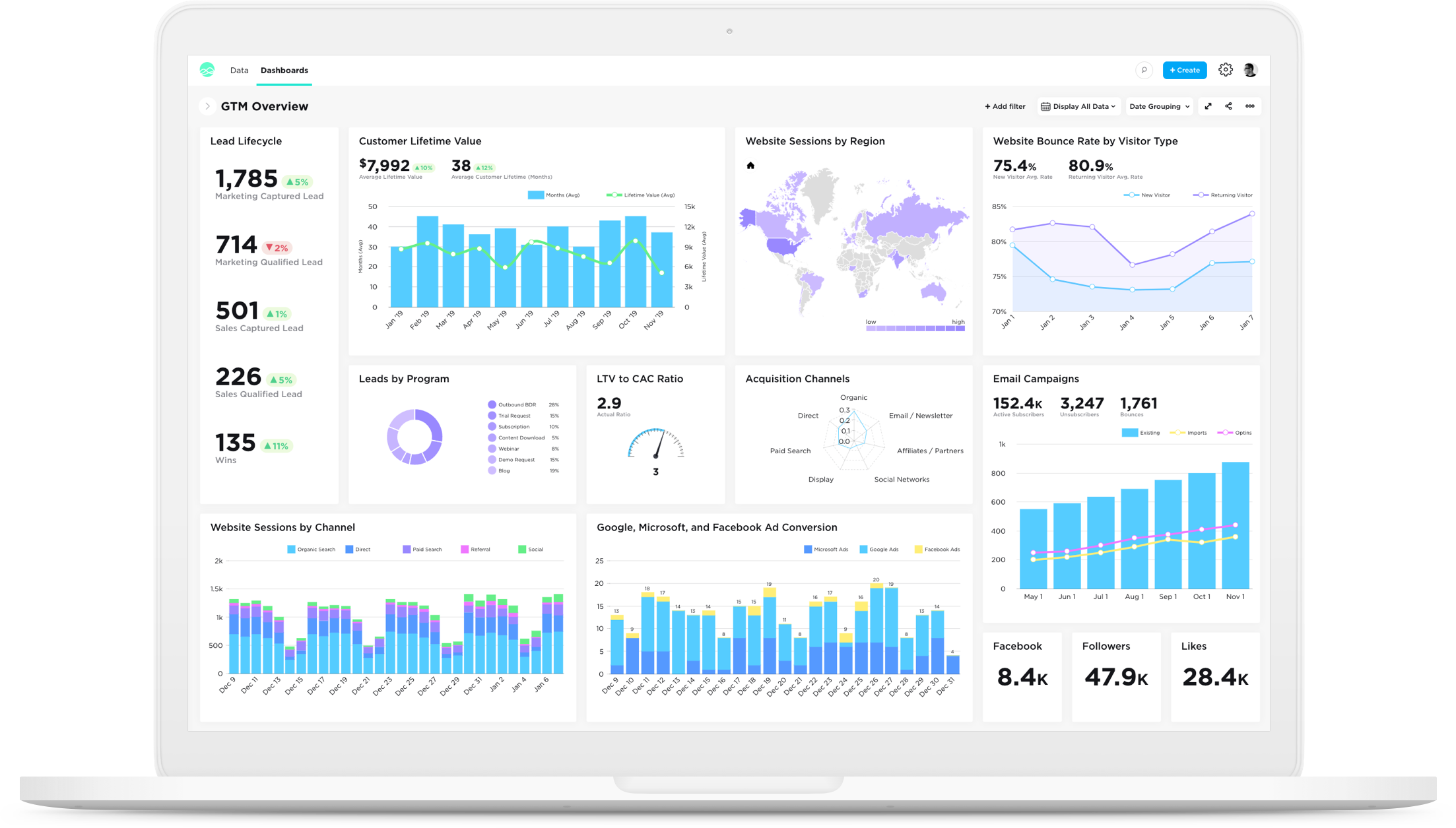
KPI desktop dashboard in light-mode.
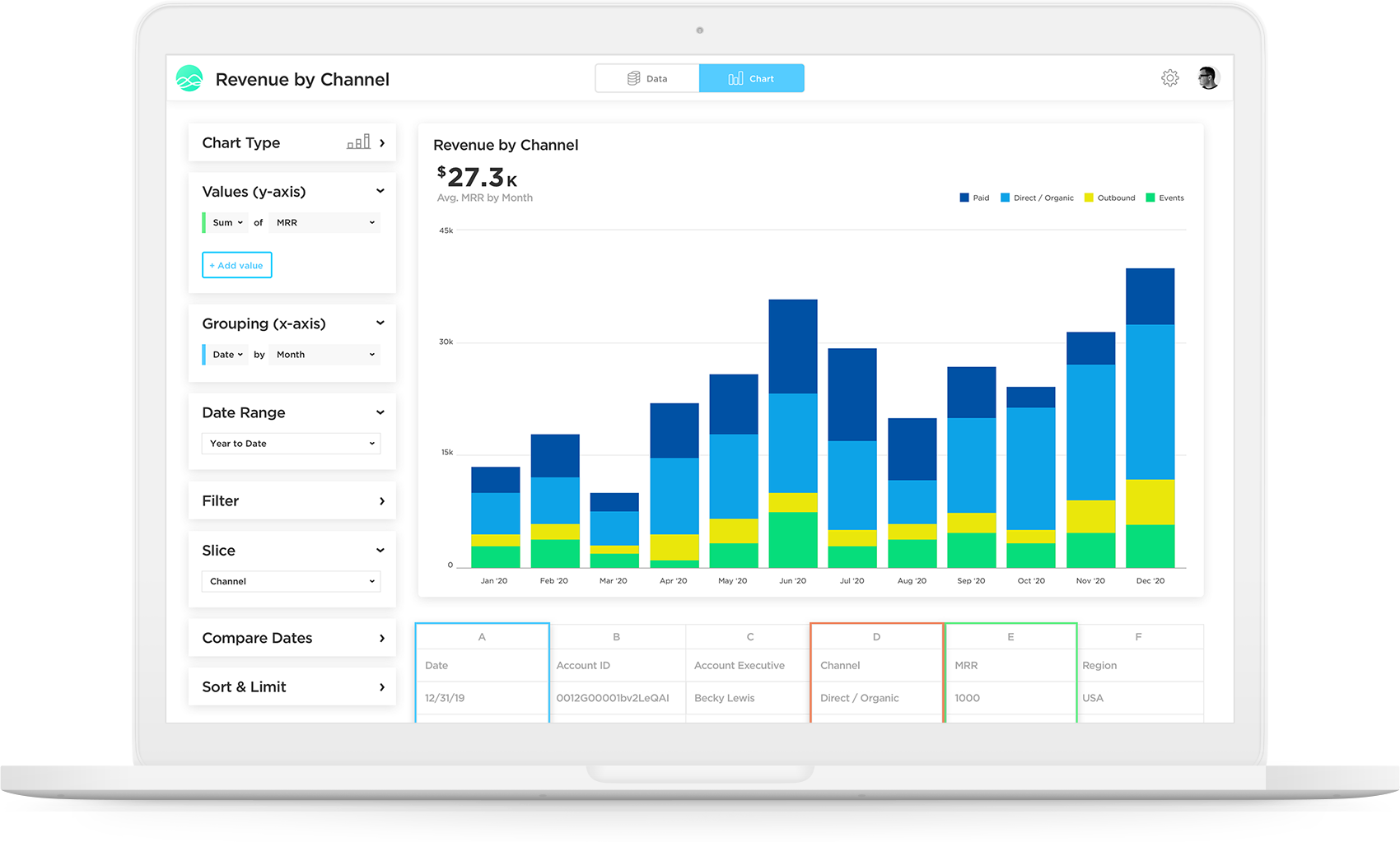
Chart builder and data visualization.

1 / 4

Top Performing Features

  • Customizable dashboards

    Customizable dashboards are dashboards providing the builder some degree of control over the look and feel and display options.

    Category average: 8.5

  • Report sharing and collaboration

    Report sharing and collaboration is the ability to easily share reports with others.

    Category average: 8.5

  • Responsive Design for Web Access

    Web design aimed at producing easy-to-read sites across a range of different devices.

    Category average: 7.9

Areas for Improvement

  • Single Sign-On (SSO)

    Allows users to use one set of login credentials to access multiple applications

    Category average: 8.5

  • REST API

    REST is an architecture style for designing networked applications

    Category average: 8.1

  • Report Delivery Scheduling

    Report Delivery Schedule is the ability to have reports delivered to a destination at a specific data and time.

    Category average: 8.4

Highly recommend Grow!

Use Cases and Deployment Scope

Grow is our main business intelligence tool, used for data analysis, analytics and dashboards. We use it to report on macro and micro business data points such as sales performance and marketing trends. It is also used to communicate out data and analytics to the company. Overall it is a great tool and I would highly recommend.

Pros

  • Provide easy to read and filter metrics
  • Easy to connect to CRMs and other tools
  • Quick adaption

Cons

  • Formatting dashboards can be annoying with trying to get all the metrics in one page view
  • Unable to move the order of reports when creating datasets
  • Limit on how much data you can put in

Return on Investment

  • Made it so much easier and faster to access data across tools
  • Lessened the time exporting and uploading data to excel/sheets for analysis
  • Made data and metrics more easily accessible to others in our orgs

Alternatives Considered

Google Sheets

Other Software Used

HubSpot Marketing Hub, Chili Piper, UserGems, Outreach

Rolling out data visualization at scale via Grow

Pros

  • Scalability.
  • White-labeled option.
  • Ease of use.

Cons

  • Increase integration count, instead of scaling back.
  • Better support on specific API issues.
  • Continue advancing full dashboard filtering/grouping abilities.

Other Software Used

Northpass, Lead Forensics, Smarp, Sociabble

Intuitive and self-serve data software

Pros

  • The support team is awesome.
  • There are plenty of training resources online to be able to learn the software.
  • You can integrate with other platforms that are out there to be able to funnel your data into it.

Cons

  • Filters could be improved.
  • The price is pretty high compared to other options out there.
  • SQL options could be more powerful as well.

Return on Investment

  • Allowed us to create better reporting for our clients.
  • Helped us track our own business KPIs.
  • Very sharable platform to be able to send to management and share.

Usability

Grow with Grow.com!

Pros

  • This tool is relative easy to customize.
  • The default tools for Grow.com are very useful.
  • Managing the team and users are easy.

Cons

  • First getting everyone up to speed on the software can be a bit difficult and take some time.
  • There are not as many resources online for this software than others.
  • There are certain analytics that are missing.

Return on Investment

  • This software has definitely generated a positive ROI by allowing us to be able to make better business decisions.
  • Increased customer retention by providing better reports.
  • Has helped us save time in being able to aggregate data.

Usability

An excellent dashboard and tool

Pros

  • Visualize data.
  • Data migration.
  • Drag and drop.

Cons

  • Interface.
  • Learning curve.

Return on Investment

  • Solve problems.
  • Save time.
  • Better insights.

Usability
