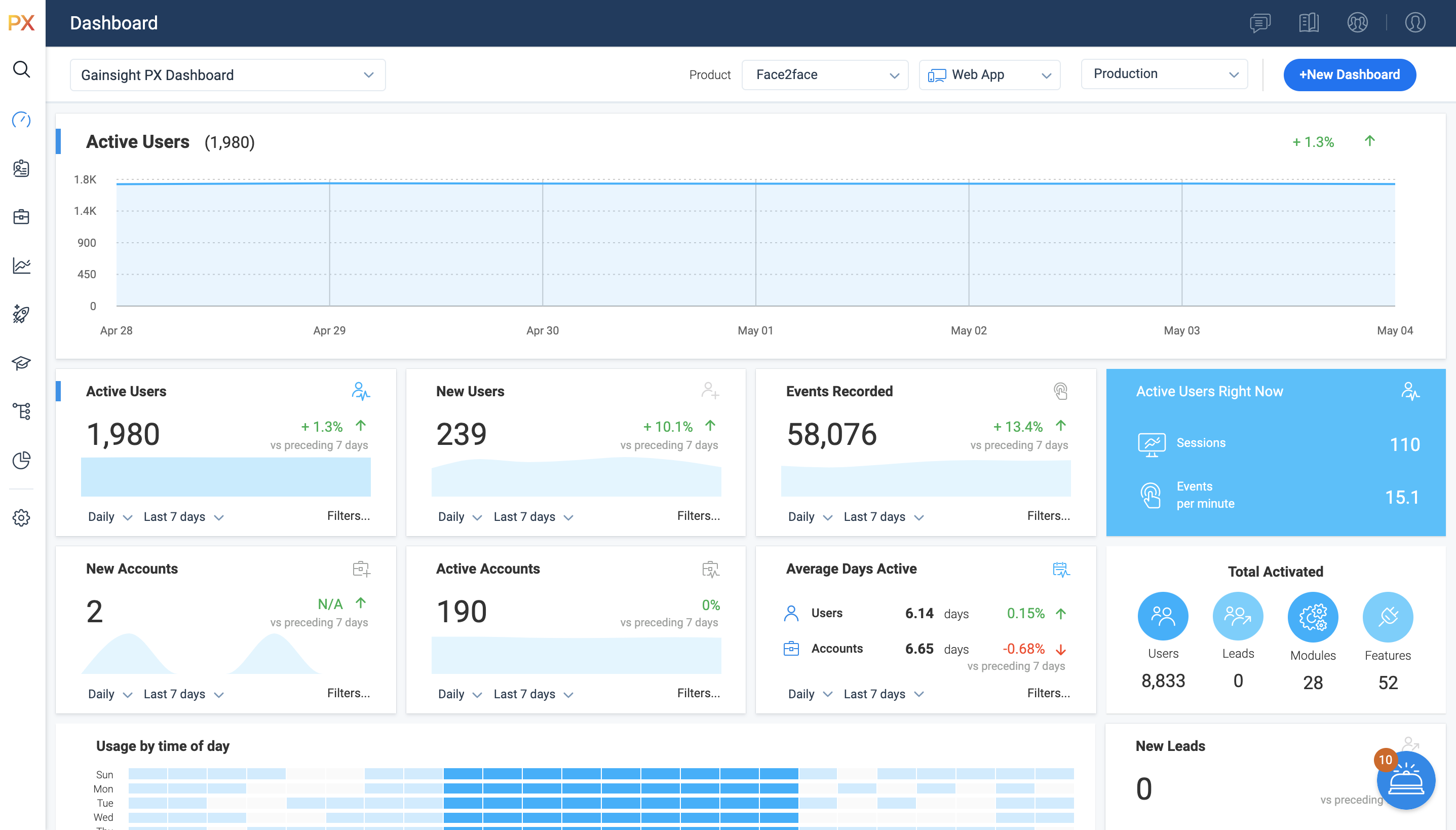
For SaaS products, Gainsight's product experience software enables companies to track every step of their user's journey and fully understand how they're interacting with a product over time.
$0
100 or less MAUs (Monthly Active Users)
UserIQ
Score 8.0 out of 10
N/A
UserIQ is a walkthrough tool that aims to empower SaaS companies to deliver what each user needs to be successful in every moment, starting with adoption. According to the vendor, key benefits include: effectively scale onboarding increase feature usage accelerate time-to-value ultimately drive more revenue throughout the customer journey
N/A
Pricing
Gainsight PX
UserIQ
Editions & Modules
Starter (Free)
$0
100 or less MAUs (Monthly Active Users)
Starter
Starting at $400/M
500+ MAUs (Monthly Active Users)
Growth
Custom
Per MAUs (Monthly Active Users) and more
No answers on this topic
Offerings
Pricing Offerings
Gainsight PX
UserIQ
Free Trial
Yes
Yes
Free/Freemium Version
Yes
No
Premium Consulting/Integration Services
No
No
Entry-level Setup Fee
No setup fee
No setup fee
Additional Details
—
—
More Pricing Information
Community Pulse
Gainsight PX
UserIQ
Features
Gainsight PX
UserIQ
Security
Comparison of Security features of Product A and Product B
Gainsight PX
-
Ratings
UserIQ
10.0
Ratings
12% above category average
Role-based user permissions
00 Ratings
10.00 Ratings
Platform & Infrastructure
Comparison of Platform & Infrastructure features of Product A and Product B
Gainsight PX
-
Ratings
UserIQ
9.3
Ratings
7% above category average
API
00 Ratings
7.10 Ratings
Integration with Salesforce.com
00 Ratings
10.00 Ratings
Integration with Marketo
00 Ratings
9.00 Ratings
Integration with Eloqua
00 Ratings
10.00 Ratings
Customer Data Extraction / Integration
Comparison of Customer Data Extraction / Integration features of Product A and Product B
Gainsight PX
-
Ratings
UserIQ
7.8
Ratings
13% below category average
Product usage
00 Ratings
8.00 Ratings
Help desk / support tickets
00 Ratings
7.50 Ratings
Customer Success Management
Comparison of Customer Success Management features of Product A and Product B
Gainsight PX
-
Ratings
UserIQ
8.0
Ratings
8% below category average
NPS surveys
00 Ratings
7.10 Ratings
Sponsor tracking
00 Ratings
9.00 Ratings
Customer profiles
00 Ratings
8.50 Ratings
Automated workflow
00 Ratings
6.10 Ratings
Internal collaboration
00 Ratings
9.00 Ratings
Customer health scoring
00 Ratings
9.00 Ratings
Customer segmentation
00 Ratings
7.50 Ratings
CSM Reporting & Analytics
Comparison of CSM Reporting & Analytics features of Product A and Product B
It’s a robust tool that allows you to easily map and track key features and actions within your products. It also allows for in app communications to help guide the user through the path you want them to follow. The ability to connect with Gainsight CS also allows you to leverage that data to drive actions for the account team, incorporate it in health scoring, and use it to trigger digital programs. You do need a well thought out strategy for management of the platform, the data and how you will use it.
User IQ is appropriate particularly for unlocking insights into information about the customer without any problems, like mentioned previously the health dashboard is particularly liked within the business. On the visual side, It is also strong as it is fairly simple to use. Perhaps one less suitable is to actually present this data informal settings, as the output isn't suited for this.
Mapping your product is easier with PX than with Google Analytics (mapping your product makes usage data appear as hits on mapped URLs, buttons, etc)
PX is good at showing simple messaging popups to customers.
PX Badge functionality—a persistent hover- and click-enabled popup launcher, positioned on select pages and attached to select elements—works well as a self-serve resource for users. It can be unobtrusive yet right there when needed.
PX modal content is fully editable HTML with plenty of flexibility.
Audience filters are really powerful. You can target users by many built-in and dev-configurable attributes, like device-type (which helped me work with mobile web users), browser, account, parts of the application visited/used in the last day, and many more.
Adding Heat mapping/Scroll tracking/Live user session viewing - I think this could give me further options for segmentation and give me higher visibility of where customers may be facing difficulties when creating further in-app messaging.
It is a good product, but like with every product, there is room for improvement or even just things I, as a user, would prefer, such as the ability to click on a company and have it go to Salesforce instead of Insight. It can also be difficult to find certain reports.
This rating is given as to a certain degree it is useful - as in the customer health dashboard and providing a very fast service which is easy to use for our users. However, as mentioned prior, the exportation of this data into presentable information (presentation style) is not really possible without doing yourself via screenshots and interpreting the data.
I have not had to contact support frequently but when I have I used the chat and my questions were answered immediately. I've also used their knowledge center, help documentation and training videos which are all very thorough. The support we've received from our Customer Success Manager has been helpful as well.
Customer service and support is one of the biggest strengths for UserIQ, whenever there has been any issues or confusion, the help service is very effective and friendly to support us and get to a conclusion within no time, hence why the ranking given is extremely high for this factor. I would not say any improvement is needed in terms of this aspect of the company.
I have used and evaluated a few similar products to Gainsight PX, including Appcues, WalkMe, and Pendo. I found that Gainsight PX was the most comprehensive and user-friendly platform, offering features such as customizable onboarding flows, product usage tracking, and automated customer success workflows.
When comparing with the other product of the market we realize UserIQ brings the best outcome beneath the price so we choose UserIQ apart from other products.
Customer Sentiment. Customers have been excited when we can show them data around usage and where we can improve.
Deciding to remove features. We have used PX to identify features that have little to no usage which allows us to get rid of unnecessary process and maintenance.
Identifying areas of improvement. We are able to find areas of our product that we need to focus on improving where previously we would have missed or had a tough time justifying spending time and resources.