The classic version of Google Hangouts included messaging, voice, VoIP, and video call capabilities. It was replaced by the Hangouts Chat collaboration tool, and Google continues to support conferencing via the new Hangouts Meet.
N/A
MiCloud Connect
Score 7.8 out of 10
N/A
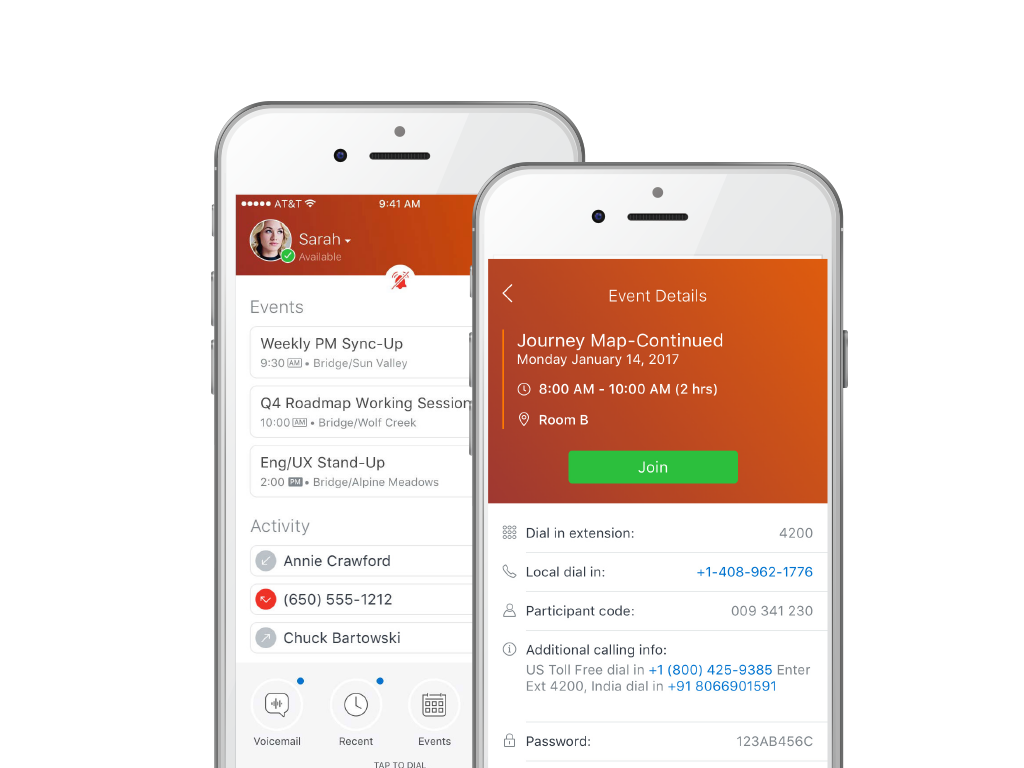
MiCloud Connect is a business communications solution for contact centers that includes features like IP PBX telephony service, desk phones, softphone, and collaboration tools. It is integrable with other business communication technology, including Microsoft Outlook and CRM software.
$20.99
per user/per month
Pricing
Google Hangouts (Classic)
MiCloud Connect
Editions & Modules
No answers on this topic
Essentials
$20.99
per user/per month
Premier
$26.59
per user/per month
Elite
$38.49
per user/per month
Offerings
Pricing Offerings
Google Hangouts (Classic)
MiCloud Connect
Free Trial
No
No
Free/Freemium Version
No
No
Premium Consulting/Integration Services
No
No
Entry-level Setup Fee
No setup fee
No setup fee
Additional Details
—
—
More Pricing Information
Community Pulse
Google Hangouts (Classic)
MiCloud Connect
Considered Both Products
Google Hangouts (Classic)
Verified User
Anonymous
Chose Google Hangouts (Classic)
Google Hangouts integrates into our current workflows well (we use g-suite) and is quite user friendly. It is great for small to mid-size internal team meetings. It is also good for informal client meeting. There are other cases where other tools are needed/superior for the …
Best part of Google Hangouts is its simplicity, and performance. We never had connection problems, or quality interruptions, something that is more frequent with the other tools listed above.
Google Hangouts is by far the most practical and easy communication tool I have used. Skype sees lots of drop rate but never faced any such issue with Google Hangouts. Mobile accessibility is also easier with Google Hangouts.
well, google hangouts classic doesn't stack up that well when compared to either Skype or Teams, as it lacks advanced features. But the fact that it nearly costs anything to get it set up & running in no time is a positive point for the platform. I'm pretty sure that Hangouts …
In terms of simplicity and ease of use, Google Hangouts is wonderful compared to some of the competitive products listed above. I do think that each have their own benefits:
some companies do not allow for Google's suite of products (like Hangouts) to be utilized
For its time, Google Hangouts (Classic) was a fantastic product and matched up well with all of its successors. Now however, with it having been phased on within Workspace for Education, I would not advise any new users use the product.
Danaher Business System Leader (DBSL), Awesomizer, Fixer, Maker, Collaboration Enabler
Chose Google Hangouts (Classic)
Google is the white cotton socks of the conferencing world. It’s a great ad-hoc tool, but not too much more. If you are not looking to spend money or operate completely on WiFi (without data charges), it’s a great free option as well. The benefit of being free and open is also …
Google Hangouts (Classic) is better than those two competitors if you want [the] ease of use within Gmail. One does not need to go to a separate site to set up a meeting. You just select the link to add the Google meeting link within the scheduler.
Google hangouts (Classic), is a instant message solution with not much more to add, it lacks the screen sharing features, the broad app integration, and the video and audio conferencing of this software. As a basic instant messaging communication tool it does what it promises …
Tactical Procurement Specialist (Vietnam & APAC Support) - Source To Procure Team
Chose Google Hangouts (Classic)
An obvious advatange of Google Hangouts is that it does not require any installation which allows me to use it in any laptop, any device. Unlike other software that requires installation and forcing an IT guy to physically install it on my device. The software is also VPN …
Again, Google Hangouts would primarily be used if you're already in the Google system. Corporate chat systems are far superior in functionality and usability and are also more reliable for larger organizations. For any company that is working with clients, I'd recommend a more …
Google Hangouts app is already integrated with many apps users already are familiar with. The program is accessible on many platforms which makes it easy for users to conduct business without having specific devices on hand. It really helped that many people were already …
I prefer Google Hangouts (Classic) to Microsoft Teams and Zoom, in terms of ease of use. It is quicker to use than setting up a Zoom room, for example. I always have the tab open in my browser and get pinged when colleagues chat me. Same with the phone app - I have it on during …
We reserve Zoom for client-facing meetings as it is the "market standard" and many are familiar with it, however for most internal meetings, we use Google Hangouts due to how light and simple it is, plus the integration with Google Calendar.
Google Hangouts is more readily available based on the fact that it is part of the Google family, however, ease of use and convenience would make me want to prefer Whatsapp Business or Teams.
Google Hangouts is more for informal, care-free meetings. Zoom is more for professional, webinar, and live event-type meetings. Also, Google integrates with our full G Suite/Workspace products.
Google Hangouts [(Classic)] is better than jabber, but way behind all other business chat clients. I would much rather use any of the alternatives I have listed in place of Hangouts.
Since our staff and students already used Google products it was easy to add on this feature. We deployed it district wide at the start of the pandemic. Students and staff were easily able to learn the interface and we could mass deploy it on our Chromebooks. We really liked …
Since we use Google Suite, Google Hangouts (Classic) was the obvious choice. The ease of use and access to employees makes Google Hangouts (Classic) simple to use and access. Additionally, adding users to an existing Hangout is easy. Google Hangouts (Classic) also doesn't …
Zoom is solid but it's a whole other thing to log in to and limited in what its focus is. Slack has the chat functionality but Google Hangouts is integrated into my every day use and I don't feel like it's yet another thing to manage and keep track of.
Google Hangouts (Classic) is just as good as any of its competitors. Google Hangouts (Classic) has everything that is needed for an internal communication tool, besides the software makes work really fun with the cool and funny stickers. I have personally liked using Google …
Zoom allows us to connect to a large number of people but personally I face problems while using Zoom on the mobile phone, it needs a high-speed network and lags too much. While on the other hand Google Hangouts is lite and easy to use on mobile phones, it's easy to connect and …
Apart from Google Hangouts, we were using Skype and GoToMeeting for the same business process. Over time we experienced that the quality of the call was reduced day by day with those products, so we moved to Google Hangouts.
We use the Google emails for business hence, the Google Hangout application was available for free. There was no setup cost or training that was required. Advanced systems have advanced features which are good but the downside is that they require training. A separate account …
Avaya OneCloud CCaaS is also a powerful call-center cloud system (IP PBX) solution and is similar to MiCloud Connect. However, MiCloud Connect is easier to integrate with our infrastructure based on a test in Dev environment.
Costs are lower with Mitel's offering than was the case with SureTel's offering. Switching from SureTel to MiTel was simple and painless. A software update was pushed by IT, and users migrated with relative ease. The vast majority of users did not need any involvement from IT …
Superior telephone service is available from Mitel. The phone service and administration site have an intuitive user interface. Finally, it was argued that a unified communication plan's conferencing options were superior to what really exists. Mitel's advanced features and …
Mitel has a great phone service product. The user interface for phone service, and the admin portal is extremely easy to use. Ultimately, it was presented that the conferencing solutions in a unified communication plan were more capable then reality. In comparison to other …
This is the first program of its type that we have used at this company but I would highly suggest it as it is the backbone of our call center. The way it manages calls and emails is paramount to our success.
Cost and ease of management are primary benefits over Cisco UCS. Much easier to train up admin staff in creating a new site and deploying gear for MiCloud vs Cisco. Reporting is also simple to run and schedule, enhanced by Brightmetrics.
Much more user friendly/intuitive, better software experience and does not have the multitude of hardware failures that we experienced under Avaya's product.
When evaluating phone systems, we looked at Cisco VoIP in addition to ShoreTel. Cisco was more money, had a higher learning curve, and we received a bad review from a local business who was using it. In the ShoreTel demo, the engineer brought their equipment and set up a demo …
Mitel and Toshiba for on-premises telephony. RingCentral and 8x8 for hosted. All of them have their strengths and weaknesses. For on-premises, there is no better solution than ShoreTel in my opinion. There are elements of the other hosted product I do appreciate like …
We have also used allworx and when it worked it worked great, however there were a few times where the system would be down for a few days because of clock issues within an update.
Senior IT Recruitment Consultant / Military and Veteran Staffing Consultant
Chose MiCloud Connect
The system was great compared to other systems I've used. Easy to learn. Easy to use. Easy to implement. Easy to use on the go. Easy to make heavy call volume.
ShoreTel was one of the earlier VOIP solutions available. They established themselves as a leader early on but lack a lot of innovation that newer VOIP companies bring to the market. Everything comes at a cost, want a conference bridge, you're going to need a license. Want …
Business Development /Subject Matter Expert- Managed IT Services
Chose MiCloud Connect
Polycom phones work fine, but they are a bit hard to learn how to use. There are a lot of "open" buttons that seem rather nebulous. ShoreTel's GUI interface really makes learning how to use the platform easy, even for a child to use. Plus ShoreTel designs and builds all of its …
Similar overall goals, but ShoreTel is easier to use from both a user standpoint as well as administrative standpoint. ShoreTel easily can be supported internally whereas Mitel would require more pro services
We deployed ShoreTel at a point where there were very few players in that space. There were special circumstances that make our installation non-applicable to this question.
We looked at packet8 and decided they would be more of a headach to implement. Although, I do think their monthly service is cheaper, I guess you get what you pay for. There is very little comparesion between shortel sky and the alaoge box we had before. I think we paid 10K for …
Senior Telecommunications Engineer and Contract Analyst
Chose MiCloud Connect
ShoreTel Sky scores big on customer services and compared to the competition (XO, Avaya, etc...) they are very accessible which is huge, especially in regards to getting problems fixed. Cost wise they are very, very competitive and they beat everyone else's prices we looked at. …
I am an IT professional, so I don't have a lot of experience with non-VoIP systems. The biggest advantage of ShoreTel in the businesses where I have worked is its call center features. Also, the system can be mostly configured and maintained by IT.
One thing I like about ShoreTel is that each upgrade is compatible with hardware used in previous versions. And Shoretel is still using Microsoft servers.
We also evaluated Cisco VOIP and Avaya. Avaya wasn't as advanced and Cisco seemed similar. We watched 3 presentations and staff collectively voted for ShoreTel.
Both Cisco and Avaya were evaluated by our firm. We carefully reviewed their documentation, went to demos for all three, and talked to several references. We chose ShoreTel due to lower initial costs, lower maintenance costs, colleague reviews and our testing of their product. …
ShoreTel beats the competition in several areas - ROI, TCO, end user adoption rate, ease of administration, ease of deployment, system up time, ability to scale easily and sound quality of each and every call.
As previously mentioned, Google Hangouts (Classic) is best suited for ad-hoc, informal communications with external collaborators that would benefit from face-to-face interactions, but don’t require a record of the conversation and don’t necessarily require a high degree of corporate security. For communications of consequence, our corporate toolset is more appropriate, but Google Hangouts (Classic) serves a similar function to FaceTime or Zoom.
If your company has relied only on an on-premises system in the past, Mitel is a fantastic alternative. Mitel provides an excellent hosted option for businesses looking for scalability as they expand as well as ease of deployment for use by branch offices and remote employees. However, I would recommend caution if the company plans to utilize Mitel as its only communications platform because its conferencing solutions are not ready for prime time.
With separate systems and two locations we used to have to fake the system into 4 digit dialing by forwarding all remote extensions to DIDs. Now with Shortel extended to the remote location we have true 4 digit dialing.
The Shortel desktop application makes managing calls and call routing a breeze for even our most novice users.
I would like to see improved video support, so that saved videos can be sent back and forth via Hangouts more easily, without having to start a separate meet chat
More pronounced notifications of messages would be helpful; pop up notifications are good, but once there is one, additional messages do not pop up
Custom muting times would be great, so that if I am in a 90 minute Zoom meeting, I can set it for that time; right now, it is 1 hour or 2 hours. Easy to forget.
The Shoretel Mobility app for iPhone does not work very well and is not very intuitive in my experience.
We have had many intermittent instances of employees reporting that call quality is bad, sounds like the caller is garbled and underwater.
I deployed Shoretel Sky to eleven branches in four states over a 6 month period and experiences were not very consistent. Had issues with not enough power bricks being sent with the phones, some phones not having the the face sticker showing messages, directories, etc., user guides (quick start guides) not getting shipped with the phones at some branches, and phones being programmed incorrectly. This made it very difficult to plan my trips to train employees and install these at the various locations.
Although the price is higher than some of the other Hosted systems out there, the value is definitely worth a renewal. Everything is relative: there are some companies out there who need phones, but don't necessarily care how they work, the functionality/features available/durability etc., they just care that they have phones that make and receive calls. There are other companies that are completely reliant on phones and certain functionality that is provided by the system. There are even some companies who are straight up dependent on the phone system and are losing tons of money anytime they are down, ShoreTel is the perfect fit for theSMB client who sees value in a solid,robust, reliable and high functioning phone system
The tool is almost self-implemented. It is likely to be available in every pc or mobile device a user or potential user might have, and all you need to do is adding the company's account and you are done. Once you are setted up, you have almost all actual communication methods available in one tool
I have not used a wide array of communication software, but this far ShoreTel/MiCloud has been the simplest and easiest to get into. My work employs several temps at certain points throughout the year, and they use this piece of software frequently, and new hires seem to have little to no issue using this software. Additionally, this is our primary telephone communication infrastructure, and I have yet to encounter any issues when signed in and regularly using it handling external calls to our department.
The system has gone down on us MULTIPLE times. We asked them to move us to a different cluster. Shoretel declined. Basically we had problems or outages every month of the year from June 2012 to date. Our old phone system was just that: OLD, no bells or whistles. But it was up every day and I never had to think about it much until it was time for an upgrade. That's how I want Shoretel to be. I want it so reliable that I never have to think about it.
Even though the system uses a lower bandwidth connection we have experienced a higher call quality than our previous system which required a T1 line and back up broadband connection.
Google Hangouts works great and does not require a lot of work to troubleshoot. Everything is simple and easy to use. Google provides all of the tools that one requires to utilize Google Hangouts and any information can be found in the built-in help tools. There is also a forum for users to report issues and typically, Google responds well and will try to work out any issues.
ShoreTel Sky's support is amazing. The only reason why I didn't give it a 10 is that we still need to contact them for stuff that we should be able to do, for ourselves, within the management portal. I know their portal is being worked on, so hopefully they will get the "little things" included for self-management.
I attended the first ShoreTel installer class in Austin,TX. It was a week of intensive study with a live lab and having hands on experience made the class worthwhile. I have taken all of the sales courses and remaining technical courses either online or self study to keep costs down. I send my techs to the first installer course in Austin as I feel it gives them a solid foundation and most of teh other courses they have taken have been online.
The training identified some things M5 (ShoreTel's cloud division) could provide, however it was only using it every day and asking the Shoretel support several questions that I got the hang of it. The training was able to highlight functions but I did not learn how to use the phone from the training.
I feel that the current features that ShoreTel provides are pretty solid, but in future I would love to see it expand into more features to assist inter team communication if possible. Considering that there was not a single issue with ShoreTel in my whole work period of 6months I think it is safe to say that the implementation is pretty standardized.
For its time, Google Hangouts (Classic) was a fantastic product and matched up well with all of its successors. Now however, with it having been phased on within Workspace for Education, I would not advise any new users use the product. Google Chat, combined with Google Meet, have superseded Hangouts (Classic) and should be used by default due to their close knit integration with Gmail.
Costs are lower with Mitel's offering than was the case with SureTel's offering. Switching from SureTel to MiTel was simple and painless. A software update was pushed by IT, and users migrated with relative ease. The vast majority of users did not need any involvement from IT during and after the switch over
Shoretel has been very scalable for our organization. We first installed Shoretel in 2003 to standardize three sites on one phone system. As our needs have changed, our Shoretel system has adapted with our growing needs and added locations. Initially, we were using analog phones and have been rolling out VoIP as our budgeting has allowed.
I believe it was part of the google suite that was purchased. It was worth the cost as it was cheaper. I believe it is now free, but also becoming deprecated. It is much better to use Teams, Discord, Telegram, etc. Google does not provide enough support or features to make using hangouts worth it these days.
We've definitely seen a business impact on our company in a positive manner. We've been able to provide the best possible service that suits our needs, while not being gouged by ISP's or Telco providers.
We can better serve our customer service reps and tech support people by managing our own system, creating our own ring groups and control use.