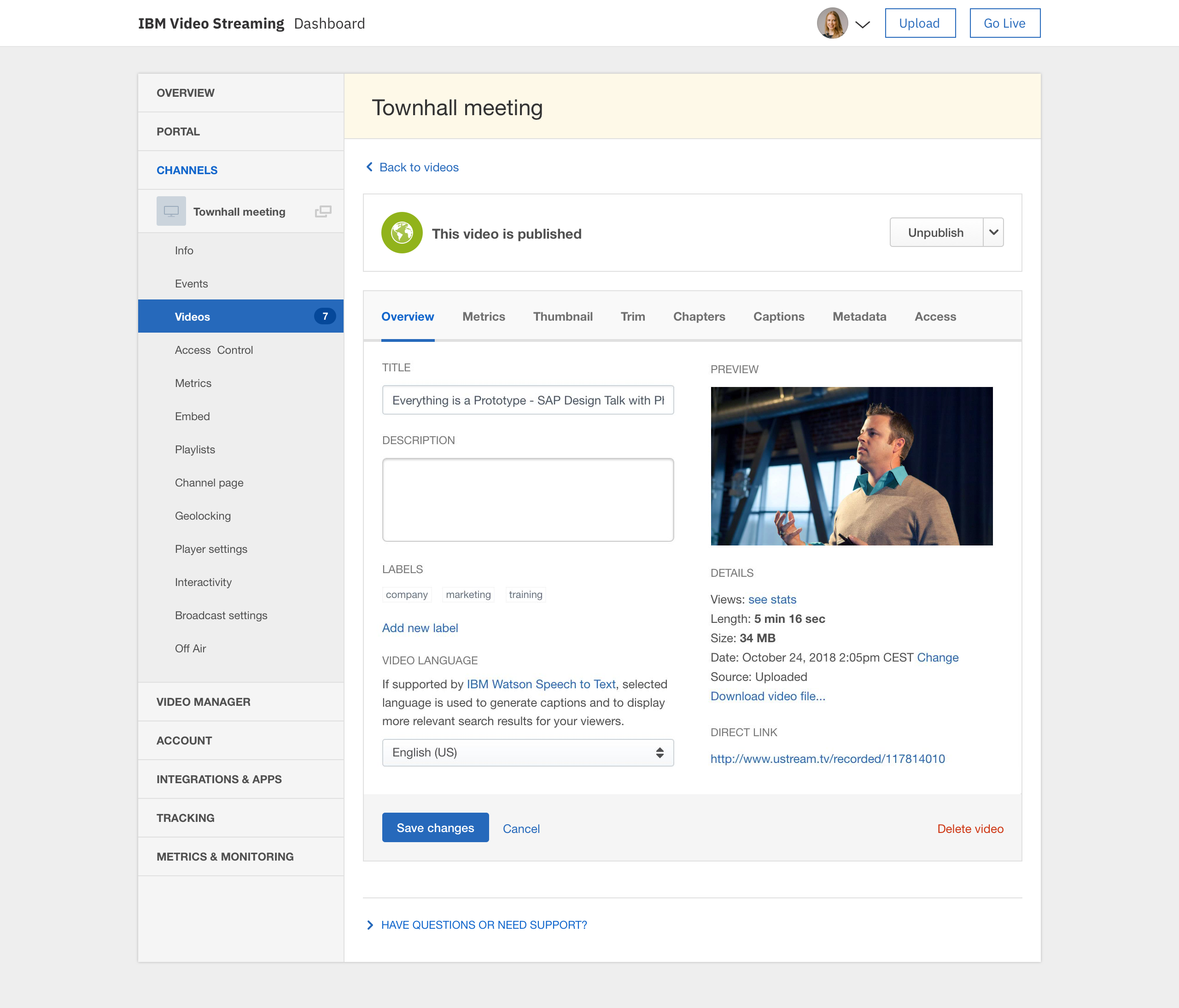
IBM Video Streaming solutions are used to stream virtual events, executive town halls, video marketing product launches, and 24-hour streaming channels. According to IBM, the solution is built for privacy, reliability and scale, to optimize video quality, and powered by IBM Watson AI for video search and automated closed captioning. IBM Enterprise Video Streaming can power security-rich video communications ranging from employee town halls, to…
$137
per month 100 viewer hours
Zoom Events & Webinars
Score 8.5 out of 10
N/A
Zoom Events and Webinars are part of Zoom’s event solutions that uses existing Zoom products to produce interactive and engaging virtual experiences. It combines Zoom Meetings, Chat, and Video Webinars in one solution that enables event organizers to produce ticketed, live events for internal or external audiences of any size.
$79
per month starting with 500 attendees
Pricing
IBM Video Streaming
Zoom Events & Webinars
Editions & Modules
Silver
$137
per month 100 viewer hours
Gold
$688
per month 2,000 viewer hours
Platinum
$1380
per month 5,000 viewer hours
Zoom Webinars
starting at $79
per month starting with 500 attendees
Zoom Sessions
starting at $99
per month starting with 100 attendees
Zoom Events
starting at $149
per month starting with 100 attendees
Offerings
Pricing Offerings
IBM Video Streaming
Zoom Events & Webinars
Free Trial
Yes
No
Free/Freemium Version
No
No
Premium Consulting/Integration Services
No
No
Entry-level Setup Fee
Optional
No setup fee
Additional Details
Video Streaming edition is available for purchase via credit card online (or via IBM salesperson if needs exceed those outlined in the online plans).
Enterprise Video Streaming edition must be purchased from an IBM salesperson.
The ability to scale the platform, as well as its ability to interface with other IBM systems, was the reason they decided to use it. Integral to the concept of an advanced analytics suite was the comparative advantage it had over other competitors and analysis tools crucial …
There weren't a lot of other enterprise offerings out there at the time we signed up for IBM. The market is changing though and would probably look at other offerings to see how they stack up too.
Vimeo offers better tools for on-demand like chapters and marketing tools. But their live options are limited to event durations. YouTube can stream for longer durations but IBM 24/7 stream has been much more reliable and easy to use.
The main reasons I would recommend Ustream over other competitors are: SSO integration, how accessible/responsive support is, the ease of use for the viewer, the consumption/seat model is easy to understand, server side encoding to multiple bitrates/qualities, ability to …
When this project was evaluating streaming providers in 2013, Livestream was the closest to uStream in feature set. However, we found the packages that uStream provided were financially better considering the volume of customers who were going to stream our content. We also …
Ustream had more experience than many of their competitors, they were also able to beat them on price. I have looked at Livestream and they seem to be geared more towards broadcasters and news outlets. They offer easy to use and affordable cameras, revenue sharing ads and many …
Ustream Align is a much better product than Pro and Enterprise for different reasons. The pro version just doesn't do enough and The enterprise version lacked the ability to secure channels and videos the way that we have been able to using Ustream Align. All in all a much …
Because Ustream has become such a popular service, there are many more that have followed after it. You can find a variety of similar options that might have more customization or a lower price tag. However, the scalability and reputation this platform has achieved will keep my …
Ustream was hands down the best option. When we were doing our research, I was able to download the tool and immediately start streaming, it was incredibly intuitive. The other tools were much more complicated and difficult to use.
IBM just had more features than Livestream, Youtube Live, etc, particularly security and reporting. There was no other vendor we could trust with our clients' sensitive data. This was most important when creating internal educational, onboarding, or training content where …
Ustream is a great solution for companies to have a secure way to let their employees be up to date with important information regarding their employer. It is easy to use and share streams with any one with the required company credentials to be up to date and informed on the …
It's hard to compete against YouTube as it's a household name. While Ustream may not have been around for a long time, it's gain in popularity in such a short span is a testament to it's service and features. JPL must have been impressed with the product to choose Ustream for …
IBM Cloud Video is the most professional and easiest to use out of all of them. While you certainly pay for these things, they are worth it if your company is serious about doing video streaming the right way.
We were going to go with the "free"/unsupported route with YouTube Live, but Ustream has really allowed us to be more "hands off" with stability and security so that we can focus on the fun stuff like promotion.
We have looked at a range of platforms - Livestream, Oolya, Brightcove, NeuLion, YouTube, Facebook etc., and all platforms have their pros and cons. The points raised earlier are the key changes that need to be made form our perspective to improve the platform. Offering direct …
We continue to evaluate other services similar to Ustream. Some have cheaper prices, some allow for a larger social market audience at the time of the event, and some have similar ease of use. However, none have the same engineer supported service with the ease of use and turn …
The features given by Ustream for broadcasting live events where not comparable to its competitors. The amount of information retrived about the audience is the real added value that was given by Ustream. Information on viewers is fundamental not only in the production of video …
I prefer Zoom Workplace for the UI. Teams is buggy and there's a lot more lag moving around the platform and call options. It has a better messaging system for sure but calling aspect is less than desirable.
Better analytics, better for large numbers of people and hosting events like webinars. The quality of the video, in my opinion, is better on platforms like Teams. Maybe this is because of the volume of people that are logged in at once.
The combination of superior ease of use, relative affordability of a license, high participant volume, rich feature set, custom branding capabilities, excellent audio/video codecs, lean resource usage, and studio production features.
We moved away from MS Teams due to several factors: 1)The ability to have a calendar reminder pop up for the upcoming webinar. 2)The ability to have Zoom automatically send a customized one hour reminder email to everyone who registered.
Zoom Webinars provides a platform to address a larger audience with ease. It provides clear audio and video. Features are better for conferences and lectures when compared to Skype.
I've had limited contact with Whova and Hopin, but I've got clients who have looked at them in detail for events. After hearing my guidance on proper licensing of Zoom Events and training on Zoom Events editing and configuration, they've all been very pleased with going the …
I started using Zoom after COVID-19 and was a great experience in comparison to Skype. It helps a user to easily add any prospect client or team member anywhere around the globe through a single link from browser without a chat invite In comparison to Google meet you can record …
Zoom is much better than its peers. It has superior functionality, is much more intuitive to use on a daily basis, and is much more reliable than the previous products that we have used. Zoom has also been advocated for extensively by our students and faculty due to its …
Google Meet does not provide breakup rooms and does not have a user-friendly interface. Google Meet does not have the strict admin controls that Zoom Video Webinar provides. Zoom Video Webinar has been widely accepted and most of our clients use it. The price for the premium …
I have also used Video connect for doctors' appointments and although it has its pros as well, the Zoom seems much more user-friendly. I am not too familiar with whether or not the platform allows for as many users to all be part of the same conference or what kind of costs it …
Zoom Video Webinar is one of the simplest platforms for video conferencing. You do not require [an] account to join a meeting and you do not need to install the app as it can also be used on the web browser. The functions are clear and straightforward, one of the most …
Microsoft teams has some performance issues. It lags many times while working with it and also it doesn't have a optimized recording capabilities. But it performs well in collaboration with participants with feature like Quizzes, assignments, meeting notes etc. MS teams comes …
We used Adobe Connect for about a year. The caliber of the recordings was lower than that of Zoom Video Webinar. Also, managing a space was more complicated than with Zoom. Granted, that was 6 years ago now that we stopped using it, but that was our experience at the time.
I'm not familiar with any of Zoom's competitors, but this seems to be a popular program in the business world, and I haven't heard anyone have any serious problems with it. Overall, it's definitely helpful and worth the money.
Very limited customization features. Permissions are a mess too if you want to have people assigned as chat moderators for events for instance, but dont want them access to the admin panel. The quality of the broadcast and live captions work well, but they charge extra for live captions. For operating a video on demand site, the design of the page is really poor and limited on customization. Been a user for years and seen almost no new innovation on the platform which has been disappointing. The metrics are a mess on the user panels too. They do provide an api link for your external metrics and/or data dumps for using something like tableau, but that features not really something to write home about and a rather basic offering. This is an expensive platform with limited options and an outdated style unfortunately. We have been getting by for our uses but there's nothing really keeping us with IBM if another platform offering came around
I had an issue with my calendar syncing to Zoom Workplace for a while, that was annoying, but it resolved itself someway. Maybe an update. The invite feature is week when in a call, my team never receives them, I manually always have to send a link. I also do not get Zoom call notifications so I am late to meetings often. Too much work to manually find that feature, wish it was a default setting like Teams. I prefer Zoom Workplace because I think it works faster, is smoother, and I prefer the video settings UI over other platforms. Everyone else makes it too complicated to change backgrounds or blur as necessary. The adjustment for low light is also a huge win.
IBM Video Streaming allows for the integration of interactive elements into video content, such as quizzes, polls, and live Q&A sessions. This can make learning more engaging for young students by making it interactive and fun, thus increasing their attention and participation.
Teachers in a K-5 setting can access and share professional development materials and teaching resources through the platform. This can help them stay updated on the best practices for early childhood education, innovative teaching methods, and subject-specific strategies, ultimately benefiting their students.
IBM Video Streaming provides the capability for teachers to create a library of on-demand educational videos. This is particularly useful for young learners who may need to revisit concepts multiple times to fully understand them. It also supports differentiated learning by allowing students to learn at their own pace.
Young students often benefit from visual aids in their learning process. IBM Video Streaming can deliver high-quality video content that includes animations, demonstrations, and visual explanations of concepts. This can be particularly effective in subjects like science, math, and reading, where visualizations can enhance understanding.
Occasionally, we experience a form of static that lasts for about 1 to 2 minutes. It appears in the live stream and in the auto-recorded file, but not in the live worship assembly. It occurs roughly 1 in every 4 hours of webcast time. I wish there was a way to trace the source of that recurring static. The diagnostic tools could be more robust.
It would be nice if the chat room allowed a user photo/avatar for each user to personalize that a little more.
I have wished for a way that an admin could use a “laser pointer” on the video window to point out something on the feed that other live viewers could see.
It would be wonderful to have a mini-tutorial for viewers who are not technically savvy that would inform them of how to get to the site and explain how they can use the software. For example, how they can see and type in the chat room, how to maximize the screen and make it smaller. Some of our viewers are in nursing homes or otherwise limited in capability to learn to use this on their own.
I will we could add registration disclaimer language to the Webinar templates.
Some of the customization and setup features are difficult to find.
I would like to add someone to help me run webinars without paying for them to have their own webinar platform. We should be able to buy one platform and both of us log into it and setup and run webinars from it.
Our organization depends heavily on this streaming service. Now that we have the option of allowing our clients to attend meetings virtually, we can never retract that option as so many of our clients love the flexibility. Also, we have no complaints with the service itself. It is reliable and dependable and any issues we have encountered have never been to blame on the service but rather our lack of knowledge of it or needing to update our embed code
We will be renewing with Zoom as long as it continues to meet our needs for client and lead outreach needs in a robust manner. With little error and an easy to use interface, Zoom has met our needs and exceeded our expectations. The cost is right and with a short learning curve, Zoom has been an easy decision to make and maintain.
The user interface is pretty straightforward, but simply needs optimization. (Please hire a seasoned UX person to fix it.) However, all of the key features are there and understandable. It's a great platform overall, a bit expensive, and could use some more options for its viewing experience, and a better "smart" embedding window for mobile applications.
Zoom [Video Webinar] is easy and secure to use. It has all those feature which can make a virtual meeting go smooth. Zoom [Video Webinar] provides one click join option and easy screen sharing. It also has strong tools to restrict meeting controls and is secure enough to let you start with it. Zoom [Video Webinar] in relation to other video webinar application is easy to use and lightweight, its mobile application is also easy to use.
Absolutely. We have never had an outage problem or any application errors that I have been privy to. We are duly notified generally in advance of outages or updates
As we use it now, we are satisfied with the streaming performance. I cannot speak to integration yet as we have yet to engage in that but have plans to in the future
We funded 'white glove' service as our timelines were tight and our needs were well-defined. Tier 1 and Tier 2 support were able to help us get up and running in shorter order than we would have on our own. Documentation on the eCDN product had gaps, increasing the time to resolve and created concerns about success.
Zoom Video Webinar provides users with updates on their newest functions as part of an email subscribed list. They provide you with up-to-date information on all their latest changes and functions for ease [in] transition. Zoom Video Webinar can be contacted easily for any questions or concerns you may have with the platform and the response is timely.
Ustream is easy to implement. It takes any stream we have thrown its way and distributed it quickly and with quality. When talking to others that are pursuing live stream implementations, I often remind them that the technology used to distribute your live stream is less important than the quality of the content you are distributing. Taking care to use the right camera equipment, the proper encoder, and quality sound gear will result in a high-quality stream that will allow the strength of the Ustream CDN to shine.
Vimeo offers better tools for on-demand like chapters and marketing tools. But their live options are limited to event durations. YouTube can stream for longer durations but IBM 24/7 stream has been much more reliable and easy to use.
Zoom is a good option compared to these other softwares as it is more universally accepted. The advantage of this is that most people use Zoom, making it easier to arrange a call with external stakeholders. Microsoft Teams is often very unreliable, and Zoom seems to work more consistently compared to the other options.
Our ROI is measured by the provision of ministry and satisfaction of our congregation. We are extremely pleased with our USTREAM and feel that it is a valuable asset to our church.
Our main need that Zoom Webinar meets is the need to have frequent company video webinars, and it's a need that Zoom meets far better than any other tool available.
The branding features available allow us to keep branding for internal and external webinars strong, unlike other tools which have minimal branding capabilities for webinars.
Zoom's new Events offering makes it easy to set up engaging and interactive hubs for multi-day webinars.