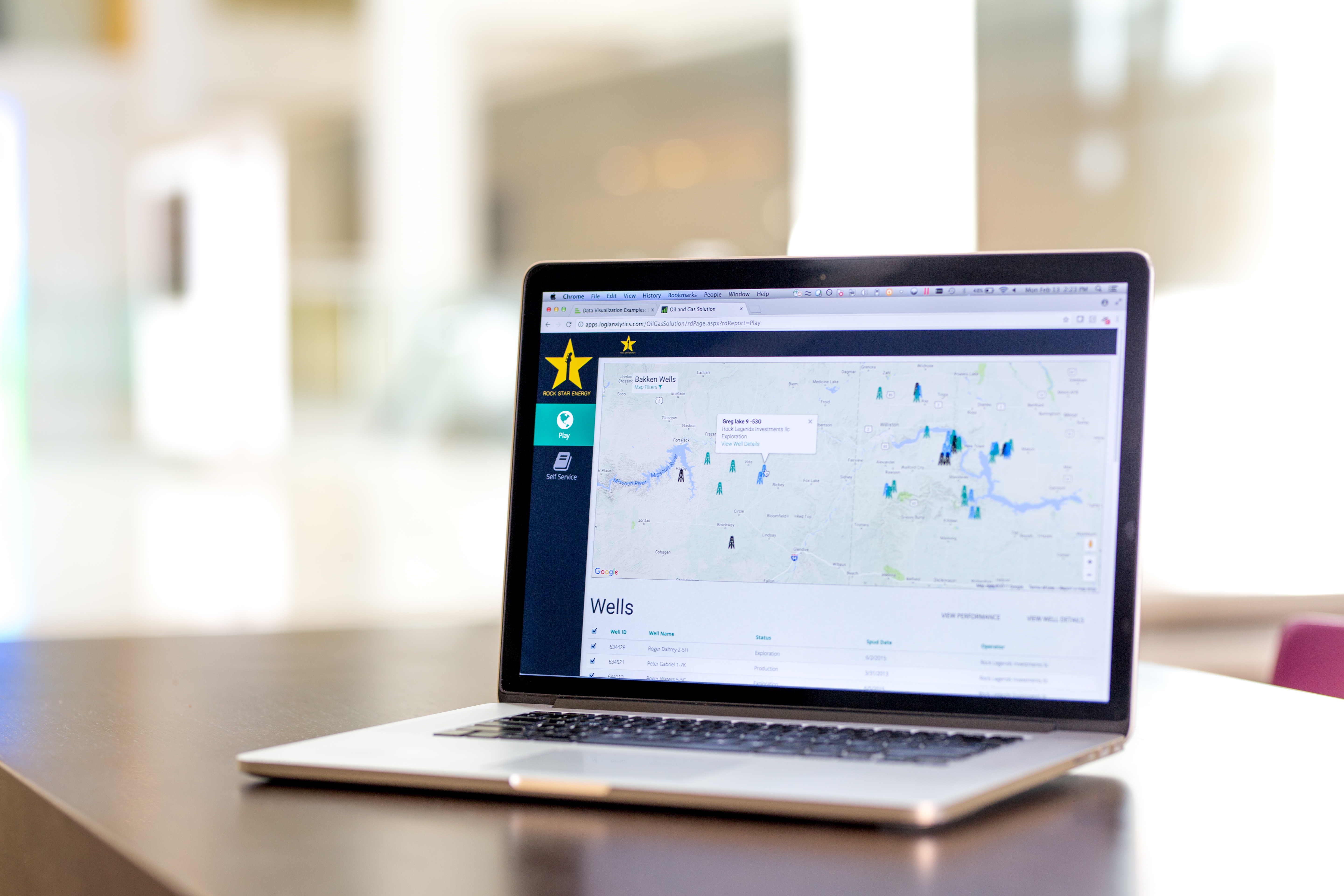
Logi Info (or the Logi Analytics Platform) is a developer-grade analytics platform designed for application teams needing to rapidly build, deploy, and maintain mission-critical applications. Logi serves the embedded model, so companies increase the
likelihood of building valuable, long lasting applications. The vendor focuses on enriching embedded analytics
capabilities so that their customers' applications become more valuable, faster. According to the vendor, Logi allows customers to…
N/A
Qlik Sense
Score 7.4 out of 10
N/A
Qlik Sense® is a self-service BI platform for data discovery and visualization. It supports a full range of analytics use cases—data governance, pixel-perfect reporting, and collaboration. Its Associative Engine indexes and connects relationships between data points for creating actionable insights.
$200
per month
Pricing
Logi Info
Qlik Sense
Editions & Modules
No answers on this topic
Starter
$200
per month
Standard
$825
per month
Premium
$2,750
per month
Qlik Sense Enterprise on Windows
Contact Sales
Enterprise
Custom Quote
Offerings
Pricing Offerings
Logi Info
Qlik Sense
Free Trial
Yes
No
Free/Freemium Version
No
No
Premium Consulting/Integration Services
No
No
Entry-level Setup Fee
No setup fee
No setup fee
Additional Details
Logi's pricing was developed with software vendors in mind and as such, we offer flexible, custom pricing aligned with your go-to-market approach and long-term growth plans. Our pricing objective is to ensure our partners can rapidly scale their analytics.
To be honest, Logi Info (Logi Analytics Platform) is the weakest of all these products BUT it can offer value if you have a team of web developers who want to add BI widgets, vs. having a BI team who are focused on making great visualisations. Our company made the decision …
Easy console and a well-defined large number of prebuilt data models made this product easy for business customers to produce really quick and useful insights in a very short time. Quick and fast data insights outcome in the well-defined data model with minimal support from …
Logi Info was easy to integrate to our product and it's OEM model was very cost effective. Hence, having a cost effective platform was our primary choice. Logi Info is also easy to use if I make a comparison specifically with Tableau. Also, Logi Info offers better visualization …
Logi Analytics easily outperformed all of the software that we considered with regard to scalability, flexibility, cost, support, and overall architecture.
It can be embedded on top of a website for direct analysis. I feel this is a way faster and a better solution. This is like an integrated solution. That's why the firm selected Logi Analytics for quick insights on customer behavior and data.
I believe that LOGI is a better tool than SAP's Business Objects. I say this because LOGI has provided the customer support to help figure out how to use the tool to jump through hoops, and I did not have a similar support system to use SAP's Business Objects. I just wish LOGI …
iDashboards couldn't handle large amounts of data and didn't allow for any customization. Also, you had to purchase a license for every user which didn't work for our mode. Dundas couldn't connect to AS400 and it wasn't always intuitive. I struggled with trying to figure out …
We needed to be able to deploy in a Linux environment which ruled out some other vendors. Ultimately we determined the deployment, ease of use, and licensing all favored Logi Analytics above the others.
We also utilize Power BI. Power BI is very powerful and integrates well with Office 365/SharePoint. There are many connection points between all MS family products. It doesn't play as nice with other competitors. We've hosted Logi panel/reports on SharePoint that talk to …
We use SAP as well as Logi. SAP is an expensive solution, and a hard learning curve. Cognos is a good product, but again, expensive. We did not implement Cognos due to the price.
We test drove a lot of the big hitters, Pentaho, Sisense, Tableau, Jasper, Spago, Birt, Knime, Power BI and while most of them did a lot of things very well, but none did exactly what we were looking for without a lot of downsides (more developers, bolting on extra modules …
It has been a while since we ran our evaluations, but I recall presenting the feature set for Logi with some samples created in-house against some from other vendors. Not only was Logi Info easier to learn and use out of the box, but the pricing for our use case was so …
Logi info gives you way more flexibility when creating custom reports. You can better include different sources and integrate multiple variables in a unique way that Power BI doesn't quite offer. I do think power BI is quicker to learn and easier to use, but in the end Logi …
Logi gave us the flexibility we needed to meet the configurable nature of our product and for the need to create custom reports. Other products did not allow flexbility to generate reports via script as was one of our primary requirements.
Qlik Sense cost of licensing is cheaper compared with other tools which always gives an upper edge in analytics industry with good functionality. More enhanced level of security with better user community group available to discuss about new updates. Understanding of Qlik Sense …
We use Microsoft Power BI too as a BI tool, in my point of view, Qlik Sense's ETL is much better than PowerBi. In another side, PowerBI learning curve is small than Qlik Sense, especially the PowerBI Desktop.
Kibana is data visualization tool in Elastic Stack to visualize and analyze Real Time Logs Capture. It captures Live Streaming data and helps to detect any anomalies, error and bugs, monitoring aspects of any service/ IOT Device.
The customization of the platform opens up plenty of other options depending on the use cases. The API layer is incredibly rich and makes integration of Qlik based visualization into web pages a simple and effective pattern. It's been very easy to use with a great community …
Qlik Sense is a fast tool to implement; you can have a functional dashboard in a few days, and the ETL processes are quite easy to build it. You can have the ROI in a short period of time.
Qlik Sense comes out as a superior product as well as more cost efficient than some of the other products we evaluated as a part of our Enterprise Business Intelligence stack. It offers unified view of our data and extensibility. Qlik Sense being the most interactive …
Qlik Sense is one of the best reporting systems. It is stronger than PBI and Tableau when speaking about complex KPIs. It is really similar to Microstrategy Analytics when you speak about obtained results, but it is easier to use, especially as it is more code-based. But is it …
Qlik Sense can easily integrate multiple data models to
visualize customer data. Tableau is easy to use—perhaps more manageable than Qlik—but
expensive. Microsoft BI was chosen because it was similar to previously used
We originally went with Qlik Sense because the desktop version used to be free for single users and was a very good proposition for us (we are a non-profit with a limited budget). However, from what I see, the functionality is comparable, and Qlik Sense stacks up well.
As soon as you want to pull data from two or more separate tables, Qlik Sense leaves the rest in the dust, since it does not require joins or complex transformations. Zoho CRM analytics are limited to the data located in the product itself. No external tables can be combined.
Other tools were not able to handle complex business requirements and performance was not too good with very huge volume data. we were required to maintain history, time-based data backups, and snapshots. Also, some of the tools were too costly compare to Qlik [Sense] solutions.
When it comes to working with large datasets out of the box, Qlik in my opinion is unrivaled amongst the competitor. However, the overall user experience and customization options available to developers require a lot of work. When compared to other options on the market, …
The pricing of Logi (per server core) is highly attractive for internal-facing use as we can control/predict how many visits we will get to our internal Logi webserver. The fact that the only license required is on the server means that all of our staff can use Logi Info-presented content without restrictions. The option of OEM licensing is also attractive and presents many future options, but will require much more licensing as the webserver will require more cores to handle the level of traffic demanded by OEM usage.
Qlik Sense is a program whose purpose is to greatly improve all your operations and use of all data in an organic way. The mission will always be to increase the economic and commercial processes of the company in a short time. I recommended it for its high technology, which was Created for this area, the results are successful. We have noticed how it has increased relationships with our clients thanks to the credibility and security that we provide.
Flexibility and easy standup. Users can choose to create their own Logi application or do a "quick standup" by using design straight out of the box. Due to varied customer requirements, Logi allows the developer to address all needs.
Great design studio. The studio provided with Logi to create and maintain your Logi app gives a lot of detail and examples to guide you along the way. The tool even includes some additional tools for the layman to assist with deployment or wizards to help you create more complex type reports that otherwise would require more detailed technical knowledge to create. Of course, you can still do anything you want by hand if that is what you prefer!
Documentation. Logi's developer portal provides plenty of documentation and examples to get users going. Need to create a custom template that builds from a table rather than being hard-coded? Search the documentation and you will find examples to piece together to form your solution!
Support. Logi used to provide EXCELLENT support. However, they've changed their support model and no longer provide excellent help. I used to get problems resolved within 15-30 minutes. Now, it has gone down to 48 hour response time just to answer a simple question. In-depth questions can go on for days or weeks.
Based upon the change in support, and the fact that we pay for 'unlimited phone support' in our annual contract, we are moving away from using LOGI as a tool for the future.
Learning CSS and Javascript would make you a better LOGI developer.
Not a lot of room for customization as we were used to in QlikView
UI and default navigation can be very clunky and not user friendly
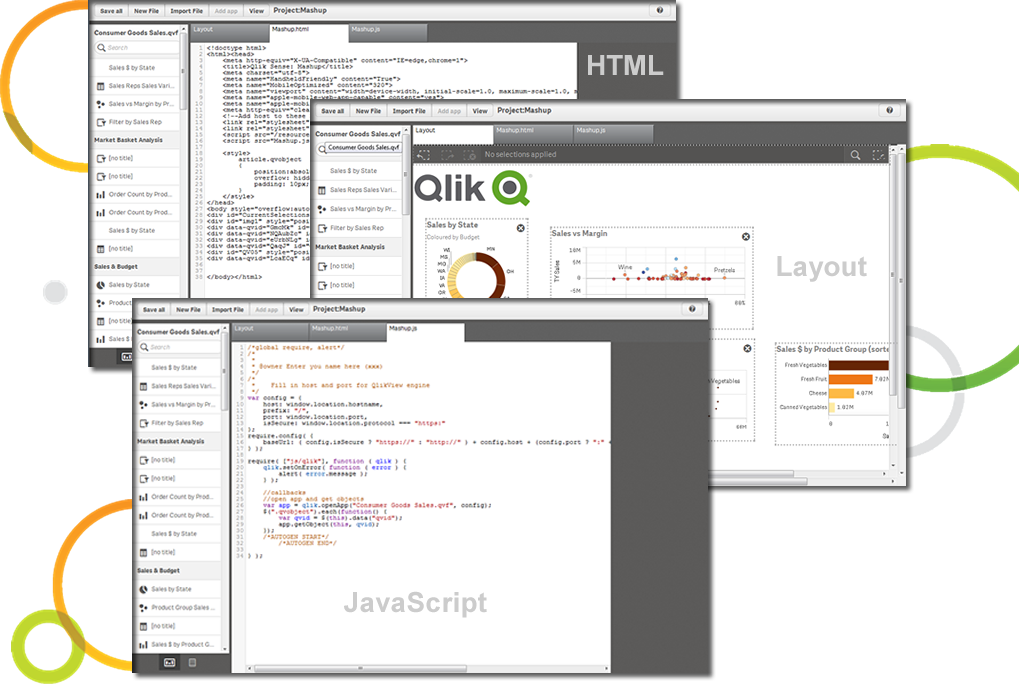
Although the backend is fantastic, the front end experience leaves a lot to be desired. As a developer you don't have a lot of options to customized your app unless you turn to Javascript, CSS and HTML. This is not a common stack you would find in most BI developers
Logi Info is a very outdated, archaic product that tries to build .NET / Java web apps using an obscure XML-based markup language to implement BI widgets, with a lot of extra CSS/JavaScript needed on your own to make it do the best things. There are many other better tools. It is not a BI tool, and as a web development tool it's not great either. I'd recommend getting some good third-party .NET BI library if you want your web devs to make the reports, otherwise use a proper BI tool like Power BI or Tableau, or even Logi Composer (formerly ZoomData before Logi acquired it.)
Qlik Sense is a constantly improving it's software and working with its' users to make it better. They are great at keeping their users informed of progress and care about delivering a quality product
I am giving 9 rating because the Logi Info still needs to improve on the tutorials part and make it easy for the beginners. Otherwise, it's a very good analytics tool which offers more than 20 types of visualization. It's predictive analysis feature and easy to embed with technologies make it stand out in the market.
Qlik Sense has a better and easy to learn user interface compared with other analytics tool which always help us to create regular and adhoc reports within the stipulated time frame and can be easily refreshed at a scheduled time and sent to multiple stakeholders for timely update regarding the Key metrics indicator.
The support process is bit slow and has a good scope improvement but overall it's good as team is very supportive. They generally take 1-2 days time to respond emails sent to them but some times a delay is also expected. Overall, I did not face any major issues using the service.
Not only can you ask the support team for help, but you can also ask the community. Also with the community there is a vast amount of problems that have already been solved. The problem you are encountering has a likely chance of already being discussed and even solved in the community section saving you time from reaching out.
We test drove a lot of the big hitters, Pentaho, Sisense, Tableau, Jasper, Spago, Birt, Knime, Power BI and while most of them did a lot of things very well, but none did exactly what we were looking for without a lot of downsides (more developers, bolting on extra modules etc). Logi also was ultra competitive on pricing structure and they truly wanted to partner with us as much as we want to partner with them.
The customization of the platform opens up plenty of other options depending on the use cases. The API layer is incredibly rich and makes integration of Qlik based visualization into web pages a simple and effective pattern. It's been very easy to use with a great community made up of professionals. Qlik Sense has introduces artificial Intelligence into my data visualization and reporting activity.
By embedding Logi in our solution and using the Logi Self-Service Module we can provide this flexibility to our users without requiring custom development work for each new request.
We succeeded in developing embedded self-service analytics at scale with a combination of Logi analytics as front-end and a Cassandra data lake with Spark aggregation algorithms as back-end.
We analyze the insurance industry and need to replicate different data formats across hundreds of databases to support multi-tenant (customer) BI reports and "ad hoc" data review on millions or hundreds of millions of records per customer.
The impact has undoubtedly been positive, it is difficult to quantify it, however in terms of effectiveness or efficiency I give it a 90%.
I don't give it 100% because to use the complete package you have to pay, and it's not that cheap and on the other hand because it has some deficiencies, such as technical support and some issues like windows that are not so friendly and easy to work with.