TrustRadius: an HG Insights company

Logi Info

Score5 out of 10

42 Reviews and Ratings

What is Logi Info?

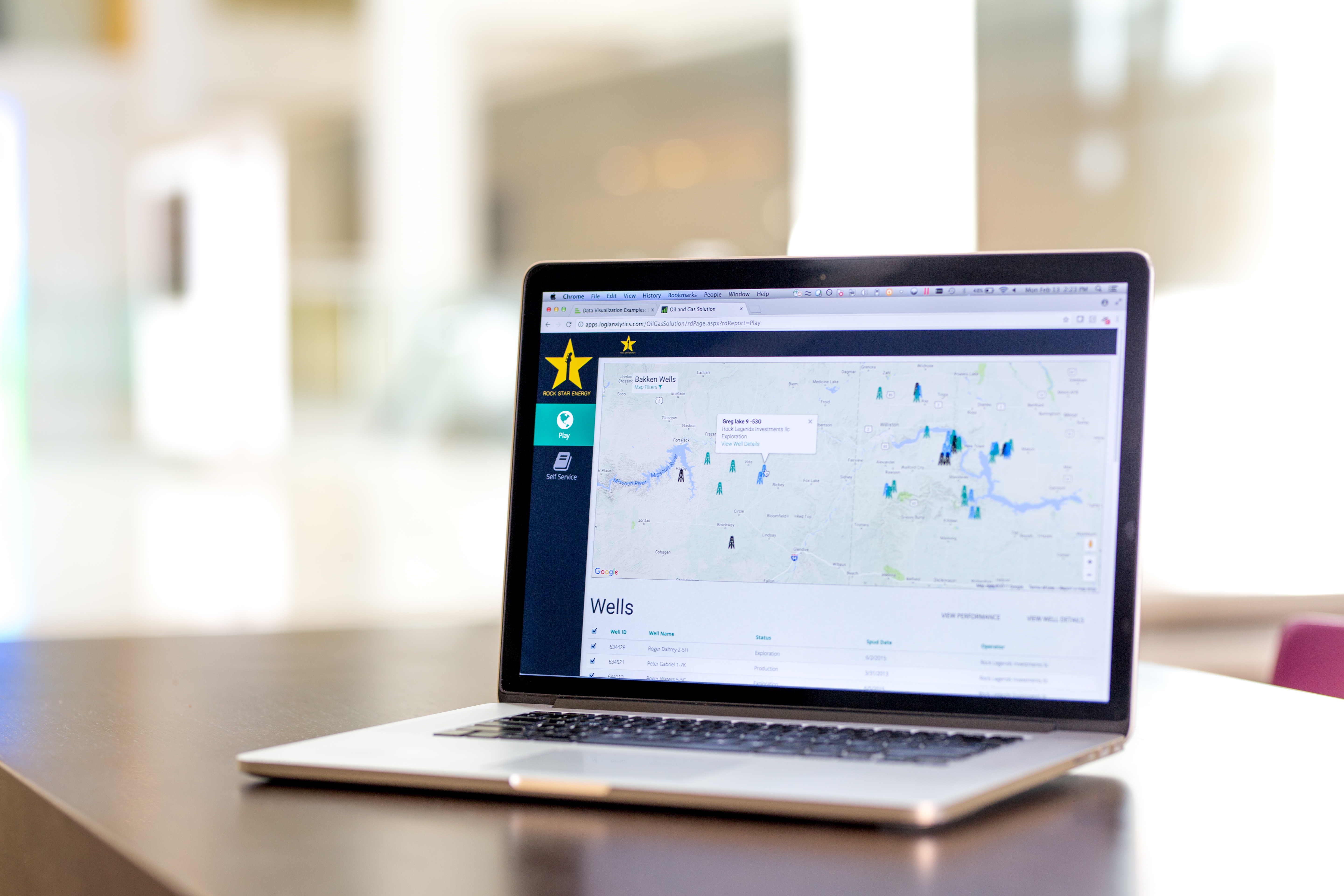
Logi Info (or the Logi Analytics Platform) is a developer-grade analytics platform designed for application teams needing to rapidly build, deploy, and maintain mission-critical applications. Logi serves the embedded model, so companies increase the likelihood of building valuable, long lasting applications. The vendor focuses on enriching embedded analytics capabilities so that their customers' applications become more valuable, faster. According to the vendor, Logi allows customers to leverage their existing data and infrastructure combined with new ways to author visualizations and query data.

Logi is designed for application owners who have struggled to build/maintain a solution which can scale to meet the ever evolving analytical requirements of end-users, and recognize the limitation of turnkey analytics that offer no opportunity for differentiation.

Media

Logi Info Discovery Module
A customized Logi dashboard
Logi powered application showing a completely unique UI/Interface
Another unique display of data
Logi leveraging D3 charts via its robust extensibility

1 / 5

Top Performing Features

  • REST API

    REST is an architecture style for designing networked applications

    Category average: 8.1

  • Publish to Web

    Category average: 8.5

  • Javascript API

    A Javascript API is a type of API

    Category average: 8.3

Areas for Improvement

  • Integration with R or other statistical packages

    Integration with the open-source R predictive modeling environment.

    Category average: 7.9

  • Report sharing and collaboration

    Report sharing and collaboration is the ability to easily share reports with others.

    Category average: 8.6

  • Report Delivery Scheduling

    Report Delivery Schedule is the ability to have reports delivered to a destination at a specific data and time.

    Category average: 8.4

Logi Info (Logi Analytics Platform) is a mixed bag, so go in with eyes open about what type of product it actually is

Use Cases and Deployment Scope

Our company uses Logi Info (Logi Analytics Platform) to provide dashboards, reports, embedded visualisations, and help customers make their own self-service reporting. We primarily use two products in the Logi Analytics suite, Logi Info and Logi Composer. Logi Info is a web-app builder with XML-based config files and a series of visualisation widgets. We embed these Logi Info items into our core application, primarily with iframes. Logi Composer is a more traditional BI style app where you make dashboards, reports, schedule reports, etc. - in this case, it is a separate portal/site for our customers to use.

Pros

  • Fast visualisation
  • Scheduled reporting
  • Putting user-specific custom variables into connection strings or queries to have individual reports tailor to many specific circumstances

Cons

  • Logi Info (Logi Analytics Platform) is NOT a BI tool, and there's a big misapprehension in many places that it is. Instead, it is a tool for making IIS-based web applications that happens to provide a series of BI-related widgets. It's not user-friendly, not intuitive, not awesome, and still needs a web developer to make CSS, JavaScript, and all kinds of things.
  • Logi Composer offers multiple 'accounts' to partition customer accounts and customer-created reports, BUT all the reports, visuals, data sources, and other items we make are account-bound too. So if we have a standard library of reports we have to either duplicate them for every account (and keep them updated), or we have to have all customers in one account and maintain permissions to hide their reports from each other.
  • Logi Analytics recently acquired another company / BI tool but don't package it as part of Logi Symphony - instead they want an extra fee if you're interested in checking it out.
  • While Logi Composer allows you to create custom visualisations, the tutorials online are out of date and still refer to ZoomData, the company Logi acquired which became Logi Composer.

Return on Investment

  • Logi Info (Logi Analytics Platform) helped the company embed visualisations into a core app, separating that functionality from the core dev team to a specialised team of BI people (who had to then learn/do front-end web dev to make Logi Info look ok)
  • Logi Composer instead was a much better experience, allowing us to provide a full-featured customer-facing BI portal where users can rapidly create and schedule reports and dashboards

Usability

Alternatives Considered

Tableau Desktop, Qlik Analytics Platform, SAS Viya and Microsoft Power BI

Other Software Used

Snowflake, Hevo Data, Microsoft SQL Server, Microsoft Power BI

Logi Review

Pros

  • Ease of development
  • Connection to virtually any data source
  • Embedding
  • HTML 5
  • Scalability
  • Flexibility toward user requirements

Cons

  • Analysis Grid could be more use- friendly
  • Parameter passing from report to process can be difficult
  • CSS enhancements can be counter intuitive

Return on Investment

  • Allows us to answer critical business questions
  • Transforms manual processes into automated processes, saving time and money
  • Allows for more dynamic, flexible and scalable processes to exist in order to satisfy changing customer requirements without adding burden to process owners

Alternatives Considered

Tableau Server, ASP.NET and SQL Server Integration Services

Other Software Used

Sage ERP X3, Microsoft SQL Server

Logi Analytics: good, but going down because of poor support model

Pros

  • Charts, graphs, data tables.
  • A nice tool to organize, filter and analyze the tons of data that we have
  • Graphic user interface makes programming applications pretty easy

Cons

  • Support. Logi used to provide EXCELLENT support. However, they've changed their support model and no longer provide excellent help. I used to get problems resolved within 15-30 minutes. Now, it has gone down to 48 hour response time just to answer a simple question. In-depth questions can go on for days or weeks.
  • Based upon the change in support, and the fact that we pay for 'unlimited phone support' in our annual contract, we are moving away from using LOGI as a tool for the future.
  • Learning CSS and Javascript would make you a better LOGI developer.

Return on Investment

  • Our Chief Operations Officer has commented several times about how important LOGI has been in identifying opportunities for us to work on, and key areas to focus on to improve revenue generation
  • We have used LOGI to automate work processes that used to be paper-based.
  • We've filled in holes in work processes, and freed up work hours allowing people to focus on more important daily tasks.

Alternatives Considered

Business Objects SRC

Other Software Used

Microsoft Power BI

Embedding Analytics with Logi was a Game Changer.

Pros

  • Very configurable for integrating as embedded analytics within an application.
  • Good training and support to get ramped as a user.
  • Convenient pricing model for a SAAS based business us.

Cons

  • More customer-facing self-service analysis for our customers
  • More native JS embedded analytics

Return on Investment

  • Adding embedded analytics into our application has a huge impact on customer satisfaction and sales.
  • Logi allows us do deploy data features very quickly so we can respond to the needs of our customers.
  • Logi helps us internally to understand how our customers are using our system and gaining value.

Alternatives Considered

Dundas BI, GoodData, Target Analytics and MicroStrategy Analytics

Deliver powerful capabilities in a very short time frame.

Pros

  • Very quick to create, deploy, and modify content - we were up and running with a usable product in a matter of months from the time we first got our hands on the Logi development tool.
  • Loads of built in capabilities - the number of modifiable elements is nearly endless, and with some expertise in javascript and html it truly can do just about anything.
  • Easy to embed and integrate - using custom fonts/css has made the application built entirely with Logi Analytics look like our own native product.

Cons

  • Slight disconnect between professional services and support - support often tells us something is not possible, professional services makes the impossible possible, but then support is unable to offer troubleshooting and advice due to the changes made.
  • Allow for easier integration with advanced charts i.e. maps, D3, etc.
  • More theme options - the Theme Editor is great but could be expanded to offer additional styling without needing as much css expertise.

Return on Investment

  • Customer feedback has been overwhelming with regard to the intuitiveness of the application.
  • End users are able to quickly gain insights in minutes about data that previously would have required hours or even days to generate and compare multiple reports.

Alternatives Considered

Sisense, Pentaho and Birst