Chose Logi Symphony
The feature set is richer, and price is reasonable. We felt we were paying more for Tableau's name than their features, as updates are slow.

| Product | Rating | Most Used By | Product Summary | Starting Price |
|---|---|---|---|---|
 Logi Symphony | N/A | Logi Symphony is a business intelligence and data visualization software that includes customizable dashboards, reporting, and visual data analytics. It can be integrated into users’ existing business applications and its visualization and reporting tools can be customized. | N/A | |
 OpenText Magellan BI & Reporting | N/A | The OpenText Magellan BI & Reporting (formerly OpenText Information Hub (iHub)) component of OpenText™ Magellan™ Analytics Suite is a scalable analytics and data visualization platform that enables IT leaders and their teams to design, deploy, and manage secure, interactive web applications, reports, and dashboards fed by multiple data sources. Magellan BI & Reporting supports high volumes of users, and its integration APIs enable embedded analytic content in any app, displayed on any… | N/A |
| Logi Symphony | OpenText Magellan BI & Reporting | |||||||||||||||
|---|---|---|---|---|---|---|---|---|---|---|---|---|---|---|---|---|
| Editions & Modules | No answers on this topic | No answers on this topic | ||||||||||||||
| Offerings |
| |||||||||||||||
| Entry-level Setup Fee | No setup fee | No setup fee | ||||||||||||||
| Additional Details | — | — | ||||||||||||||
| More Pricing Information | ||||||||||||||||
| Logi Symphony | OpenText Magellan BI & Reporting | |
|---|---|---|
| Considered Both Products | Logi Symphony  Ole Christian Valstad Senior Data Scientist and BI Expert Chose Logi Symphony We choose Dundas mainly because: - Dashboard flexibility - Data preparation features  George Robbins Integration/Analytics Consultant Chose Logi Symphony Per dollar spent, it offers the widest range of features of the tools that we evaluated. It offers lots of options for how to configure your environment, though they are not always intuitive to figure out. Having an ETL layer was a must have for us, as well as the ability to …  Alexandru Giurgiu Junior Developer Chose Logi Symphony Much better for multi-tenancy. Power bi just doesn't have many features and is just lackluster. telerik doesn't look as good although slightly more powerful with data manipulation. Too many BI reporting tools out there don't offer multi-tenancy and I have no idea why. It is …  Joseph R. Sweeney Senior Analyst Chose Logi Symphony We were comparing Dundas BI against several other programs and eventually decided to go with Oracle as we were already using a host of their other products. Dundas was just as robust, we were just using more Oracle products and they all fit together very smoothly.  Saurav Gupta Team Lead (BI India) Chose Logi Symphony It is the Powerful bi tool with many features to quickly build up reports, dashboard etc. You can customize everything and it is easy to use.  Shivam Shukla BI Developer Chose Logi Symphony It is easy to develop and re-visualize the reports and the license is too less expensive compared to other tools which are overpriced.  Shachar Hallas Front End BI Team Leader Chose Logi Symphony I have used dozens of BI tools, a ew for many years like IBM Cognos and other for several months POCs like microstrategy, Panorama, Tableau etc... For our industry and our daily use Dundas BI wins since it is very flexible and can bring us the greater value we can achieve from a …  Marc Ham Consultant Chose Logi Symphony Dundas has a newer feel to the software and gives us more flexibility than the other products.  Joe Gelata Vice President of Business Operations Chose Logi Symphony Dundas and Sisense are very similar. Both are very powerful and flexible with an eye toward further innovation. I expect both will do well as we enter a major transition period for BI. Periscope Data and Dundas differ substantially and seem to have different paths forward. …  Mark Josephson Senior Business Analyst Chose Logi Symphony Dundas BI offers a high level of visual customization in the dashboards if required (through CSS, JavaScript, HTML) as well data customization (C#) in the data cubes. We are an organization that believes in doing as much as possible for ourselves and not replying on …  Andy Carita Manager - Business Intelligence & Data Architecture Chose Logi Symphony We were a user of Dundas Dashboard previously. We had explored other tools, but we ended up upgrading to Dundas BI because of the HTML 5 compliance (no more Silverlight requirement), ease of use and time to market. The other tools could do the job, but they were not as flexible …  Mohammad Khalili Professional Services Manager Chose Logi Symphony I selected Dundas BI to be our preferred partner since we saw that it the most flexible tool that allows our customers to design their dashboards in they way that they are not restricted in their development process.  Gavin Steinberg Managing Director Chose Logi Symphony It is much more powerful to build more interactive and feature rich dashboards. Most of the above are great at ad hoc analysis but not for providing a full feature and rich guided dashboard experience. Dundas BI is great to build a suite of dashboards and easy to deploy … |  OpenText Magellan BI & Reporting |
| Logi Symphony | OpenText Magellan BI & Reporting | |||||||||||||||||||||
|---|---|---|---|---|---|---|---|---|---|---|---|---|---|---|---|---|---|---|---|---|---|---|
| BI Standard Reporting |
| |||||||||||||||||||||
| Ad-hoc Reporting |
| |||||||||||||||||||||
| Report Output and Scheduling |
| |||||||||||||||||||||
| Data Discovery and Visualization |
| |||||||||||||||||||||
| Access Control and Security |
| |||||||||||||||||||||
| Mobile Capabilities |
| |||||||||||||||||||||
| Application Program Interfaces (APIs) / Embedding |
|
| Logi Symphony | OpenText Magellan BI & Reporting | |
|---|---|---|
| Small Businesses |  BrightGauge Score 9.1 out of 10 | BrightGauge Score 9.1 out of 10 |
| Medium-sized Companies |  Reveal Score 10.0 out of 10 | Reveal Score 10.0 out of 10 |
| Enterprises |  Kyvos Semantic Intelligence Layer Score 9.9 out of 10 |  Infor Birst Score 5.3 out of 10 |
| All Alternatives | View all alternatives | View all alternatives |
| Logi Symphony | OpenText Magellan BI & Reporting | |
|---|---|---|
| Likelihood to Recommend | 8.3 (0 ratings) | 5.0 (0 ratings) |
| Likelihood to Renew | 7.0 (0 ratings) | - (0 ratings) |
| Usability | 8.0 (0 ratings) | - (0 ratings) |
| Support Rating | 8.8 (0 ratings) | - (0 ratings) |
| Implementation Rating | 7.3 (0 ratings) | - (0 ratings) |
| Logi Symphony | OpenText Magellan BI & Reporting | |
|---|---|---|
| Likelihood to Recommend |
George Robbins Integration/Analytics Consultant |
|
| Pros |
 James Davis System Architect |
|
| Cons |
 Ric Ravier Cloud Advisor |
|
| Usability |
| No answers on this topic |
| Support Rating |
| No answers on this topic |
| Implementation Rating |
 Luis Silva BI developer and consultant | No answers on this topic |
| Alternatives Considered |
|
|
| Return on Investment |
| No answers on this topic |
| ScreenShots | Logi Symphony Screenshots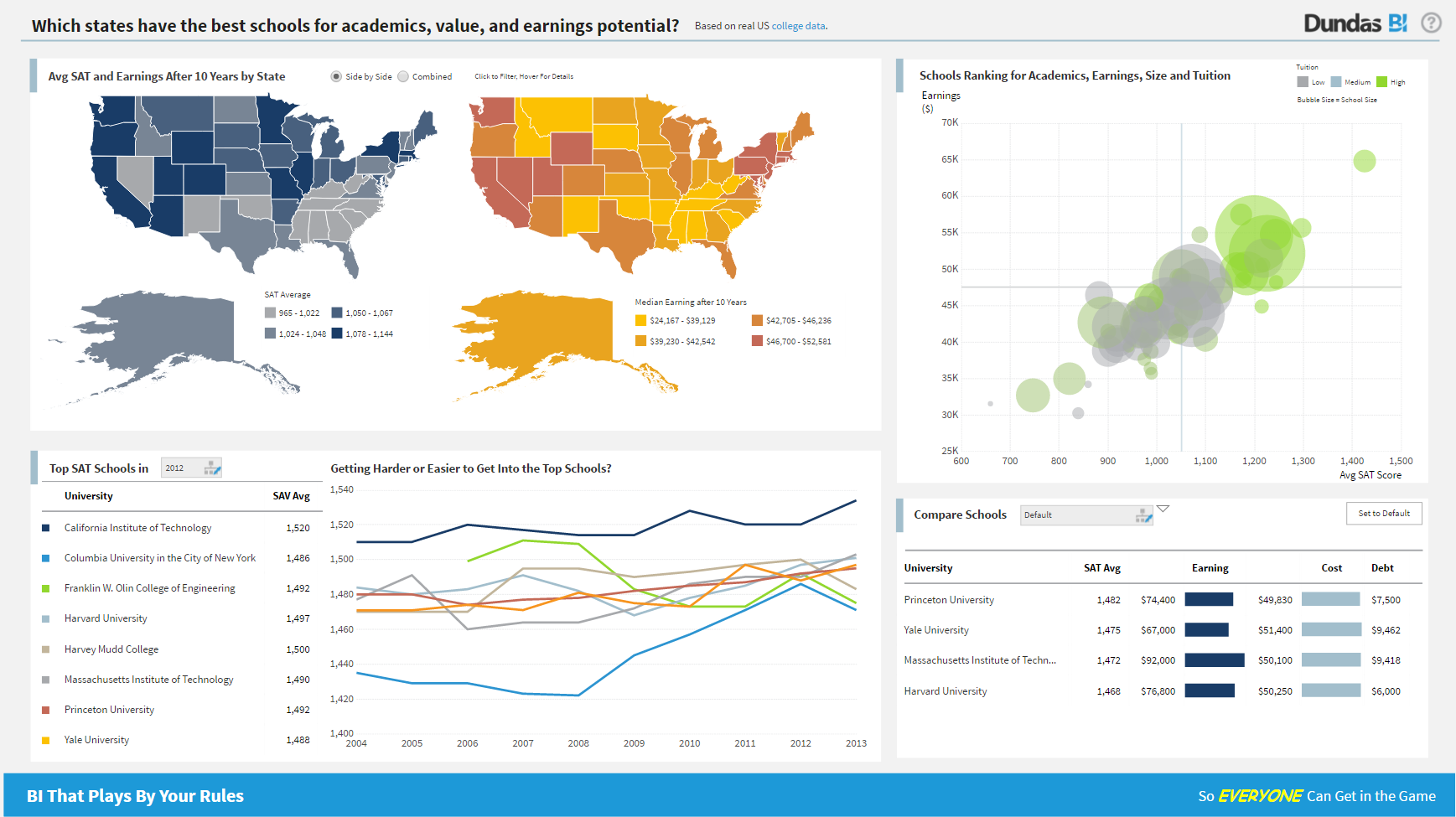 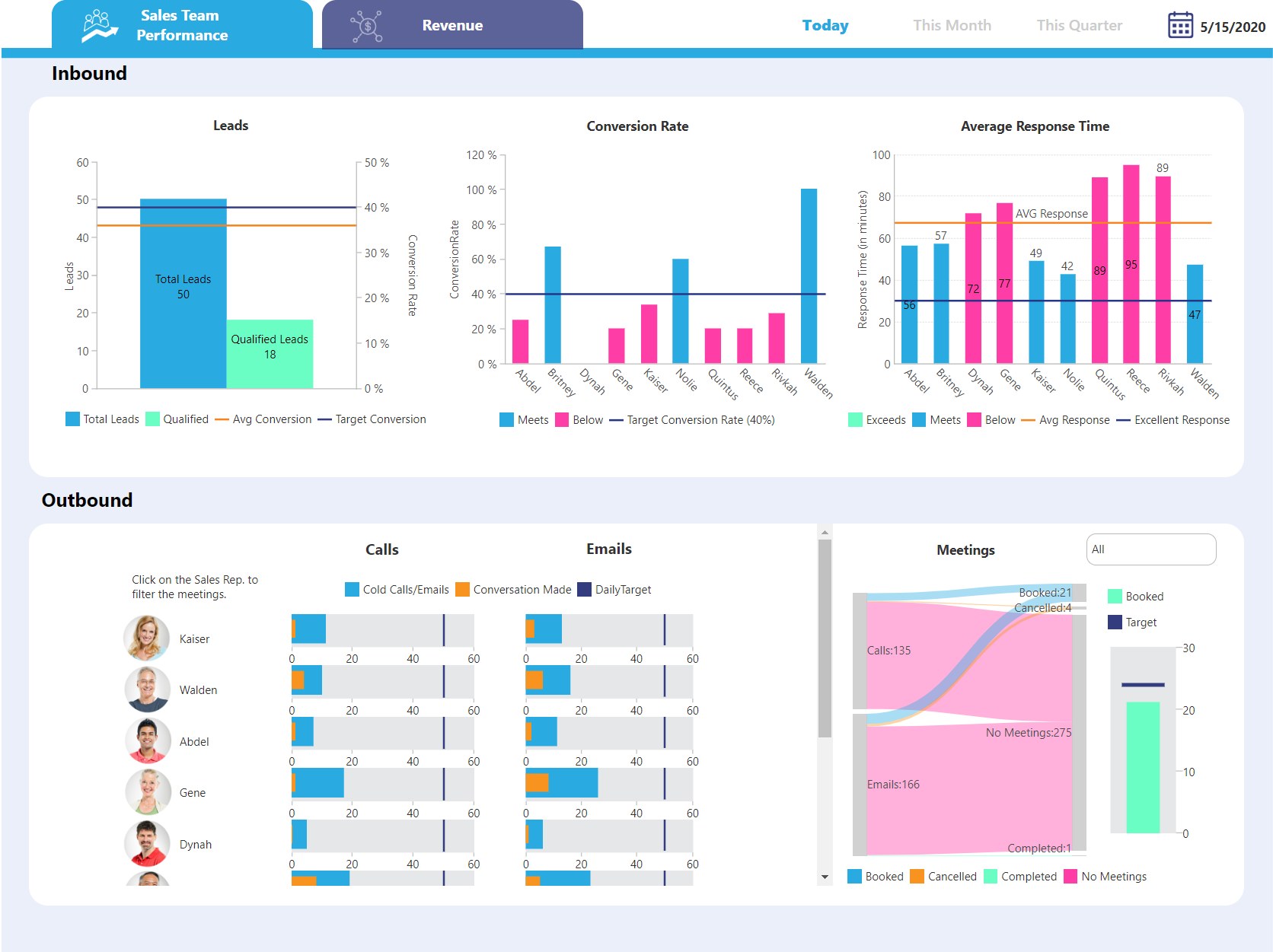  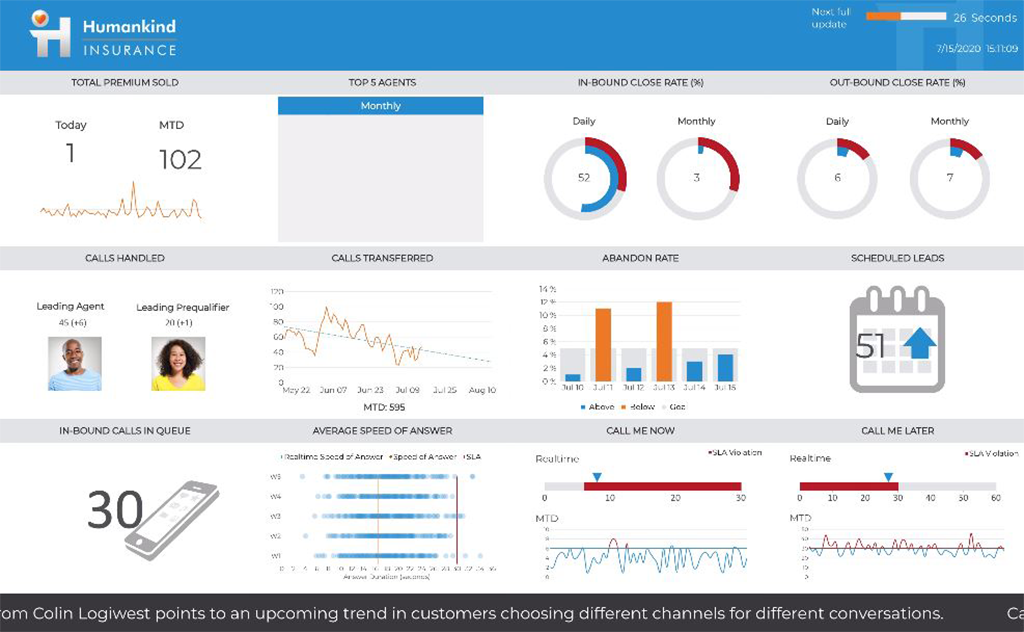   | OpenText Magellan BI & Reporting Screenshots  |