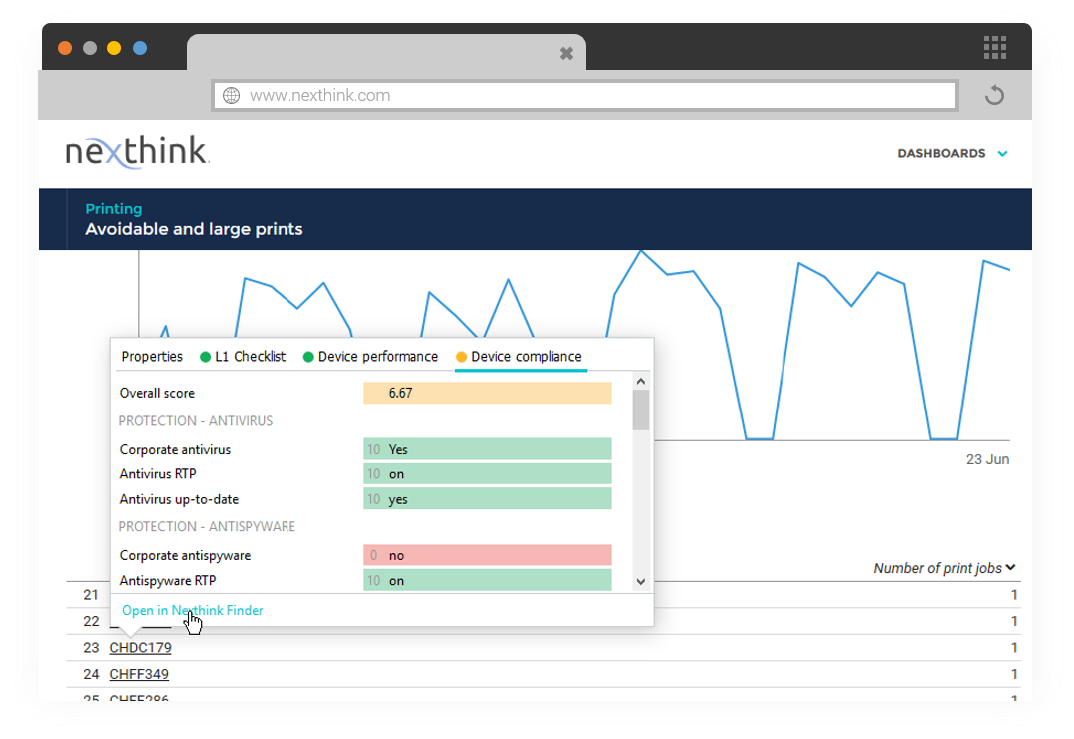
Nexthink Workplace Experience is a cloud-native platform allowing IT teams to manage the Digital Employee Experience (DEX) by providing insights across devices, applications, users, operating systems, locations and organizational units.
N/A
Pendo.io
Score 9.4 out of 10
N/A
Pendo.io is a product engagement platform with features for in-app analytics, surveys and feedback, and guidance.
Nexthink had better integration and a better user interface. 1E did not have the engagement capability which is so critical to many of the actions we complete using Nexthink. Nexthink had better trending data capabilities. 1E did not capture and hold data the way Nexthink does …
Also reviewed are Aeternity, Lakeside, and HP Proactive. The selection window wouldn't let me enter these, so putting them here. Nexthink was chosen mainly because of a broader set of use case potential, however, another huge point was the culture of the company. They value …
Nexthink is on the bleeding edge of employee feedback, which allows you to focus on the highest priorities, that in turn enables delivery of the best digital experience.
Principal Engineer - Global Desktop Infrastructure Services
Chose Nexthink
We leveraged several off the shelf performance tools prior to engaging with Nexthink (Windows Performance Toolkit, PCMark, etc.). Once we did our proof of concept with Nexthink, we knew we'd found the right tool for our organization.
We have explored using other end-user experience management tools but Nexthink stood out to us as the best option. It is very easy to get started with Nexthink using their "Nexthink Learn" platform. From there the integration of the different product offerings was seamless. …
Nexthink approaches the problem from the employees view. Using the perception from employee sentiment campaign to help steer the conversation within IT departments and not in an echo chamber that we’re used to. The community platform alone gives everyone that uses the platform …
Nexthink is the market leader in terms of measuring real user experience w.r.t End-user device. Systrack sensors work great but the GUI is not very attractive. Aternity is another great solution when integrated with other riverbed solutions like Appresponse, NetIM, and …
Pendo.io does a better job with data but not as good on user onboarding and communication. Userpilot started out as an user onboarding and in app guidance that lately became also a user behavior analysis tool. It seems that Pendo.io did the inverse way, it started with the …
Pendo.io is better at tracking than Google Analytics, and Adobe Analytics takes a lot of setup to get similar coverage. Pendo.io works so well straight out of the box. Also, the historical data that can be accessed once creating a new feature is incredible.
Pendo.io has far more options for customizations needed to provide everything we need (which is specific) for our overall end goals. Pendo.io also provides two of the items I need versus one.
Pendo.io had the full suite of solutions for product management, customer success and UX. The other solutions seemed to be good solutions but Pendo solved a lot more range of proplems for our teams. Pricing was all about the same as well so it didn't really factor into the …
I have just very superficial experience with Google Analytics but I do believe that Pendo.io is a much much better tool in pretty much all aspects of it. It has a ton more features and capabilities and even for the capabilities where there is overlap, Pendo seems to come out …
At the time of evaluation, Pendo.io stood out as an exceptional digital adoption solution. We couldn't find another solution that had the mix of analytics and in-app guidance that worked for our needs. We're so glad we selected Pendo and look forward to continuing our …
Pendo.io has better brand value, brand recall, brand recognition and better trust factor compared to its competitors. Also, the leadership as well as product team has hands-on previous relevant experience using this tool which helped us make the decision. The customer support …
Pendo.io doesn't try to fit every possible product management feature inside the application, rather it focuses on the user experience and analytics part. And they do that beautifully. Because they are focused on their strength so they are best in that, also their pricing is …
The organization of Pendo.io makes it much easier to use. We can also get more granular with our request to really dig down into what the root of the issue is and why we are being asked to improve something. We also have been able to better broadcast our wins internally and …
It is night and day how simple Pendo.io is to setup and configure. You don't need to be a data scientist or engineer - the UI makes it incredibly easy. The competitors have a high barrier to entry to get started with simple tracking and reporting, which has been a massive …
ChurnZero is better at being more granular in terms of the specific product usage stats. Whereas in Pendo.io one can customize periods of time to make it much easier to drill into a specific month, quarter, year, or date range. This customization feature was one of the deciding …
WalkMe is an industry leader, but they charge an arm and a leg. Working with them you get a lot of support and CSM time, but is it really worth that price tag? Pendo.io was an easy choice for that simple reason.
I prefer Pendo because it monitors explicit interactions down to the minutiae if needed. It provided data on an individual account and user basis, as well as a holistic view across the entire customer base or segments. (which you can also define).
I've been managing desktops for 20+ years and Nexthink was the missing tool out of my toolbox. Just to give some perspective, if you were building and maintaining a house, Nexthink would be comparable to switching up from a hammer and nails and to full blown using a nailgun. Nexthink is a solution accelerator and a well thought out toolset to give you the customer experience at a glance. It allows for so much more visibility just with the default set of data points the Collector (agent) gathers, which is A LOT, and grants you the ability to gather even more data with remote actions. All of this evidence cuts how the "it could possibly be this" and "maybe it's that" discussions when you're troubleshooting an issue. It may not provide the exact answer all the time, but it gives you a "compass point" on where you need to start looking to resolve the issue. Also the service monitoring, activity monitoring, and critical event thresholds really empower the teams to know when a problem is happening and they can get ahead of it before the first call even reaches the Help Desk. Nexthink is a cornerstone tool in our environment for end user experience and I'm excited to see where the go next.
Pendo.io is very well suited for organizations, who want to quickly connect with Customers without even directly talking to them. Pendo.io allows in-app guides and documentation to help organizations connect with their customers and guide them in their product. The feature tracking capability is the best to understand the page/feature usage also by segment to categorize and understand user behavior. Replays are somewhat helpful but still can have improvements. Less appropriate where the customer base is less.
Sometimes it's a bit of a task when we spot an issue and need to provide machine logs for Nexthink to investigate. I believe this isn't the case when you go and use Nexthink cloud.
I think the documentation can be improved. It can be very hard to follow and lacks detail.
The guide builder UI could be a bit more user-friendly; it's hard to remember where the different options are at first and takes some practice.
Interpreting user paths visually can be tricky at times, especially when trying to understand where drop-offs or blockers occur.
More granular user permissions so that I don't need to grant full admin rights to a user if I want to let them edit translations on a guide, for example.
We have had an excellent experience with Pendo. When we've had questions or concerns, Pendo is very quick to respond and communicate with us. We have experienced top-notch customer support and customer engagement. We have actually modeled some of our implementation and product processes after Pendo's examples.
It is intuitive for core tasks like tracking feature usage, building Guides, and viewing dashboards. The interface is clean and well structured, making it easy for product managers and operational teams to get value quickly without heavy technical support. However, there is a noticeable learning curve when setting up advanced custom events, reports, or integrations, which can take some time and internal knowledge-sharing to master.
Every time I have logged into Pendo, the service has been available for me to use. The page has never been down when I am trying to get info from there.
They've been great anytime that we have needed help with something. They also have some really great help articles. We're able to figure most things out through their articles, but when we've had to call in they've been very helpful and we haven't had any problems. I'd highly recommend working with them.
The training schedule was well thought out and tailored to meet our needs. Chantelle stayed with us through the whole implementation and made sure that we were good to go.
We have explored using other end-user experience management tools but Nexthink stood out to us as the best option. It is very easy to get started with Nexthink using their "Nexthink Learn" platform. From there the integration of the different product offerings was seamless. Nexthink provides a wide variety of library packs that come ready to use out the box, simply import them and start using them. The customisable dashboards have given our product and service owners more visibility than they've ever had before. The Nexthink community is one of the best I have been a part of, everyone is actively sharing ideas and promoting innovation. Nexthink regularly hosts user groups that bring their clients together to discuss use cases and the value they have generated using the tool. They are also very transparent with their roadmap and what they are working on, ensuring the focus is aligned to the needs of the customer.
Pendo.io excels at creating guides. The editor experience is precisely what anyone working with a DAP tool desires – unobstructed and focused on a single screen. Pendo.io boasts AI features, and the customization options exceed expectations. When we became more familiar with the product, we questioned why we hadn't considered it sooner. Pendo.io has simplified analytics, making them as straightforward as bread and butter. The number of widgets available for data representation in the dashboard is astounding. Furthermore, Pendo.io offers a wealth of features, including feature tagging, webpage tagging, Pendo Listen, NPS surveys, a resource center, and more. I used WalkMe for three years and encountered challenges achieving the desired flow for customer onboarding, which sometimes proved difficult. In contrast, Pendo.io makes everything achievable thanks to its ability to incorporate custom code into guide creations.
The biggest ROI has been how Nexthink has helped us is with regards to time. Due to Nexthink, we are able to find/resolve issues much faster due to the great detail that Nexthink shows regarding a device history.
Nexthink allows us to be proactive in our troubleshooting. This is a huge ROI, as it provides a summary of our users issues they are facing, and we can then prioritize our time with reaching out to the end users to solve issues before they become major problems for the end user later.