
Molly Schwartz
Finance Manager
Chose Nutshell
QuickBooks is great for accounting needs, but Nutshell is a better CRM. It's more customizable allowing us to ensure our sales process is smooth and the same each time a customer uses our services.

| Product | Rating | Most Used By | Product Summary | Starting Price |
|---|---|---|---|---|
 Nutshell | N/A | Nutshell offers a CRM with contact management, calendar sync, click-to-call, and collaboration features. | $20 per user, per month | |
 Ontraport | N/A | ONTRAPORT offers customer relations management services that help with content management (creating and hosting webpages), lead tracking, traditional marketing approaches (e-mail, SMS, social media, direct mail), managing online payments, and workflow automation. | N/A |
| Nutshell CRM | Ontraport | |||||||||||||||
|---|---|---|---|---|---|---|---|---|---|---|---|---|---|---|---|---|
| Editions & Modules |
| No answers on this topic | ||||||||||||||
| Offerings |
| |||||||||||||||
| Entry-level Setup Fee | No setup fee | Optional | ||||||||||||||
| Additional Details | — | Ontraport offers a variety of plans to choose from based on the features needed. Pricing adjusts with the number of contacts in the database and users in the account. Monthly or annual plans are available, and all plans start with a 14-day free trial. Ontraport offers a Done-With-You Setup and Training Package for getting set up in the account quickly. Users can also access a free video library with step-by-step instructions on getting started and using every feature of the platform. | ||||||||||||||
| More Pricing Information | ||||||||||||||||
| Nutshell CRM | Ontraport | |
|---|---|---|
| Considered Both Products |  Nutshell Molly Schwartz Finance Manager Chose Nutshell QuickBooks is great for accounting needs, but Nutshell is a better CRM. It's more customizable allowing us to ensure our sales process is smooth and the same each time a customer uses our services.  Jennifer Callaghan Marketing Coordinator Chose Nutshell We came from using Big Contacts, which was a simpler CRM program that we just simply outgrew. We entertained a few other CRM programs before deciding on Nutshell back in 2017. We did a demo with SalesForce and it was more advanced than what we needed. I honestly can't quite …  Gregory Palenschat Prodcut Consultant Chose Nutshell Well, my team had trials for these others and they all prefer Nutshell for different reasons. I prefer it as I need a user-friendly software to help me out as I am not a big tech guy. I have heard others in the office say things like they like the way activities are scheduled …  Chris Leisure Vice President of Operations Chose Nutshell We used Salesforce trial, but that was way too costly. We started using Nutshell CRM out of necessity, just to get organized and it seemed easy to use. We now use InfoFlo, simply because it is computer-based, unlimited installs, and a one-time cost.  Andrew Bank CEO - Strategy, Product Management, and Business Development Chose Nutshell Nutshell is just as good as these others (for small-medium companies), is much easier to use, and offers more easy-to-use flexibility, and customization that would require an FT admin on these other tools.  Phil Curtolo Director of Sales Chose Nutshell We transitioned from GoldMine to Nutshell about 4 years ago, and in fairness to GoldMine, we were using an older version of their software. It was installed locally and didn't have any remote accessibility, so doing anything from the road was a challenge, to say the least. We …  Michael Burnham President Chose Nutshell We have used Dynamics CRM for many years. While the tool was indeed powerful, we found ourselves longing for something that has a lower "friction" to just getting things done.  Catherine Corass Lead GEN 2 /Business Development Specialist Chose Nutshell I did not select Nutshell CRM. My employer has that information, but as far as I feel, Nutshell has better uses than Zoho CRM and can be used just as effectively in B2B relations. We only use Nutshell for candidate data, so business contacts are not mixed. |  Ontraport  Jonny Andrews Marketing Chose Ontraport We initially selected Ontraport based on the seemingly quality reviews. While they are priced much higher than their competitors, we initially took that as a positive. Perhaps the price tag hinted at better service, more robust features and superiority deliverability. None of …  Charles Kirkland Founder Chose Ontraport They are all different. Hubspot is great but doesn't have the checkout and sales tools. Active Campaign Rocks, but it doesn't have sales and checkouts. Infusionsoft has everything like Ontraport but the support is not where it should be and you have to invest in 3rd party addon …  Chelsea Baldwin Founder Chose Ontraport It let me combine everything into one & have greater control over the whole process of everything, instead of having it scattered apart.  Kalyn Hoffman WMU Graduate Ambassador Chose Ontraport ONTRAPORT does a couple things far better than the competition like having all of its functionality on one platform. Some competitors offer both internal tracking and external marketing but require logins to their other software to access these features. Additionally, the …  Jeremy Estes Chief Media Buyer Chose Ontraport I think ONTRAPORT is a decent platform for smaller companies to grow into. It's not as complex as Infusionsoft, and I do feel like you'll use more of it than you would Infusionsoft as a business owner and marketer. I probably wouldn't recommend it to a startup, though because …  Brock Ross Chief of Video Production Chose Ontraport ONTRAPORT's email builder easily outstrips that of GetResponse. Overall, ONTRAPORT's UI, capabilities, editors, and overall user experience are just clearly superior to those of GetResponse. GetResponse appears to be quickly becoming outdated in such a fast-moving market. We …  Andrew Muller Web & Sales Consultant Chose Ontraport Task management was the main thing that separated ONTRAPORT for me. Keeping things accountable. As well, I felt the campaign builder was slicker, and that the contact management was more robust. Custom fields are very customizable.  Matt Knight Buyers Agent Chose Ontraport I chose Ontraport over Infusionsoft because I believe it is just as powerful but less confusing.  Joe Kalis President + COO Chose Ontraport More efficient...email management + CRM all in one.  Matthew Watts Director Of Operations Chose Ontraport Ontraport is capable of more than MailChimp and AWeber, both of which I would consider beginner systems. It is also easier to use and understand initially than Infusionsoft, and takes less time to get off the ground when you make the change. It is capable of very complex tasks …  Eric Foronjy Sales Manager Chose Ontraport I evaluated Infusionsoft. I picked ontraport because I liked their marketing and support staff.  Chris Castillo Business Partner Chose Ontraport ONTRAPORT allows automation and having the best of ShoppingCart and Aweber in one package. Beside the fact that ONTRAPORT doesn't handle inventory as ShoppingCart does, we still love the ability to have one source to manage our products and customers in one location.  Chad Root President Chose Ontraport Infusionsoft - I chose ONTRAPORT over Infusionsoft because I could make it match up to my clients processes easier. I value the flexibility. On the flip side, Infusionsoft has some eCommerce integration and pre-configured solutions that are appealing. VTrenz, Marketo, Silverpop …  Jen Levitz The Ontraport Expert for Rapid Growth Solopreneurs Chose Ontraport I really liked the robust features presented in a way that made sense to me. I needed a higher level system that I could understand how to use with little or no ramp-up time.  Ari Sherbill Marketing Strategist, Copywriter Chose Ontraport ONTRAPORT was 1000% superior to customer.io - I feel CI was made by techie people who never learned online marketing. I didn't use Infusionsoft long enough to really see which is better.  David Jaeger Director of SEM Chose Ontraport Infusionsoft. I picked OAP because there was no $2,000 training fee, pricing seemed fairly reasonable, and features were a good match. |
| Nutshell CRM | Ontraport | ||||||||||||||||||||||||||||||
|---|---|---|---|---|---|---|---|---|---|---|---|---|---|---|---|---|---|---|---|---|---|---|---|---|---|---|---|---|---|---|---|
| Sales Force Automation |
| ||||||||||||||||||||||||||||||
| Customer Service & Support |
| ||||||||||||||||||||||||||||||
| Marketing Automation |
| ||||||||||||||||||||||||||||||
| CRM Project Management |
| ||||||||||||||||||||||||||||||
| CRM Reporting & Analytics |
| ||||||||||||||||||||||||||||||
| Customization |
| ||||||||||||||||||||||||||||||
| Security |
| ||||||||||||||||||||||||||||||
| Social CRM |
| ||||||||||||||||||||||||||||||
| Integrations with 3rd-party Software |
| ||||||||||||||||||||||||||||||
| Platform |
| ||||||||||||||||||||||||||||||
| Email & Online Marketing |
| ||||||||||||||||||||||||||||||
| Lead Management |
| ||||||||||||||||||||||||||||||
| Campaign Management |
| ||||||||||||||||||||||||||||||
| Social Media Marketing |
| ||||||||||||||||||||||||||||||
| Reporting & Analytics |
| ||||||||||||||||||||||||||||||
| Platform & Infrastructure |
|
| Nutshell CRM | Ontraport | |
|---|---|---|
| Small Businesses |  Salesmate Score 10.0 out of 10 |  Vbout Score 9.9 out of 10 |
| Medium-sized Companies |  Creatio Score 9.7 out of 10 |  PFL Direct Mail Platform Score 9.0 out of 10 |
| Enterprises | Creatio Score 9.7 out of 10 | PFL Direct Mail Platform Score 9.0 out of 10 |
| All Alternatives | View all alternatives | View all alternatives |
| Nutshell CRM | Ontraport | |
|---|---|---|
| Likelihood to Recommend | 9.0 (0 ratings) | 10.0 (0 ratings) |
| Likelihood to Renew | 10.0 (0 ratings) | 9.1 (0 ratings) |
| Usability | 7.0 (0 ratings) | 7.8 (0 ratings) |
| Performance | - (0 ratings) | 7.7 (0 ratings) |
| Support Rating | 9.5 (0 ratings) | 9.0 (0 ratings) |
| In-Person Training | - (0 ratings) | 9.1 (0 ratings) |
| Implementation Rating | 8.0 (0 ratings) | 9.1 (0 ratings) |
| Product Scalability | - (0 ratings) | 8.2 (0 ratings) |
| Nutshell CRM | Ontraport | |
|---|---|---|
| Likelihood to Recommend |
Molly Schwartz Finance Manager |
Charles Kirkland Founder |
| Pros |
Gregory Palenschat Prodcut Consultant |
Andrew Muller Web & Sales Consultant |
| Cons |
|
Matthew Watts Director Of Operations |
| Likelihood to Renew |
|
|
| Usability |
Molly Schwartz Finance Manager |
Eric Foronjy Sales Manager |
| Performance | No answers on this topic |
Chris Castillo Business Partner |
| Support Rating |
Jennifer Callaghan Marketing Coordinator |
|
| In-Person Training | No answers on this topic |
David Jaeger Director of SEM |
| Implementation Rating |
|
Chad Root President |
| Alternatives Considered |
Catherine Corass Lead GEN 2 /Business Development Specialist |
|
| Scalability | No answers on this topic |
Jen Levitz The Ontraport Expert for Rapid Growth Solopreneurs |
| Return on Investment |
Jennifer Callaghan Marketing Coordinator |
Jeremy Estes Chief Media Buyer |
| ScreenShots | Ontraport Screenshots 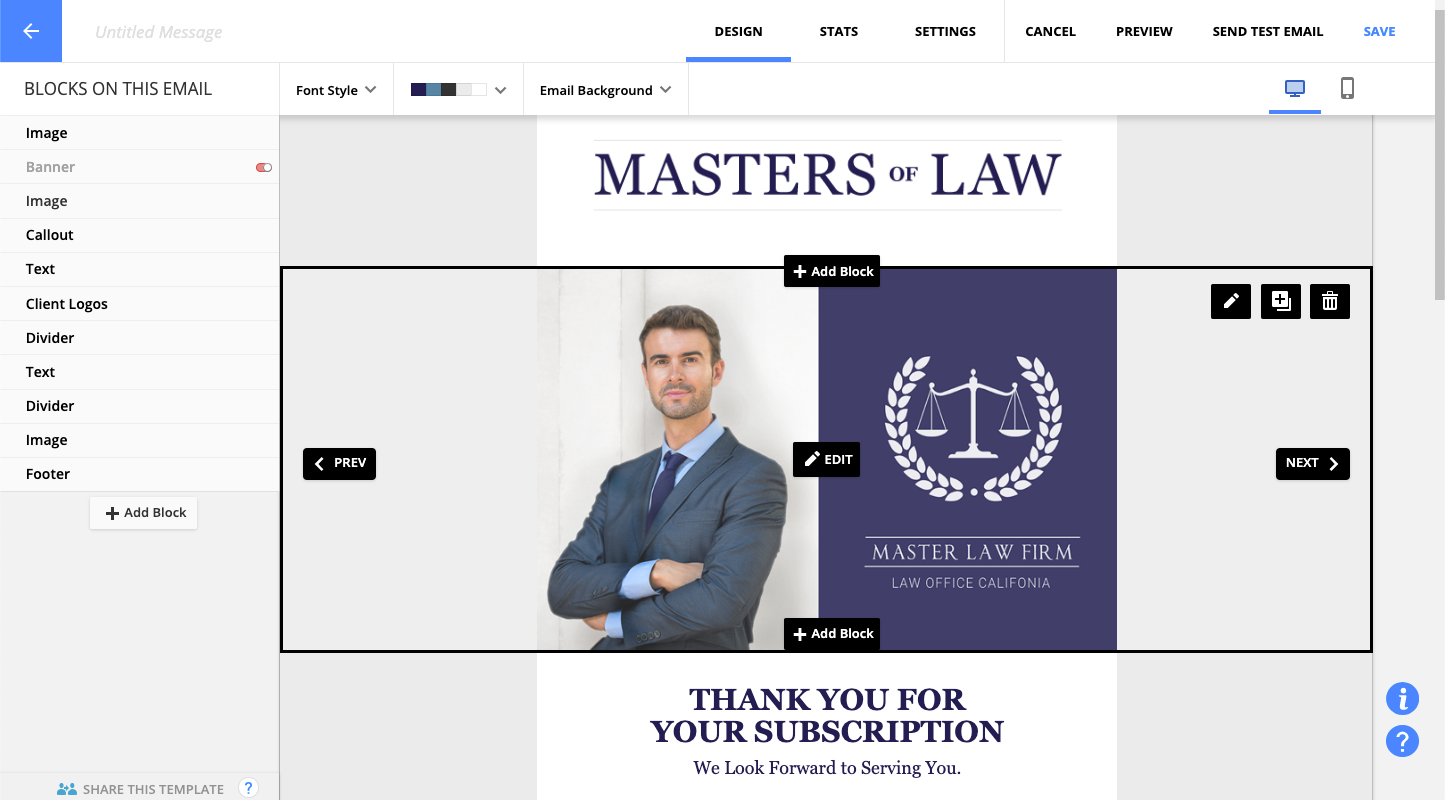  |