Patriot Software headquartered in Canton, Ohio offers Patriot PAY, their benefits administration and payroll software.
$174
Workday HCM
Score 8.2 out of 10
N/A
Workday Human Capital Management is a cloud-native system offering a globally
consistent user experience. Workday HCM is part of an intelligent, unified system with other
Workday products.
N/A
Pricing
Patriot Payroll
Workday Human Capital Management
Editions & Modules
Basic Payroll
$17/mo + $4 per employee/contractor
Accounting Basic
$20/mo (unlimited use)
Accounting Premium
$30/mo (unlimited use)
Full Service Payroll
$37/mo + $4 per employee/contractor
No answers on this topic
Offerings
Pricing Offerings
Patriot Payroll
Workday HCM
Free Trial
Yes
No
Free/Freemium Version
No
No
Premium Consulting/Integration Services
No
No
Entry-level Setup Fee
No setup fee
No setup fee
Additional Details
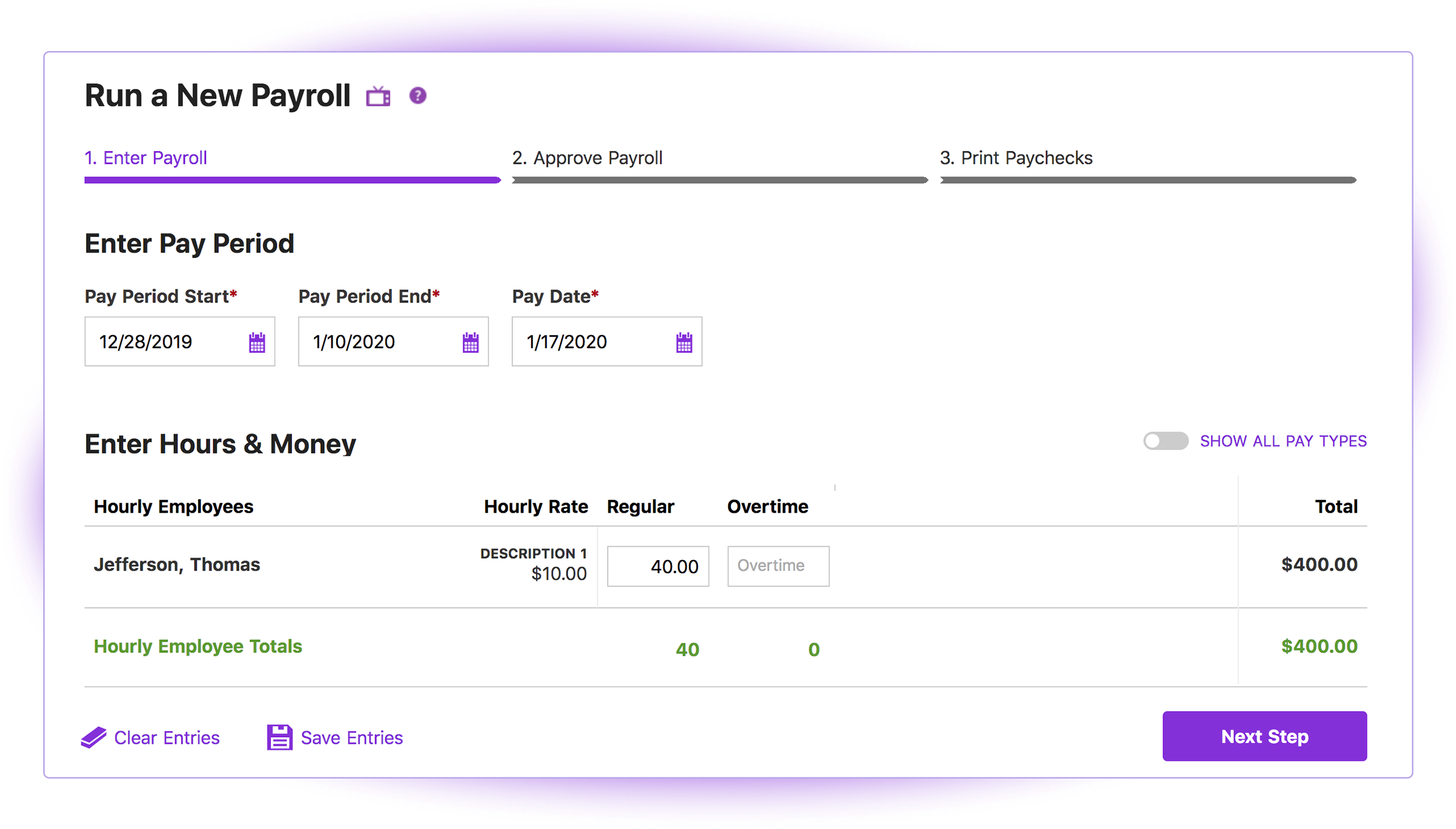
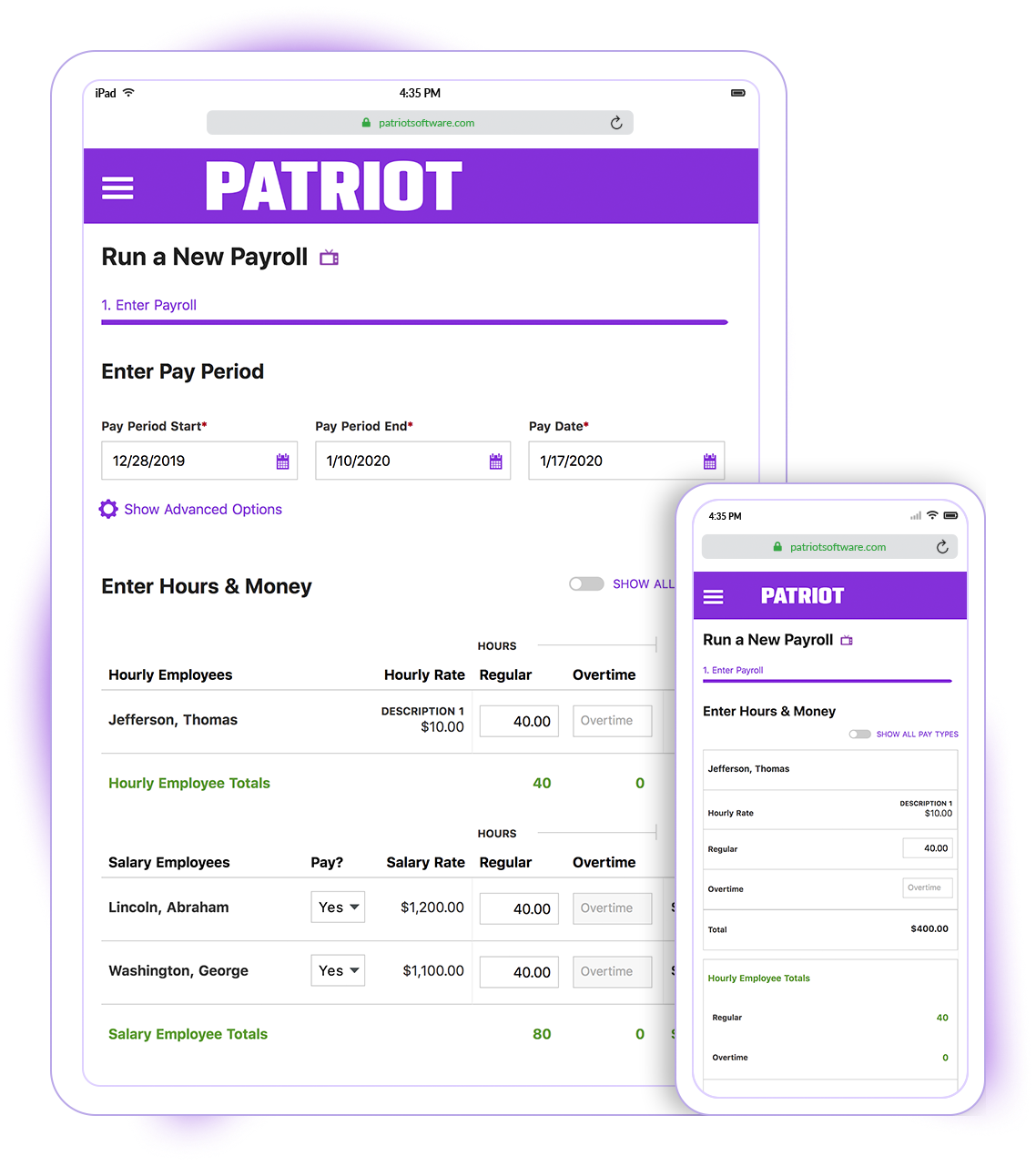
Patriot Software has two payroll options to choose from: Basic Payroll, and Full Service payroll software. Both start with a simple three-step payroll process. With the Full Service Payroll, Patriot will collect, deposit, and file federal, state, and local payroll taxes on the customer's behalf; end-of-the-year payroll tax filing is included at no extra charge.
Print W2s on 8 x 1/2 x 11 plain white office paper to hand to employees, or post to the free employee portal. Also, Patriot Software offers free direct deposit.
Paychex is considerably more expensive software granted they have services and analytics that are not available in Patriot. I am a small business with a tight budget, and that's why I ultimately selected Patriot Software because I can reinvest the savings in so many ways.
I briefly used Intuit Online Payroll, and it was expensive, had no support, and was very frustrating to use. I also used 3 local tax companies for payroll - they were extremely expensive and messed up all of the time. Their employee turnover was very annoying (and it seemed to …
Patriot Payroll is cheaper with their partner program and customer service seems better. As well Quickbooks Desktop Payroll specifically was charging per direct deposit action which is cost prohibitive and Quickbooks customer service is virtually non existent. As well, Patriot …
I found Patriot Software to offer the best price and service package for me to be able to process payroll for a number of my smaller clients while still allowing me to make a profit on the added revenue.
Quickbooks Online Payroll is literally the devil. They make things unclear, very difficult to tell what has been filed and what has been missed, hard to adjust owner salary whenever you want. I hate it! Gusto is more robust than Patriot and so for bigger companies with more …
My early experience with Gusto was exceptional...then the wheels started falling off. I won't go into the details but I lost a couple payroll clients due to their errors and was on the verge of losing more. That coupled with massive fee increases made it necessary to find …
I did A LOT of research prior to making a decision on which software to use. Patriot had an abundance of high reviews, so I finally decided to give them a try. And while I don't normally find reasons to rave about software, I loved both the product and the service!
I switched from ADP to Patriot PAY almost 2 years ago. I switched because Patriot was a much better financial deal. Also, Patriot has MUCH better customer service than ADP. They have an online chat, which is very quick and easy to obtain an answer. They also (usually) …
I prefer Patriot to Paychex for several reasons. First of all, for a small business with less than 10 employees, the fees charged by Paychex are unnecessary overhead when Patriot offers high quality and more than sufficient tools to perform the same tasks. Paychex also does not …
Cost is the major factor here, but the ease of use (and design of the interface) is a big advantage for Patriot PAY. Items are (ironically) more "intuitive" to find and manage in Patriot PAY than Intuit.
Patriot PAY is closer to ADP/Gusto/Paychex in how it looks and feels and …
Workday Human Capital Management is more than just an ATS, Greenhouse works as just an ATS. I think Workday Human Capital Management is great for the entire candidate lifecycle. From applicant to hire to onboarding.
The issue with ADP that I have found is that it is not as user-friendly for employees, nor the administrators using the product. I prefer using the Workday Human Capital Management system as our HCM place of record.
Workday is more robust and works well with interfacing on Social media for job posts. Also, the main thing that the Workday Human capital management platform tool has going for it is that Workday can and often is used in other capacities and other applications, so employees …
UKG can have some security issues with new user profiles on personal experience and its harder to adapt for elderly users. We had many situations where support was slow to respond to our tickets as the platform glitched or failed sometimes, unlike Workday HCM where all users …
We do use Workday as the other HCM systems do not have a good built in communications channel. Choosing Workday was particularly easy due to its interface. Employees feel that they are on a social platform even when they are in office, which breaks the usual barriers to …
The workday human capital management stacks up against ADP due to the overall different features that we have got in a single platform. With Workday HCM, we do not have to select multiple vendors or tools to manage employees, salary details, career progress, etc. Also, the …
They are almost similar, to be honest. But because Workday was introduced to me first, I learned a lot from this software. Lattice comes close, but I think Workday was way easier to use.
Workday HCM helps my organization better align our corporate strategy with defined objectives and KPIs while managing the performance of team members to deliver results. The user interface and time tracking capabilities of Workday HCM are also best-in-class. The Workday cloud …
Oracle Cloud HCM and PeopleSoft HCM are well-defined tools for HRMS activities. Oracle Cloud HCM is super easy to use by end-users and gives all standard functions for HR activities. The personal information, career, performance are well defined in Oracle Cloud HCM. It's out of …
I have not worked with similar products in my career experience. Since we deployed Workday Human Capital Management, everything has been running smoothly. I will recommend this product due to its high performance records. It has developed and streamlined our plans effectively …
I did not make the personal selection, but Workday [Human Capital Management] hands down has way more capabilities than ADP time tracking used to be able to do. The software is intuitive and a "one stop shop" for relevant information, and helps employee efficiency when electing …
Unfortunately, I do not recall the brands of the other human capital management software programs or tools I used at my current company or workplaces prior. I do think that is a testament to Workday with its strong branding and compelling features. I was not part of the …
Modern Workday has better features, and is more user friendly than previous versions of ADP, although it's been a while since I have used ADP, ultimately I do enjoy Workday's offerings.
SuccessFactors may not have had all the HR processes and features required, which is why we moved to Workday. But SuccessFactors definitely had a much more understandable UI and manager experience. We only used SuccessFactors for the performance tracking functions and features, …
Workday Human Capital Management looks at data from a different perspective and allows us to look at the same data from a macro level and a micro level and all points in between. It’s really amazing the data capabilities offered by Workday Human Capital Management.
It's a great tool for us now that we've scaled. It will be able to grow as we become 10,000 employees+ across the world. The build has been complex, but as we gain expertise on the team, we unlock critical functionality that enhances our HR sophistication.
Workday is by far one of the leading HCM application systems out there. So easy to configure and yet so advanced in capability. The WD Community of resources and other clients is very very helpful. It has allowed us to be successful in all our HR needs, looking to consolidate …
There are a lot of functions of Workday that we choose to manage over Confluence (our internal wiki). Not sure if this is better or worse but its a choice we've made. They both have not good search functionality so thats something could benefit from.
Patriot is well suited for an office with a small staff without complicated tax issues to manage. My office had 2 employees: one full-time and one part-time. There were no 1099's issued, and no special tax exemptions or other special tax situations for employees. The owner was a sole proprietor, so she was not paid as an employee through Patriot. It was easy to quickly run simple payroll tasks on a bi-weekly basis in my situation. However, I believe a more complex situation with more employees would still be suitable for this software if there was an employee dedicated to performing payroll and human resources tasks. Information must be manually entered each payroll period and submitted before 8pm to process at the scheduled pay date, so if there was not a dedicated employee for the task, it would be easy to end up paying employees a business-day late. I know that Patriot offers add-on services for human resource tasks, such as time sheets and tools to manage sick days, benefits, and record employee attendance. I did not require these extra services, but I like that Patriot offers services a la carte so that there is no need to pay for tools you do not need
I would say it's well suited in every environment because I think it does so much. It's like the holy grail of HRIS systems is what I like to call it because thinking about all parts of the employee lifecycle, it lives here in Workday Human Capital Management. So I love the fact that you can do the people data analytics, you can store employee records, the talent acquisition pieces there. I'm thinking I can't think of anything negative right now except for the fact that I can't drill down into the data for the people analytics side. Other than that, I think it's literally, yeah, the holy grail of HRIS systems, I love it and I would highly recommend it.
Patriot's software is very easy to use for running payroll. It takes about 30 seconds to do.
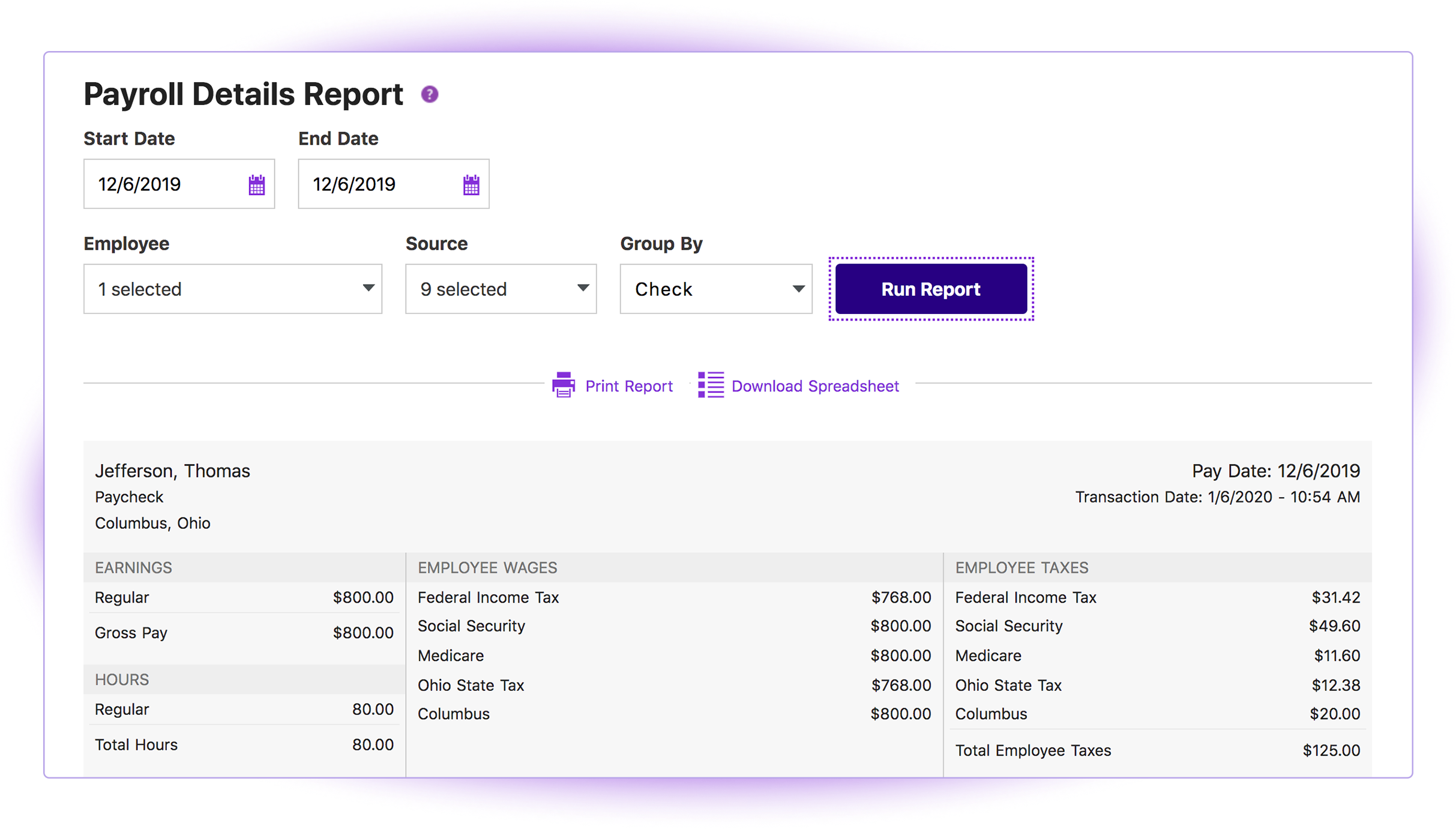
The payroll reports are abundant, easy to find and print, and make my accounting very easy.
Having a full service payroll provider as easy to use as Patriot leaves me with more availability to focus on treating patients and running other aspects of my business.
Since it is cloud based, it does not have version control issues (e.g. get 10 years behind on versions that are no longer supported), or the need for constant upgrades. This is completed behind the scenes.
The flexibility of Workday HCM implementation and then taking it to day to day operations was superior. You can then blow and out and start using other system cababilities when ready.
To enter the system, we must use multi-factor authentication for additional security of employee data. A user downloads their reports and then they are shown in their archive of work transactions and history.
The third party direct deposit processor Patriot previously used was not particularly easy to work with...but Patriot just brought all direct deposit processing in house.
Clergy housing allowance has to be manually entered each payday. They tell me they're close to adding the capability of making it (and other similar pay types) as a recurring item.
The setup process is geared toward novice users who need to be hand-held through the process. That's great for those who need it but a more streamlined, no-frills process payroll pros would be welcome.
It is work to make one system the source of truth for our data, but now that it is done, there is less work involved in staying on this path. This means for us that maintaining and/or implementing new modules like performance, finance, talent, etc. is simple. It's a no-brainer
I think it is great once things are setup as for general user looking to look for simple things like a copy of a paystub or a current pay rate for an employee. However, to find specialized things like a state withholding number or payroll integration settings those do require a bit more digging to find or possibly a call to customer service for help.
Overall this is a highly useable product. It does require continual use to stay current on changes in the User Interface and functionality, but as noted earlier, this is a reasonable trade-off for the rapid rate of improvement. It is very user friendly and the templated business processes prevents the system from becoming overly complicated
In 2014, Workday has changed the update process. There will be two updates a year; the updates will be delivered to customers typically in a 24 hour window during these two weekends a year. They also keep the Community up-to-date about any planned outages, etc. There is weekly scheduled downtime on Friday night.
From my perspective, the system runs like a well oiled machine and I have not had any issues with customers complaining about speed. If a report is taking long to run, the report can run in the background and you can go about your business. For larger enterprises, there is additional space and machines to process the application in what Workday refers to it as Extended Configuration Tenant
Generally speaking it is pretty good that when I need to call somebody up for a payroll question I can generally within five minutes get somebody on the phone and they can help me resolve the problem or specify where specifically I need to go or contact to find my answers. However, that being said, for my specific situation as a partner my assigned contact has not always been very responsive.
Support is provided by OneSource, the reseller. They really have no expertise and their level of technical expertise is poor. When we went to our training, the room was filled with OneSource people going through the same training. We finished training in 1 day, they took 4 days. They are hardly experts. Workday has come out with two more releases since then and Onesource have doubled in size in the last year – so it’s hard to see how they can keep up.
There is an online community/portal that is pretty good. There is however no easy answer to “guided completion”
Some training is offered online. Cost is per-person. This also gets quite expensive. Training doesn’t follow a logical path A to B. Starts in middle. When you try to do it afterwards at your desk, difficult. • Training scenarios are not very real
I have done for report writing and mass imports (EIBs). They give materials and you run through examples, i.e. you don’t just watch them do tasks, so that is helpful. Training is expensive – a single reporting writing class is $600 per person for virtual training
We had a small team - 5 of us total. It would have been nice to have a little larger team, but we made it work. Definitely helped that for our first payroll our 3rd party partner OSV was onsight. This minimized issues.
Cost is the major factor here, but the ease of use (and design of the interface) is a big advantage for Patriot PAY. Items are (ironically) more "intuitive" to find and manage in Patriot PAY than Intuit.
Patriot PAY is closer to ADP/Gusto/Paychex in how it looks and feels and operates in a full-service capacity, but it is much more affordable.
The workday human capital management stacks up against ADP due to the overall different features that we have got in a single platform. With Workday HCM, we do not have to select multiple vendors or tools to manage employees, salary details, career progress, etc. Also, the workday human capital management is very easy to use in all the different use cases that I mentioned above.
Workday has released Financials and is continuing to develop it's Human Capital Management footprint with the addition of Workday Recruiting. I think customers will find that is easy to add on additional functionality in the system. Workday does make it easy for customers to make changes without relying on IT resources. The Business Process framework is a visual tool that allows functional resources to make changes and see the flow of the transaction
Patriot allows the entire team to be on the same page when it comes to a campaign or donor. All of the information is in one place to see how much a donor gave or communication with that donor by a specific team member.
It provides comparative historic data and donor analysis. The organization of donations by appeal allows teams to know which campaigns were successful in previous years.
To get the most value out of all possible automation in Workday you really need to use a lot of their modules, otherwise you may not be able to solve for some pretty important and necessary needs.
The system maintenance is way more than what I have seen with some other systems and therefore you need a quite large team dedicated to it.
The ability to automate a lot of administrative tasks and the ability for employee and manager self-service definitely create a lot of opportunity for HR to spent time and effort elsewhere. A lot of the automation that can be leveraged in Workday also allows for eliminating third party vendors as well as the cost of their maintenance and integrations.