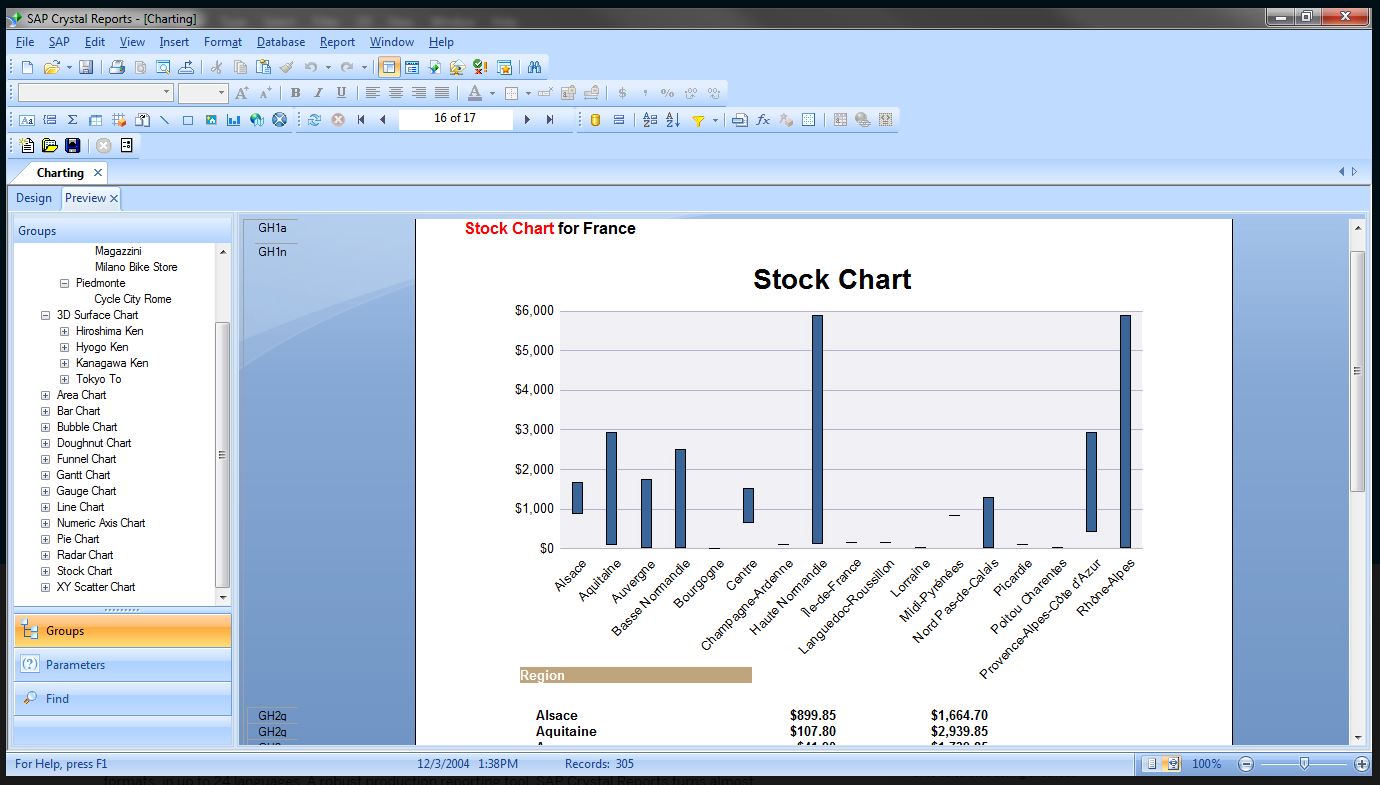
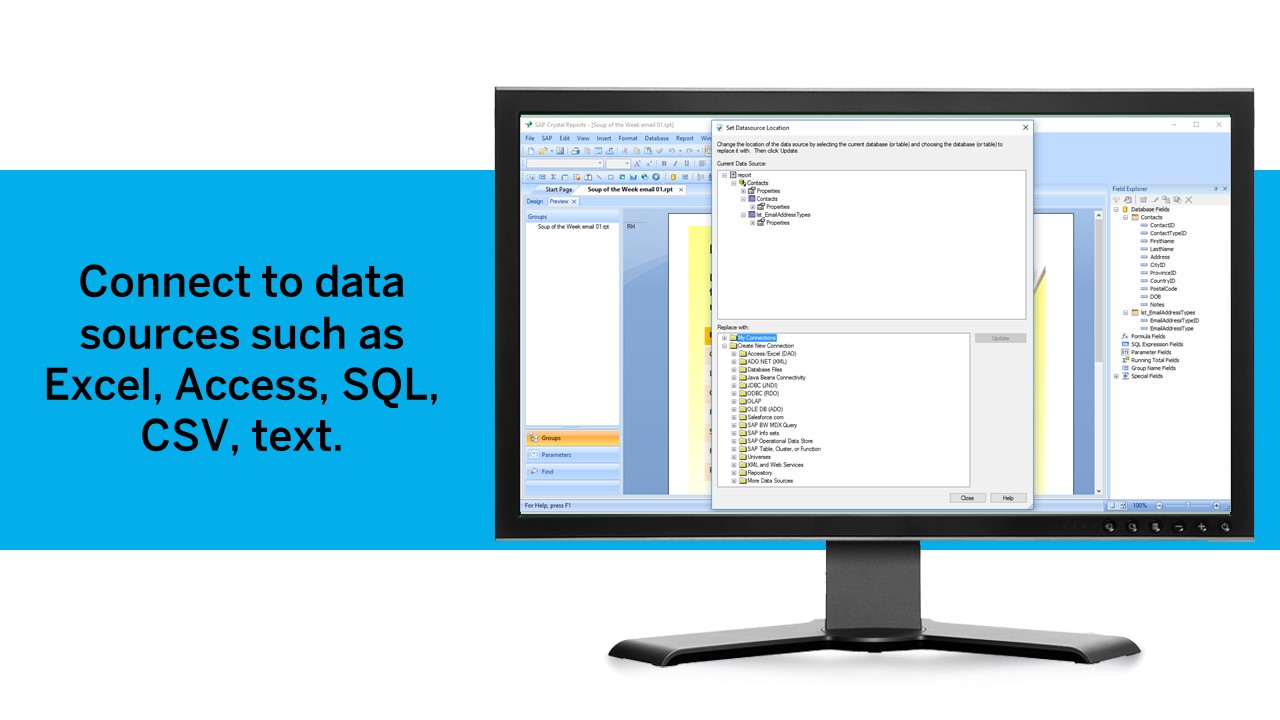
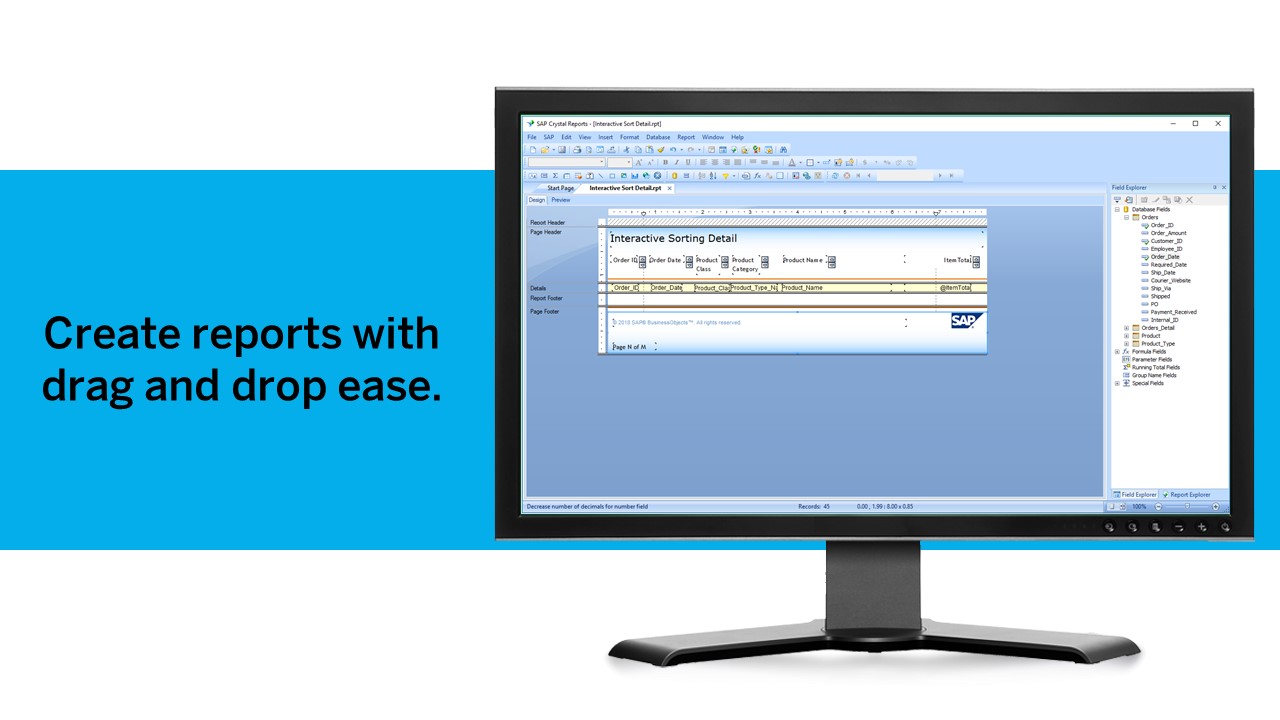
SAP Crystal is an analytics and reporting software solution for SMBs. SAP Crystal comprises Crystal Reports for pixel-perfect reporting, and SAP Crystal Server for automated distribution and self-service access to reports, dashboards and data exploration.
$295
per single user license
Zendesk Explore
Score 8.8 out of 10
N/A
Zendesk offers Explore, a business intelligence and customer analytics tool which integrates with the Zendesk suite featuring ticket analytics, custom fields, dashboards, and other features. Zendesk is migrating customers of the BIME analytics product, which is approaching end of support, to Zendesk Explore in 2019.
N/A
Pricing
SAP Crystal
Zendesk Explore
Editions & Modules
Upgrade Version to SAP Crystal Reports 2020
$295
per single user license
SAP Crystal Reports 2020 64-Bit
$495
per single user license
SAP Crystal Reports 2016 32-Bit
$495
per single user license
SAP Crystal Server 2020 1 NUL
$869
per user license + first year maintenance to be added
SAP Crystal Server 2020 5 CAL
$8,744
5 concurrent users + first year maintenance to be added
No answers on this topic
Offerings
Pricing Offerings
SAP Crystal
Zendesk Explore
Free Trial
Yes
No
Free/Freemium Version
Yes
No
Premium Consulting/Integration Services
No
No
Entry-level Setup Fee
Optional
No setup fee
Additional Details
* SAP Crystal Reports 2020 Viewer allows you to view static data within a SAP Crystal Reports file.
* SAP Crystal Reports 2020 - Full version allows you to create powerful, richly formatted, and dynamic reports from virtually any data source, delivered in dozens of formats, in up to 28 languages. If you already have an older version of Crystal Reports, buy a license for SAP Crystal Reports 2020 - Upgrade at a discounted, upgrade price.
* SAP Crystal Server 2020, 1 NUL includes 1 license of: SAP Crystal Reports 2020 - SAP Crystal Server 2020.
* As an add-on to SAP Crystal Server 2020 1 NUL, SAP Crystal Server 2020 5 CAL allows you to support a wider, intermittent audience of end users, up to five logged on at the same time.
SAP Crystal reports are generally in more formatted way where you can design header according to your requirements and data will be fetched from the data source accordingly. According to my analysis this is the only thing when required i'll be happy to use SAP Crystal report …
SAP Crystal Reports contains all the reporting capabilities of the above peer technologies. There is not a single capability of the above tools which is not available in Crystal report. But Crystal being an offering SAP fares and performs best for SAP integrated source systems. …
Qlik Sense and Qlik View are all good tools and provide similar views and analyses like SAP Crystal. However, SAP Crystal is quite easy to use and more intuitive for people who have no background with coding and cloud-based tools. The ability to automate generating and sending …
Vice President, Chief Architect, Development Manager and Software Engineer
Chose SAP Crystal
We found that Crystal was a little more intuitive to our team members than the other products. All of the products were excellent choices but we liked the ability to code stored procedures to gather our data. While each product has very similar features, we went with …
Qlik is better in terms of reading data from different sources but it doesn’t have the auto doc ability like SAP Crystal Tableau. It is a decent visualization tool but doesn’t have the same ability in terms of rendering output reports into a suitable format. Plus the cost of …
We've had SAP Crystal for about ten years at this point. We've never really evaluated any alternatives since, as of today, well over 400 reports are being generated in the system, and we've yet to consider switching to a competing product.
For automating documents and reports, I personally believe there is no better solution. However, for the sheer fact, it can't compare/combine two sources, I'd recommend pairing it with another BI tool. For example, Qlik, whereby you can create dashboards and compare multiple …
We originally purchased Crystal as it aligned with our vendors' recommendations for reporting. We have since started to focus our development on more self-service and dashboard-type tools (like QlikView, Qlik Sense, and similar). These tools are more mature and capable than …
We develop our desktop applications in Visual studio IDE, we use SQL Server as a database engine, and the reports are managed by SAP Crystal since it does not limit us when it comes to displaying data. It supports all kinds of information from images and graphics.
For standard pixel perfect reporting, our company still uses Crystal Reports. It allows us to continually provide standard reporting to our clients. For dashboards, we are moving towards Microsoft Power BI. Power BI allows similar collaboration, but generally has better …
Fully integrates into SAP B1 menus, it is the only reporting tool that fully integrates with B1 client, otherwise if you dont run SAP you can have all the reporting power and run reports from the crystal report viewer tool but you will not have menu like reports and you …
As I stated in the previous question, the SQL Server reporting engine provides necessary scheduling services to allow for employee self-service. It also supports granular security, based upon active directory, to control who can see which report. SAP Crystal is still superior …
Crystal offered a more straightforward implementation for our situation. While Tableau offers well-designed reports, the overall functionality regarding data manipulation and analysis is behind Crystal.
I tried using Cognos, but I found trhat I prefered Crystal Reports because it does not require you to set up a meta data layer before setting up your reports. That is a real time saver for me.
Crystal reports is useful in case we want to import data from data base . We can write queries in it but google charts require to be implemented in our application using code so crystal reports is better than google charts.
I didn't make the decision in terms of selecting the software for the department. However, SAP Crystal is a great tool for a medium size department to increase their efficiency. There might be a different software on the market but I haven't used any similar software except …
We actually have all 3 in place and all 3 are used in different situations. Some are bundled with certain products so we continue to use them. Others such as BI from Microsoft are stand alone and allow for easier data visualizations than SAP Crystal does. We chose SAP Crystal …
We didn't so much evaluate them as use them side by side. Crystal was already here so we didn't replace it or think to replace it. We just added other programs that do things better. Both Power B and Dynamics are good at visualizing data in charts. Crystal is the workhorse
I have done a little bit in Microsoft SSRS and a bunch in SAP Web Intelligence (Webi). Both of those are good at what they do. Like Crystal, SSRS is more technical. Webi is great for quick ad-hoc reports or data analyses. But with Crystal I can easily do things like …
PowerBI is starting to replace Crystal Reports. PowerBI is a Microsoft tool. It also brings different types of data in to the same report. PowerBi allows for more data types than Crystal does. Crystal Reports allows you to create formulas easier than PowerBI does. I am very …
Zendesk Explore stands out against Freshchat and Freshdesk for it's deeper analytics capabilities and seamless integration with Zendesk ecosystem. While Freshdesk offers reporting, it lacks on the same level of granular insights and customization that Zendesk Explore provides. …
I selected Zendesk Explore only to provide an easy and quick access for my managers and supervisors regading metrics and volume trends. Is not the most flexible nor complete data visualization tool, but works well for day-to-day follow ups. You need to use another tool if you …
What's good with Zendesk Explore is that data is already provided since it's included in the package. We get the data from Zendesk Support and make a report in Zendesk Explore.
It provides suggested templates and report formats also which you don't get on the other platforms. …
Zendesk Explore is more user friendly and the software plus maintenance cost is less. The report section is more detailed and no lag while creating report for a large data source. The report segments and formats are editable which make it more convenient to make a report …
We tried other reporting and Zendesk Explore was by far the best as it was already implemented into our support system we were already using; Zendesk. The main selling point for us, is that all of the reports are customizable and that no coding knowledge is needed to build out …
Zendesk Explore is better than Freshservice Analytics. In Freshservice, even though the interface is more attractive, the functions are not as good as Zendesk Explore. Reports and dashboards are hard to build, and the materials to learn are not as good as the materials on …
For support data, we have only used Explore because it came with our ZenDesk membership. So I can't speak to other solutions! That said, it's awesome to have Knowledge Base and support data in one place.
Generation of templated reports is the strong suit of SAP Crystal. Allows users to change formats in templates bases on requirement with minimal effort. Automated report delivery requires the user to be aware of sql which cannot be expected from all users. Should support more document export formats and improve the UI for SAP B1 Users
Compared to other analytics functions of other Ticket Management System, Zendesk Explore is the easiest to learn. Moreover, the learning curve is high. Once you pick up the fundamentals, you will be able to create all types of analytic reports. In addition, if you know basic coding or SQL, you can create your own metrics and attributes to capture extremely specific elements such as the tickets that contain a certain word or etc.
Great visualization for static format & precise tasks: For presentation to senior management /ex-co/vendors where concise decisions need to be made, Crystal is a nice choice to slide data into presentable views.
Diverse data source connect: We have used it to write reports using data from DB2, SQL, Progress, Excel spreadsheets, XML data, Access, and Lotus Notes databases. It can also be used to join different database types together in one report.
It uses the "recurring bands" structure for page layout which is efficient and fungible for generating different types of reports. Crystal doesn't require that we set up a metadata layer before creating reports and provides direct access to tables and dimensions.
As with most "suite" products, if you already use other Zendesk features (Chat, Talk, etc), then Zendesk Explore adds an extra facet to the customer experience. The more we know about our clientele, the better we can understand/anticipate their needs.
I like that we can get as in-depth as we feel is necessary. For example, is just one customer having an issue? Or are many experiencing a similar problem? We can better rack this type of trend using Explore.
Our team can dive deep into the data based on exactly what we're looking for. If the marketing team wants a certain kind of segment, we can give them that info. If we want to sort by date or another set of parameters, we can do that as well.
We have been using this product for so many years and it has truly become a cornerstone to our business processes when it comes to developing and distributing information via reports. We currently have over 500 reports developed to date over about 30 systems and that will continue to grow as user needs change.
Being able to get up and running quickly is a key asset. There's plenty of advanced features to master that are surprisingly difficult in others tools (or just missing from other tools altogether). The UI can feel a bit dated at times but its usability isn't affected. Any issue you have can usually be resolved by searching in the user community
I rate Zendesk Explore 8 out of 10 for it's overall usability because it offers powerful reporting and analytics with an easy to navigate interface and intuitive dashboards. It helps improve customer satisfaction by providing valuable insights into ticket handling, agent performance and customer satisfaction. Though the complex query builder can be challenging for non technical users.
SAP Crystal report is very supportive in daily need of reports or any organization. Basic functionality of operational reports detailing the Sales Order details or PO in a manner which can be used very easily. A readily available solution for delivering any customized need in terms of pixelated reporting can be met easily with the tool
Zendesk Community is extremely useful for Zendesk Explore beginners. The live support provided by Zendesk will also help a lot. If you don't know anything you can ask live support right away. However, one drawback of Zendesk Community and Support is the creation of complex reports on Zendesk Explore. Zendesk Community and Support cannot really help you much if you are trying to build a complex report as they are not a complete expert on it as well.
Just like any other implementation: When designing the differing reports, get end users' input, make sure to design the reports so that they display the information that the company requires, in the best and clearest way possible.
Test, test, test, revise when needed, and, particularly, do sufficient training so users are comfortable using Crystal Reports!
For standard pixel perfect reporting, our company still uses Crystal Reports. It allows us to continually provide standard reporting to our clients. For dashboards, we are moving towards Microsoft Power BI. Power BI allows similar collaboration, but generally has better features for dashboards. Power BI also allows us to publish multiple reports and dashboards into a single app for our end users.
Zendesk Explore stands out against Freshchat and Freshdesk for it's deeper analytics capabilities and seamless integration with Zendesk ecosystem. While Freshdesk offers reporting, it lacks on the same level of granular insights and customization that Zendesk Explore provides. Compared to Freshchat which focuses more on live chat and conversational analytics Zendesk Explore excels in historical trend analysis and comprehensive dashboarding. We choose Zendesk Explore for it's robust reporting and drill down capabilities.